

June 24 2026 APP 2.0.0-beta46 has been released !
Improved internal memory configuration (lower ! memory usage), fixed beta45 startup issue, fixed Set Save Directory & 2-panel mosaics.
May 27 2026 APP 2.0.0-beta45 has been released !
Fully Multi-Threaded LNC, many improvements for the registration engine, platform upgrade, and further tuning of internal memory consumption and memory release back to OS.
Apr 14 2026: Google Pay, Apple Pay & WeChat Pay added as payment options
Update on the 2.0.0 release & the full manual
We are getting close to the 2.0.0 stable release and the full manual. The manual will soon become available on the website and also in PDF format. Both versions will be identical and once released, will start to follow the APP release cycle and thus will stay up-to-date to the latest APP version.
Once 2.0.0 is released, the price for APP will increase. Owner's license holders will not need to pay an upgrade fee to use 2.0.0, neither do Renter's license holders.
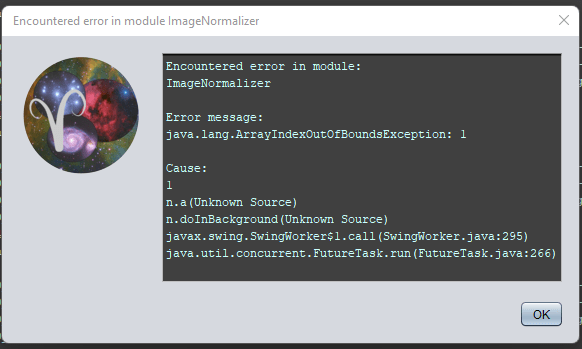
Hi everyone, I'm trying to figure out my workflow for integrating data from the ASI294 OSC and monochrome cameras. My goal is to have RGB star colors with narrowband data, however I'm coming across an error during the normalization phase. I am creating separate sessions for the RGB, Ha, Oiii, and Sii and assigning the calibration frames to their respective filter sessions and I'm not forcing CFA Bayer as the RGGB matrix is already in the fits headers from what I have read so far is correct and I've selected the default adaptive airy disc algorithm supported bayer pattern, and everything is working well until about 56% into the normalization when I come across this error each time I've tried. Is normalization necessary in a workflow like this or should I be selecting a specific mode, method, or scale?
Thanks
Eric
Combining Ha (or any narrowband data) with RGB data is not yet possible like that. You can load your RGB data and its calibration data, calibrate them and then save the the separate channels (R, G and B) as mono data, using the "split channels" option in tab 2, all the way down.
Now having mono R, G and B, you can proceed to load those in together with the Ha and proceed with making R, G, B and Ha integrations. These can then be combined in the RGBCombine tool.
