

UPDATE FROM MABULA
I have had a very rough 2 months unfortunately health wise. I was struck 3x in a row with bacterial infections. The second infection occurred after a routine hospital checkup and I became very sick. I had to rest and take a lot of antibiotics. Once I was recovering and restarting work 1 month ago, I again became sick. The infection was not yet gone, so even more antibiotics and rest was needed. Needless to say, it took a lot of my energy and I needed a lot of rest.
Finally, the infection is really gone and my energy is coming back step-by-step now and I have started work again. I am terribly sorry to have kept you waiting for support. I will address all outstanding questions and e-mails step-by step and will be on the forum daily from today.
APP 2.0.0-beta47 will come soon as well, a lot of work was already completed before I became very ill, so the release is also nearly ready for you. Beta47 will be much faster actually. Many workflows will be more than 2x faster, mosaics can even be 10x faster than before because registration really received a major boost... all compared to beta46. Before I release it, I will make sure that everything is working properly and then I will release it.

I get this error when I start APP 2.0.0-beta43 on my windows 11 tablet with i5 processor and 16GB.
Every version up to 2.0.0-beta42 works fine. I also tried a clean install and I have the newest Java.
-
"But it works on my old Windows 10 Desktop."
App is not depending on java being installed, did you recently install that or do anything else with the system that could cause this?
Welcome back Vincent!👍
No new installs. I reinstalled beta42 and it runs fine.
Thanks! Very interesting, I'm sure @mabula-admin will test some of this on his w11 then, I'm on Linux so can't help much. Are you able to start APP from a terminal maybe? That could give some clues perhaps.
Ho Robert @robsi,
Thank you very much for reporting this.
First of all, there is never a need to install JAVA yourself on the Operating System for APP to run properly. APP will never use the java that you install yourself.
I have just tested 2.0.0-beta43 on Windows 11 Lenovo Thinkpad X1 with 16GB of RAM and it simply starts.
Beta43 runs with a new internal memory configuration, so that is probably related to why it will not run on your tablet I suspect.
The tablet still has X86-64 hardware? Not ARM/ARCH64 hardware, right?
Can you run APP from the terminal/command line (enter CMD in the windows start meny) on your tablet and produce an error log? That might show us the reason why it won't start:
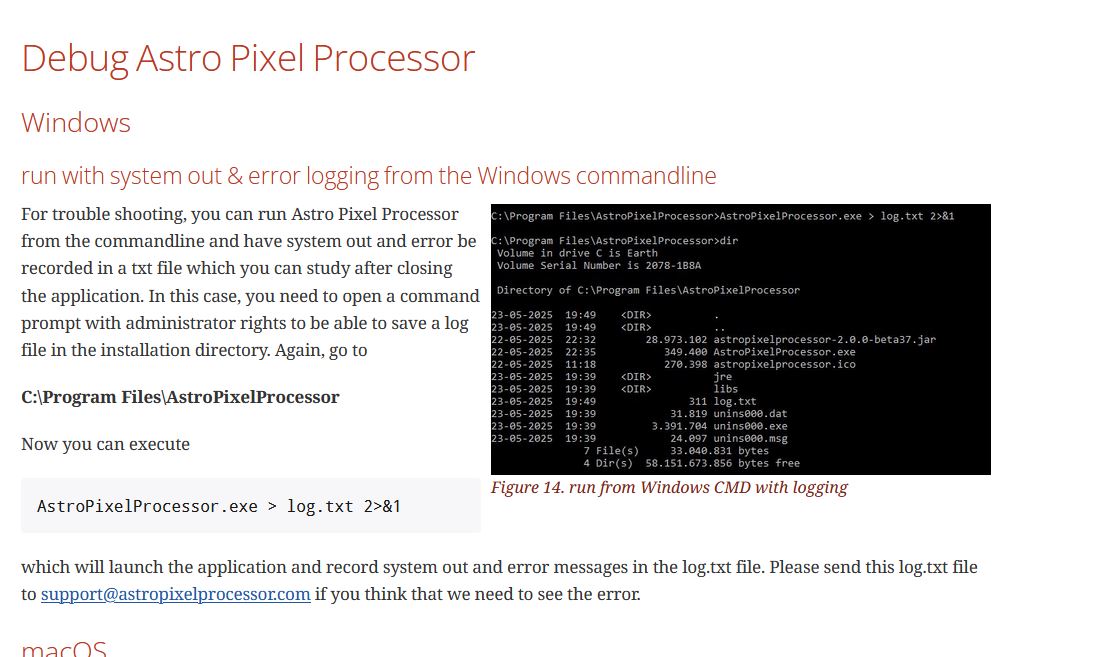
Thanks for reporting this and please try to create this log.txt file and share it with us so we can solve this 😉
Mabula
beta44 is working again!👍Thanks!
