

June 24 2026 APP 2.0.0-beta46 has been released !
Improved internal memory configuration (lower ! memory usage), fixed beta45 startup issue, fixed Set Save Directory & 2-panel mosaics.
May 27 2026 APP 2.0.0-beta45 has been released !
Fully Multi-Threaded LNC, many improvements for the registration engine, platform upgrade, and further tuning of internal memory consumption and memory release back to OS.
Apr 14 2026: Google Pay, Apple Pay & WeChat Pay added as payment options
Update on the 2.0.0 release & the full manual
We are getting close to the 2.0.0 stable release and the full manual. The manual will soon become available on the website and also in PDF format. Both versions will be identical and once released, will start to follow the APP release cycle and thus will stay up-to-date to the latest APP version.
Once 2.0.0 is released, the price for APP will increase. Owner's license holders will not need to pay an upgrade fee to use 2.0.0, neither do Renter's license holders.
Hello!
My current setup produces under-sampled data @ 2.49"/px. I always dither my data too and want to try drizzle to try and sharpen my somewhat 'soft' images. As I am using a ZWO ASI294MM mono camera my questions are below:
1) Under tab 0 RAW/FITS if I intend on using drizzle with a mono camera what settings need to go in there as they all seem to apply to OSC cameras?
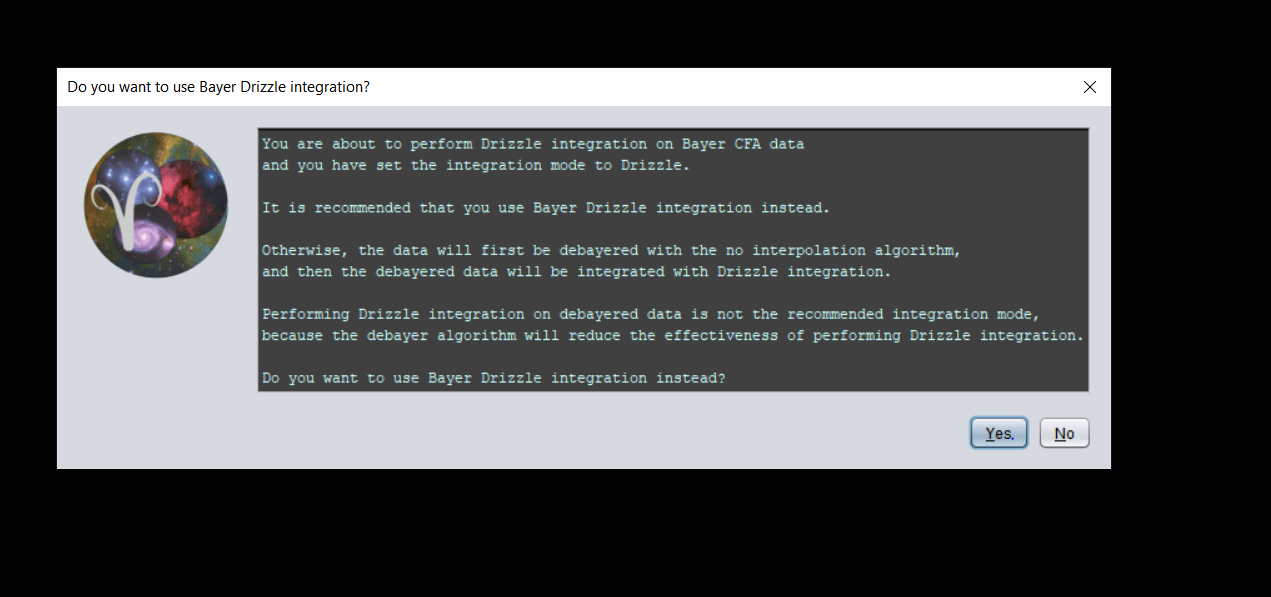
2) Under tab 6 INTEGRATE, if I select the 'drizzle' mode option from the bottom under the 'Integrate' section it displays a warning saying I should be using the 'Bayer/X-Trans drizzle' option instead - I am confused by this as it seems like the latter if for OSC?
It would be great to know what the correct settings are for both these tabs to use drizzle with a mono camera.
Thanks!
Hi and thanks for the questions;
1) You can leave tab 0 as-is if that works as expected for regular images from your camera.
2) So when you load in an image and see it in the preview, is the histogram on the top right displaying a grey, mono histogram or RGB?
@vincent-mod, attached is a screenshot of what I can see when i select one of the images (luminance in this case). I cannot tell if the histogram is displaying a grey or mono.
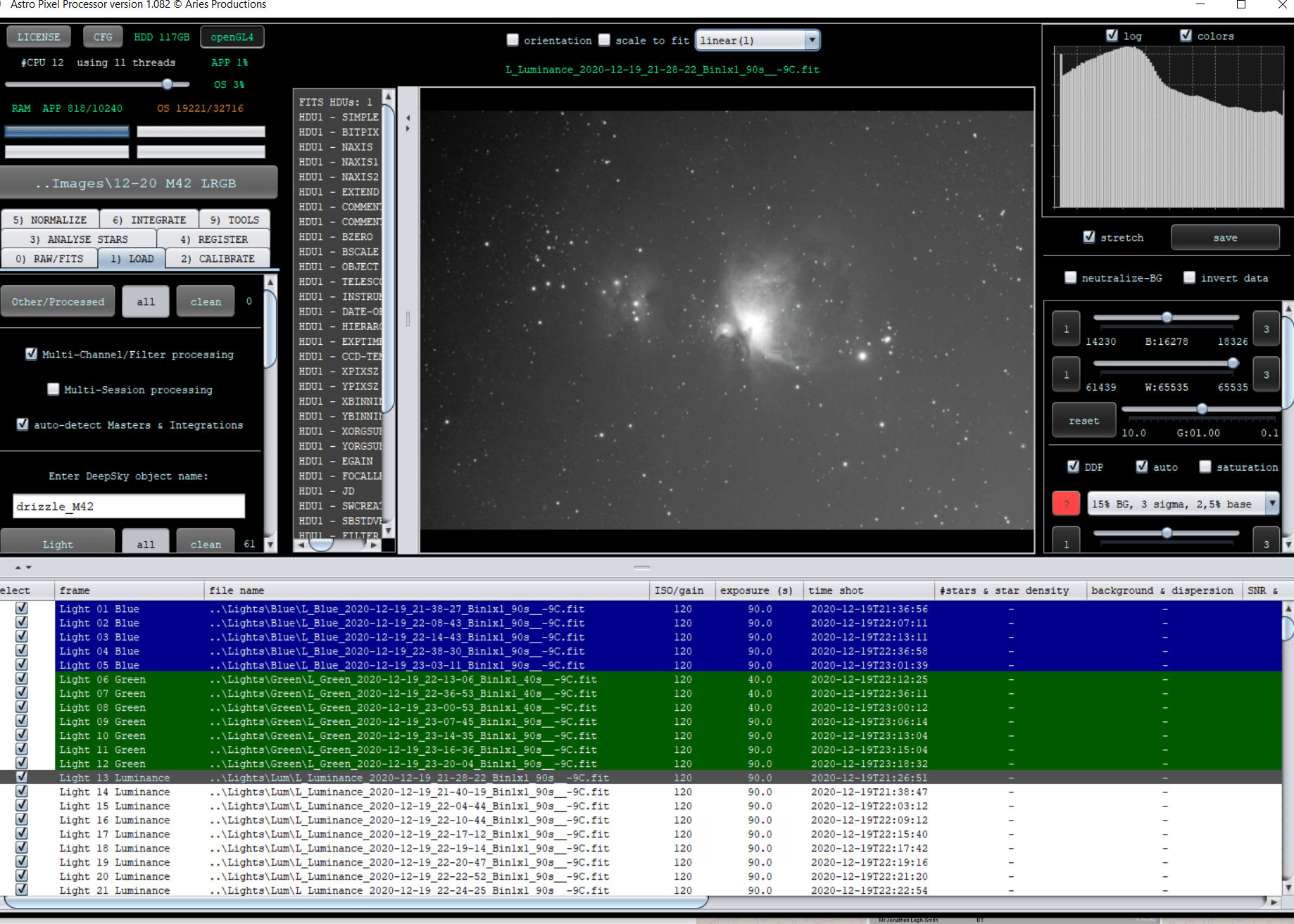
Ok, so that at least is a mono histogram, same for the G channel for instance? Please also double check if "Force CFA" is not switched on in tab 0.
Apologies, I better roll back a bit for a clearer understanding!
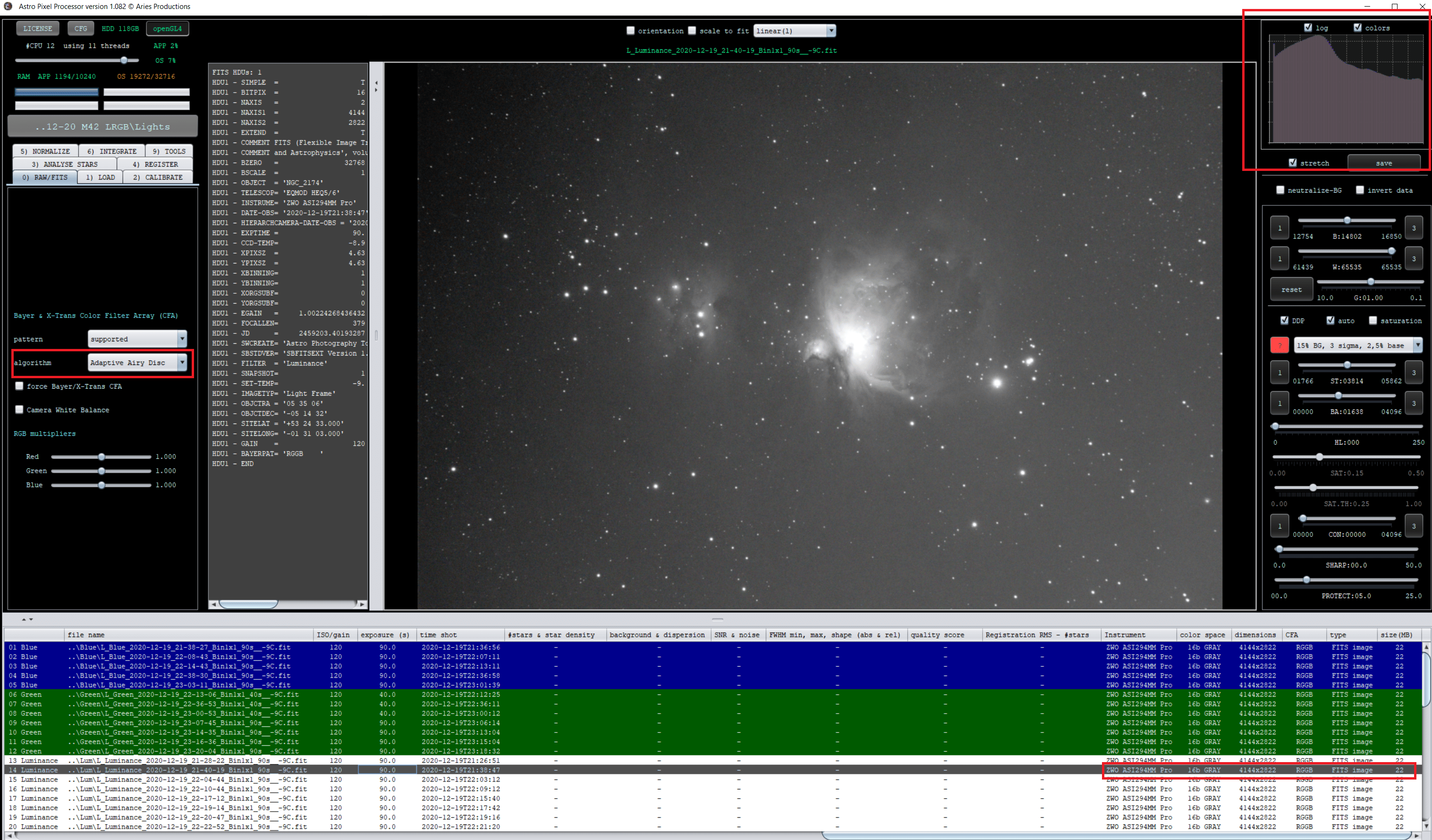
If I leave the default settings with the 'adaptive airy disc' algorithm in tab 0 then I get the below histogram for any image from the LRGB filter data (note the colour space is showing as 16b gray and CFA is RGGB?):
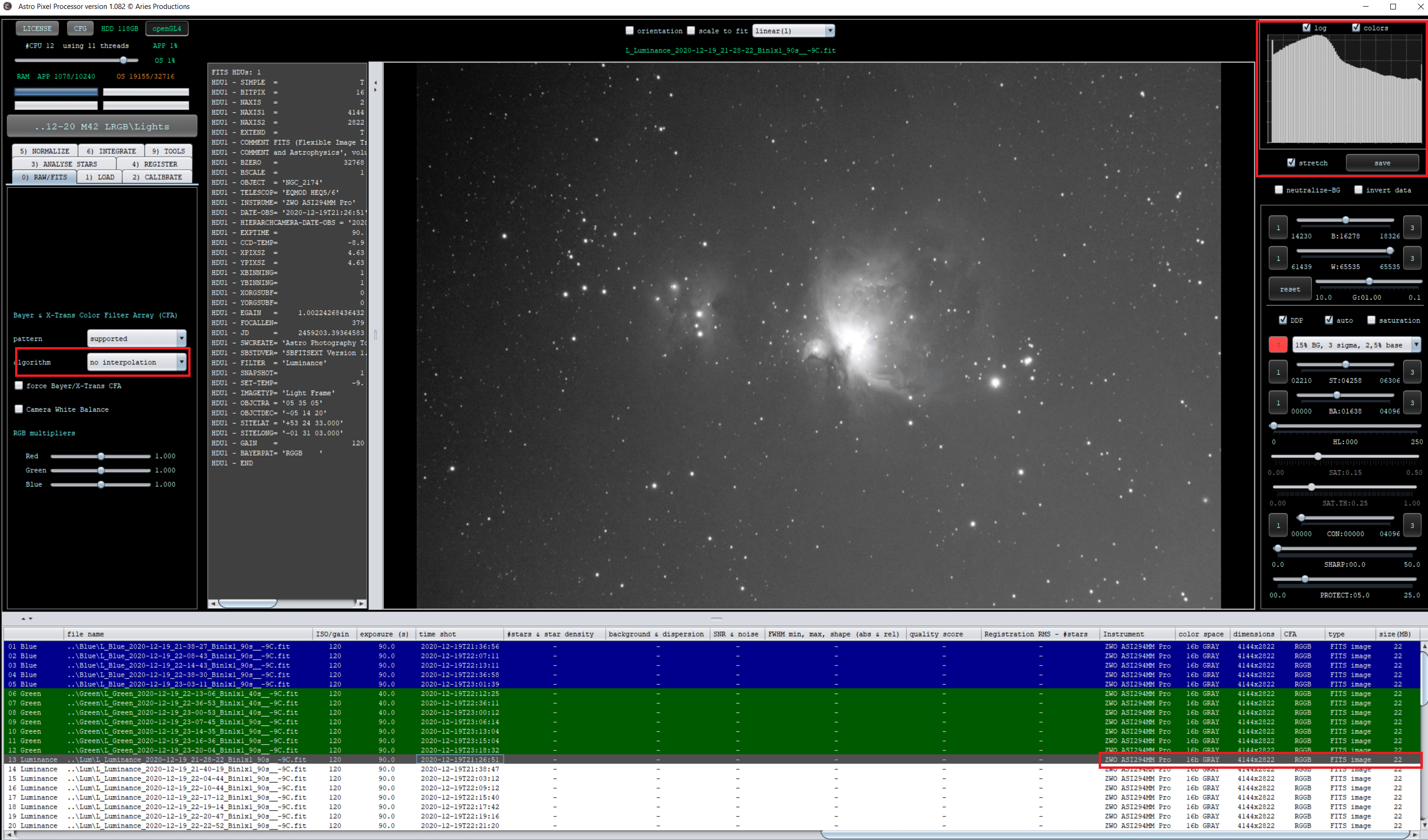
If I change the algorithm in tab 0 to 'no interpolation' then I get the below histogram for any image from the LRGB data and again the colour space shows as 16b gray and CFA RGGB.
If I integrate with adaptive air disc and attempt the 'drizzle' integration mode, the below message is displayed:
Given the above, it is not clear to me that regardless of using drizzle or not, that I should actually be changing the settings in tab 0? Also, I am unsure why the data is categorised as CFA RGGB when its from a mono camera?
Any help in understanding this would be greatly appreciated! I am about to try and run an integration with the 'no interpolation' algorithm in tab 0 with the 'drizzle' integration mode 0 - I have not tried this yet.
This also might be useful, the properties of the image indicates it is tagged as RGGB in the fits metadata:
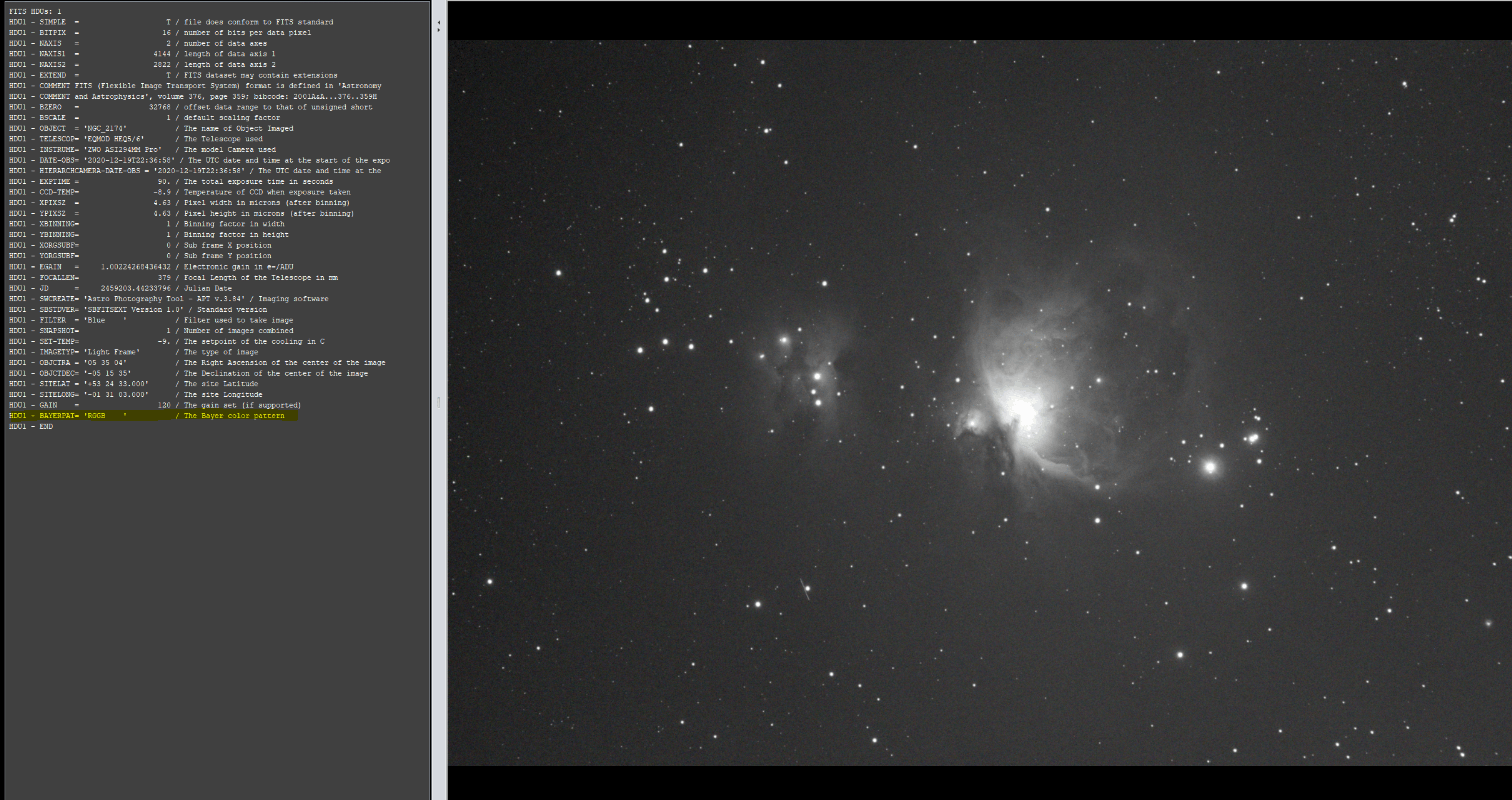
I do wonder if my image collection software is tagging the image as RGGB when its a mono camera.
Ah, thank you for the extra research. That last one might indeed be the issue, maybe APT is doing this can you check that? I'm discussing this with Mabula as well.
No interpolation might be an interesting test indeed, to see if that works to get around the issue.
Yes, given the other screenshot, APP is displaying a mono but because of the header, it regards it as RGGB. This should be removed from the fits header. In the next APP version this will be easy to do, but also check that APT is not set to add this.
I can confirm that APT has been adding the BAYERPAT keyword with RGGB value to the fits header. This is because I had a 294MC pro OSC previously and I didn't disable the debayer setting for previewing the OSC colour fits files. With this enabled it was writing the BAYERPAT keyword with RGGB to the fits header. I have sourced a tool to batch edit all my fits files to remove the keyword but having trouble with it. I could not remove the BAYERPAT keyword completely but I could modify with the value BAYERPAT = 'no' and APP now works with it. Before this I also tried changing the algorithm to 'no interpolation' without changing the fits headers but that did not work and failed during flats calibration.
The drizzle mode now works as expected with mono data. Like you say, it might be useful to have some kind of override feature to ensure mono data is dealt with properly.
Cheers!
Alright, thanks a lot for the clear description and own research into this. I now know that more people using APT have had this problem, it's not very apparent I guess in the UI. The next release of APP will have a batch modifier tool to edit the fits headers and can be used to tackle this if needed.
Good luck with the rest of the processing! 🙂
