

UPDATE FROM MABULA
I have had a very rough 2 months unfortunately health wise. I was struck 3x in a row with bacterial infections. The second infection occurred after a routine hospital checkup and I became very sick. I had to rest and take a lot of antibiotics. Once I was recovering and restarting work 1 month ago, I again became sick. The infection was not yet gone, so even more antibiotics and rest was needed. Needless to say, it took a lot of my energy and I needed a lot of rest.
Finally, the infection is really gone and my energy is coming back step-by-step now and I have started work again. I am terribly sorry to have kept you waiting for support. I will address all outstanding questions and e-mails step-by step and will be on the forum daily from today.
APP 2.0.0-beta47 will come soon as well, a lot of work was already completed before I became very ill, so the release is also nearly ready for you. Beta47 will be much faster actually. Many workflows will be more than 2x faster, mosaics can even be 10x faster than before because registration really received a major boost... all compared to beta46. Before I release it, I will make sure that everything is working properly and then I will release it.
In APP, the preview filter on the right, by default, automatically stretches the data for viewing in the image viewer.
This is just a stretched preview, the original data is not altered (as it shouldn't).
It's easy to forget, due to this function, that you are actually loading other (usually linear) data and that APP shows stretched previews of that other data by default. Since we work with linear data from our camera's, this function helps quickly in evaluating the data that we have.
Understanding the working of the preview filter is essential to understanding how APP works.
On the right hand side of the screen we have an
- histogram and a
- stretch selectbox next to a
- save button.
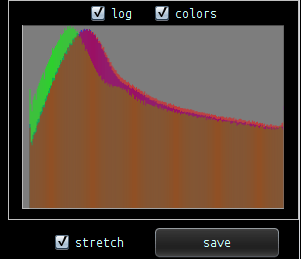
The save button combined with the stretch/no-stretch choice will accomplish what we want to do:
Save with the stretch selectbox enabled saves the data as shown in the image viewer with all stretch parameters applied.
Save with the stretch selectbox disabled, and APP will save the loaded data unaltered by the preview filter. This is direct evidence that the preview filter itself doens't alter the original data.
An example, I load a Nikon NEF frame of the Cocoon Nebula:

by default APP applies the auto DDP stretch filter, so this is not the linear original data, the linear data can be seen if we disable DDP and set the (B)lack slider to 0 :

So If you
- DISABLE DDP and
- SET the B(LACK) slider to zero = 0
- SET the W(hite) slider the maximum (depends on bit depth)
- SET G(amma) to 1 (so no gamma/log conversion)
You get to see THE ORIGINAL, UNALTERED DATA in APP.
Now to demonstrate and 100% proof that saving of either
- stretched or
- unstretched
data works with the save button and that the preview filter doesn't alter the original data, I now re-enable the DDP function, and APP again shows the auto-stretch since auto DDP is on as well:
1) unstretched save on this image, disable stretch selectbox and click on save, I save a JPG with ICC profile on 75% quality, I expect to see the same image as the in the screenshot that has DDP off and B(lack) = 0
This is the JPG output, next to the screenshot of the linear data in the image viewer:

exactly like in the image viewer with DDP off and B(lack) on zero. The original unstretched data in the NEF is saved in the JPG.
2) stretched save on this image, I expect to get a JPG that shows exactly what I see in the image viewer, this is the JPG output with correct color mangement using ICC profile included:

I think it's identical, so the JPG contains the stretched data created from having the the stretch parameters in APP applied on the original unaltered data in the NEF file.
Final and important note: if you save data using the save button with stretch enabled, and if you then load that stretched image data into the image viewer. You can only see the original (now stretched) data again by disabling DDP and setting B(lack) to 0, otherwise APP tries to do a stretch again on the original (now stretched) data. Sometimes this is bad and ugly, sometimes a second stretch can even improve things. It's very dependent on the actual data how this turns out.
Let me know if this is clear or needs more explanation.
Kind regards,
Mabula
