Jan 31 2026: APP 2.0.0-beta40 will soon be released with many fixes especially for Linux, upgraded development platform and 10-20% performance boost !
Jan 15 2026: FIXED LICENSE SERVER VPN Tunnel issue
The issue could have prevented APP to start when using a VPN tunnel or another complicated network configuration, like using APP on a remote computer on a different continent. This issue is fixed now and APP should start normally.
Jan 04 2026: Update on the 2.0.0 release & the full manual
We are getting close to the 2.0.0 stable release and the full manual. The manual will soon become available on the website and also in PDF format. Both versions will be identical and once released, will start to follow the APP release cycle and thus will stay up-to-date to the latest APP version. Unfortunately, Mabula was struck by a severe flu virus in the past couple of weeks and thus could not work. He is getting much better now and he has resumed work to release 2.0.0 as soon as possible. Once 2.0.0 is released, the price for APP will increase. Owner's license holders will not need to pay an upgrade fee to use 2.0.0, neither do Renter's license holders.
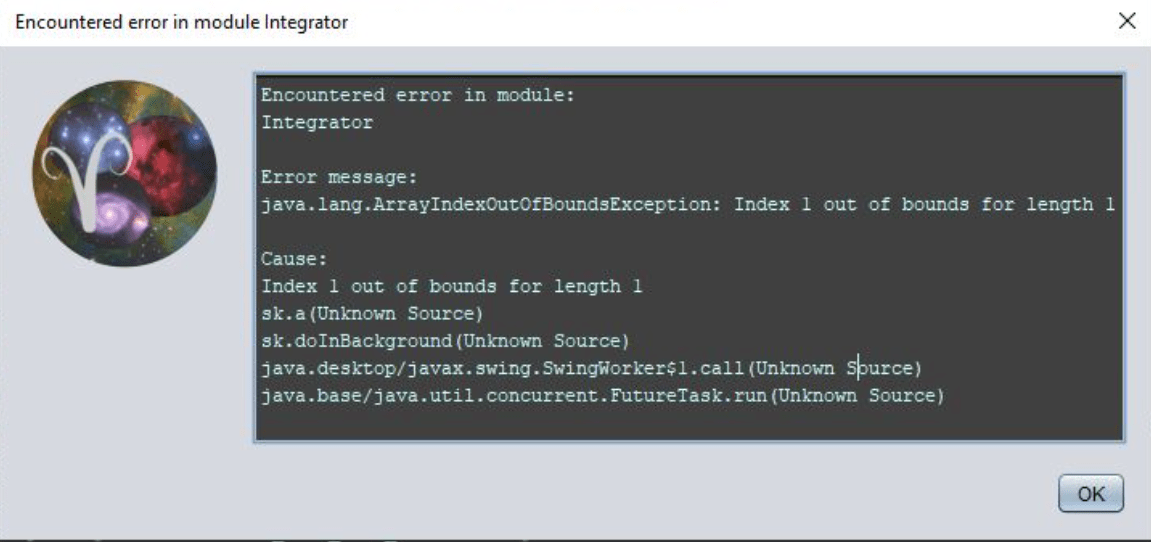
Integration error since the update - It fails with this error every time.
Since upgrading, I've been getting this error every time I try to do an integration. I've tried with and without the BayerXTrans Drizzle and the result is the same - Error.
I understand, the beta releases are meant for testing so bug are expected. You can always download older versions from the download section. Mabula has this as a high priority, he also asked if you could upload the data that causes the issue as it's a tricky bug.
Thank you veyr much for sharing your data and your issue.
Can you please provide more information:
What settings do you use in menus 2) to 6) that creates the error?
And are you multiple sessions or not? So 60s session1 perhaps and the others as session2?
2 other users have reported the issue, and I have not yet been able to duplicate the problem, so I need to have as much information as you can give me to solve this as soon as possible. Thanks 😉
Mabula
This post was modified 3 years ago by Mabula-Admin
I loaded all frames for session 1(and most settings as defaults in 2)-6) ), APP will then let you assign the correct MasterFlat for the light frames based on the gain value and this all works without issues... so what do you differently is the question, only multiple sessions or are you using non-default settings in the 6) Integrate menu?
Edit by Mabula, loading the data with 2 sessions and drizzle enabled also works without issues over here. Perhaps you are using something in menu 6) that I have not tried yet? LNC, MBB, output maps ?
Thanks in advance 😉
Mabula
This post was modified 3 years ago 2 times by Mabula-Admin
Integration error since the update - It fails with this error every time.
Since upgrading, I've been getting this error every time I try to do an integration. I've tried with and without the BayerXTrans Drizzle and the result is the same - Error.
Thank you very much for sharing the settings in menu 6)Integrate. At what moment does the error exactly, when the integration process starts in general or when the integration finishes?
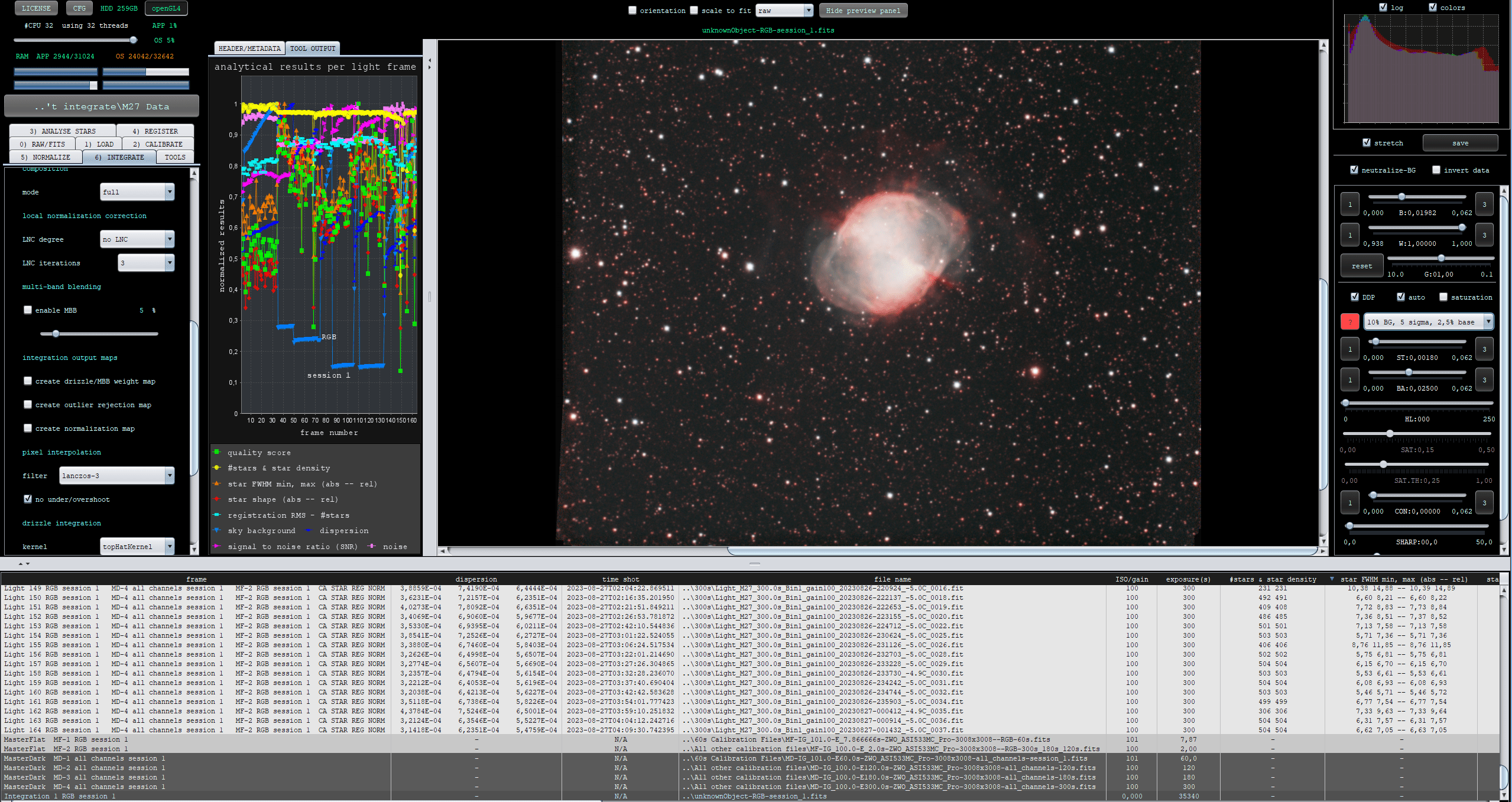
Despite all the information that I have received up until now, I can not reproduce this error. It always works correctly on all my test systems as you can see in the screenshot below:
So can you also share the settings in 0) RAW/FITS, 1)LOAD, 2)CALIBRATE, 3)ANALYSE STARS, 4) REGISTER and 5)NORMALIZE ?
I guess the actual cause of the problem will be one of those menus then.
Also, can you try the following for me: click the CFG menu and then on the RESET all menu tabs to defaults and confirm that. Then try to process your data again, is the error still occuring now?
Mabula
This post was modified 3 years ago 2 times by Mabula-Admin
I already now what is wrong and why this was happening for you. I suspect that when you have resetted the tab menus the error is also gone right?
In menu 0) RAW/FITS, you had the Bayer & X-Trans CFA algorithm set to no interpolation, which is not what you want nor need to do for this data. You need to debayer the data with preferably Adaptive Airy Disc. If you set it to no interpolation, and load an image into the image viewer, you will see it has no color and that you see the actual CFA data as recorded by the sensor of your camera:
And zoomed in you see the CFA Bayer pattern clearly:
So simply process your data with Adaptive Airy Disc and all will be okay 😉
I will fix the error that was thrown as well now, to make sure that it is corrected.
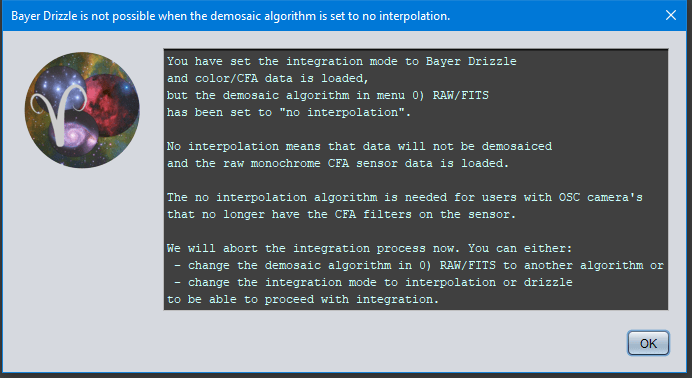
If OSC data that still needs to be debayered is loaded and the user want to integrate with Bayer Drizzle ,but has set the demosaic algorithm in 0) RAW/FITS to no interpolation, an error was thrown in the Integrator stating an ArrayIndexOutOfBoundsException Index 1 out of bounds for length 1. The no interpolation algorithm is for users with OSC camera's that have the CFA filters removed from the sensor. The algorithm enables them to shoot monochrome narrowband with a camera that was previously a color camera. This exception is now caught properly with the following message: