I have had a very rough 2 months unfortunately health wise. I was struck 3x in a row with bacterial infections. The second infection occurred after a routine hospital checkup and I became very sick. I had to rest and take a lot of antibiotics. Once I was recovering and restarting work 1 month ago, I again became sick. The infection was not yet gone, so even more antibiotics and rest was needed. Needless to say, it took a lot of my energy and I needed a lot of rest.
Finally, the infection is really gone and my energy is coming back step-by-step now and I have started work again. I am terribly sorry to have kept you waiting for support. I will address all outstanding questions and e-mails step-by step and will be on the forum daily from today.
APP 2.0.0-beta47 will come soon as well, a lot of work was already completed before I became very ill, so the release is also nearly ready for you. Beta47 will be much faster actually. Many workflows will be more than 2x faster, mosaics can even be 10x faster than before because registration really received a major boost... all compared to beta46. Before I release it, I will make sure that everything is working properly and then I will release it.
Hi, I downloaded the APP free trial license, and I have a few things that don't make any sense to me. I have been using DSS before, but it has some limits that I wanted to unlock but, in the end, didn't fully solve.
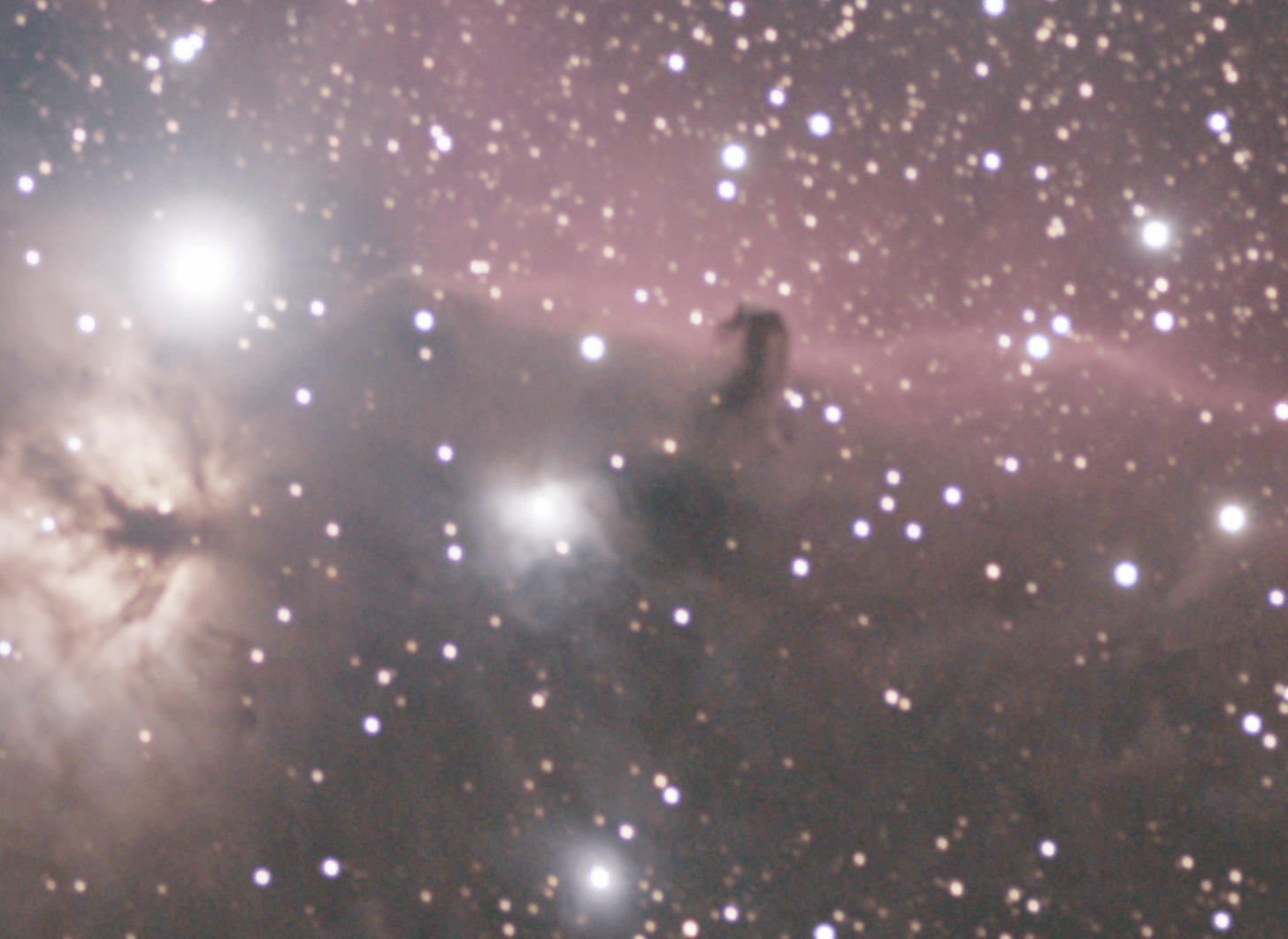
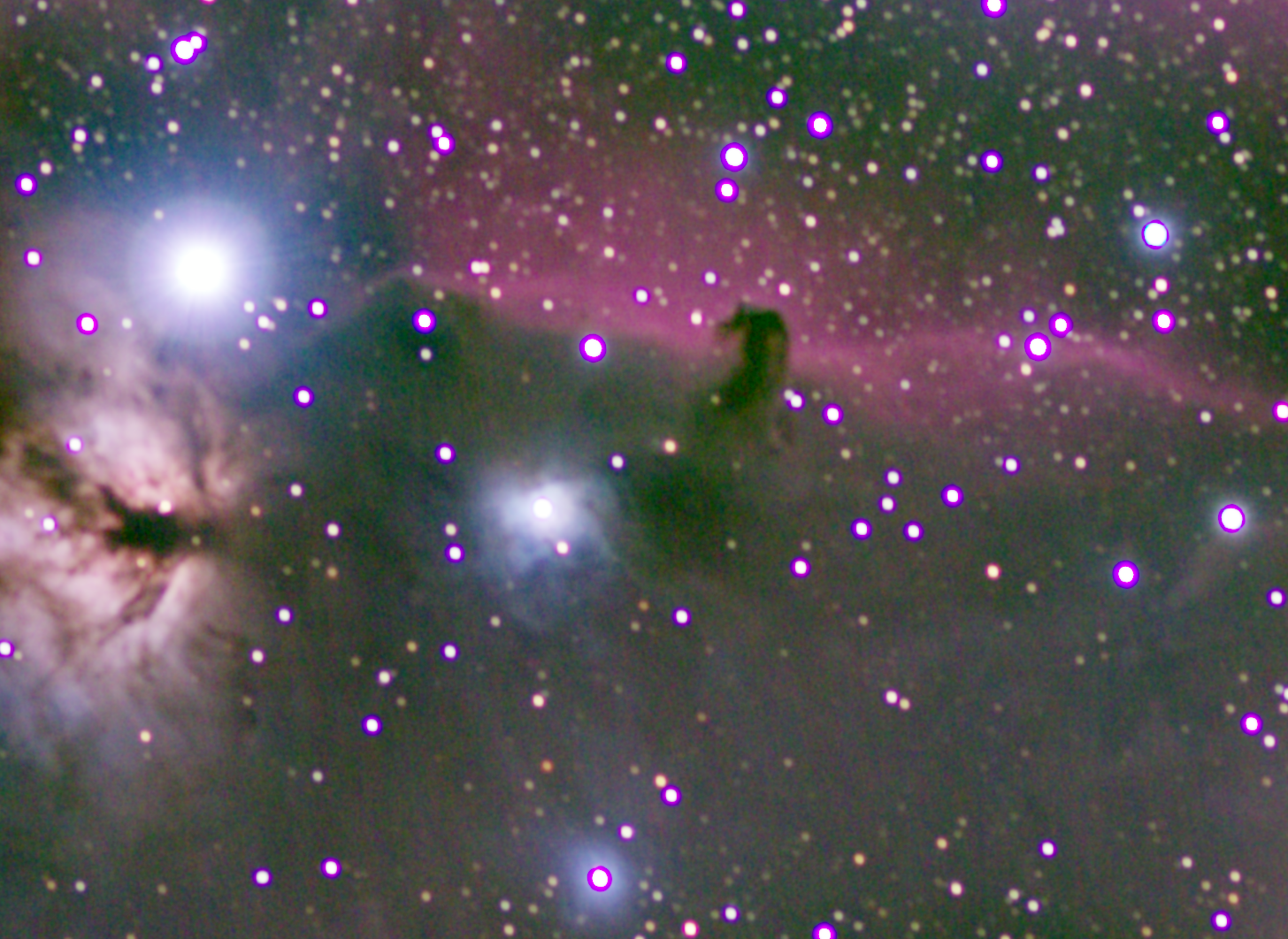
1. I have very bad chromatic aberration on my stars. It's something new that didn't appear on DSS. I added 2 pairs of crops of the image (Horsehead and Orion nebulas), one from APP and the other from DSS with ABE in Pixinsight. I tried BXT in Pixinsight, but it didn't succeed in eliminating those blue halos. (The image added is before BXT.)
2. As you can see in those two added images, the one from APP has less information in it than the one from DSS. It can be seen in the wider image too.
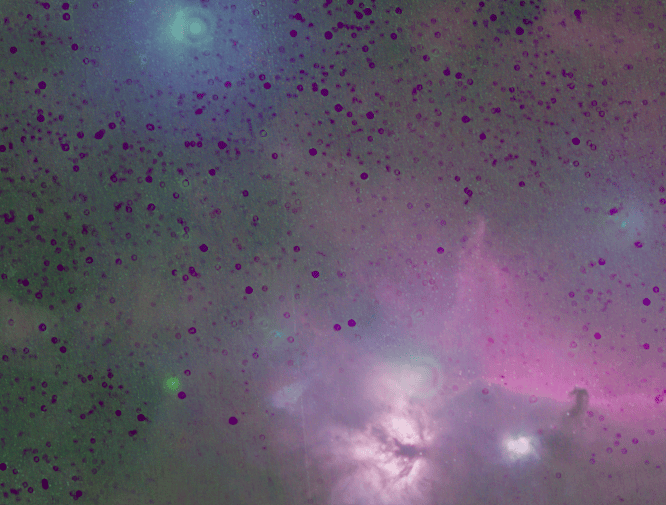
3. My main thought about APP and whether to buy it is because of the full mode and mosaics. I set the LNC degree to 2, and steel sawed the edges of the separate images (added example too). I really don't see any differences between that image and the one that came from DSS.
4. The full mode didn't function properly. I had a few parts of the image that didn't appear in the final image (the software did some cropping, probably even if it was in 'full' mode).
5. I noticed that the software wrote that it had only 136 frames to stack when I added 204 frames. I set the 'lights to stack' for 100%. Did I understand correctly? and I did, is there a connection between this and problems 4 and 2?
The image is manually dithered and drizzled with a DSLR camera and lens (135mm focal length at f2).
Despite all these problems, I was impressed with the software. The biggest improvement that I saw was the colors: much more defined and saturated than the other programs I've been using or probably could have gotten in post-processing.
I really appreciate any
help. I heard many good feedbacks about APP and never about one of my problems.
I've only seen chromatic aberration like that from my camera lens - in my case 200mm f4 - which I shoot at 5.6 to avoid the CA. I see you are using one at f2. It's very likely that you in fact have chromatic aberration from that lens, unless its something like the samjang 135mm. But even then, you would probably need to stop it down a stop or two, and/or reduce the exposure. Anyway, you should see chromatic aberration in one image (without stacking) if there's any aberration. Try APP with only 10-20 lights - no flats, etc. - to see the basic results first.
Well. I am using the Samyang lens, and I did your suggestion and stacked it again without flats. but I really can't see the difference (and, as far as I know, flats don't take care about chromatic aberration).
I can't believe that software that costs so much makes such a big difference. I added the stack of DSS also, and there is almost no CA on that image. If there is any CA on my images, I can handle that with Star and Blur Exterminator. Yet here, it was such a big mess that blur XT only made things worse and star XT left too many artifacts (I added a picture of that here).
The DSS stacks don't show CA but they also are a little blurry and have subdued colour. But of course the APP looks pretty bad with CA. Can you post some single images or say 10 raw files of the horsehead that I can try stacking... When I use APP, I can get pretty good result with everything on default setting.
I've attached a screenshot of a single image in APP, then Affinity Photo, and then a finished stack in APP. You can see the CA is in the original RAW file in both APP and Affinity Photo, and consequently in the final stack. The exposure looks pretty strong so you can probably reduce it by one stop. But you'll really have to close the aperture to remove the CA... probably a couple of stops, which also may be ok with your other exposure settings held - 120s ISO 1250. Also, the ISO is probably higher than it needs to be. You can use an ISO that is lower as long as its still in the linear part of the DR vs ISO curve. Check DSXOMARK for your camera. Good luck!
Hi, I downloaded the APP free trial license, and I have a few things that don't make any sense to me. I have been using DSS before, but it has some limits that I wanted to unlock but, in the end, didn't fully solve.
1. I have very bad chromatic aberration on my stars. It's something new that didn't appear on DSS. I added 2 pairs of crops of the image (Horsehead and Orion nebulas), one from APP and the other from DSS with ABE in Pixinsight. I tried BXT in Pixinsight, but it didn't succeed in eliminating those blue halos. (The image added is before BXT.)
2. As you can see in those two added images, the one from APP has less information in it than the one from DSS. It can be seen in the wider image too.
3. My main thought about APP and whether to buy it is because of the full mode and mosaics. I set the LNC degree to 2, and steel sawed the edges of the separate images (added example too). I really don't see any differences between that image and the one that came from DSS.
4. The full mode didn't function properly. I had a few parts of the image that didn't appear in the final image (the software did some cropping, probably even if it was in 'full' mode).
5. I noticed that the software wrote that it had only 136 frames to stack when I added 204 frames. I set the 'lights to stack' for 100%. Did I understand correctly? and I did, is there a connection between this and problems 4 and 2?
The image is manually dithered and drizzled with a DSLR camera and lens (135mm focal length at f2).
Despite all these problems, I was impressed with the software. The biggest improvement that I saw was the colors: much more defined and saturated than the other programs I've been using or probably could have gotten in post-processing.
I really appreciate any
help. I heard many good feedbacks about APP and never about one of my problems.
Welcome to our forum and Astro Pixel Processor, please accept my apologies for the delayed reply.
First of all, the chromatic aberration that you refer to (the ugly halos) is not chromatic aberration at all, it has to do with how DSLR can be processed in APP 😉 In 0) Raw/Fits there is a setting called camera matrix, simply disable this and it will look like DSS without those extreme halos... The camera matrix causes extra saturation and should only be used on non-modified DSLR's. The camera matrix is part of every DSLR and photography software like Photoshop will always use it. In astrophotography software it is not yet common that the camera matrix is used in processing. With APP you choose to use it or not 😉
3) I am not sure what you mean here, can you explain a bit more? Do you mean that LNC did nothing when compared to DSS?
4) I am not aware that full composition does not work. I have never seen that myself. Maybe not all light frames were actuallly selected ? Your question 5) indicates that only 136 out of 204 light frames loaded were actually selected. Only the selected frames will be integrated with the % slider at the top of 6) integrate. The not selected frames are not taken into consideration.
Please let me know if this helps and explains what you experienced?