

2026-10-09 APP 2.0.0-beta48 has been released !
This is mainly a bug fix release for the reported bugs in beta47. In addition it has a significant User Interface performance improvement noticable when you need to process 1000s of images in APP.
2026-10-03 APP 2.0.0-beta47 has been released !
This is a very big release... many code optimizations/rewrites, many parts of APP are much faster and more precise, especially star analysis and registration are much faster ! Big mosaics will go much faster 🙂
And we introduce a new preview filter, which includes the new Adaptive Deep Sky Stretch and a General Levels Stretch, this has been long over due. The old preview filter (the panel on the right side to stretch and preview your data) has not been updated for a couple of years and it is a critical part of any APP session.
Adaptive Deep Sky Stretch or ADSS is a much more intuitive stretch algorithm. It is also color preserving (which is a great new addition in itself ! ) which means that the highlights are no longer bleached, color is maintained from the linear data while stretching. You can simply stretch your data using the sky background level and signal width sliders which work much easier and more intuitive. You no longer need to fiddle with the old complicated sliders with zoom buttons. All the zoom buttons for the sliders are made redundant. And you can enter slider values in the slider value fields yourself. I will make a youtube video in the coming days to explain and fully introduce ADSS. Once the video is ready, it will be highlighted on the forum.
RGB Combine upgrade !. The RGB Combine Tool has been rewritten mostly. The tool is faster and easier to use and most importantly, the Luminance slider to inject a luminance channel or channels into the RGB composite is now working correctly. It no longer bleaches the RGB colors. Combined with the new ADSS preview, you will get much better and easier great composites with great color! I will also explain this in a new youtube video.
Good afternoon,
After processing my data at default settings I am getting this strange tiled/striped result. I am using Dark, Flat, and Dark Flat calibration frames. I have selected to only use the best 80 out of 91 frames. Any ideas what may be going on? Any insights would be greatly appreciated!
Thanks much, cheers and clears,
Bill

Bill (@canofbill)
I certainly don't have a definitive answer - so what follows is guesswork.
It does not look like an optical issue or a processing issue. It looks to me like a hardware issue, somewhere between the camera sensor and the AsiAir. The first thing that comes to mind is failed hardware in the camera itself. But that's probably best left as the last thing to consider.
It could just be a cable issue (I'm assuming you are using a standalone AsiAir - rather than one of those "built into the camera" units). I used to be sceptical when the Cloudy Nights guys suggested cable failure - until it happened to me twice. There are some truly terrible cables out there, and ZWO used to supply some of the worst (but I think they have gotten better). Now I only buy premium cables (from Lindy Electronics) and they have never failed me.
The AsiAir appears to be based on a Raspberry Pi. Its a neat little unit (I have one myself) but I've heard they can be subject to failure by corrosion - especially if you live by the sea.
Lastly, I think that an exposure time of 0.2 sec (for flats and darkflats) is too short for the sensor used in the 533. I would increase it to 1-2 sec. I don't believe that's the cause of this issue, its just general advice.
JC
I figured it out!
By decreasing the interpolation from 1.0 to 0.8 it effectively "downsampled" enough to register and integrate properly!
Thanks for the input JC, much appreciated!
Bill
I'm very glad you solved the issue, but I'm a bit puzzled. Are you saying that this was a drizzle artefact issue ?
JC
@connor231 I'm only in my first year of imaging and am not familiar with how drizzle works beyond how Hubble used it for shrinking pixels. Not sure what an artifact of it would look like either. Before I got myself an expensive cooled camera I practiced with a 678MC planetary camera. I encountered the same "hardwood floor" pattern with that data and resolved it by setting the 678 to Bin2. Once I dropped the interpolation option down for my 533MC Pro data, APP was able to successfully process three nights of data.
As for the flats at 0.2s, that lands my histogram about 1/3 from the left wall. Do you think I should try to dim the light and get a longer exposure? Or do you think that if the histogram is happy, then I should be too?
Really appreciate all of your time, attention, and insight!
-Bill
Bill
For the flats you should aim for the histogram to spike roughly in the middle, and with a modern sensor aiming for an exposure time of about 1-2 seconds is ideal. Any of these values can be a bit over or under and it won't matter too much.
There is almost never any value in binning a modern cmos sensor. I'm not sure from your post if you are binning with the 533, but I would worry that it may be hiding the issue rather than solving it.
Now that APP saves its settings between sessions (something I was never in favour of) it is really easy to accidentally carry inappropriate settings from one session to the next. For example, a user could either deliberately or accidentally change the drizzle settings and then not realise that it is messing up their next session.
I have a notion that this could be the cause of your issue, but I could easily be wrong. If you would like to investigate this further, I would propose the following simple test (all data and calibration frames should be unbinned/bin1):
- Start up APP and hit 'Licence & Settings'. Scroll to the bottom and hit the last button 'Reset Settings and All Menus from 0) raw/fits to 6) Integrate'. Click through the next panel and then hit 'Save'. This will reset APP to a known state with default settings.
- Go to tab 0) and check the the pattern is 'Supported' and the algorithm is 'Adaptive Airy Disc'. Don't change anything else.
- Go to tab 1). Use the button under the memory widget thingy to set your working directory. Deselect Multi Channel and Multi Session processing. Now load your data (and calibration frames).
- Now without changing any settings on any other panel go straight to tab 6) and hit 'integrate'. This will do the integration in the most basic way possible with all default settings.
If this solves the problem then - great. It was probably just a wrong setting somewhere (my money would still be on drizzle).
If the problem remains then try again but just load the data without any calibration frames (no darks, flats or darkflats). If this solves the problem then there is an issue with the calibration frames. If it does not then I would return to my original suggestion that it may be a hardware problem.
Up to you if you want to do any of this, but I'd be interested in hearing the outcome.
JC
My new friend,
Previously I had reset the settings because I too shared a suspicion that I had flubbed a setting somewhere and it was tenacious. Running the integration without calibration frames, however,.....my man....brilliant diagnostic idea! Just ran the data straight through and it integrated just fine, gotta be those calibrations! I will definitely bring my peak closer to center and rock a longer exposure. I have posted about this on CN and in my club's forums and have not gotten a single hit, let alone someone falling from the sky with a solid set of ideas. I really appreciate your time and attention, your attitude and character are the reason this hobby is so awesome. I'll let you know how things go!
Cheers and clears,
Bill
Bill (@canofbill)
Thanks for the kind words.
Problems with calibration frames are often fairly simple, but can occasionally be challenging to solve - especially with fast optics.
I don't know if you have progressed with this yet, but I thought I might offer a simple test that might or might not help.
If you can find (or recreate) a BPM from one of the 'failed' runs you could load it into the APP viewer and crank up the stretch to maximum. You should see a noisy cloud of spots with a fairly random distribution. If you can see any hint of the "hardwood floor" pattern then that would suggest the issue may be with your darks. If not then that would suggest the issue may be with the flats/darkflats. This isn't definitive, but might help somewhat.
If you felt like it you could also do the same test with the masterdark and the masterflat, but these can be more difficult to interpret.
JC
Hi Bill @canofbill and John @connor231,
Thanks John for your great help and advice.
I can also add, that a banded pattern like that is either one of 2 things normally
1) hardware/cable issue, sensor interference can happen with cheap bad cables and cause bands like this.
2) a sensor problem where the actual calibration data is not matching properly with the data in the lights.
I am glad that it seems to be resolved now, right?
Mabula
My friends,
Things seemed to have gotten worked out only to have come back! Both of you have mentioned cheap cables possibly being a cause, I think that may be a wise path to follow because my off-brand cables, while perfect lengths, are undoubtedly inferior products. I am really hoping to get this worked out because I absolutely love APP, it's my-level tech, the tools are powerful, and the workflow is so streamlined and logical. Thank you both so much for being shining examples of the astrophotography community.
Cheers and clears!
Hi Bill @canofbill,
Please let us know if changing the cables finally solves it properly. I know for sure that has solved it for many APP users in the past with a problem like this. If it does not, a more serious problem could be at play with the sensor or electronics inside the camera.
Another test which is useful to get to the bottom of this is to integrate your lights without the calibration frames and compare the result to integrating with the calibration frames (dark, flat etc). Did you try that? If so, was the outcome the same or was the pattern gone?
Mabula
Gentlemen,
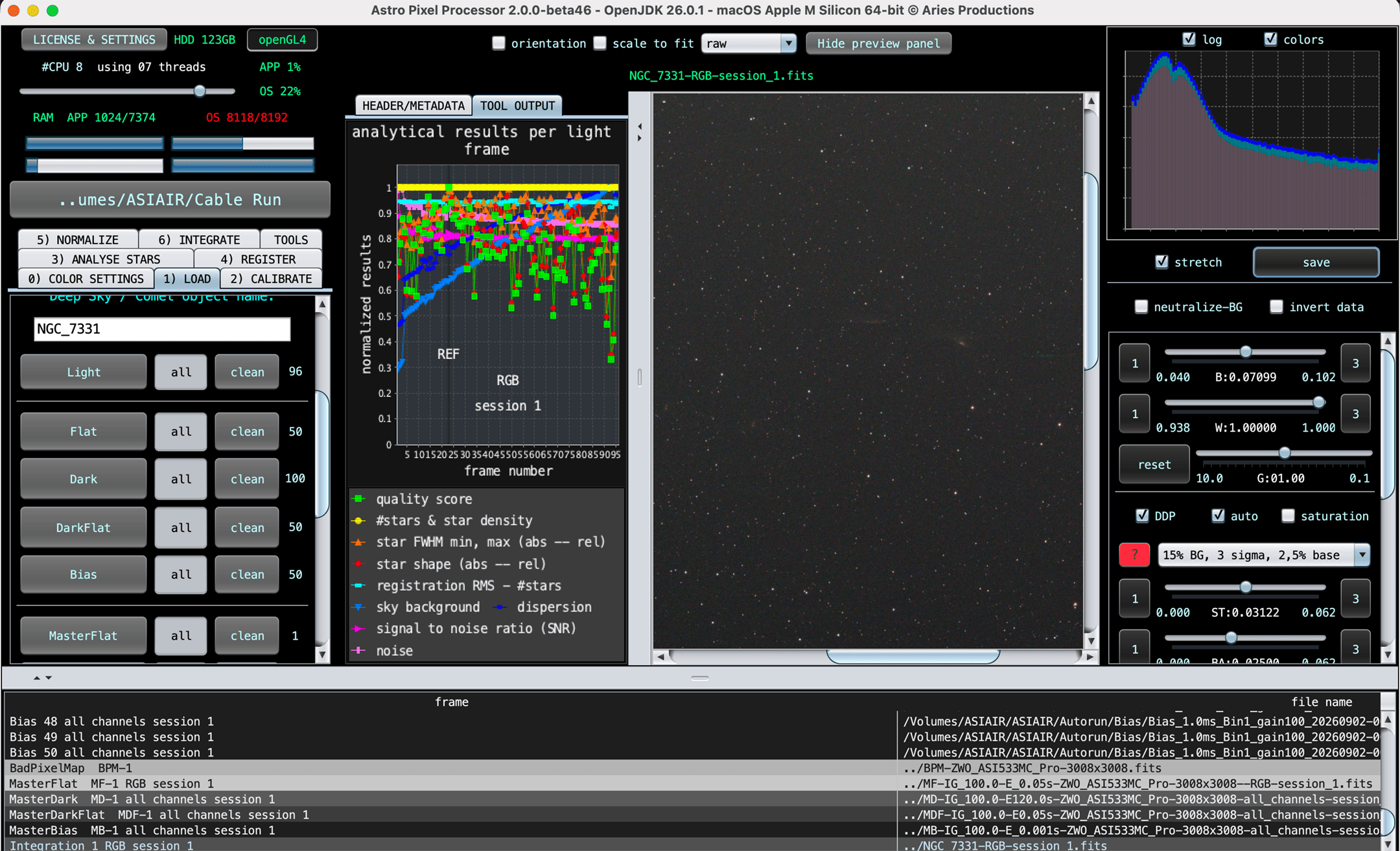
Last night I took about 3 hours of the Deer Lick Group using the ZWO cable that came with my brand new 533MC P instead of the off-brand one I have been using. I took Flats, Bias, Dark Flats, and used the raw Dark Fits frames rather than my Master Dark to process. The stripes persisted as you can see in the first image attached. You'll notice the stars are repeating, almost stamped horizontally across the image, and the larger galaxy is chopped up.
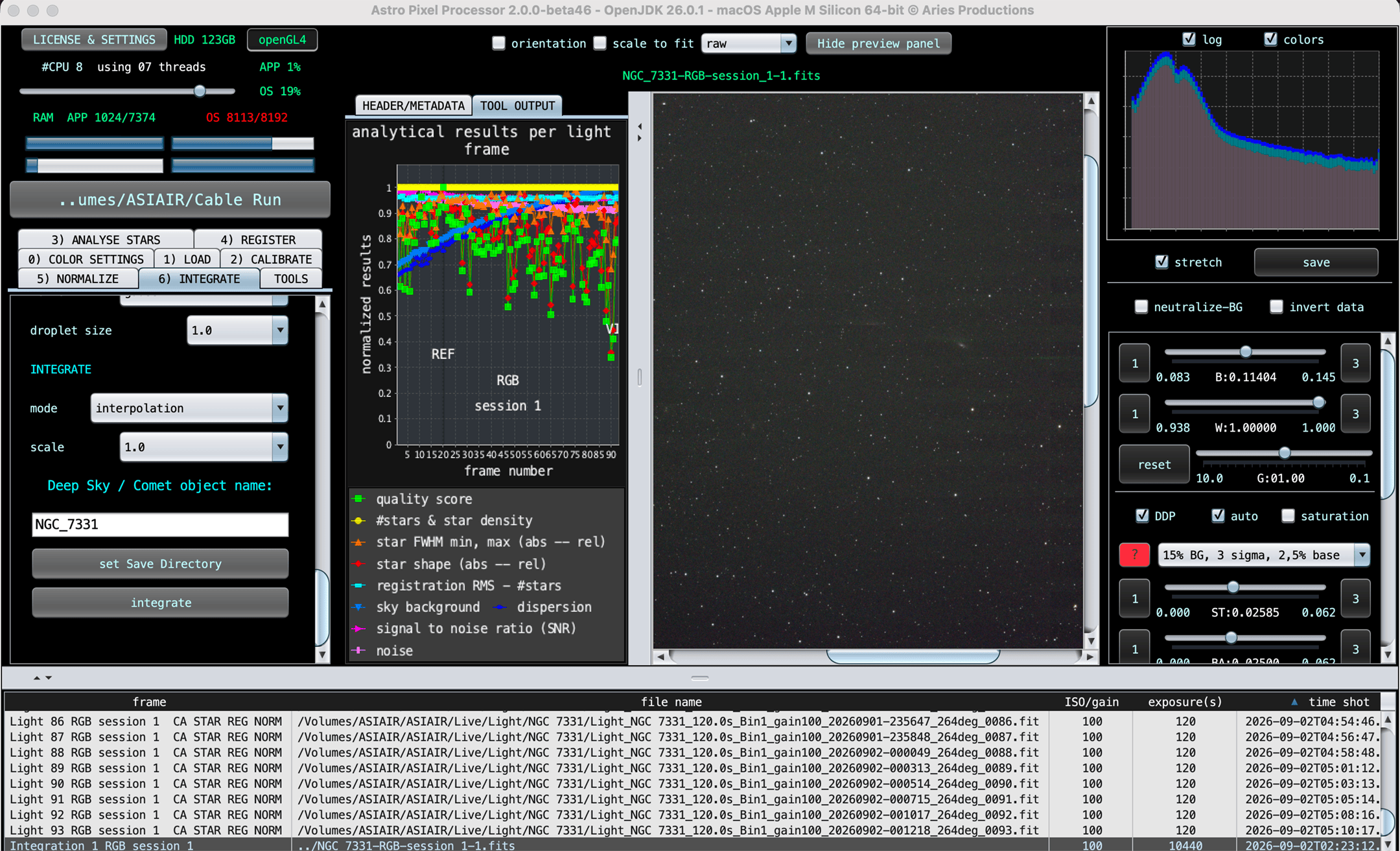
After this I ran just the Lights through, like you suggested Mabula, and the image again has the strange banding. I do not think this is an issue with the sensor as this occurred with another camera. Do you think perhaps my ASI Air Pro is malfunctioning in its file acquisition despite the individual subs and the stacking preview in Air looking fine?
John, I did load up a bad pixel map like you suggested and saw no signs of the patterns after extreme streching.
Thank you for your continued guidance, you are absolute legends.
Bill
With calibration frames
Without calibration frames:
Hi Bill @canofbill , can you send me 1 of the lights perhaps? You can send it to support@astropixelprocessor.com. I will have a good look, maybe that will make things a bit clearer.
Mabula
Hello everyone, I seem to have the same issue. I shoot with a zwo 2600 MC Duo and Asiair Pro. I have a vertical banding on my stacked images, happening both with and without calibration.
The bands seem to correspond to the position of bright stars. It just shows with OSC data, I have tried with Interpolation (Adaptive airy disk) and Bayer/X-Trans Drizzle. The bands always show up. They are not present in the masters or individual subframes. I am running Beta 46 on MACOS Apple silicon.

Hey @kaxmuster! I think we may be having slightly different, albeit equally annoying, issues. While the crux of yours seems to be dark stripes through your bright stars, mine looks more like the image was cut into strips and then rearranged. We do both use the ASI Air Pro rather than the new Plus models, maybe there is something in the writing of the files that is going sour? Anyway, I hope you get to the bottom of yours and I get to the bottom of mine soon!
Cheers and clears!
Max (@kaxmuster)
I've been thinking about your issue of vertical bands through bright stars for a few days - trying to remember where I have seen this before.
I have a vague memory of someone posting a similar problem some years ago (probably on Cloudy Nights). I think the conclusion was that the bright stars were heavily overexposed and this was causing errors in the ADC processor on the sensor chip.
I'd take this with a grain of salt, as I may be misremembering the details (my memory is not what it used to be). But it is suggestive that the bands are only happening with the bright stars.
It looks like you are using a newtonian - these are usually pretty fast and it would be easy to oversaturate the bright stars.
There are a few things you could do to check this out. The first thing would be to load up a single frame into the APP viewer. Zoom in on a bright star and move the mouse across it and check the pixel values ( the x, y, m reading at the top of the viewer - m is the pixel value). For a sixteen bit camera the maximum value is 65536 (possibly modified for pedestal/offset). Its ok to have a pixel or two maxed out, but if there is a significant area maxed out then your exposure time is too long.
The more comprehensive test would be to do a couple of test runs on the same fov, The first would use the same exposure time as you previously used (perhaps just grab the first 20 frames of the run that shows the problem). Then do another run with one quarter the exposure time and four times as many frames.
If the first run has the issue and the second does not then it may be just a simple matter of rethinking your exposure times. Same total imaging time, but shorter exposures and more frames. I would add that one of the cameras I regularly shoot with is a 2600mc, and some of my favourite images have come from a large number of short exposures.
Hope this helps.
JC
Good morning @mabula-admin,
Just checking in to see if you received that light frame and if I can provide you with any more information so we can get to the bottom of my processing issue.
Cheers and clears!
Bill
@connor231 Turns out it was a calibration issue after all, having to do with the hot/cold column kappa. Turning the options off and recreating the masters solved the issue.
@kaxmuster That's great brother, glad your issue was resolved! Hopefully mine will be as well.
Max (@kaxmuster)
Glad you got a result you are happy with. There may still be some merit in reconsidering exposure times - but your call of course 😊 .
JC
While I have yet to get repeated results... I think I may have found the root of my hardwood floor stacking issue. It appears that my older ASI AIR Pro was having trouble writing files at the speed at which I was shooting. After introducing a buffer of a few second between exposures, I was effortlessly able to stack hours of subs with no issue. We have five clear nights in a row this week, offering a real litmus.
Bill (@canofbill)
That sounds completely plausible to me - I thought from the start it looked like a hardware issue.
There's another trick you might like try that I discovered by accident (my own mistake). If you plug the cable from the camera into the usb 2.0 socket on the AsiAir it will throttle back the data transfer rate from the 533. If your exposures are at least a minute or two the cost in time is barely noticeable. Of course this is no good for video and I wouldn't recommend it for a full frame camera, but for a 533 it seems to be fine.
I mostly use premium cables, but I recently assembled an experimental rig with a 533 and AsiAir and I used some ratty old cables I had lying around. I accidentally plugged the camera into the usb2 socket and everything worked fine. When I noticed my mistake and moved the cable to the usb3 socket nothing worked reliably anymore. So I guess it was a learning experience.
JC
Hi Bill @canofbill,
I am very happy to read that the cause has been found and that you are now fully up and running again 😉
@connor231 Thanks John for all of your assistance here!
@kaxmuster I think that are all issues for you solved as well? If not, please let us know.
Mabula
@connor231 You continue to shell out excellent advice from your obviously deep understanding and experience, thank you for having been so insightful while helping me work this out.
My goodness, astrophotography is awesome through and through.
@mabula-admin Thank you too for keeping tabs on our troubleshooting. I have got five, yes FIVE, clear nights in a row that should provide ample opportunities to lay this issue to rest. I really look forward to the new features in APP as well, you've created a phenomenal program and wonderful tool!
