
2026-10-09 APP 2.0.0-beta48 has been released !
This is mainly a bug fix release for the reported bugs in beta47. In addition it has a significant User Interface performance improvement noticable when you need to process 1000s of images in APP.
2026-10-03 APP 2.0.0-beta47 has been released !
This is a very big release... many code optimizations/rewrites, many parts of APP are much faster and more precise, especially star analysis and registration are much faster ! Big mosaics will go much faster 🙂
And we introduce a new preview filter, which includes the new Adaptive Deep Sky Stretch and a General Levels Stretch, this has been long over due. The old preview filter (the panel on the right side to stretch and preview your data) has not been updated for a couple of years and it is a critical part of any APP session.
Adaptive Deep Sky Stretch or ADSS is a much more intuitive stretch algorithm. It is also color preserving (which is a great new addition in itself ! ) which means that the highlights are no longer bleached, color is maintained from the linear data while stretching. You can simply stretch your data using the sky background level and signal width sliders which work much easier and more intuitive. You no longer need to fiddle with the old complicated sliders with zoom buttons. All the zoom buttons for the sliders are made redundant. And you can enter slider values in the slider value fields yourself. I will make a youtube video in the coming days to explain and fully introduce ADSS. Once the video is ready, it will be highlighted on the forum.
RGB Combine upgrade !. The RGB Combine Tool has been rewritten mostly. The tool is faster and easier to use and most importantly, the Luminance slider to inject a luminance channel or channels into the RGB composite is now working correctly. It no longer bleaches the RGB colors. Combined with the new ADSS preview, you will get much better and easier great composites with great color! I will also explain this in a new youtube video.
@tempusfugitxxii As mentioned above, the full manual will be released with the full 2.0-stable release on which we're working at the moment. The big promises were explained in earlier threads, Mabula had a difficult time unfortunately and this caused some delays, however since we've moved on to a new development platform etc. everything is moving faster. We're still a 2-man operation and every user has their priorities for development, we'll keep working on our list of features and these will arrive, PI ofcourse has the advantage of way more years in development (and thus users who create video's and even books) and 3rd party plugins. In the end, you can always decide what to do and we wish everyone success in the hobby, no matter what software is used.
@Vincent-mod There is a new free software that is also good as Blurxterminator. It called Astrosharp, still in development but also a good software like Blur. i am going to try that out.
Maybe is a that a good software as a plug-in for your APP???
see this video and there are more of them who test it out.
Is this now possible with the new rc-astro standalone cli?
Trevor (@doogs20)
Its possible to use the rc-astro standalone cli with APP now. I'm currently using it to try and process a comet image (without much success as my data is pretty poor).
I just process the data to integration, pop open a terminal window without leaving APP, run the desired tool, switch back to APP and load the tool's output file as if it was a previous integration. Then just carry on as normal.
Alternatively, its easy to bulk process your raw images before using APP, if that is preferred.
Obviously it would be more convenient as a plugin where APP acted as a graphic front end - and I'm not one of those fanboys who wants to push everyone to use terminal commands.
I'm just saying it is now an option available to everyone and it requires very little knowledge of terminal commands.
JC
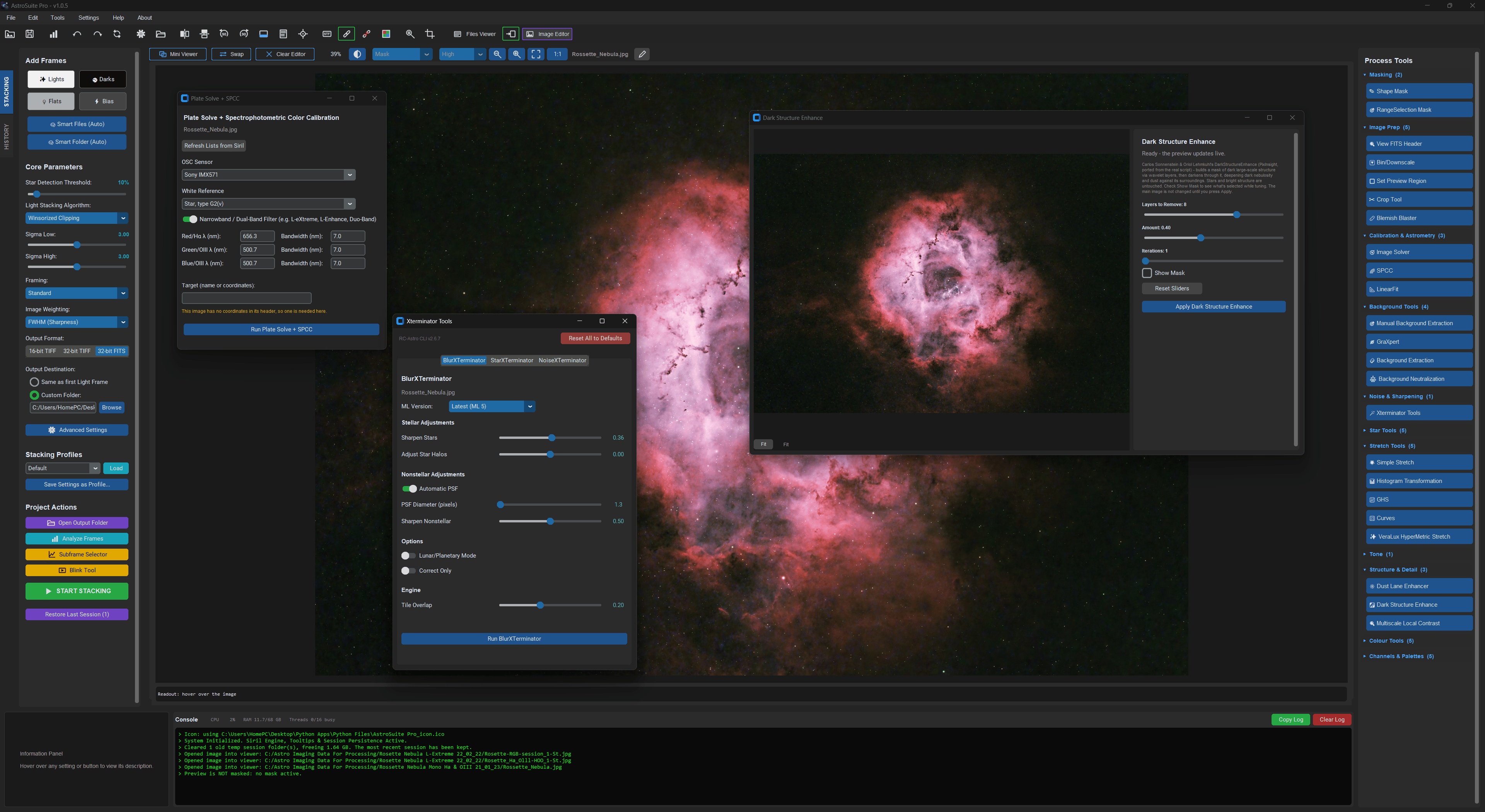
Just get in Gemini ai give it all the information, by that I men the RC Astro CLI dev docs which are in the download and ask it to build you a GUI, it’s really easy I did it and works a treat, I actually took it one step further and built a full processing app using all the best tools out there, screenshots below of my standalone Xterminator CLI UI, and one of my full app.