

2026-10-09 APP 2.0.0-beta48 has been released !
This is mainly a bug fix release for the reported bugs in beta47. In addition it has a significant User Interface performance improvement noticable when you need to process 1000s of images in APP.
2026-10-03 APP 2.0.0-beta47 has been released !
This is a very big release... many code optimizations/rewrites, many parts of APP are much faster and more precise, especially star analysis and registration are much faster ! Big mosaics will go much faster 🙂
And we introduce a new preview filter, which includes the new Adaptive Deep Sky Stretch and a General Levels Stretch, this has been long over due. The old preview filter (the panel on the right side to stretch and preview your data) has not been updated for a couple of years and it is a critical part of any APP session.
Adaptive Deep Sky Stretch or ADSS is a much more intuitive stretch algorithm. It is also color preserving (which is a great new addition in itself ! ) which means that the highlights are no longer bleached, color is maintained from the linear data while stretching. You can simply stretch your data using the sky background level and signal width sliders which work much easier and more intuitive. You no longer need to fiddle with the old complicated sliders with zoom buttons. All the zoom buttons for the sliders are made redundant. And you can enter slider values in the slider value fields yourself. I will make a youtube video in the coming days to explain and fully introduce ADSS. Once the video is ready, it will be highlighted on the forum.
RGB Combine upgrade !. The RGB Combine Tool has been rewritten mostly. The tool is faster and easier to use and most importantly, the Luminance slider to inject a luminance channel or channels into the RGB composite is now working correctly. It no longer bleaches the RGB colors. Combined with the new ADSS preview, you will get much better and easier great composites with great color! I will also explain this in a new youtube video.
Hi everyone. All of my bias frames average 1918 ADU, but APP produces a master with an average of 60083 ADU. I'm fairly sure this is at the root of why I'm getting inconsistent Flat calibration, mainly over-correction in my blue frames. I've inspected all of my bias frames for problems. What might be causing my master bias to come out this way? Thank you in advance.
Edit: Getting ADU value from ASIFitsView.
Edit 2: Added sample of data including master bias.
Not sure the average ADU in ASIFitsView is a reliable indicator of everything considering it says my master darks are almost the same average ADU despite looking vastly different.
Could you tell me what your process in taking the calibration data is? How long are your exposures for each, things like that.
Could you tell me what your process in taking the calibration data is? How long are your exposures for each, things like that.
I do all of my acquisition with NINA. As is standard practice I take my darks at the same exposure length, gain, and temperature as my lights. I use NINA's Flat Wizard to take my flats, and with this set of data have taken sets at 40% histogram, 50%, and 60%, all with the same effect. I recently switched from using dark-flats to Bias on the suggestion of someone else I was troubleshooting this with, and have found the end result the same.
The included blue channel flats were taken with .8s exposures at gain 135, lit by an LED tracing panel. I've tried daytime sky flats, figuring that the LED panel might be the issue, but those never calibrate correctly either.
Please let me know what else I can tell you. If you'd like the rest of the channel data I can include those too.
What's the brand of your filters?
What's the brand of your filters?
The filters are all Astronomik 1.25”. L is their L2, “Deep Sky” RGB and 6nm narrowband.
Ok, thanks. I'll download the data tomorrow and have a look myself.
@vincent-mod Thank you for taking the time, whenever you get to it. I'd love it if sky flats would work, but no matter the light source, there always seems to be some problem.
Ok, I'm seeing slight over correction indeed. This usually happens when there is a slight mismatch between the flats and the lights or bias/darkflats. Are Red and Green totally fine?
@vincent-mod In this case green and red were mostly fine, but I'll put together a sample of the whole data set since gradients that look like over-correcting sometimes shows up in the RGB combine. No idea how I'd be getting a mismatch unless these LED panels are just not up to the task.
I've also had occasions where over-correcting occurred when I had problematic darks, so I don't mind shooting another set. But these look OK to me, and it's odd that it's not happening consistently on each channel.
I'll post a link to the data set in an hour or so.
Here's a link to an small-ish data set. I noticed that the Ha integration shows that the darks might not be entirely calibrating out the amp glow (see left side, bottom) and got me thinking that maybe there's an issue there or in the bias frames.
Any chance you've had time to take a look at the data set? I'll probably be disassembling my imaging train soon to set up galaxy season scope so if I need to re-take flats (a certain way) I'll need to do it soon. Thanks!
Hi Adam, sorry not yet. Been a bit busy with my moving to Denmark lately. I'll try to get at it today or tomorrow.
So looking at it now. What catches my eye a bit is that the vignetting is all but gone in the H-alpha, likely due to the longer exposures. I'm wondering if a slight longer exposures of your lights may help here, just to get the signal better in the corners. Also, your flats are shot at very low exposure times and this may also create an issue, you want to aim more for 1-2 seconds of exposure time (of course not clipping the histogram, you can do this by lowering the amount of light you capture). Same for you bias, up the exposure of that to about 0.5 seconds, some sensors can have an issue at the fastest setting and 0.5 seconds works for all. Alternatively darkflats may also be a good idea, these are the same as bias, but with the exposure times set to the different flats you're taking.
Thank you for taking the time to look at those. I recently switched from dark-flats to bias, but wasn;t entirely sure of the "best" way to take them with a camera with a much shorter minimum exposure time than my DSLR. I will reshoot some bias sets at varying exposures to see if that makes a difference.
Regarding the flats, I'll go back and shoot another set or so (along with dark-flats). It seems to me that the ASI294MM/MC sensors have some inconsistency in their performance, as other's have reported no problem using daytime "sky flats" which would necessitate very short exposures. I'll likely be looking to replace both of my 294's with the 533 which appears to be much less "fiddly".
Again I appreciate the time you've taken to help me here.
So I took whole new sets of flats, dark-flats (all at least 3-second exposures) and darks, and the resulting integrations including the over-corrected Blue channel came out the same. I am at a total loss over why these aren't calibrating correctly.
That is strange indeed, I would almost think it's a filter issue perhaps. But that's very difficult to pinpoint, do you have an option to use a different filter?
I'll have some more data after tonight to work with. After that, I may not have to worry about this since I'll be selling the camera with an ASI533MM on the way.
It appears this problem has followed me to the new camera/different scope (SCT). Only thing that is the same here is the filters and filter wheel. Don't think it's a light leak since the effect is always at the center of the frame.

Mm, that looks a lot like an internal reflection to me, may be worth trying to check the optical train for anything that may do that.
@vincent-mod Perhaps something like a spacer?
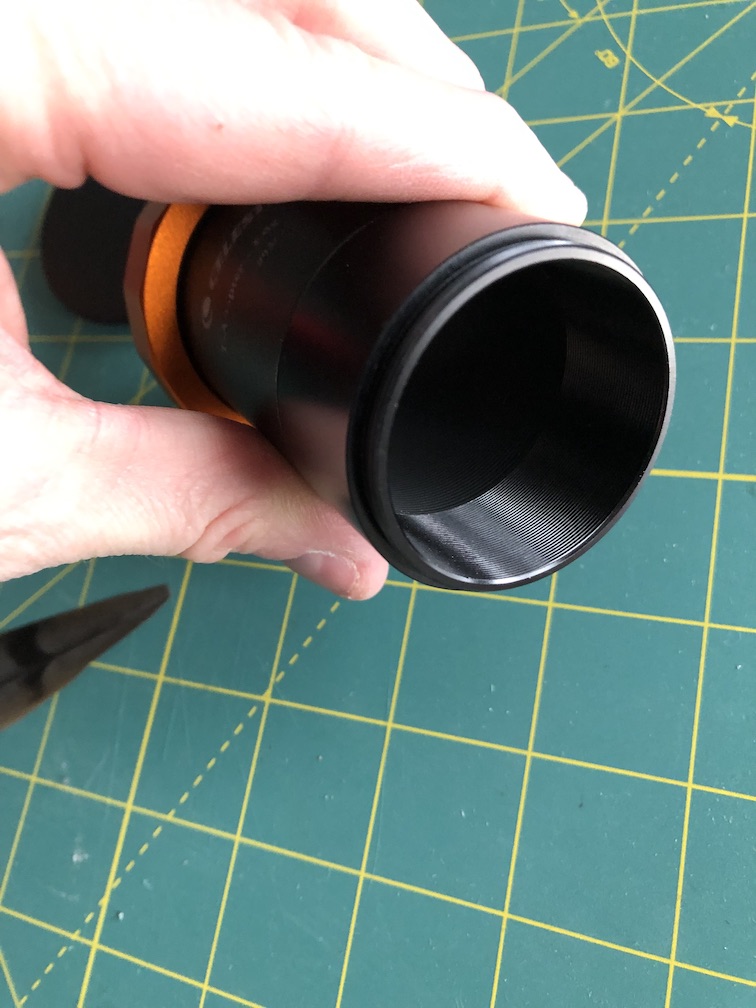
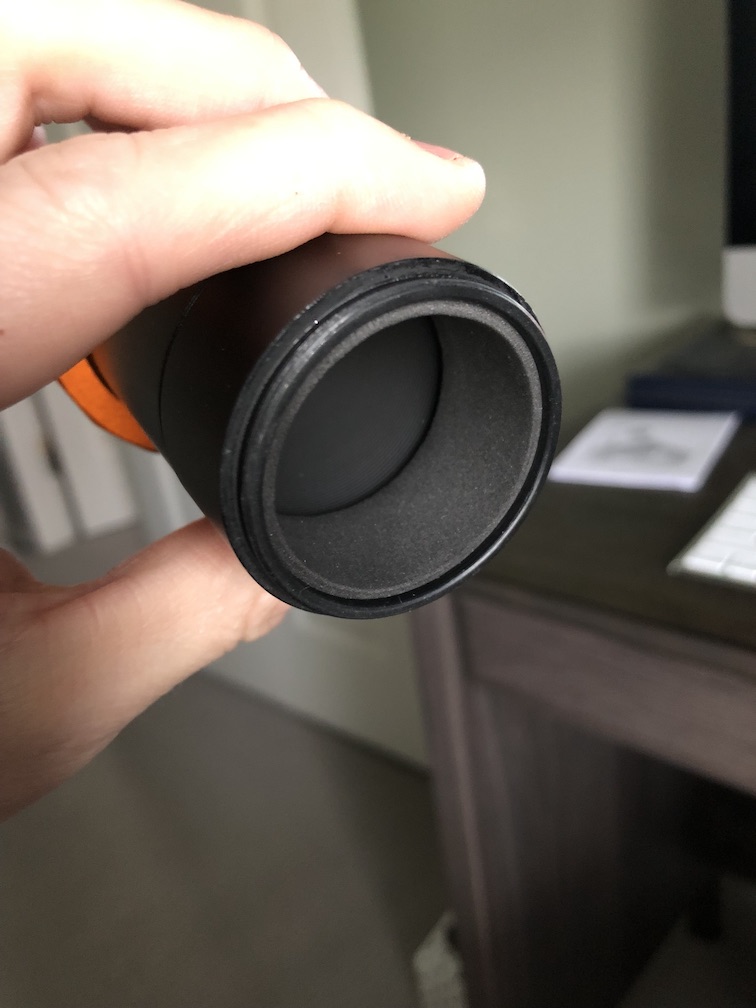
Very difficult to say, it could be interesting to take parts out of the optical train (if possible) and see what happens then. Maybe taking out the filter wheel and shooting with no filters at all, things like that.
@vincent-mod Yeah if the flocking on that spacer doesn't do it then the filter wheel is the last piece to try.
@goldspider I found my light leak at the filterwheel while the scope was closed at the top (top lens ), and set my exposures in a loop around 0,1-0.5 and while looking at the laptop screen i shined a flashlight around my imaging train and every part from the filterwheel front and back and towards the focuser, a dark room helps of course...found the leak at the front of the filterwheel , there was 4 screw holes where i think you would attach a OAG but the included screws was not implemented with the wheel. I put black tape at every hole but still a light leak...i went and got screws to fit the holes being the proper length and to my surprise no more light leaks.. PS ..a dark room helps seeing the screen for changes.
Would a light leak not be more likely to show up on the sides of the frame, or at least not always dead-center?
@goldspider Good question, Mine was always towards the sides facing each screw hole...Sorry i just thought it might be a good place to start.
@goldspider Was it cold out while imaging?...maybe try looking down the tube with a flashlight just before imaging to see if any dew or frost build up has accumulated on the filter or sensor?...i check mine ever so often between targets ..if i see dew on the filters or sensor i wrap my cheap usb 5v dew strap around the adapter next to the filterwheel.
