

UPDATE FROM MABULA
I have had a very rough 2 months unfortunately health wise. I was struck 3x in a row with bacterial infections. The second infection occurred after a routine hospital checkup and I became very sick. I had to rest and take a lot of antibiotics. Once I was recovering and restarting work 1 month ago, I again became sick. The infection was not yet gone, so even more antibiotics and rest was needed. Needless to say, it took a lot of my energy and I needed a lot of rest.
Finally, the infection is really gone and my energy is coming back step-by-step now and I have started work again. I am terribly sorry to have kept you waiting for support. I will address all outstanding questions and e-mails step-by step and will be on the forum daily from today.
APP 2.0.0-beta47 will come soon as well, a lot of work was already completed before I became very ill, so the release is also nearly ready for you. Beta47 will be much faster actually. Many workflows will be more than 2x faster, mosaics can even be 10x faster than before because registration really received a major boost... all compared to beta46. Before I release it, I will make sure that everything is working properly and then I will release it.
Hello, on Win10 I can't start the app.
Seem's running but nothing happens.
The JDK process is running.
Rolling back to beta44 works well.
Do you know the issue?
Best Regards
@manumanu, I am not sure if this will help ??
Uninstall ( remove ) the old version of APP totally and then install the new version again, I do not have any more win10 running on any system, hence, I can't try with win10 & give feedback.
Good luck
Martin
Hello,
Thank you Artem but indeed the beta45 is with Open jdk and beta44 is with Oracle jdk.
To me this is the root cause.
Hope Mabula will have a look on it!
CS
Same here,
APP beta 45 won't start on Win10, a rollback to beta44 went flawless.
Regards, Martin.
Not my end 😋 , I did find an Laptop with Windows 10 Home where APP was never installed on, and APP BETA 45 did start & work flawlessly but I rather prefer to use my new WIN 11 Laptop to work with APP 😊, regards Martin
Hello, on Win10 I can't start the app.
Seem's running but nothing happens.
The JDK process is running.
Rolling back to beta44 works well.
Do you know the issue?
Best Regards
Hi @manumanu,
Thank you very much for sharing the issue. It looks like a problem with your computer setup then somehow. I have 2 windows 10 machines and with testing all is fine for 2.0.0-beta45.
How are you starting APP ? Do you start APP from the command line or from the windows start menu?
Beta45 has new improvements for internal memory controls and actually we need the OpenJDK for this, these options that we use are not part of the Oracle JDK. (Shenandoah garbage collection is used now in beta45). Please know that the OpenJDK 26.0.1 is installed together with APP when you install beta45. It is not installed into your Operating System, it is only installed in the APP installation folder so APP can be launched in this JDK.
Can you run APP in the following way to collect an error log that can tell us the issue?
Start APP and manually close APP if the process does not stop by itself, then collect the log.txt file and share the contents here with me.
Thanks Mabula
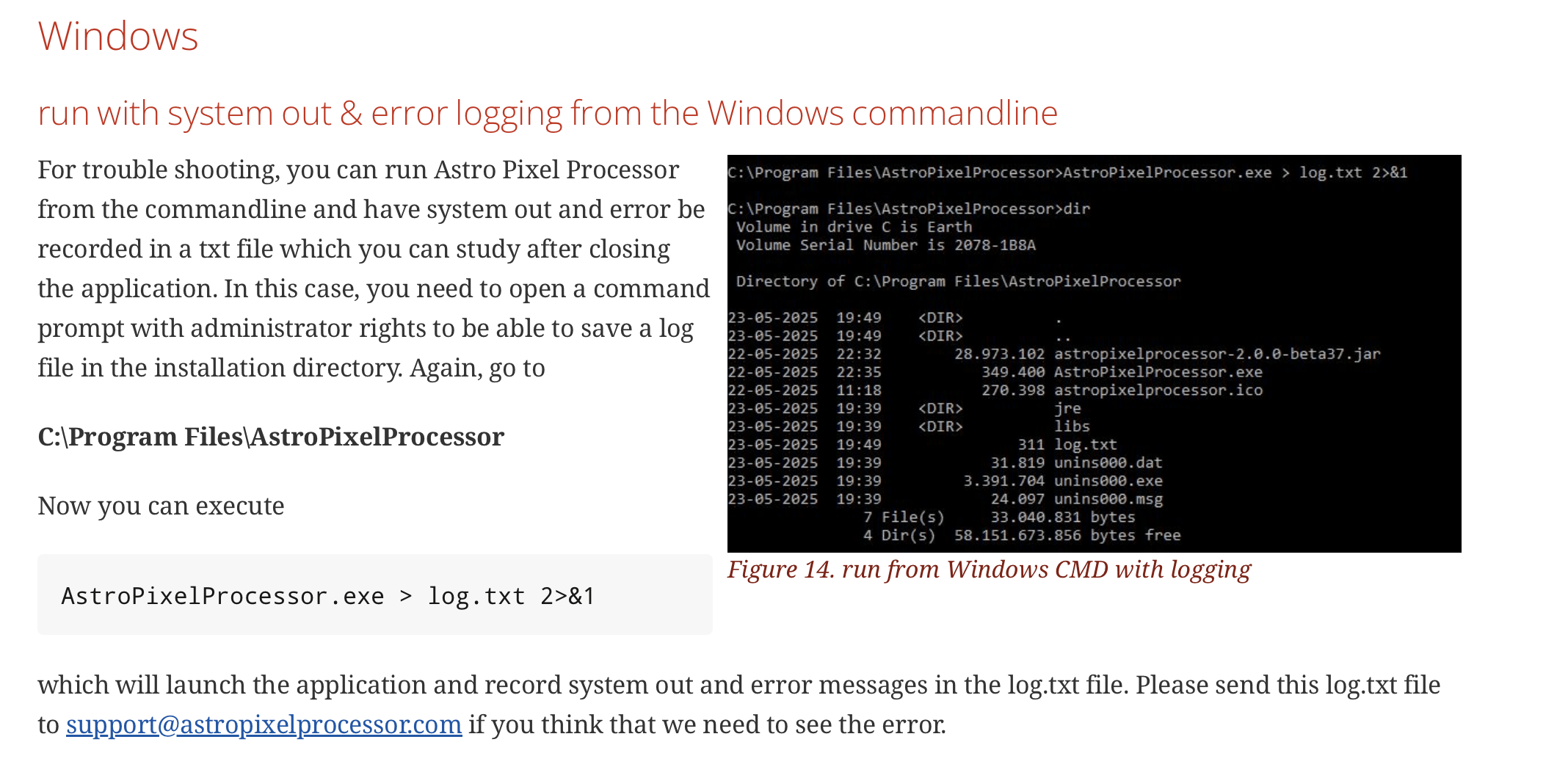
Same here,
APP beta 45 won't start on Win10, a rollback to beta44 went flawless.
Regards, Martin.
Hi Martin @picard001,
Can you also try to collect an error log as describes in the previous post? On my windows 10 machines all is fine, so the issue is not directly windows 10, but perhaps some computer configuration that beta45 has a problem with.
Mabula
Hello Mabula,
when trzing to start APP as described above from the console, I get the following entries in the logfile:
-----------------------------------------------
OpenJDK 64-Bit Server VM warning: The UseAllWindowsProcessorGroups flag is not supported on this Windows version and will be ignored.
OpenJDK 64-Bit Server VM warning: Process does not cover multiple NUMA nodes.
OpenJDK 64-Bit Server VM warning: ...Ignoring UseNUMAInterleaving flag.
java.lang.IllegalArgumentException: corePoolSize must be less than or equal to maximumPoolSize
at java.base/java.util.concurrent.ThreadPoolExecutor.setCorePoolSize(Unknown Source)
at astropixelprocessor@2.0.0-beta45/com.ariesproductions.astropixelprocessor.R.stateChanged(AstroPixelProcessor.java:7808)
at java.desktop/javax.swing.JSlider.fireStateChanged(Unknown Source)
at java.desktop/javax.swing.JSlider$ModelListener.stateChanged(Unknown Source)
at java.desktop/javax.swing.DefaultBoundedRangeModel.fireStateChanged(Unknown Source)
at java.desktop/javax.swing.DefaultBoundedRangeModel.setRangeProperties(Unknown Source)
at java.desktop/javax.swing.DefaultBoundedRangeModel.setValue(Unknown Source)
at java.desktop/javax.swing.JSlider.setValue(Unknown Source)
at astropixelprocessor@2.0.0-beta45/com.ariesproductions.astropixelprocessor.AstroPixelProcessor.h(AstroPixelProcessor.java:7843)
at astropixelprocessor@2.0.0-beta45/com.ariesproductions.astropixelprocessor.AstroPixelProcessor.<init>(AstroPixelProcessor.java:1608)
at astropixelprocessor@2.0.0-beta45/com.ariesproductions.astropixelprocessor.AstroPixelProcessor.j(AstroPixelProcessor.java:1400)
at java.desktop/java.awt.event.InvocationEvent.dispatch(Unknown Source)
at java.desktop/java.awt.EventQueue.dispatchEventImpl(Unknown Source)
at java.desktop/java.awt.EventQueue.dispatchEvent(Unknown Source)
at java.desktop/java.awt.EventDispatchThread.pumpOneEventForFilters(Unknown Source)
at java.desktop/java.awt.EventDispatchThread.pumpEventsForFilter(Unknown Source)
at java.desktop/java.awt.EventDispatchThread.pumpEventsForHierarchy(Unknown Source)
at java.desktop/java.awt.EventDispatchThread.pumpEvents(Unknown Source)
at java.desktop/java.awt.EventDispatchThread.pumpEvents(Unknown Source)
at java.desktop/java.awt.EventDispatchThread.run(Unknown Source)
------------------------------------------------
Thank You very much,
Martin.
Hi Martin, @picard001
Thank you very much, the error explains everything for me, I will fix this as soon as possible and will release a fixed version.
Will update you when a fixed version is released. For now, please download beta44 from the downloads page, that should simply work and not have this issue.
Mabula
Hello Mabula,
thanks for your dedication to details and for going after this! I'd like to keep my Win10 a little longer...
Best, Martin.
You are most welcome Martin, @picard001
I am aiming to have a fixed version ready in a couple of days from today...
Mabula
Hi Martin @picard001 and Emmanuel @manumanu,
I have fixed the startup issue that you experienced with beta45. The fix is included in beta46 which I will release in a couple of days time 😉 You will be able to find beta46 once released on the downloads page:
https://www.astropixelprocessor.com/downloads/
Just to confirm, how much CPU threads does your computer have? Is it less than 8 cpu threads?
- FIXED 2.0.0-beta45 startup issue
Beta45 would not start on a computer that has less than 8 cpu threads. This has been fixed.
Thank you very much for reporting the issue.
Mabula
Hello Mabula,
I guess my Intel Core i7 4600U has 4 CPU threads (not sure about the effect of hyperthreading) - at least it has 4 processors and APP also displays that it can use at most 4 threads in the upper left corner...
Best, Martin.
Hi Martin @picard001,
Thank you very much for the feedback. Please try 2.0.0-beta46 from the downloads page. I released it today and this one should work 😉
Mabula
Hi @manumanu,
Please try 2.0.0-beta46 from the downloads page. I released it today and this one should work 😉
Mabula
Hello
I downloaded V46.
It works now.
Thank you 😀
Beta 46 also starts and works flawlessly on my Win10 system.
Many Thanks fo rthe patch, Mabula!
-martin.
