

2026-10-09 APP 2.0.0-beta48 has been released !
This is mainly a bug fix release for the reported bugs in beta47. In addition it has a significant User Interface performance improvement noticable when you need to process 1000s of images in APP.
2026-10-03 APP 2.0.0-beta47 has been released !
This is a very big release... many code optimizations/rewrites, many parts of APP are much faster and more precise, especially star analysis and registration are much faster ! Big mosaics will go much faster 🙂
And we introduce a new preview filter, which includes the new Adaptive Deep Sky Stretch and a General Levels Stretch, this has been long over due. The old preview filter (the panel on the right side to stretch and preview your data) has not been updated for a couple of years and it is a critical part of any APP session.
Adaptive Deep Sky Stretch or ADSS is a much more intuitive stretch algorithm. It is also color preserving (which is a great new addition in itself ! ) which means that the highlights are no longer bleached, color is maintained from the linear data while stretching. You can simply stretch your data using the sky background level and signal width sliders which work much easier and more intuitive. You no longer need to fiddle with the old complicated sliders with zoom buttons. All the zoom buttons for the sliders are made redundant. And you can enter slider values in the slider value fields yourself. I will make a youtube video in the coming days to explain and fully introduce ADSS. Once the video is ready, it will be highlighted on the forum.
RGB Combine upgrade !. The RGB Combine Tool has been rewritten mostly. The tool is faster and easier to use and most importantly, the Luminance slider to inject a luminance channel or channels into the RGB composite is now working correctly. It no longer bleaches the RGB colors. Combined with the new ADSS preview, you will get much better and easier great composites with great color! I will also explain this in a new youtube video.
Calibrating images used to be quite straight forward, but today I can't. I have double and triple checked the images (MDF, MD etc) and they are OK and placed correctly. (About 100 SHO images). The calibration routine runs in a few seconds, but when I look at the calibrated images they are completely black. That is, I can see a few bright points which I assume are remaining bright pixels. There are 27 - 29 in each image.
I have reinstalled APP, reset all settings to no avail. It does not work.
Any help or tip appreciated.
Helge
Hi Helge @heno,
If the calibrated images are completely black, then the cause is very likely that the sensor offset (bias pedestal) in your lights was way lower than in your darks? So if the darks subtract from the lights, they will subtract way too much.
Could that explain it?
If you want, I can have a look at the data for you.
Please upload it here :
https://upload.astropixelprocessor.com/
username: uploadData
password:uploadTestData
Please make a folder with your name and issue like : Helge-Calibration-isssue
and let me know once uploaded 😉
Mabula
Hi Mabula
I always image with offset 50 and gain 100. I never change this, at least not on purpose.
I have uploaded 3 image files, 3 MF and 1 MD to Helge-Calibration_issue.
I tried again today before I uploaded and had the same result.
I also ran the same set of files in PixInsight WBPP script. No problem what so ever. I really don't understand what is going on here.
Helge
Hi Helge @heno,
Thank you very much for your upload, I just checked, we have received the data properly. I will look at it tomorrow and will try to find an explanation.
Oh, can you share with me which APP version you are/were using ? Was it the latest 2.0.0-beta39 or an older version?
Mabula
Hi Helge @heno,
I have analysed your data, all is fine when I try it. I can not see that there is something wrong here.
I have tried with 2.0.0-beta40 (work in progress) it is the same as 2.0.0-beta39 in terms of the data calibration engine. I also created a proper Bad Pixel Map using your masterflats and masterdark.
Please see the attached screenshots:
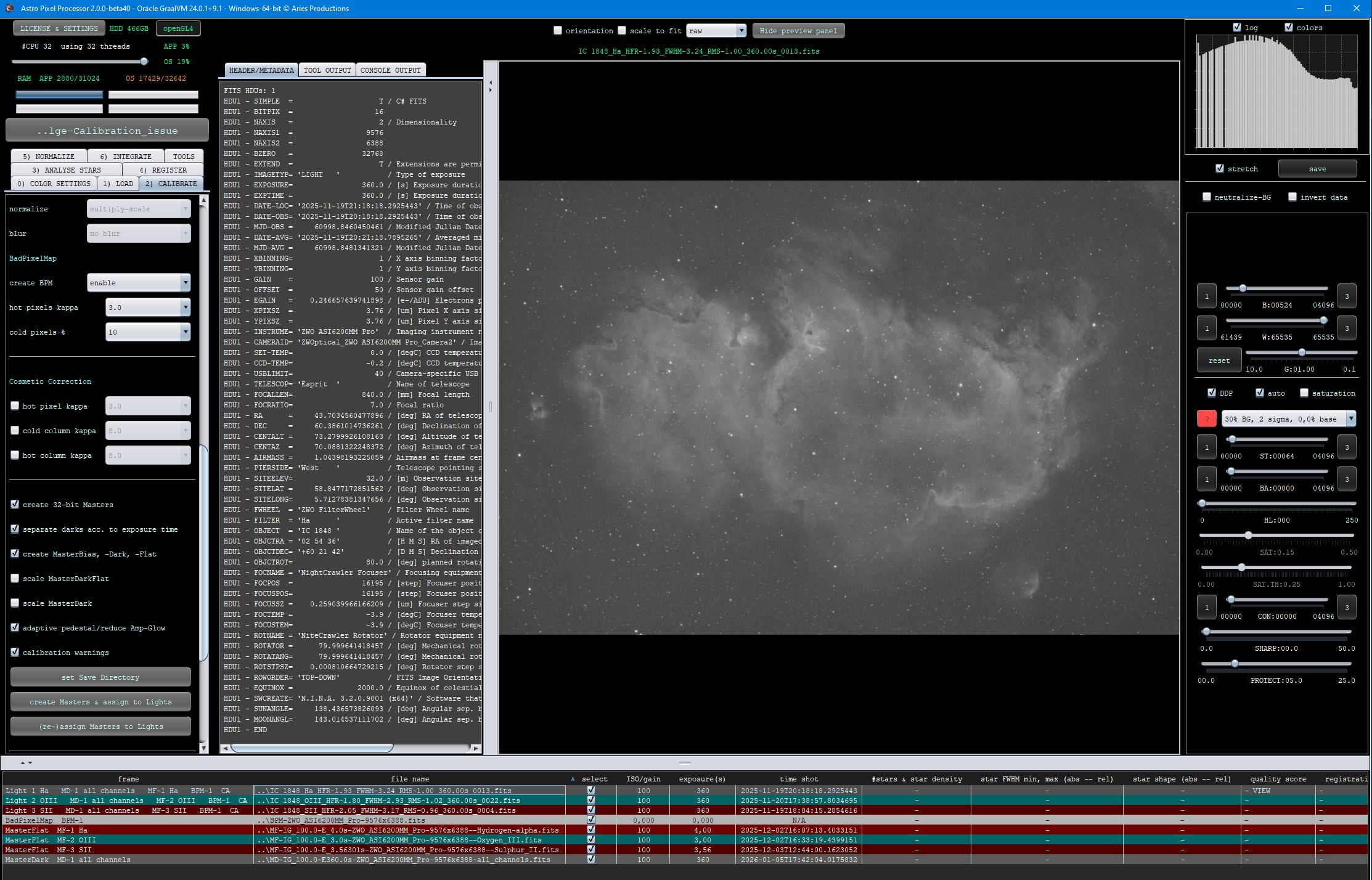
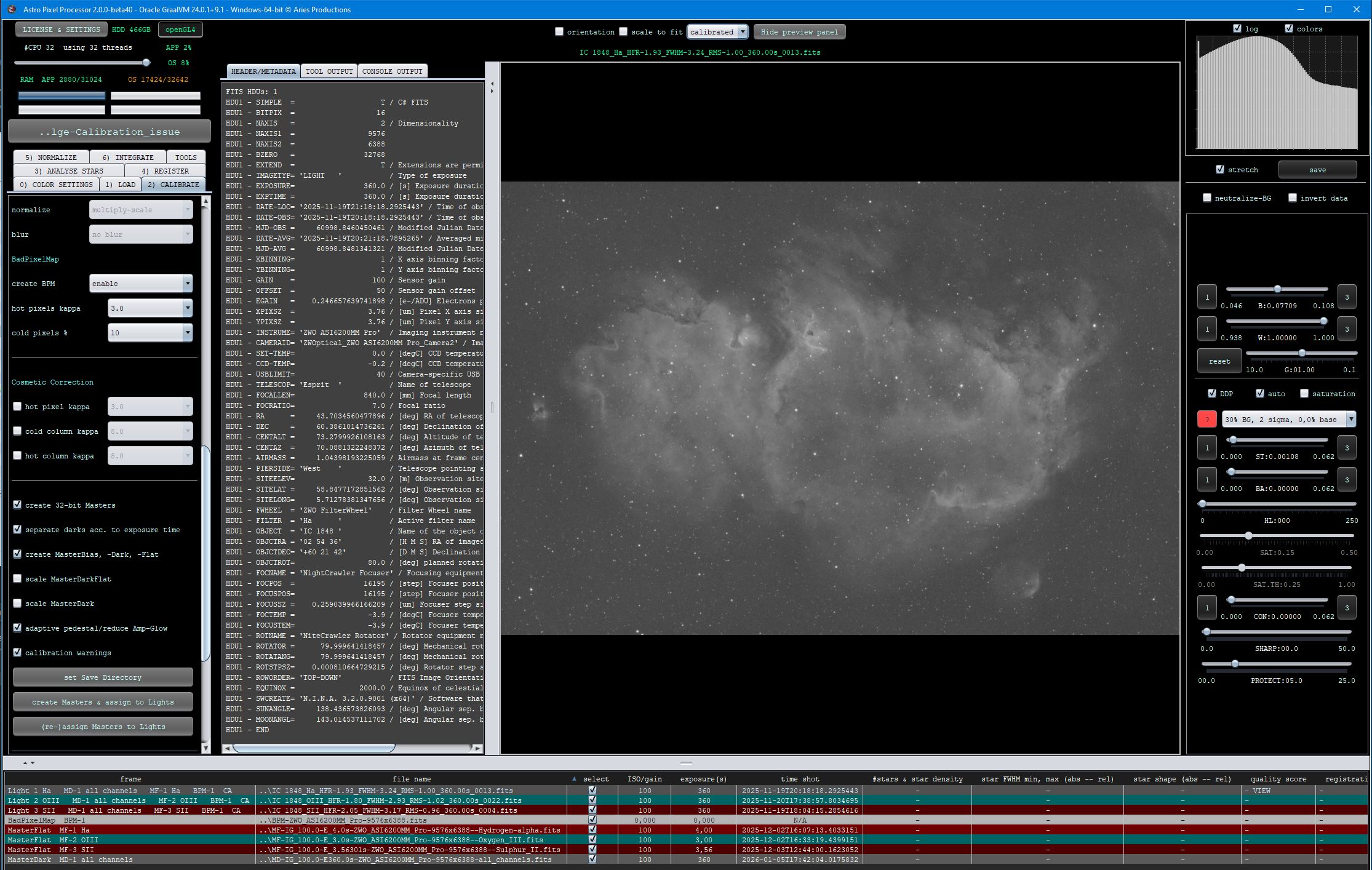


Could it be that your images were black because the preview filter was set to no stretch (data as is) ? I can not think of another reason at the moment for your issue.
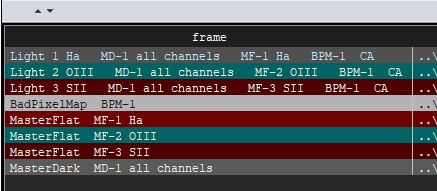
One thing to note, to make sure that you masterflats are assigned properly, you need to properly assing the filters when loading them. If you use the fits header, they will not be matched properly because the H-alpha lights have filter tag Ha and the masterflat has tag Hydrogen-alpha.
Mabula
@mabula-admin
Thanks for your effort in checking. I am running beta 39. The result you are getting is what I was expecting to see. I will run it again one of these days and check the stretch setting.
Also thanks for the tip regarding Ha/Hydrogen-alpha. I'll keep that in mind. 😉
Helge
