2026-10-09 APP 2.0.0-beta48 has been released !
This is mainly a bug fix release for the reported bugs in beta47. In addition it has a significant User Interface performance improvement noticable when you need to process 1000s of images in APP.
2026-10-03 APP 2.0.0-beta47 has been released !
This is a very big release... many code optimizations/rewrites, many parts of APP are much faster and more precise, especially star analysis and registration are much faster ! Big mosaics will go much faster 🙂
And we introduce a new preview filter, which includes the new Adaptive Deep Sky Stretch and a General Levels Stretch, this has been long over due. The old preview filter (the panel on the right side to stretch and preview your data) has not been updated for a couple of years and it is a critical part of any APP session.
Adaptive Deep Sky Stretch or ADSS is a much more intuitive stretch algorithm. It is also color preserving (which is a great new addition in itself ! ) which means that the highlights are no longer bleached, color is maintained from the linear data while stretching. You can simply stretch your data using the sky background level and signal width sliders which work much easier and more intuitive. You no longer need to fiddle with the old complicated sliders with zoom buttons. All the zoom buttons for the sliders are made redundant. And you can enter slider values in the slider value fields yourself. I will make a youtube video in the coming days to explain and fully introduce ADSS. Once the video is ready, it will be highlighted on the forum.
RGB Combine upgrade !. The RGB Combine Tool has been rewritten mostly. The tool is faster and easier to use and most importantly, the Luminance slider to inject a luminance channel or channels into the RGB composite is now working correctly. It no longer bleaches the RGB colors. Combined with the new ADSS preview, you will get much better and easier great composites with great color! I will also explain this in a new youtube video.
Astro Pixel Processor 2.0.0-beta48 release notes
Please note, beta47 will be removed from the downloads section, since it contained several bugs. For completeness, it's release notes are shown below the notes of beta48 which is mainly a bug fix release for beta47.
This release is huge, it is a culmination of much work on different parts of APP. Many code optimizations, many parts of APP were rewritten. Most importantly, we introduce a new preview panel with 2 options, Adaptive Deep Sky Stretch and General Levels Stretch. You can find the details below.
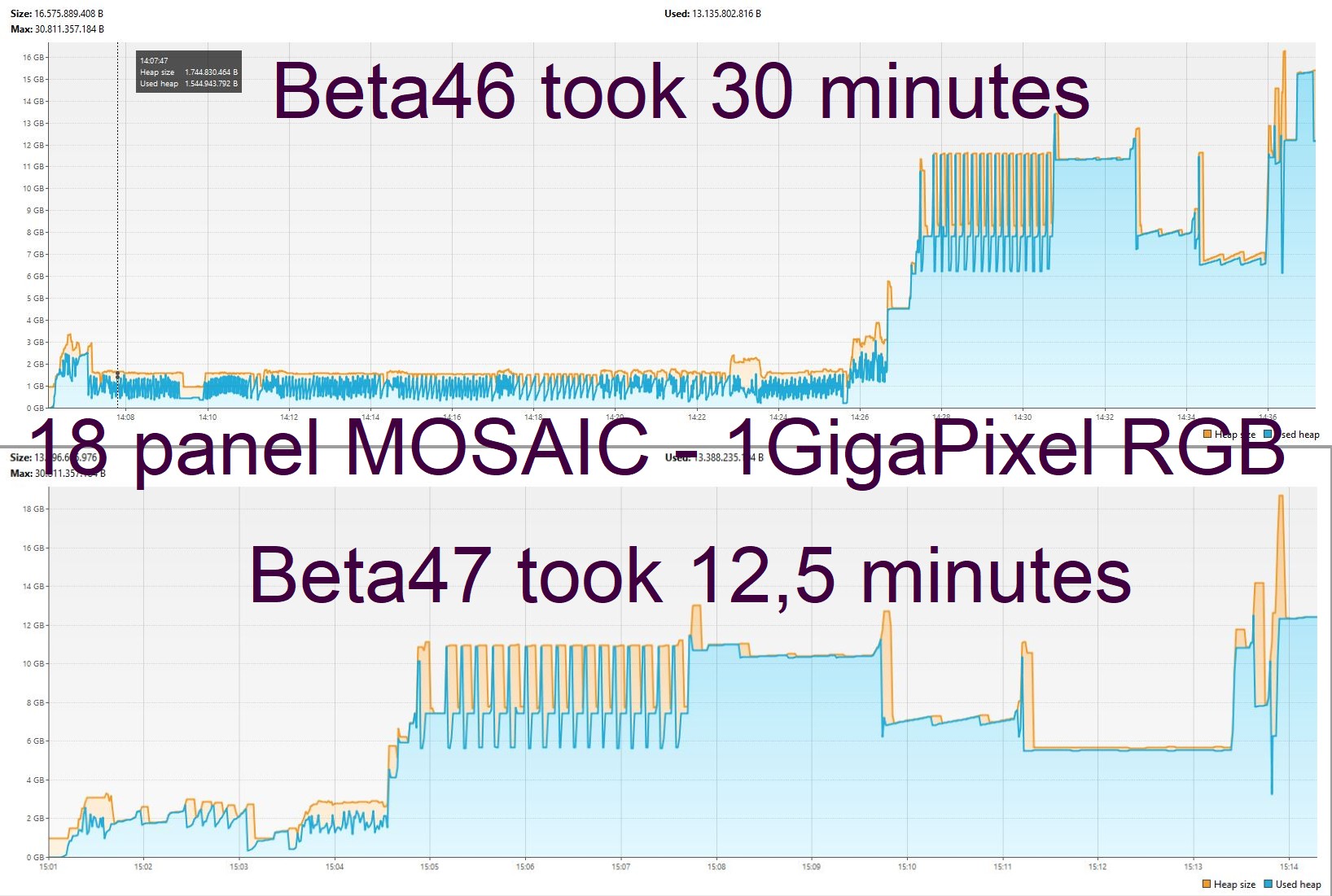
This version is also much faster for mosaic processing due to big improvements in the registration engine. For regular datasets this version will also be quite a bit faster on most computers especially computers with less than 16 CPU threads will see nice performance gains. As an example we show the memory usage graph for processing an 18 panel Widefield Mosaic with a size of almost 1 GigaPixel in RGB. Beta46 took 30 minutes on a machine with 32 Threads and 32GB Ram. On the same machine, the mosaic only took 12,5 minutes with beta47 and the result was also more accurate:
Astro Pixel Processor 2.0.0-beta48 release notes
Beta48 has 1 performance improvement for the User Interface and bug fixes for the reported bugs on beta47.
- IMPROVED PERFORMANCE USER INTERFACE UPDATING OF FRAME LIST PANEL when 1000s of images are loaded into APP, the user interface became very slow. Trying to load images into the image viewer would be slow etcetera. This has been fixed by optimizing several UI parts that were creating the slow down. The interface stays fast now.
-
FIXED COSMETIC CORRECTION Hot Pixel Correction bug in LokationAndScaleEstimateWorker As reported here https://www.astropixelprocessor.com/community/appreleases/beta47-error-on-star-analysis-on-macbook-pro-macos-27/#post-34992 by @philippe-bernhard, 2.0.0-beta47 could not complete star analysis when Hot Pixel Correction was turned on. This bug was introduced in beta47 and has been fixed now.
-
FIXED Normalization issue that gives 0 noise, unlimited SNR and a completely black integration Several users reported issue with normalization, giving 0 noise and a completely black integration. This has been fixed.
-
FIXED 6) INTEGRATE, integrate per channel & all produced a NPE error in CreateLightsStackTask. Beta 47 would error with an NPE when you tried to stack per channel & all. This has been fixed.
-
FIXED LNC2 NullPointerException, as reported here, a NullPointerException could occur in LNC 1/2/4 degree. This will no longer occur. The problem was reported here: https://www.astropixelprocessor.com/community/rfcs-request-for-changes/lnc-nullpointer-exception/#post-34989
-
FIXED ArrayIndexOutOfBoundsException in FindBestRegistrationModel we fixed a bug in the registration engine that could popup if the registration testing is running a test on a non-valid hypothesis. Should not happen again.
Astro Pixel Processor 2.0.0-beta47 release notes
- Adaptive Deep Sky Stretch or ADSS
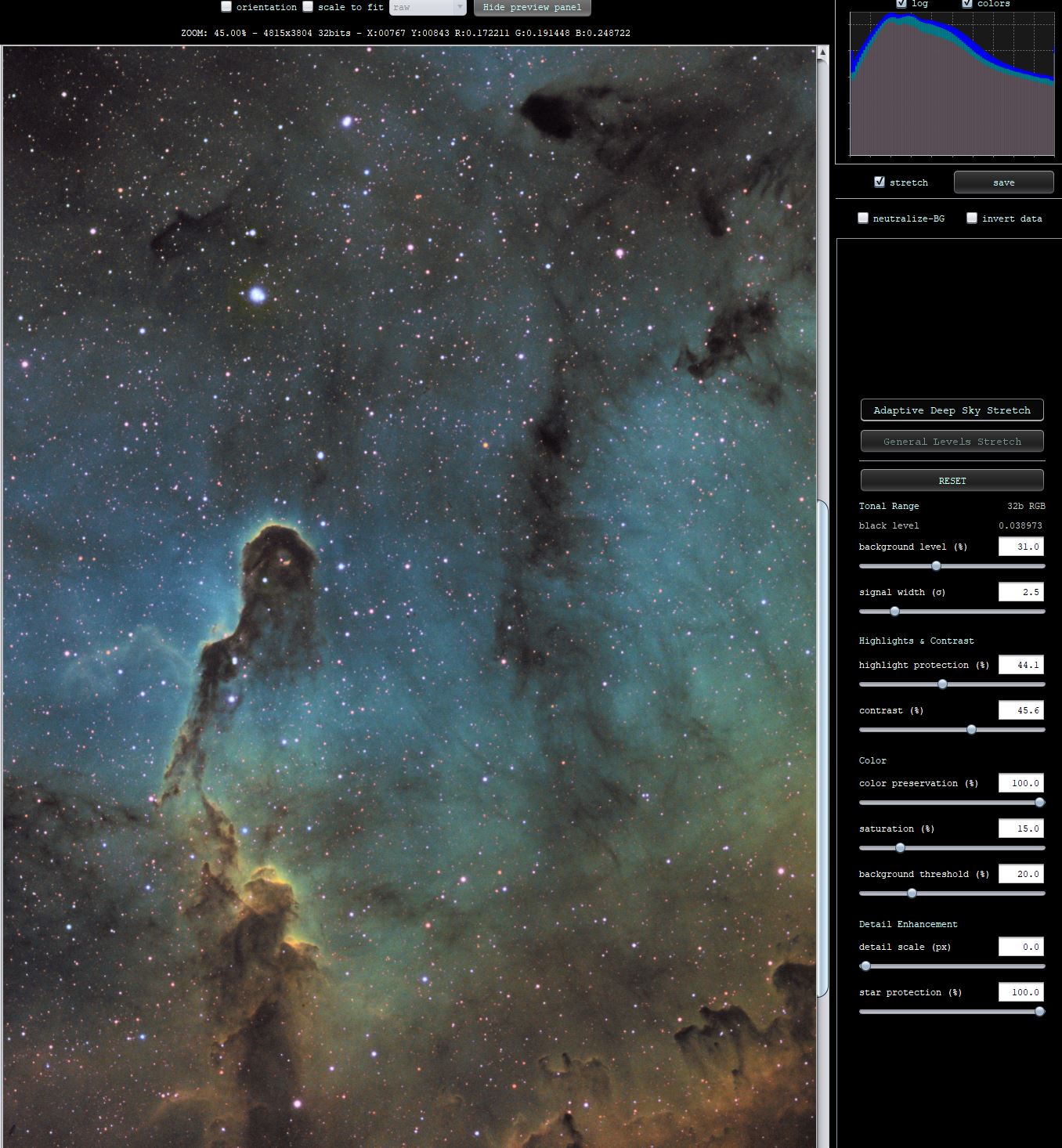
ADSS is a new color-preserving stretch filter with data adaptive contrast injection and adaptive highlight protection to protect the stars, so the star sizes will stay smaller while stretching. Simply stretch the data now with 2 easy and intuitive sliders called background level and signal width. With the background level slider you can control where the peak of the histogram is. For instance, if you set it at 20%, the peak will be at 20% of the data range. The signal width slider controls the actual black point adjustment of the stretch and how strongly the data will be stretched around the sky background level. When adjusting contrast, the brightness of the stretch is maintained versus the old behaviour where the stretch brightness was darkened when injecting contrast. And the contrast injection is automatically done centered around 2 standard deviations above the sky background level where real and interesting signal starts. It is not the same as the old contrast slider at all. You will be able to enhance object details much easier with this adaptive control. You can easily switch between color preserving and not preserving stretching with a 0-100% color preservation slider. Extra color saturation is similar to the old preview filter, but you do not need to click anything to enable it. Simply move the saturation slider. You can protect the lowlights for color saturation with the background threshold slider. The actual saturation injection is also improved and more adaptive to the data. The saturation control wlll automatically protect bright star cores from oversaturation. We also added to sliders to enhance large detailed structures in the data. It is slighly similar to the old sharpen slide, but it works much faster ! and has control to protect the stars. You can enhance big nebula/galaxy details much easier now with the detail scale slider. You can set the default stretch at any time by clicking on the reset button, and you can reset each slider individually by double clicking the slider. Finally you can easily set the slider value yourself, if you want the sky background to be at 25% of the data range, simply enter 25 in the background level field and enter.
- General Levels Stretch
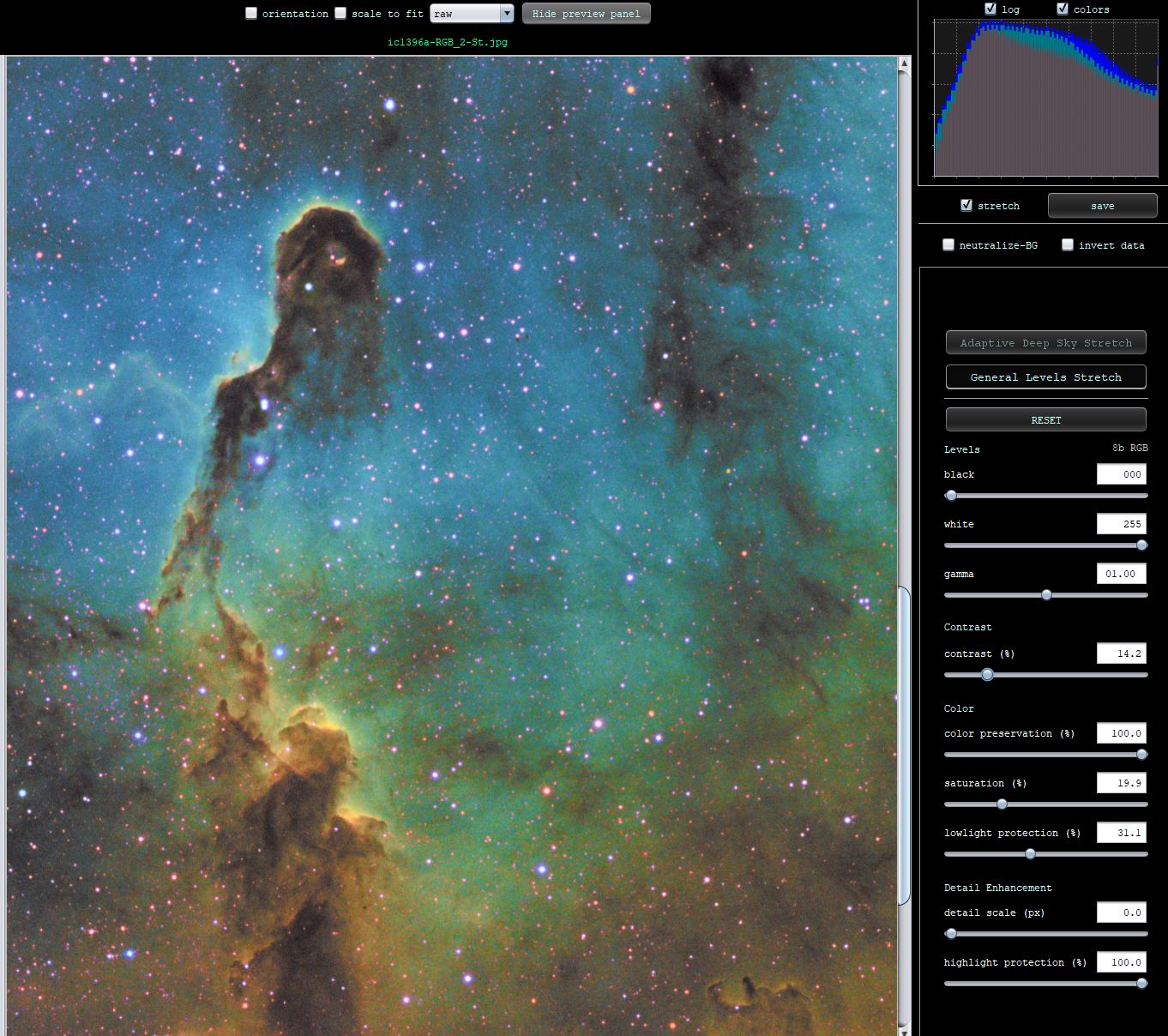
Simply change the preview algorithm to a general levels stretch by clicking on the General Levels Stretch button. The panel will be changed with new controls for a general stretch. If you need to look at your data unstretched, use the General Levels Stretch with the default settings which can always be set with the reset button. This is easy when looking a saved stretch files, like your JPGs, PNGs or TIFFs that were stretched earlier. You can still use contrast, color preservation, saturation, lowlight/highlight protection and detail scale sliders in this stretch mode as well. So you can also still easily modfy saturation or contrast perhaps in already stretched images. See the below screenshot, I have saved the stretched as shown above for ADSS to a stretched JPG. This JPG now has added saturation and contrast without using the basic levels stretch for black, white and gamma.

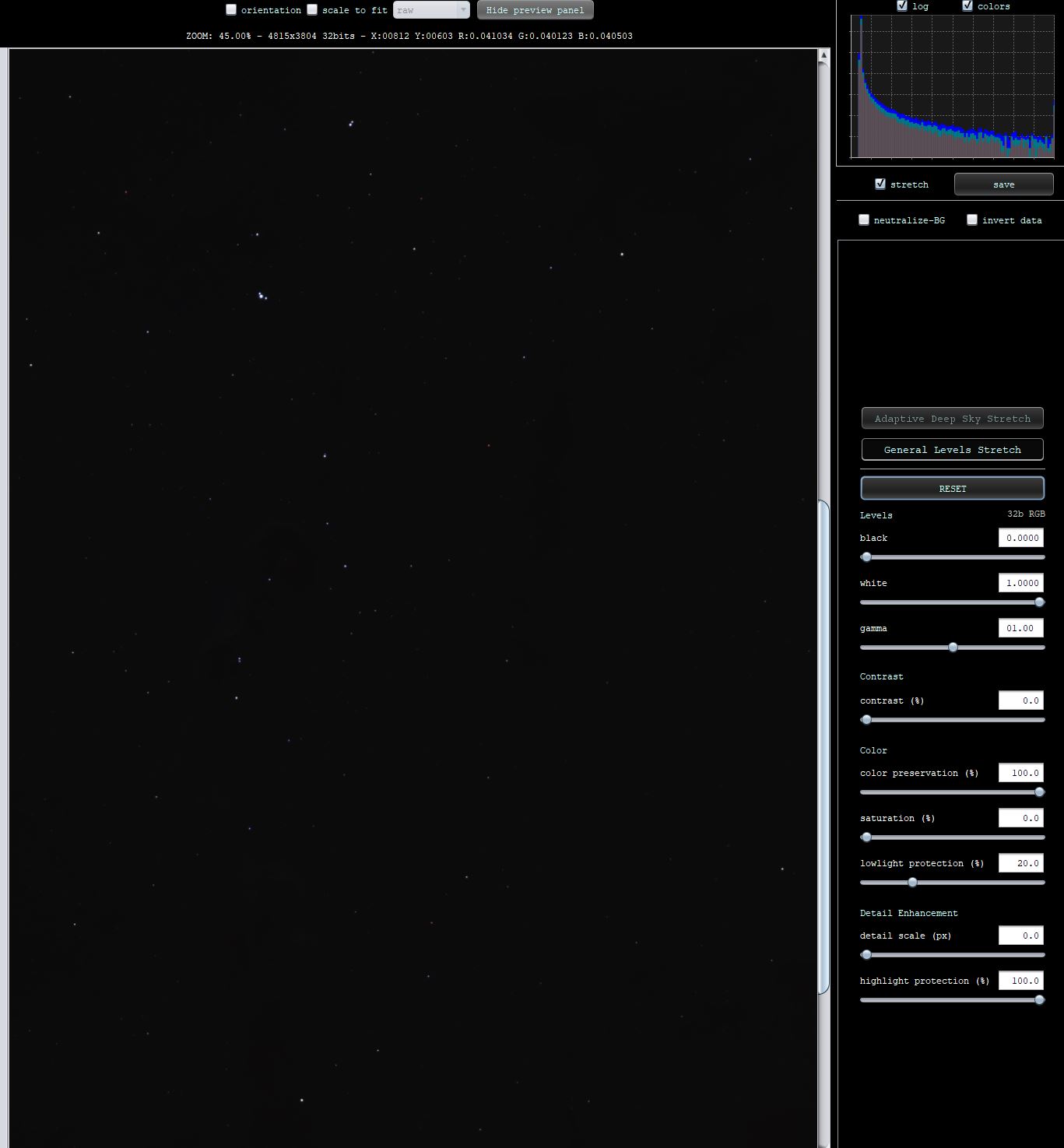
The actual linear data that was stretched in the above note for ADSS can be seen by loading it into the image viewer and setting the General Levels Stretch and clicking reset for no modification of the data at all:
-
- RGB Combine update ! Fixed luminance injection
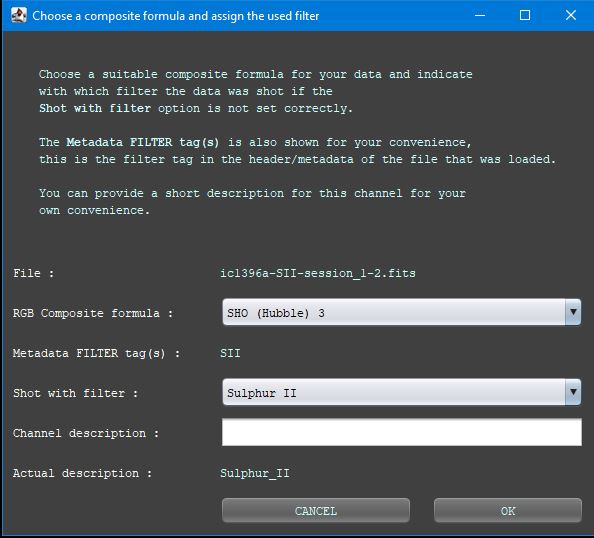
We have given the RGB Combine tool a big update. All the internal calculations have been rewritten from scratch, they are faster now, more precise and most importantly, the luminance injection into the RGB composite using 1 or more luminance channels now works as expected. The colors are no longer bleached when using L injection. The window for channel input has been improved, it should look more clear now what you are loading and what composite formula you would like to use. Please look at the below screenshots. One image shows a narrowband SHO composite with formula SHO (Hubble) 3. This formula is not using the L injection/modification of the output RGB data. The other screenshot shows the same data with the formulat SHO (Hubble) 4 where L injection is done using the hihgest quality channel, which is H-alpha. It evens uses 100% L injection. Notice that the colors are maintained, not bleached, the stars are better and there is much less noise. This is what L injection should do.


- UPGRADED & IMPROVED performance camera RAW support with LibRaw 0.22.1
We have upgraded RAW support (Canon, Nikon, Sony etc.. RAW filetypes ) by updating our dependency on LibRaw to the most recent 0.22.1 version from the 202502 snapshot release. On Windows, the RAW read performance is improved by 25% by optimizing our build process of the Libraw DLL. On linux and macOS, the RAW read performance improvement is 5-10%. This update was long overdue and this update has more support for newer cameras, which will be detailed below in these release notes and it includes many bug fixes.
- CANON RAW SUPPORT (fully tested)
added support for model EOS R1, EOS R5 MARK II, EOS R6 MARK III, EOS R50 V
- KODAK KDC & DCR SUPPORT
We have added support now for KODAK KDC & DCR files. The File Chooser has 2 new filters for these filetypes as well. The camera models that are supported can be found here: https://www.astropixelprocessor.com/community/camerasupport/kodak-kdc-dcr-tested-camera-models/#post-34820
- FITS READ/WRITE support updated to nom.tam.fits 1.23.0
- FITS READ Performance boost
We have adjusted the way fits files are read which gives a nice performance boost of 20-25% for reading fits files.
- IMAGE LOADER concurrency improved
We have updated/adjusted many concurrency code related to how images are loaded because we realized that some of the code was giving perfromance overhead that we could avoid. Overall it means that everywhere in APP where images are loaded, they are executed a bit faster. Allthough this release note is tiny, the work to improve this everywhere in APP was significant and it does give a nice boost to overall performance of APP. Users with less powerfull machines should benefit most from this improvement.
- INTEGRATOR concurrency improved
Similar to the previous release note, image integration gets a performance boost as well by modifying our concurrency code.
- CALIBRATION concurrency improved
All calibration paths with bias, flatdarks, darks, flats and Bad Pixel mapping are updated in the same with more efficient concurrency code making the whole calibration engine perform a bit faster.
- Multi-Band Blending code optimized
We have further optimized the code for Multi-Band Blending. MBB was not a big performance bottleneck, but this improvement makes MBB significantly faster which does help with light frame integration performance when MBB is enabled.
- Statistics median calculation, better performance and more robust
In the previous APP versions, we implemented many code optimizations including faster median calculations. These are now further enhanced in terms of robustness to find the median properly even in data with many duplicate values. A simple way to calculate the median, is to sort the dataset completely and then to take the middle value. The new median finders in APP avoid needing to sort the whole dataset and can still find the real median so they perform quite a bit faster. Modules that benefit from this clearly are Local Normalization Correction in 6) Integrate, 5) Normalize and also Star Analysis.
- Statistics Multi-Resolution Support Gaussian Noise estimate completely rewritten, more performance and more accurate
We have completely renewed the whole code to calculate noise estimates. The estimates are much more robust now and they are found much faster. Depending on hardware the calculations are 2x-5x faster. Of course, precision is most important here so the new code really is focused on precision and less on performance. But the performance gain is still clearly noticable when running 5) Normalize.
- Statistics sorting of data using LSD RADIX sorting, big performance improvement !
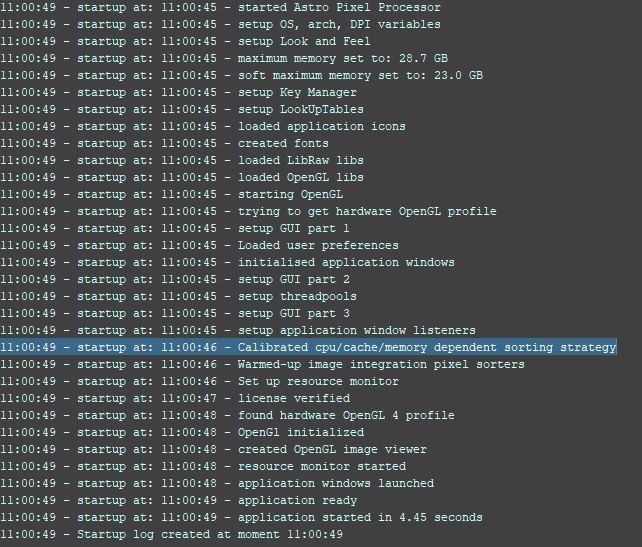
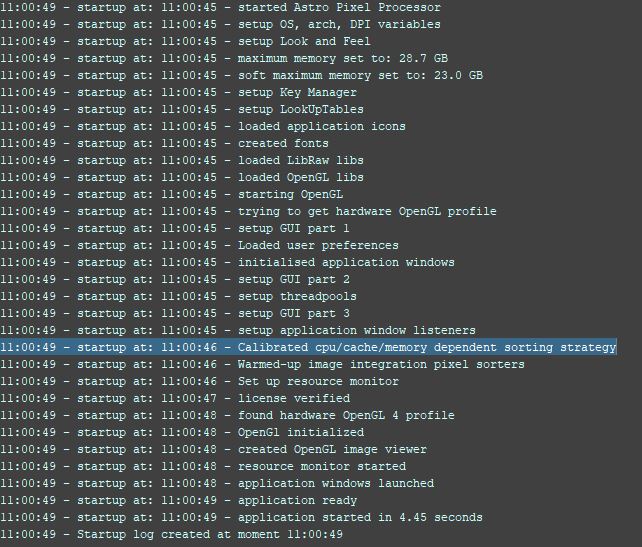
In many parts of APP we need to sort data to calculate robust statistics, like sorting pixels values in integration to do outlier rejection or to calculate the lokation/sky background of the light frames. We have now implemented several different versions of LSD Radix sorting ( https://en.wikipedia.org/wiki/Radix_sort ). When APP is started, APP will run a couple of little benchmarks to see which implementations will perform the best, on what kind of data set size, on the hardware on which it is run. More modern machines with bigger cache can benefit from different algorithms compared to older machines or machines with less cache. Especially in 5) Normalize, this gives a big performance boost now where we need to sort the pixels of complete images. The radix sort is now done using a single thread and still outperforms the previous sorting method that we used that was using multiple threads, so on less powerfull/older computers this improvement gives a very noticable performance gain. It also means that once we can make this new Radix sorter concurrent, the performance improvement will again be big going forward. In the below screenshot you can see in the startup log that APP perfroms the calibration for the hardware based sorting strategy.
- Image integration uses MSD RADIX sorting for floats between 0-1, performance improvement !
Due to further optimization of the pixel stack statistics while integrating with outlier rejection turned on, image integration performs faster. This holds both for integration of calibration frames like bias, dark, flat and for light frames. The pixelstacks with or without weights are now sorted more quickly using specialized MSD radix sorting where we use the knowledge that pixel values are limited to the 0-1 range. That really helps with getting more performance in sorting. Integrating 10-50 images will not show much performance improvement, but integrating 100s of frames or more should really show good performance improvement.
- LNC2 rejection has been optimized, again performance improvement !
We have optimized LNC2 rejection in terms of performance. It runs clearly faster now. In integration, the LNC2 rejection phase is the phase just before the actual pixel integration starts. You will see that it goes much faster.
- Star Analysis big performance improvement !
We have optimized and or rewritten many code parts of star analysis. It runs quite a bit faster now which is great, because Star Analysis was a bit of a bottle neck for performance of APP.
- Registration 2-view big performance improvement !
We have rewritten many parts of the registration engine making it perform much faster and more precise as well. It will also consume less memory will registering frames. When processing mosaics where 100s of 2-view registrations need to be done, you will notice that is performing much faster !
- Registration Calibrated Projective performane improvement !
We have optimized the steps to calculate the focal lenghts for all the images and the actual calibrated projective mosaic calculations. They run quite a bit faster now.
- RGB/Multi-Channel data interpolation performance improvement !
We have optimized data interpolation for RGB images so it will run a bit faster. This increases performance for advanced normalization and light frame integration.
- Monochrome data interpolation fixed for Multi-Narrowband data
We have fixed an issue with data interpolation of monochrome data coming from Multi-Narrowband filters. This issue would manifest if you only extract 1 channel, like H-alpha from H-alpha + O3 data.
- Optimized all projections like Mercator, Hammer-Aitoff in 4) Register, performance improvement !
We have implemented very good algebra improvements in the projection code for all the different projections. The code will perform much faster for all these projections in the calibrated projective calibration mode. It means that image integration of this kind of data will perfrom quite a bit faster.
- Preview Stretch, optimized invert data and neutralize-BG options
The preview filter has 2 simple options to quickly study your Multi-Channel/RGB/COLOR data. Neutralize-BG will quickly neutralize the sky background based on the sky background values that APP finds in the R,G,B channels. And invert will simply invert all pixel values, black becomes white, green becomes magenta etc... Both these algorithms have been optimized, they will consume less memory and will perform a bit faster.
- HSL Selective Color Tool fixed
We fixed a big in the HSL Selective Color tool that could sometimes give inconsistent results.
- RGB Combine update ! Fixed luminance injection