

UPDATE FROM MABULA
I have had a very rough 2 months unfortunately health wise. I was struck 3x in a row with bacterial infections. The second infection occurred after a routine hospital checkup and I became very sick. I had to rest and take a lot of antibiotics. Once I was recovering and restarting work 1 month ago, I again became sick. The infection was not yet gone, so even more antibiotics and rest was needed. Needless to say, it took a lot of my energy and I needed a lot of rest.
Finally, the infection is really gone and my energy is coming back step-by-step now and I have started work again. I am terribly sorry to have kept you waiting for support. I will address all outstanding questions and e-mails step-by step and will be on the forum daily from today.
APP 2.0.0-beta47 will come soon as well, a lot of work was already completed before I became very ill, so the release is also nearly ready for you. Beta47 will be much faster actually. Many workflows will be more than 2x faster, mosaics can even be 10x faster than before because registration really received a major boost... all compared to beta46. Before I release it, I will make sure that everything is working properly and then I will release it.
Astro Pixel Processor 2.0.0-beta25 release notes
- FIXED EXTERNAL OPENGL IMAGE VIEWER WITH DESKTOP SCALING WINDOWS & LINUX
As reported here https://www.astropixelprocessor.com/community/main-forum/cpu-vs-opengl-display-differences/#post-29276 the external OpenGL image viewer was not working correctly in combination with desktop scaling / HiDPI settings on Windows and Linux. This is fixed now. The bug caused the image to be miscentered with not logical zoom in/out response. This was a regresssion bug caused by an external dependency for OpenGL.
- IMPROVED RGB Combine Tool
We have updated all warning messages in the tool to give better instructions on how to solve an issue like incompatible data due to different image dimension, which almost always mean that the data is not yet registered
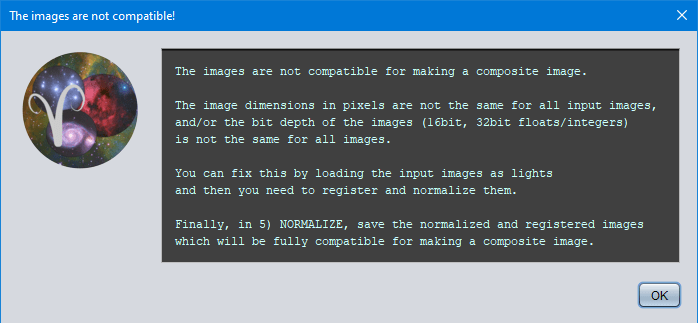
- FIXED RGB Combine Tool ArrayIndexOutOfBounds bug
We have fixed this bug as reported here : https://www.astropixelprocessor.com/community/windows/bug-report-app-2-0-0-beta22-windows-64bit-encountered-error-in-module-combinethreechannelfloatbufferworker/#post-29081 . It was reported by several users and it was caused by several issues which have all been fixed. It happened especially when processing Dual/Triple/Quad narrowband data where the user had set ForceCFA on in 0)Raw/Fits and/or was trying to combine data that was already processed by a tool like Remove Light Pollution. Data processed with versions prior to 2.0.0-beta25 should now work without this error in the RGB Combine Tool.
- FIXED RGB Combine Tool NegativeArraySize bug
This bug has been solved too https://www.astropixelprocessor.com/community/main-forum/encountered-error-in-module-combinenewbufferedimage-with-16-panel-mosaic/#post-29087 This bug was caused by the composite image becoming larger than the current image size limit in Astro Pixel Processor. If it happens again, the problem is caught and the user is given instructions on how to successfully create the composite within the image size limit

- FIXED FITS image saver CFA tag
Some of the tools like the Batch Crop tool and the Remove Light Pollution had a bug in the fits image saver, causing a CFAIMAGE tag with value "yes" to appear in the saved FITS headers allthough it should have said "no". This bug was also related to the RGB Combine ArrayIndexOutOfBouns bug.
