

UPDATE FROM MABULA
I have had a very rough 2 months unfortunately health wise. I was struck 3x in a row with bacterial infections. The second infection occurred after a routine hospital checkup and I became very sick. I had to rest and take a lot of antibiotics. Once I was recovering and restarting work 1 month ago, I again became sick. The infection was not yet gone, so even more antibiotics and rest was needed. Needless to say, it took a lot of my energy and I needed a lot of rest.
Finally, the infection is really gone and my energy is coming back step-by-step now and I have started work again. I am terribly sorry to have kept you waiting for support. I will address all outstanding questions and e-mails step-by step and will be on the forum daily from today.
APP 2.0.0-beta47 will come soon as well, a lot of work was already completed before I became very ill, so the release is also nearly ready for you. Beta47 will be much faster actually. Many workflows will be more than 2x faster, mosaics can even be 10x faster than before because registration really received a major boost... all compared to beta46. Before I release it, I will make sure that everything is working properly and then I will release it.
Astro Pixel Processor 1.059
- FIXED, HSL Selective Color Tool, adjusted GUI button, slider, dropdownboxes, sizes and color, fixed visibility of all buttons and sliders for lower resolution screens (APP 1.058 didn't show a scrollbar).


- ADJUSTED, GUI, the pop-up location of some small pop-ups during tools have been changed. For instance, while calculating a new version of selective color, the pop-up while calculating will not be in the middel of the image viewer, but above the image viewer.
- IMPROVED, Star Color Calibration, added crosshairs through the origin of the Color-Color Diagrams and the default Black Body model will always be plotted. These changes should help in better visualization of how the model parameters affect the model calculation and thus the position of the stars in the Color-Color Diagrams.
- IMPROVED, Star Color Calibration, the black body model is again improved. Due to general inital starting paramters, for some images it was hard to do a proper calibration. Now the initial starting parameters are pre-calculated by having analysed the spread of the astronomical colors in the data, which should prove much more stable and should give better initial calibration.
- IMPROVED, Star Color Calibration, the Color-Color Diagrams now don't disappear anymore between succesive model calculations. So it will be better to see the changes in the Color-Color Diagrams and in the image itself, especially when zoomed in on part of an image.
- IMPROVED, Star Color Calibration, photometry of each star's radiation flux per channel has been improved. Each star's luminosity profile is fully scanned and the full flux per channel is now properly found above the local background level.
Star color calibration examples:
M31, courtesy of Anne van Houwelingen (@annehouw)
M81 & M82, courtesy of Mabula Haverkamp (Nikon D5100 BCF mod with Baader UHC-s filter, Robtics 102ED doublet)
M101, courtesy of Frank Schmitz ( @foschmitz )


- IMPROVED, correct vignetting, remove light pollution, calibrate background, star color calibration. While calculating, a pop-up warns the user it's busy with calculation. The buttons to undo a placed area select box, or remove yellow/red boxes are disabled while calculating.
- IMPROVED, HSL selective color, intitial analysis of the image to be adjusted is faster now. Analysis is needed to have this tool working correctly on both linear and non-linear data and to discriminate correctly and smoothly between pixels with color or gray pixels.
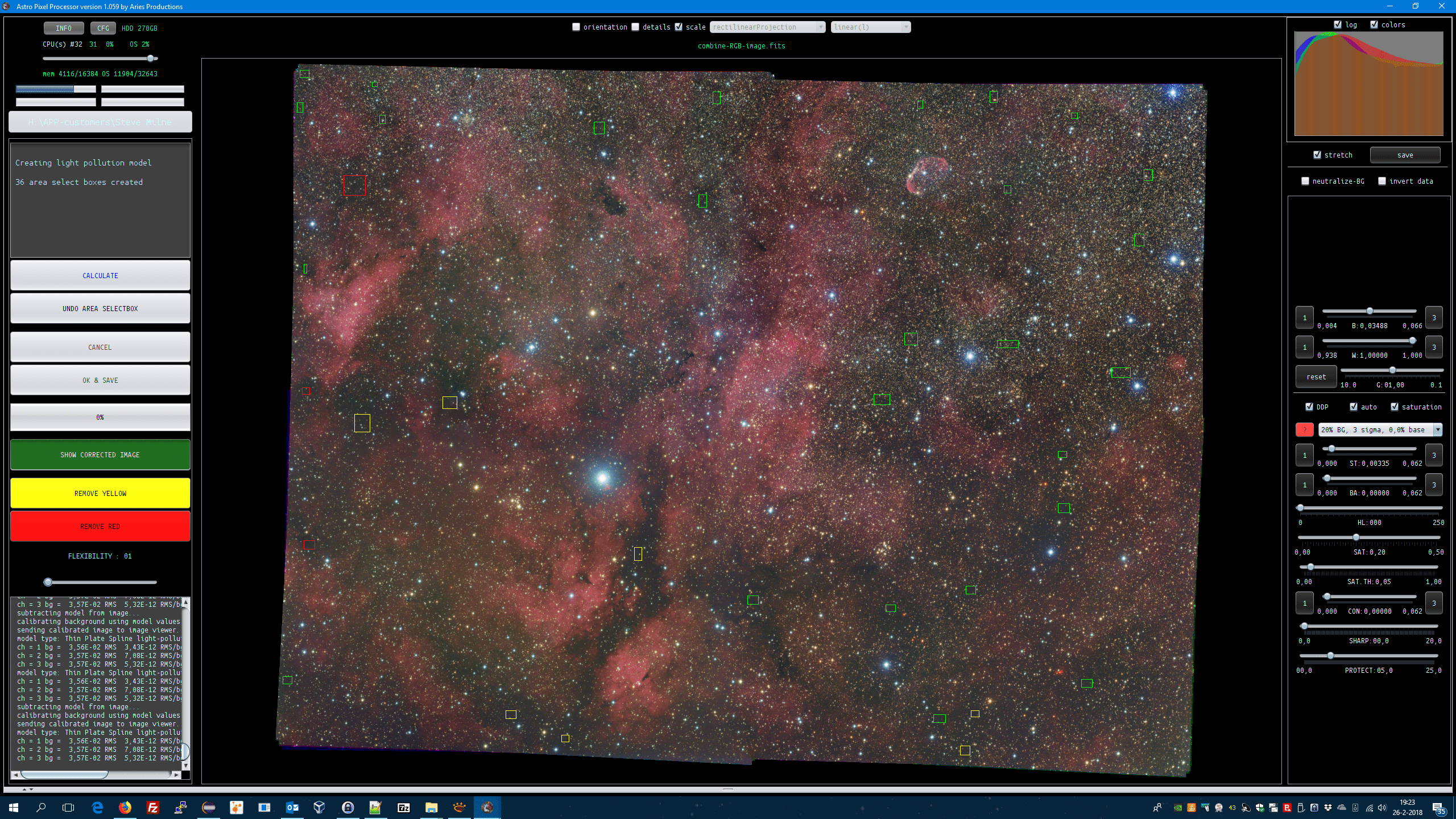
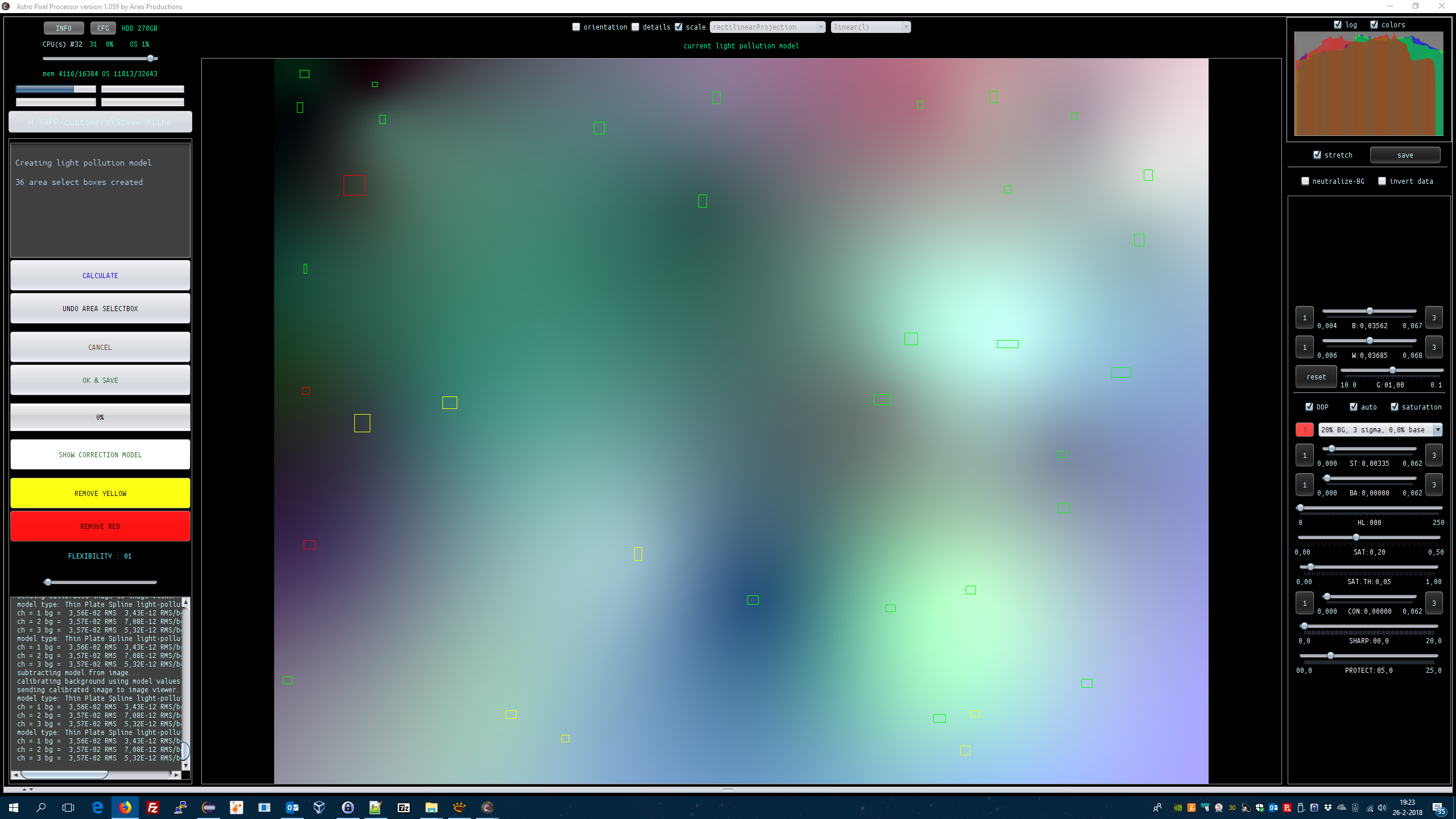
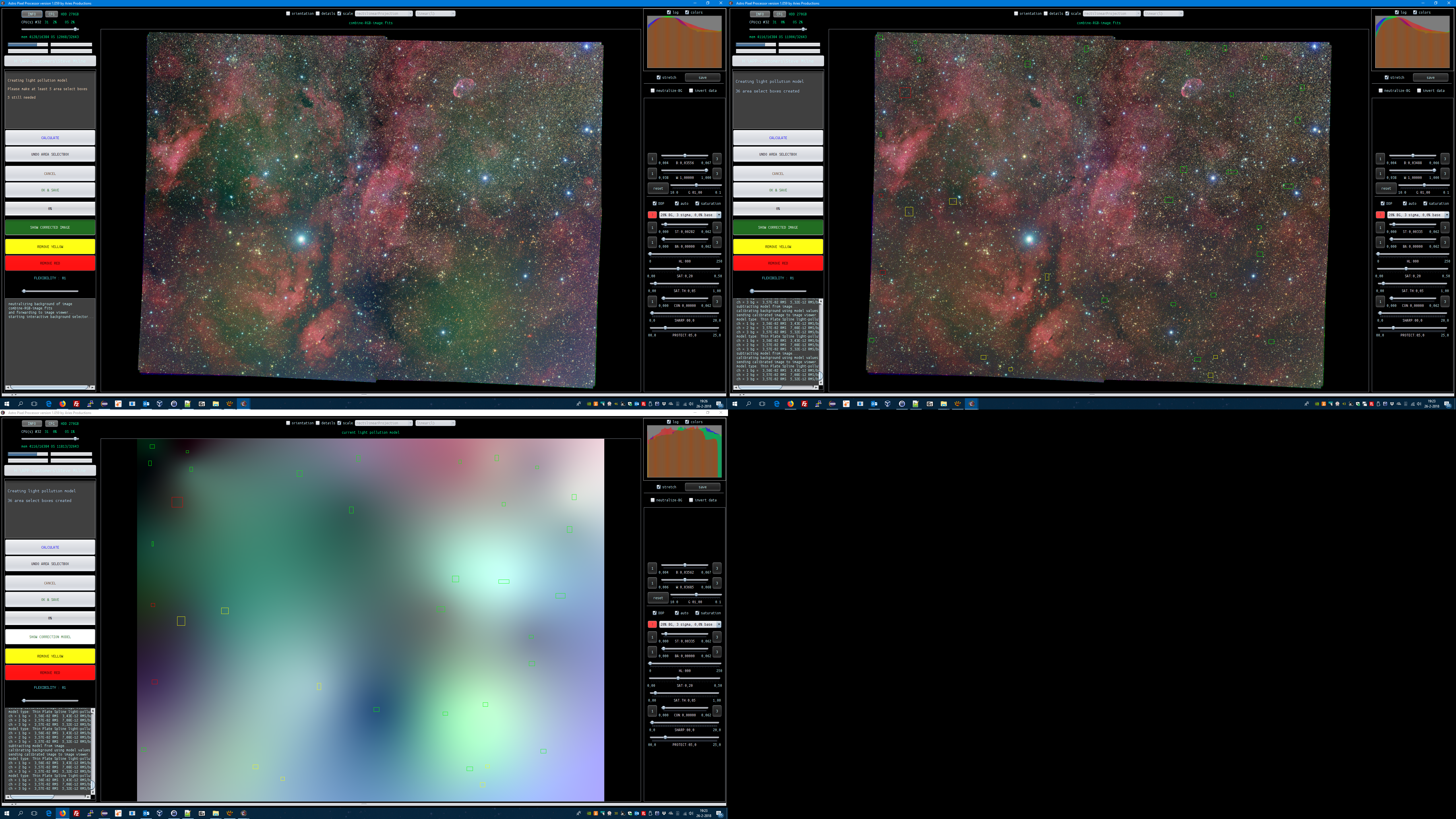
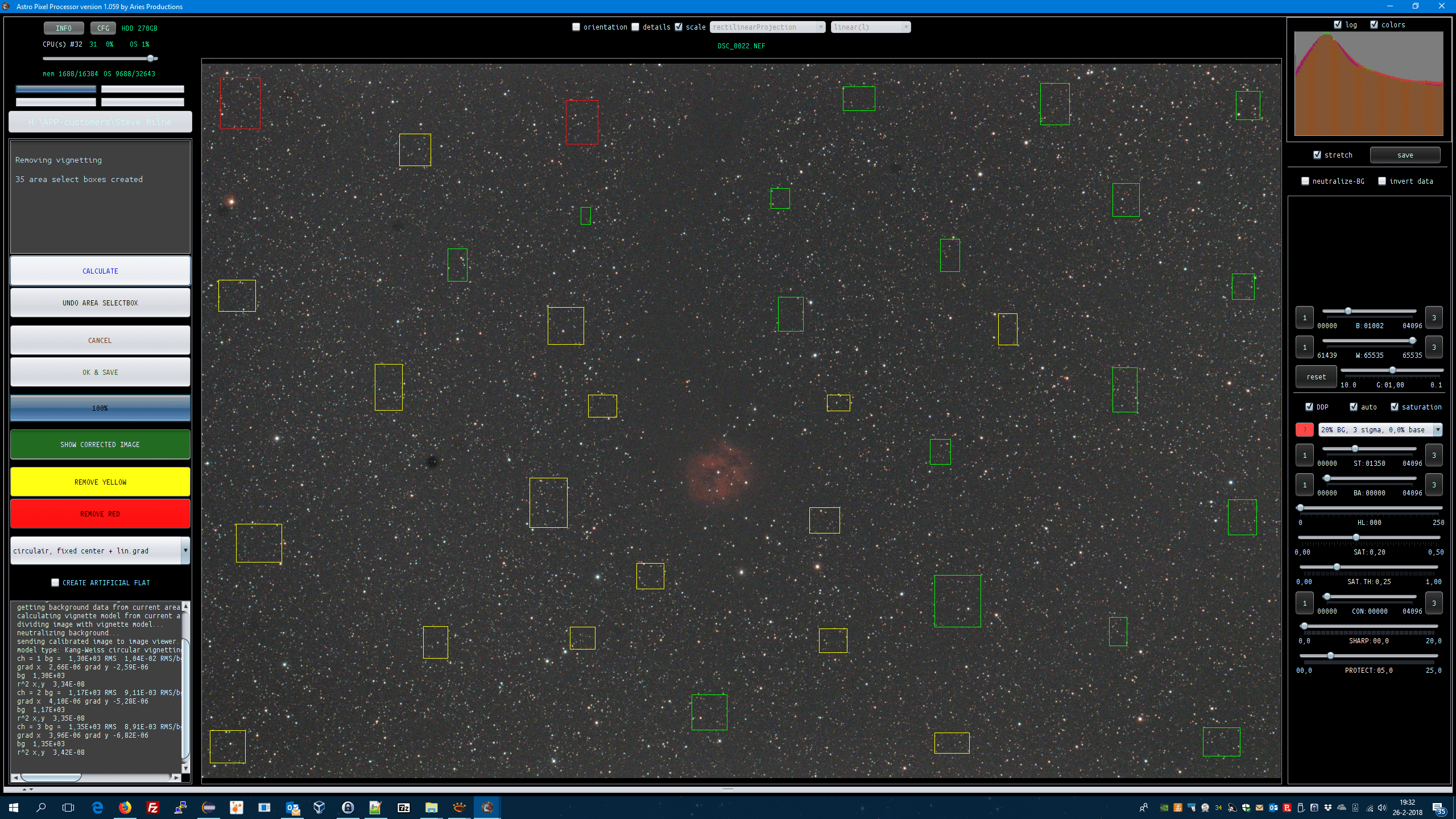
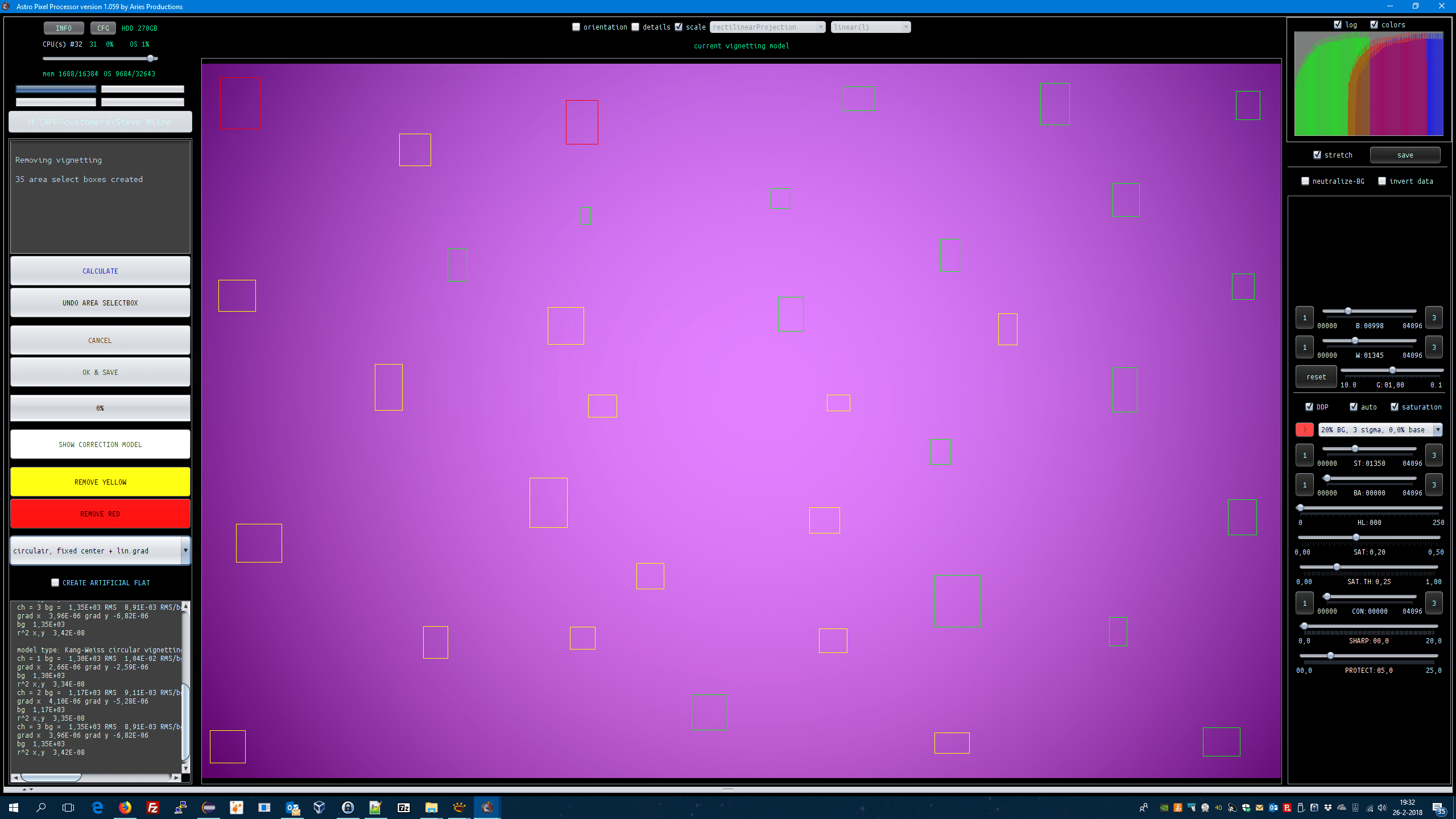
- IMPROVED, correct vignetting, remove light pollution, a togglebutton is added which enables you to switch, in the image viewer, between the image corrected with the model and the model itself. Visually looking at the model can also give hints on the actual correction. You expect the model to be smooth. The togglebutton is set by default on "SHOW CORRECTED IMAGE", if you click on it, it changes to "SHOW CORRECTION MODEL". If a model was already calculated, and if you click on the togglebutton, then the model or the corrected image is shown.
Remove Light Pollution tool:

Correct Vignetting tool:


- IMPROVED, Remove light pollution tool, now by default, this tool performs background calibration at the same time based on the light pollution correction models. So this makes the background calibration tool redundant if you use this tool 😉
