

2026-10-09 APP 2.0.0-beta48 has been released !
This is mainly a bug fix release for the reported bugs in beta47. In addition it has a significant User Interface performance improvement noticable when you need to process 1000s of images in APP.
2026-10-03 APP 2.0.0-beta47 has been released !
This is a very big release... many code optimizations/rewrites, many parts of APP are much faster and more precise, especially star analysis and registration are much faster ! Big mosaics will go much faster 🙂
And we introduce a new preview filter, which includes the new Adaptive Deep Sky Stretch and a General Levels Stretch, this has been long over due. The old preview filter (the panel on the right side to stretch and preview your data) has not been updated for a couple of years and it is a critical part of any APP session.
Adaptive Deep Sky Stretch or ADSS is a much more intuitive stretch algorithm. It is also color preserving (which is a great new addition in itself ! ) which means that the highlights are no longer bleached, color is maintained from the linear data while stretching. You can simply stretch your data using the sky background level and signal width sliders which work much easier and more intuitive. You no longer need to fiddle with the old complicated sliders with zoom buttons. All the zoom buttons for the sliders are made redundant. And you can enter slider values in the slider value fields yourself. I will make a youtube video in the coming days to explain and fully introduce ADSS. Once the video is ready, it will be highlighted on the forum.
RGB Combine upgrade !. The RGB Combine Tool has been rewritten mostly. The tool is faster and easier to use and most importantly, the Luminance slider to inject a luminance channel or channels into the RGB composite is now working correctly. It no longer bleaches the RGB colors. Combined with the new ADSS preview, you will get much better and easier great composites with great color! I will also explain this in a new youtube video.
Release Information
1
Posts
1
Users
0
Reactions
4,117
Views
Topic starter
May 6, 2017 12:19
Astro Pixel Processor 1.038
- IMPROVEMENT, NEW all buttons will start to get new and improved tooltips from now, to help in which setting you should use in which situation. I have set the time for the tooltip to display at 60 seconds. If you move the mouse over the button, the counter restarts. The tooltips can be enabled/disabled in the CFG menu.
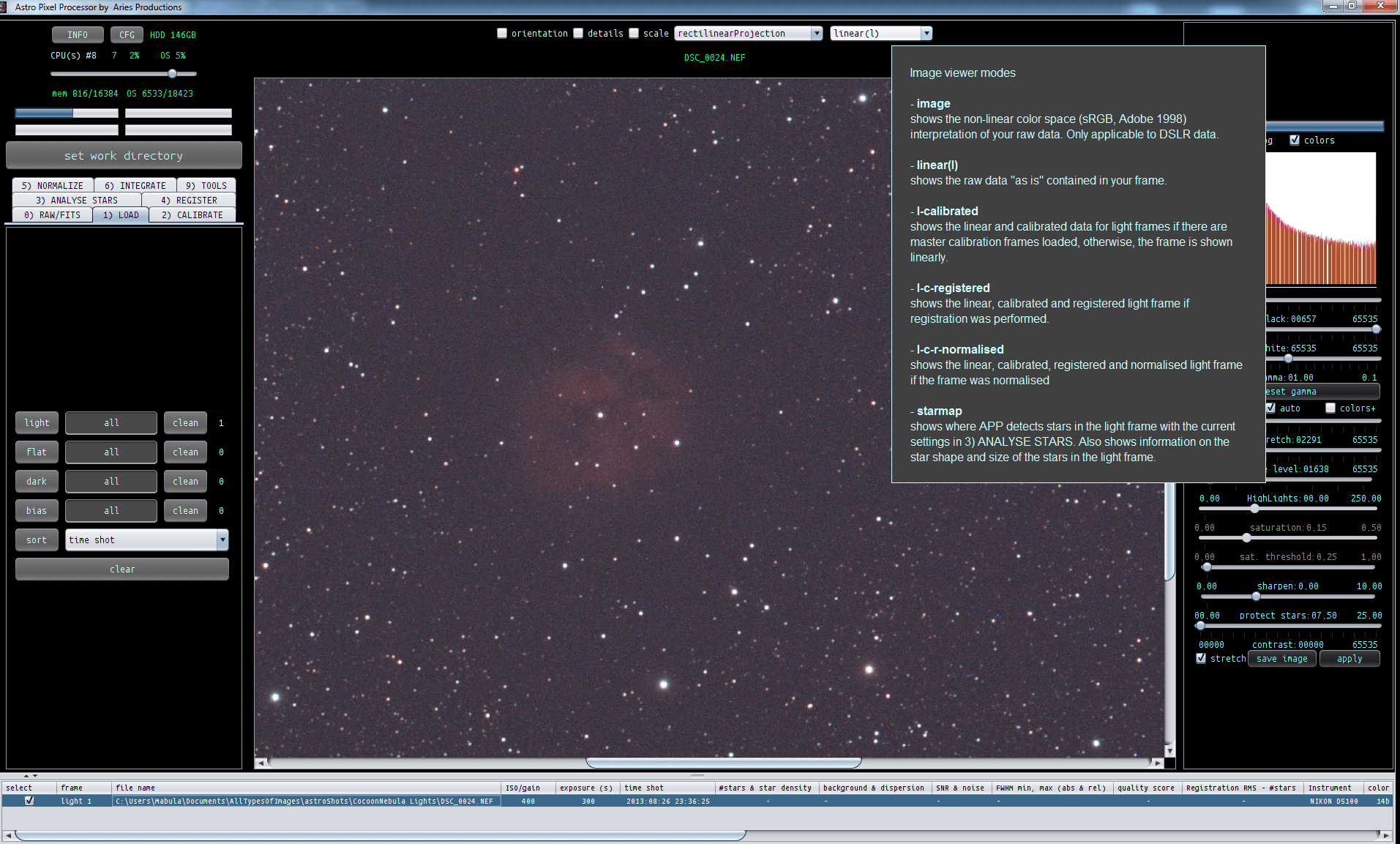
- FIXED prevent files from opening when they are locked by another process, now gives a null pointer exception (Rob)
- ADJUSTED default is that images in the image viewer are now saved using the preview filter with the stretch parameters applied, like you see the image in the image viewer. So when APP starts, the "stretch" selectbox is turned on by default.
- FIXED if, for some reason, the registration engine makes an error, and the calculated composition parameters have negative image dimensions, the exception is properly caught and reported to the user.
- FIXED, after presing calculate (and not create) in Combine RGB and then save image on the right panel a java error is generated. (Rob) Solved by disabling the save and apply buttons whenever a new image is loaded and sent to the image viewer. Once loaded, the buttons are activated again.
- FIXED instability and error in initial parameter for Multiple View, not "same camera and optics", "dynamic distortion correction" algorithm which is used in both mosiac and normal registration mode.
- FIXED error is caught properly in the multiple view registration engine when no frames could be registered.
- FIXED setting new reference should disable all buttons temporarily (Mabula)
- CHANGED, FIXED file size in the file list is now reported in MegaBytes and for FITS images shows the size correctly for images larger than 2GB.
- IMPROVED, FIXED image composition calculation now has extra checks for memory requirements and technical image size limitations. User gets a warning when a limit is reached, solution is that APP downscales the result.
- CHANGED, at start-up the filelist window is now at roughly 4/5 of the application window, so near the bottom, instead of halfway. Fixed for small and large resolutions.
- IMPROVEMENT, ADDITION registration engine, you know can select the scale on which descriptors are created and compared between the reference frame and the frame to be aligned. For Mosaic mode with frames with little overlap, you can use big scales to get good registration for frames with little overlap. A scale of 10 would be needed is the frames have only 10% overlap. Scale of 12 is overlap is only 8%.
- IMPROVEMENT,ADDITION registration engine, for the mosaic registration with "dynamic distortion correction" enabled and "same camera and optics" disabled, you can set a number for the times frames will overlap with oother frames. If you set this value low, registration time is less, but the result possibly not optimal. Settting it higher could give a better results. Previously, this was fixed at three. For big mosaics (larger than 6 panels) the value of 3 is too little in most cases.
- FIXED CHANGED, client logging with server is set at finest level to check if license verification takes long for Wei-Hao and the log file is now properly closed once APP is stopped.
- IMPROVEMENT, FIXED, the maximum amount of stars for registration between two frames is now limited to prevent out of memory errors. The more memory APP can use the more stars will be detected and possibly used for registration. (With 2GB of memory reserved for APP, the limit is 2000 stars, which is already more than needed in most cases.)
- IMPROVEMENT, registration engine is now dynamically scaled for both memory and processor usage depending on the amount of star pairs between all frames that are being registered. If the total amount of star pairs gets above 5000 this is really needed. The complete engine, including RANSAC and the expansion of the registration hypothesis for good registration into the extreme corners of your images,( using Artificial Intelligence) has undergone a lot of optimization to reduce memory overhead and increase speed.
- FIXED, when you have already registrated your frames and would restart star analysis, then when you cancel star analysis, you can't start registration or normalization directly. This is now fixed. Bug was error in data backup of the previouse star analysis & registration results. This bug is now gone. So whenever you cancel a task, your old results are always restored properly. Applicable to the processes 2) CALIBRATE to 6) INTEGRATE
