Fully Multi-Threaded LNC, many improvements for the registration engine, platform upgrade, and further tuning of internal memory consumption and memory release back to OS.
Apr 14 2026: Google Pay, Apple Pay & WeChat Pay added as payment options
Update on the 2.0.0 release & the full manual
We are getting close to the 2.0.0 stable release and the full manual. The manual will soon become available on the website and also in PDF format. Both versions will be identical and once released, will start to follow the APP release cycle and thus will stay up-to-date to the latest APP version.
Once 2.0.0 is released, the price for APP will increase. Owner's license holders will not need to pay an upgrade fee to use 2.0.0, neither do Renter's license holders.
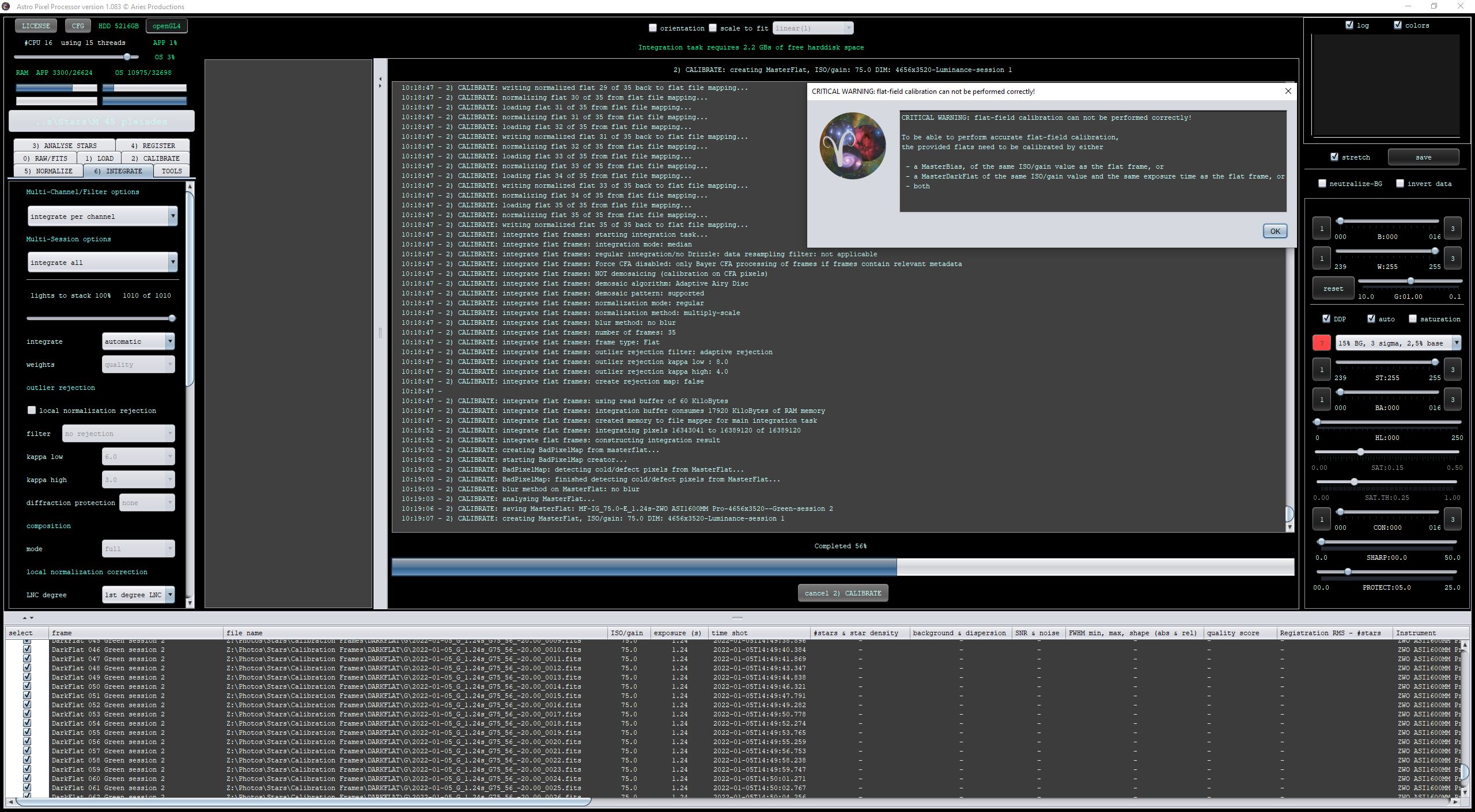
Recently since I updated to the latest version of APP I've started to get the "flat-field calibration can not be performed correctly!" error.
I am stacking the following:
L 10s
RGB 30s
Darks 10s, 30s
Flats L 1s, R 1.1s, G 1.24s, B1.0s
Dark Flat L1s, R 1.1s, G 1.24s, B1.0s
Additionally as part of my troubleshooting I tried putting the L data into a seperate session with the same error occuring. Curiously if I run each filter individiually I do not get this error.
I'm suspecting this pops up because you're combining mono and RGB data in 1 session. Not sure why it goes wrong on this spot, possibly the algorithm in tab 0 is set to RGB specifically by you? Anyway, at the moment it's better to process mono data on its own as well as RGB data on its own. If you want to combine both, it's best to split the RGB to mono first.
Ok, then it might be an issue with the calibration data possibly. If you could upload say 10 subs of each channel and 10 of each calibration data you used as well as the master calibration frames, that would be great.
@hinoshori Yes please upload some data as Vincent requested.
Also, to be absolutely sure, you did shoot all lights and calibration frames with the same software, software version, gain, temperature and offset, right?
@hinoshori Thanks very much. I have loaded all raw data (I ignored the master files created by you) into one session and hit the integrate button. Calibration goes fine and now APP already is integrating the lights. Is this the full data set? If not, can you try with the data that you uploaded and see if you can reproduce your error?
@hinoshori I see you loaded both the raw calibration data and the masters. I did not load the masters. Can you try again with the masters and confirm that you do don't get the error then?
Not sure if this may be the same problem but with this new version if i load a batch of flats and matching darkflat to make up some masters i get the same error. There clearly is matching files for both only way around this for me was to make some master darkflats first then use the master darkflats to process the flats to then get my masterflats. It does not seem to like making two master up at the same time.
Whats even more strange if i ignore the error then compare the final masters for both methods seem same like there was no error ?
@hinoshori Mabula will have a look at your data and inspect the differences between APP 1.082 and 1.083.
Meanwhile, do you assign the dark flats to the corresponding filters manually? Because I did not. I simply loaded the lights, flats, darks and dark flats without selecting any filter and let APP decide that. Then I went to tab 6 and clicked the integrate button. Do you still get the popup if you do that as well?
So on all the previous runs I've assigned the filters manually on all the calibration frames.
Following your instructions and just adding the images without manually selecting allowed the calibration to run without error.
I'm guessing this is because whilst I shoot flats & dark flats for each filter to account for the different exposure times, in this case for the B & L calibration sets the exposure times were both 1s (previously my flats & dark flats have usually had different exposure times), and whilst the dark flats are exposure length dependent they are not filter dependant.
Maybe some conflict arrising due to the same exposure length and being assigned to different filters?
Watching the log as it ran through after not assigning filters to the DFs i saw 20 files being integrated for one of them. Output was 3 MDF's, vs 4MDF's when assgning filters to them.
Curious though that the old version ran through with no errors!
Hi in my case with errors when making my masters it could a common problem
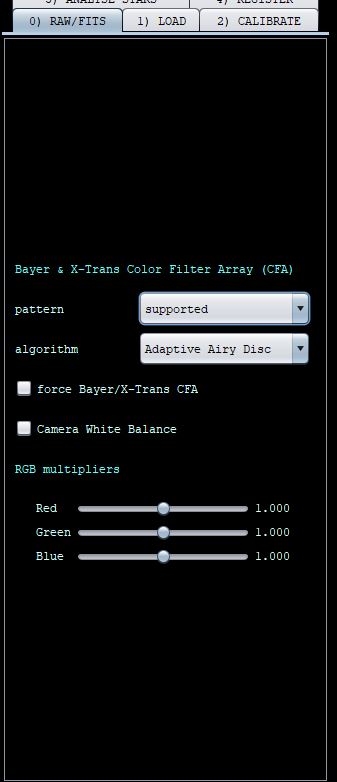
when i load my flats i select use filter header to apply them
when i load my darkflat i do the same use filter header
and before you ask i know filter types do not matter they are dark frames i know and it the times that are important but in older releases it seem to help avoid this error matching up the files. But now it seems to cause an error. If your files have the correct filters then matching times should not matter so may be that why its working for you now.
@hinoshori@moviecells In general it is better to not assign a filter to any files and let APP handle it. Having said that, I will pass on the info that not manually setting the filters in this case now works while assigning them in this case doesn't. I'll let him get back to you about this.
I have looked in detail to your uploaded data, thanks for sharing. I clearly see the problem in your dataset which is causing your issue.
Let me explain: I have loaded all the files and used for all of them (Lights, Flats,Darks and FlatDarks) the filter header tag as you did.
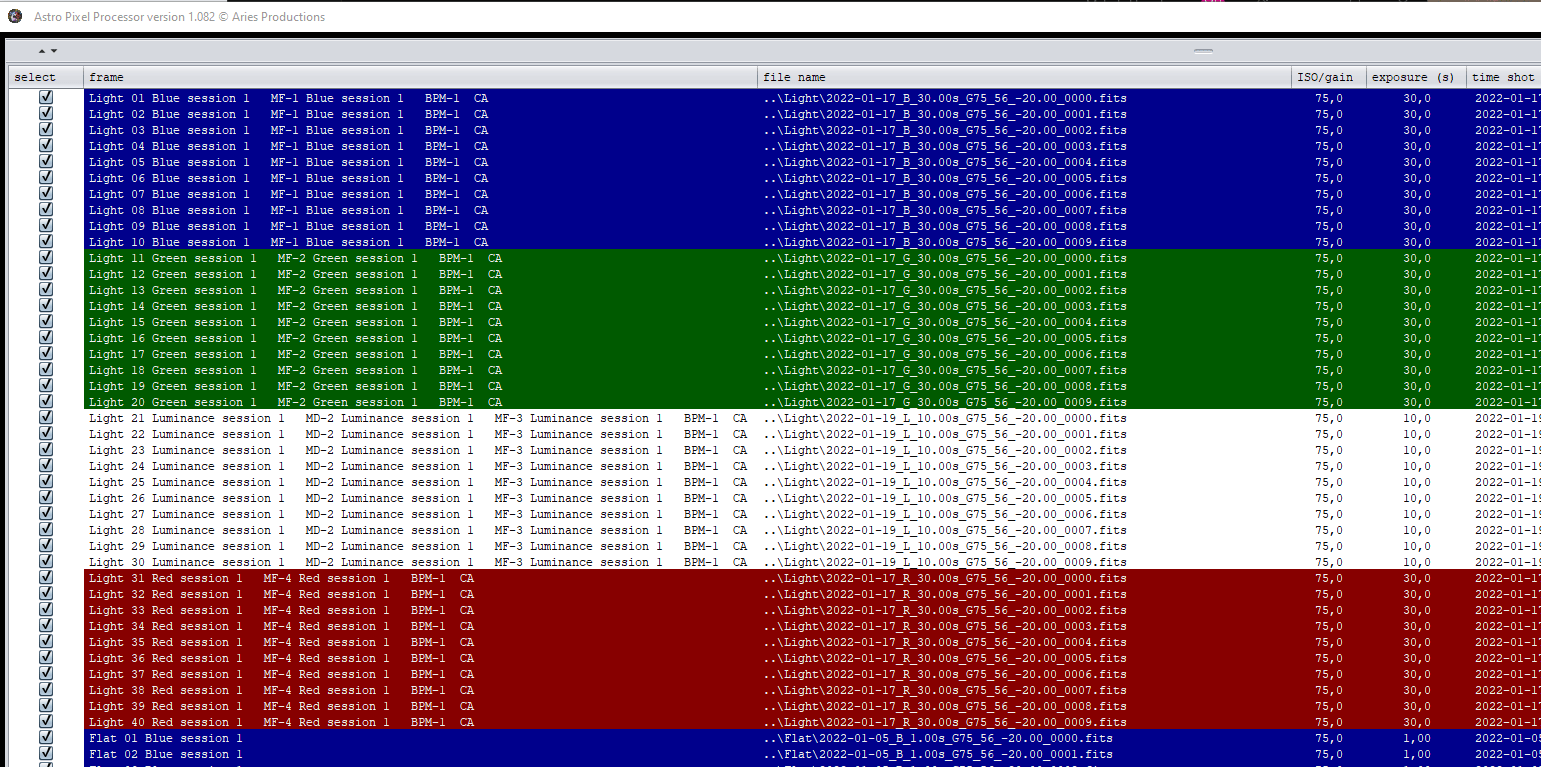
Then this is shown in the frame list, you can maximize it with the little arrow up:
First we check the lights and flats:
You see from the colors on the lights and flats that the filters are recognised and you also see the filter name in the frame column.
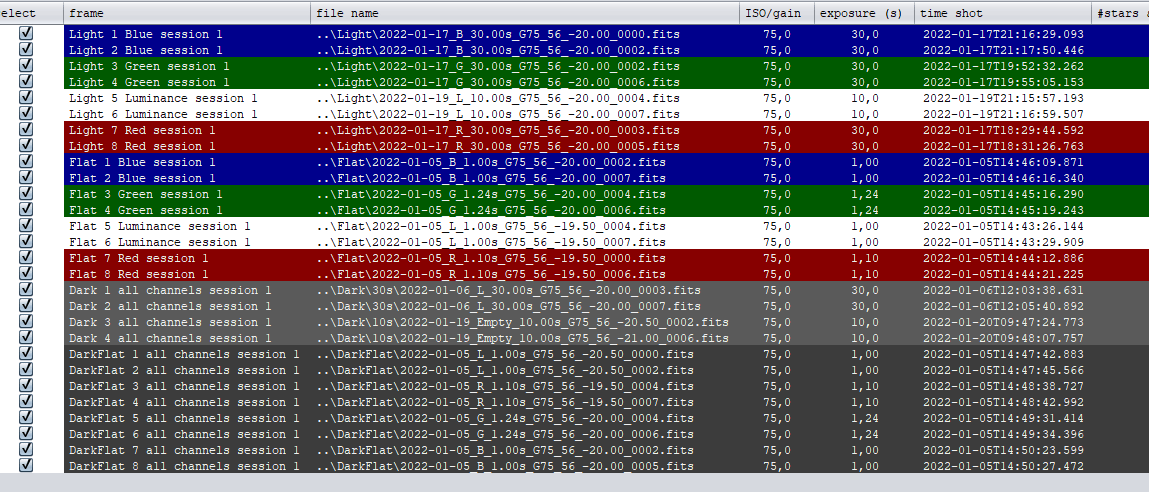
Now the darks and flatdarks:
These are always shown dark despite a possible filter name.
But the filtername tag which we used for loading is detected and still shown properly in the frame list column. You can now see where it will go wrong already:
The 10 sec darks have a filter name tag of Empty (see fits header):
HDU1 - TELESCOP= 'Redcat ' / Name of telescope HDU1 - FOCALLEN= 250.0 / [mm] Focal length HDU1 - FOCRATIO= 4.9 / Focal ratio HDU1 - FWHEEL = 'ZWOptical FilterWhee' / Filter Wheel name HDU1 - FILTER = 'Empty ' / Active filter name HDU1 - OBJECT = 'Darks ' / Name of the object of interest HDU1 - OBJCTRA = '00 00 00' / [H M S] RA of imaged object HDU1 - OBJCTDEC= '+00 00 00' / [D M S] Declination of imaged object HDU1 - OBJCTROT= 0.0 / [deg] planned rotation of imaged object HDU1 - ROWORDER= 'TOP-DOWN' / FITS Image Orientation HDU1 - EQUINOX = 2000.0 / Equinox of celestial coordinate system HDU1 - SWCREATE= 'N.I.N.A. 2.0.0.2024' /
So that creates your issue clearly 😉 These darks will not be used for the 10 sec lights in this manner because the 10 sec lights have a different filter name assigned, so their sensor offset is not subtracted and Flat-Field calibration will not work...
Ask yourself the question if it makes sense to assign a filter name to a calibration frame where there is no filter purpose because no light should be entering the system... the different exposure times of your flatdarks are not an argument for using a filter tag, because APP already uses that for matching the frames with calibration data.
There are 2 very simple ways to prevent this issue from re-occuring:
1) The recommended way is to never load darks, flatdarks (or bias) with a filter header tag. Simply assign them to all channels, don't use a filter tag because it has no purpose 🙂 APP is clever enough to match the correct MasterDarkFlats with your flats based on gain and exposure time 😉 So all will work properly.
2) If you do want to assign a filter header tag to darks, flatdarks, then check the frame list like shown in my screenshots, or even more simple, don't use the filter header tag, but assign the filter name yourself.
Method 1) is the easiest and is very error proof as I explained.
Let me know if this is clear 😉
Oh and I also see a workflow issue with your data itself. You have 30 sec darks with a luminance filter tag and the luminance lights are only 10seconds. And vice versa for the RGB data which are exposed with 30seconds and then the 10 second darks have the Emtpy tag.
If you use method 1) in loading the frames, then APP would even have corrected your filter tags error made in the capture software 😉
Mabula
This post was modified 4 years ago 2 times by Mabula-Admin
And to make certain, I tested the behaviour in 1.082 and it is exactly the same, so it will also produce the problem in 1.082 as can be seen in the frame list panel after 2)Calibrate finishes:
Notice that the R,G,B data have no MasterDark assigned... because of the Empty tag which was forced to use by using the filter header tag when loading darks.
I think I understand what you're saying. However I did not assign a filter tag to the darks, just to "all channels and all sessions" when loading in the darks. So when I assigned filter tags to everything it looked like this:
This threw up the error. (in v1.083 but not v1.082)
After some further testing once I hit integrate with the above it then shows up as in your images:
I guess I was just expecting the behaviour to be slightly different? If i've selected all channels on the darks but it then detects the fits header filter name for darks if I've assigned filters to the dark flats?
Going forward I will just let APP handle the calibration frames automatically - I trust you when you say it's probably smarter than I am 😉
As for the workflow error, I think that's a limitation of NINA, if I choose to run darks in it, by leaving the filter option blank it seems to record into the fits header and the filename the current filter. (Just checked this to see if it was user error).
I think I understand what you're saying. However I did not assign a filter tag to the darks, just to "all channels and all sessions" when loading in the darks. So when I assigned filter tags to everything it looked like this:
This threw up the error. (in v1.083 but not v1.082)
Hi Sam @hinoshori, notice that still you have loaded the flat darks with using the header tag... flat darks are darks so just assign those to all channels. APP will match them correctly with your flats based on the exposure times.
But if I load it like that, indeed, I do get the issue and it should not happen, so we need to fix this ! And I will.
Thank you very much for reporting this.
After some further testing once I hit integrate with the above it then shows up as in your images:
I guess I was just expecting the behaviour to be slightly different? If i've selected all channels on the darks but it then detects the fits header filter name for darks if I've assigned filters to the dark flats?
I showed this to illustrate the issue with the filter tags in your data and why you don't want to be vulnerable to that, which happens when you assign a filter tag or use the header filter tag of darks/darkflats. You really don't want to do that.
Going forward I will just let APP handle the calibration frames automatically - I trust you when you say it's probably smarter than I am 😉
As for the workflow error, I think that's a limitation of NINA, if I choose to run darks in it, by leaving the filter option blank it seems to record into the fits header and the filename the current filter. (Just checked this to see if it was user error).
So it should look like this, if you load all darks and flatdarks with assignment to all channels :
And this will not throw an error in 1.082 nor in 1.083
I will make sure that the error with loading the flatdarks with fitler header tag is fixed as soon as possible.
I have fixed the issue. It was a concurrency issue which I introduced in the 1.083 release. It is fixed for a new release 1.083.2 which I will release soon.
Hi, I am getting the same error using a mono SX694 camera. I downloaded the latest version of APP only a week ago on trial. I cannot get APP to apply flat fields correctly using all mono images. The error is the same Warning Flat-field calibration etc.
The message is not really an error, but it is a warning message telling you that you are missing something in your workflow. You are likely missing either bias/darks for the lights and bias/darkflats for the flats to have flat-field correction work as expected. Can you check the exact message and what calibration frames you provide?