

UPDATE FROM MABULA
I have had a very rough 2 months unfortunately health wise. I was struck 3x in a row with bacterial infections. The second infection occurred after a routine hospital checkup and I became very sick. I had to rest and take a lot of antibiotics. Once I was recovering and restarting work 1 month ago, I again became sick. The infection was not yet gone, so even more antibiotics and rest was needed. Needless to say, it took a lot of my energy and I needed a lot of rest.
Finally, the infection is really gone and my energy is coming back step-by-step now and I have started work again. I am terribly sorry to have kept you waiting for support. I will address all outstanding questions and e-mails step-by step and will be on the forum daily from today.
APP 2.0.0-beta47 will come soon as well, a lot of work was already completed before I became very ill, so the release is also nearly ready for you. Beta47 will be much faster actually. Many workflows will be more than 2x faster, mosaics can even be 10x faster than before because registration really received a major boost... all compared to beta46. Before I release it, I will make sure that everything is working properly and then I will release it.
I have several one shot color cameras and sometimes use my L-Extreme to capture faint OIII and HA signal. I am thinking about getting another dual narrowband filter for OIII and SII. My question is, will I be able to process both the OIII/HA group and the OIII/SII group at the same time in APP to create a single OIII channel/fits file, or will I have to process each separately and end up with two separate OIII fits files?
Hi Leonard @leolibbey,
Thank you very much for your question.
Yes, for extracting the OIII from both the OIII/Ha and the OIII/SII datasets you can simply load all data of both filters and make sure that you set the demosaic algorithm in 0) Color Settings to Multi-NB extract OIII, then it should produce 1 stack.
If you load the data in multi-filter/channel mode, you can create directly one stack, if you make sure that
- you load both the OIII-SII and OIII-Ha data with the same filter name and/or
- in 6) integrate, make sure that integrate the channels combined, instead of separately by setting the multi-channel/filter options in 6) integrate to integrate all
Please let me know if this helps 😉
Mabula
I'd like to take this opportunity to ask you for a clarification, regarding the separation of the two narrowband filters, HaO3 and S2O3, into two different channels/filter. Before the latest versions of APP, I did it like this:
in Load: Multi-NB extract Ha
1st filter HaO3 - channel/filter named HO (with and/or multisessions)
2nd filter S2O3 - channel/filter named SO (with and/or multisessions)
Then in the Integrate menu: I activated the Multi Channel/Filter option to directly stack only the separate Ha and S2. Finally I had both Ha and S2 different stackings.
Now in the latest versions of APP, this no longer happens: I have a single total stacking of Ha and S2 together even if the multi channel/filter option is still active.
Thnks
Andrea
Hi Andrea @ippiu,
Hmm, if you make sure that the data for HaO3 and S2O3 have indeed different filter names when loading it into APP, then you should still get separate stacks if stacking in 6) Integrate still is set the integrate separately.
Can you double check? That behaviour should not have been changed.
Mabula
First, thanks for your reply.
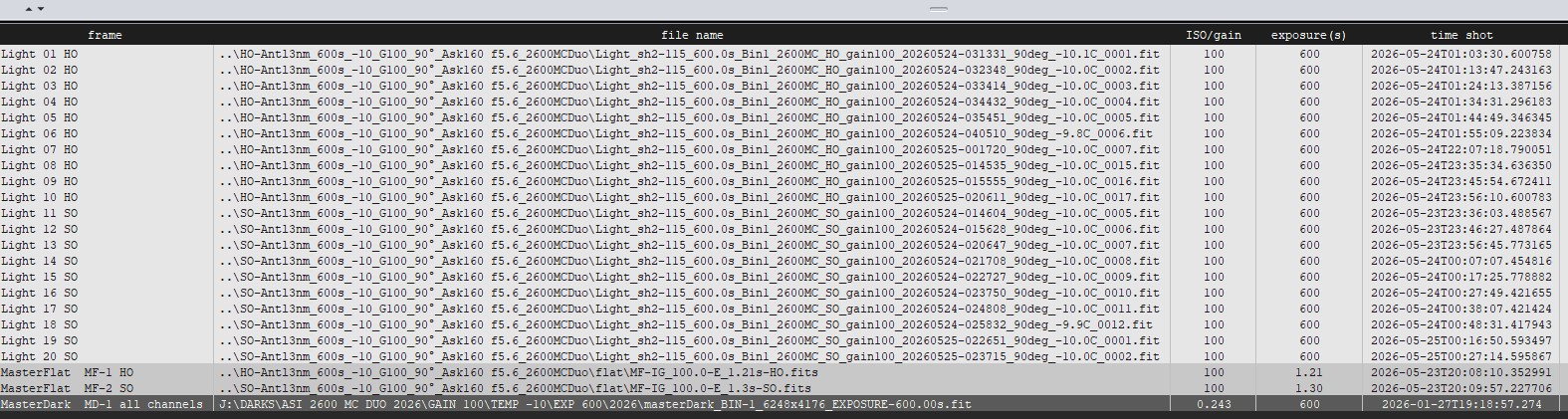
Here you can find some screenshots so you can see for yourself.
At the end APP will make just 1 total single stack, instead of 2 separate stacks for each channel
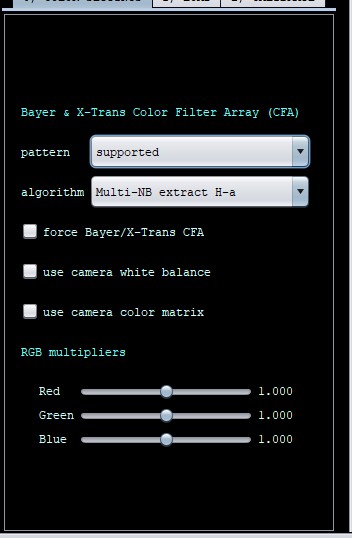
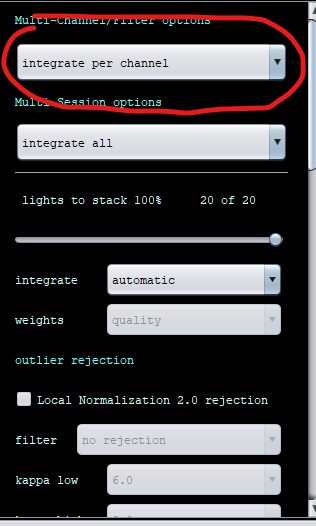
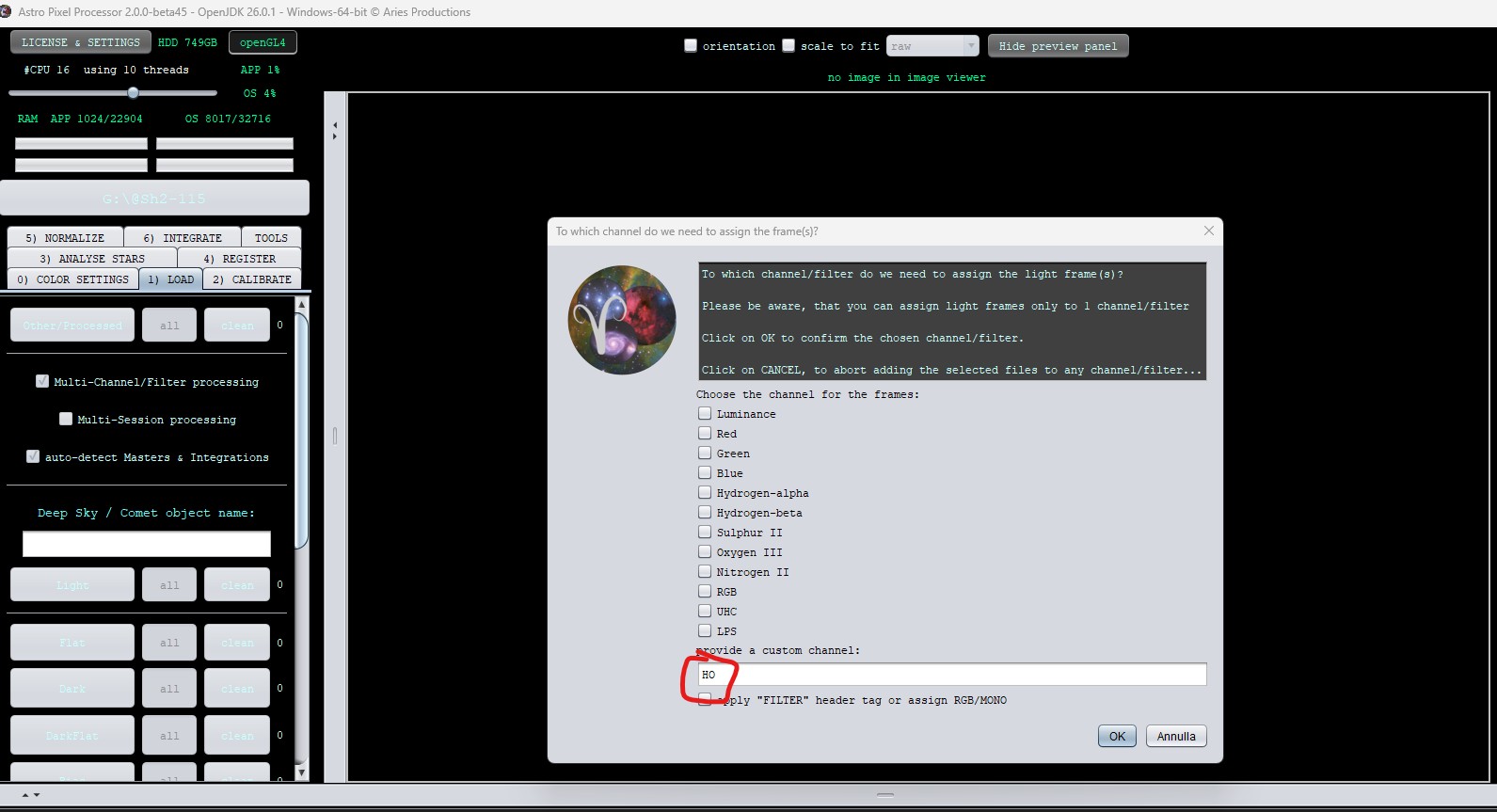
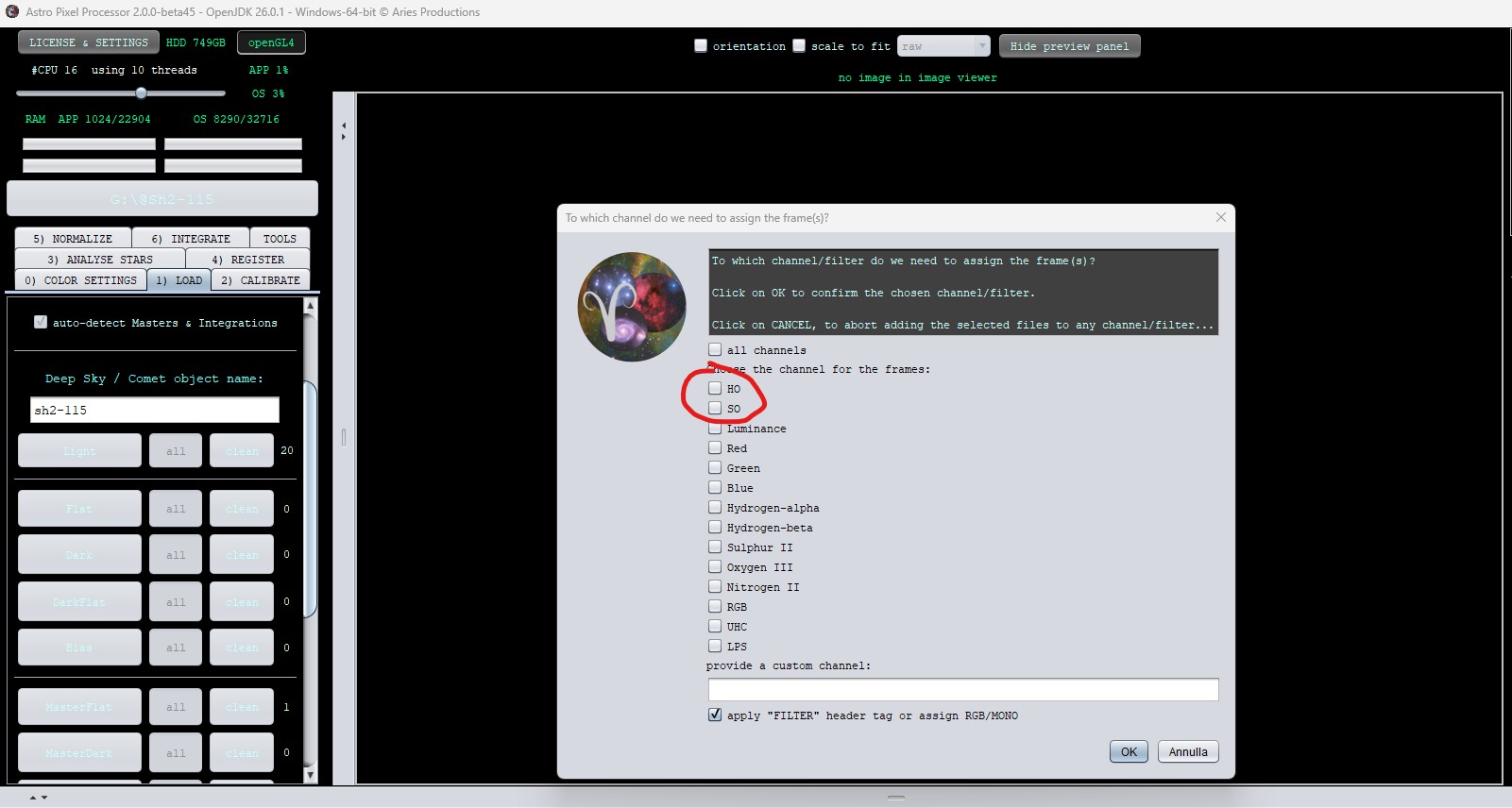

Hi Andrea @ippiu,
I have tested this. You are right, the behaviour has changed because of a new improvement actually.
If you use the Multi-NB extract H-a filter, APP now internally knows that the data is hydrogen-alpha and should be assigned as such no matter what filter you set or no matter what filter tag is automatically set when loading the images. The resulting integration will automatically have the hydrogen-alpha filter assignment and thus stored in it's header. So from a filter point of view, the application should treat all the data as one filter allthough initially it was assigned differently.
Look at this, I load some frames with filter filterOne and some frames with filter filterTwo assignment. And i use the Multi-NB extract H-alpha algorithm. And in 6) integrate i use integrate per channel.
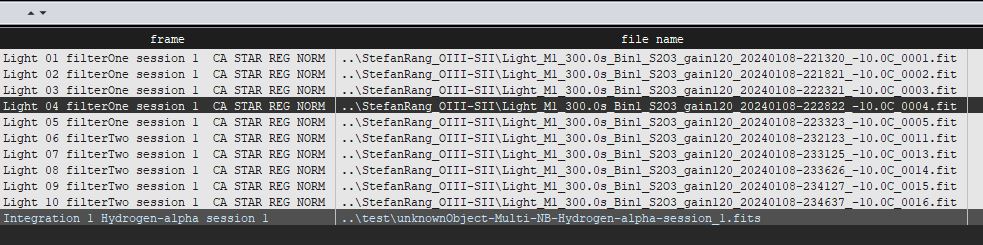
The resulting integration has the Hydrogen-alpha assignment, not filterOne, nor filterTwo. I think this is logical because the demosaic algorithm multi-nb extract h-alpha implicitely says this is all hydrogen-alpha data. This change was requested by many users to have the correct filter assignment properly in the integration when using the extract algortihms.
If you still want to create 2 stacks. You can simply load them as 2 different sessions, then you can still separate them 😉 But I think it is great that you can directly create the full H-alpha stack of both Multi-Narrowband filters with the correct assignment.
Please let me know if this is clear.
Mabula
Yes, it's clear.
I wanted to have 2 different stackings depending on filter tag because I load either Ultimate Ha-O3 filter and Antlia S2-O3 filter; so I would assign the filter tag to each filter, then integrate per channel/filter and with multi-nb extract h-alpha I would have directly both Ha and S2 mono master light stacking.
Do you understand what I mean?
Then, I change to integrate all and I would have directly total O3 mono master light stacking coming from these 2 duo narrowband filters...
Thanks
Ah yes, I see what you mean @ippiu,
So that route is no longer an option to get both the H-alpha and SII stack with the new adjustments.
But like I indicated, if you manage it with different sessions, you can still get the 2 stacks, just make sure that you remember the SII session and later assign that stack properly.
Or just use the correct extract algorithm.
Mabula
