

UPDATE FROM MABULA
I have had a very rough 2 months unfortunately health wise. I was struck 3x in a row with bacterial infections. The second infection occurred after a routine hospital checkup and I became very sick. I had to rest and take a lot of antibiotics. Once I was recovering and restarting work 1 month ago, I again became sick. The infection was not yet gone, so even more antibiotics and rest was needed. Needless to say, it took a lot of my energy and I needed a lot of rest.
Finally, the infection is really gone and my energy is coming back step-by-step now and I have started work again. I am terribly sorry to have kept you waiting for support. I will address all outstanding questions and e-mails step-by step and will be on the forum daily from today.
APP 2.0.0-beta47 will come soon as well, a lot of work was already completed before I became very ill, so the release is also nearly ready for you. Beta47 will be much faster actually. Many workflows will be more than 2x faster, mosaics can even be 10x faster than before because registration really received a major boost... all compared to beta46. Before I release it, I will make sure that everything is working properly and then I will release it.
Hello,
IMHO, the new naming of Normalize modes is a bit confusing/counterintuitive...
"overlap area" - would be good for mosaics since the panels usually overlap 10-20%
"full image" - would be good for regular integrations where panels fully overlap
But, regardless, currently the default mode is "full image" which is supposed to be for mosaics.
Please change the default to "overlap area".
Or I am wrong?
Thanks!
Max
Thank you very much for your question. Full image is default, because in all situations it will give robust/reliable results. The overlap mode is only recommended in certain situations, because it can lead to bad results in some cases, like an overlap area with a bright object in there.
So actually, you are mistaken here (of course caused by the internal APP changes), the normalization engine has been improved in the latest versions and also the tooltips in the normalization engine. Overlap mode (similar to the old advanced mode ) is good when you have plenty of overlap (25+ %) between the frames. But if you only have 5-25% overlap, the full image mode actually is much better now. This is because the normalization parameters are now calculated differently. The found locations and dispersions are more robust and more reliable. If I run a 3x3 mosaic with only 10% overlap, the full image normalization is way superior to the overlap normalization.
Let me know if this clarifies it 😉
See the new tooltip:
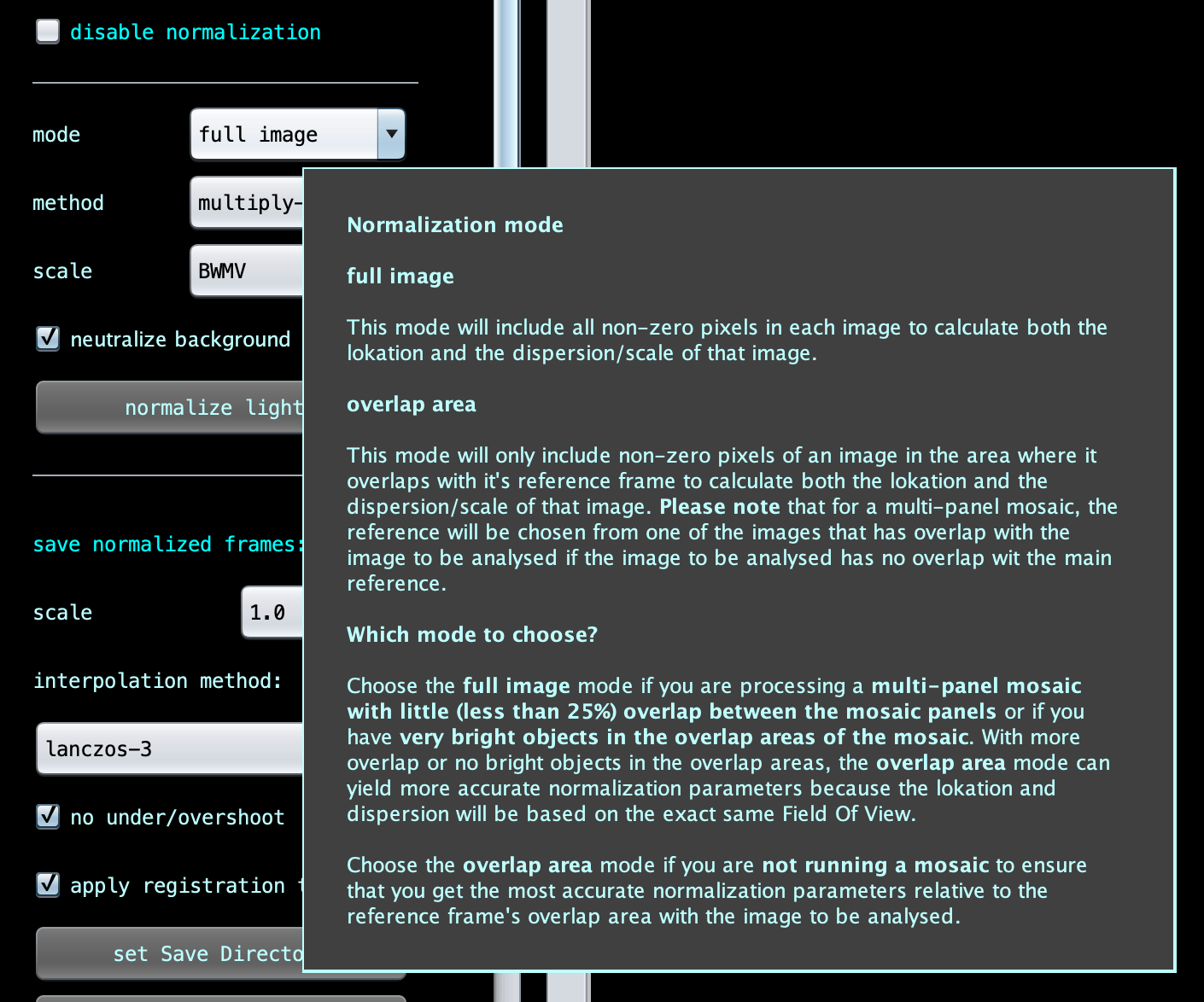
Mabula
Mabula -
Sorry - I am still confused...
"Choose the overlap mode if you are not running a mosaic"
i.e. I need to choose the overlap mode (not the full image) for regular integrations.
Yet, the full image is used as the default.
I do mosaics quite often but the majority of my integrations are regular integrations and not mosaics.
Thanks!
Hi @maxthebuilder,
You are most welcome.
For regular data, the difference between using overlap mode and full-image mode will be very minor with the new calculations. I suspect that you can not see the difference in the integrated result, can you? Theoretically, the overlap mode will be slightly better though, with the downside of somewhat slower processing because it needs more operations.
Full image is default, because in all situations it will give robust/reliable results and it is faster. The overlap mode is only recommended in certain situations, because it can lead to bad results in some cases, like a small overlap area with a bright object in there.
Hope that fully clarifies why full image normalization is the default.
Mabula
