

June 24 2026 APP 2.0.0-beta46 has been released !
Improved internal memory configuration (lower ! memory usage), fixed beta45 startup issue, fixed Set Save Directory & 2-panel mosaics.
May 27 2026 APP 2.0.0-beta45 has been released !
Fully Multi-Threaded LNC, many improvements for the registration engine, platform upgrade, and further tuning of internal memory consumption and memory release back to OS.
Apr 14 2026: Google Pay, Apple Pay & WeChat Pay added as payment options
Update on the 2.0.0 release & the full manual
We are getting close to the 2.0.0 stable release and the full manual. The manual will soon become available on the website and also in PDF format. Both versions will be identical and once released, will start to follow the APP release cycle and thus will stay up-to-date to the latest APP version.
Once 2.0.0 is released, the price for APP will increase. Owner's license holders will not need to pay an upgrade fee to use 2.0.0, neither do Renter's license holders.

mac os has been updated to sequoia 15.7.7 and uninstall and install app many times
Dear Jeremy jeremychou,
Thank you very much for sharing your issue.
Did APP work correctly before the update of macOS?
Which APP version are you using or trying to install?
Please try 2.0.0-beta45 from the downloads page: https://www.astropixelprocessor.com/downloads/
If that does not work, can you try 2.0.0-beta39 for example?
If that also does not work, the issue can be caused the macOS update possibly. (It would not be the first time that a macOS release has some bugs)
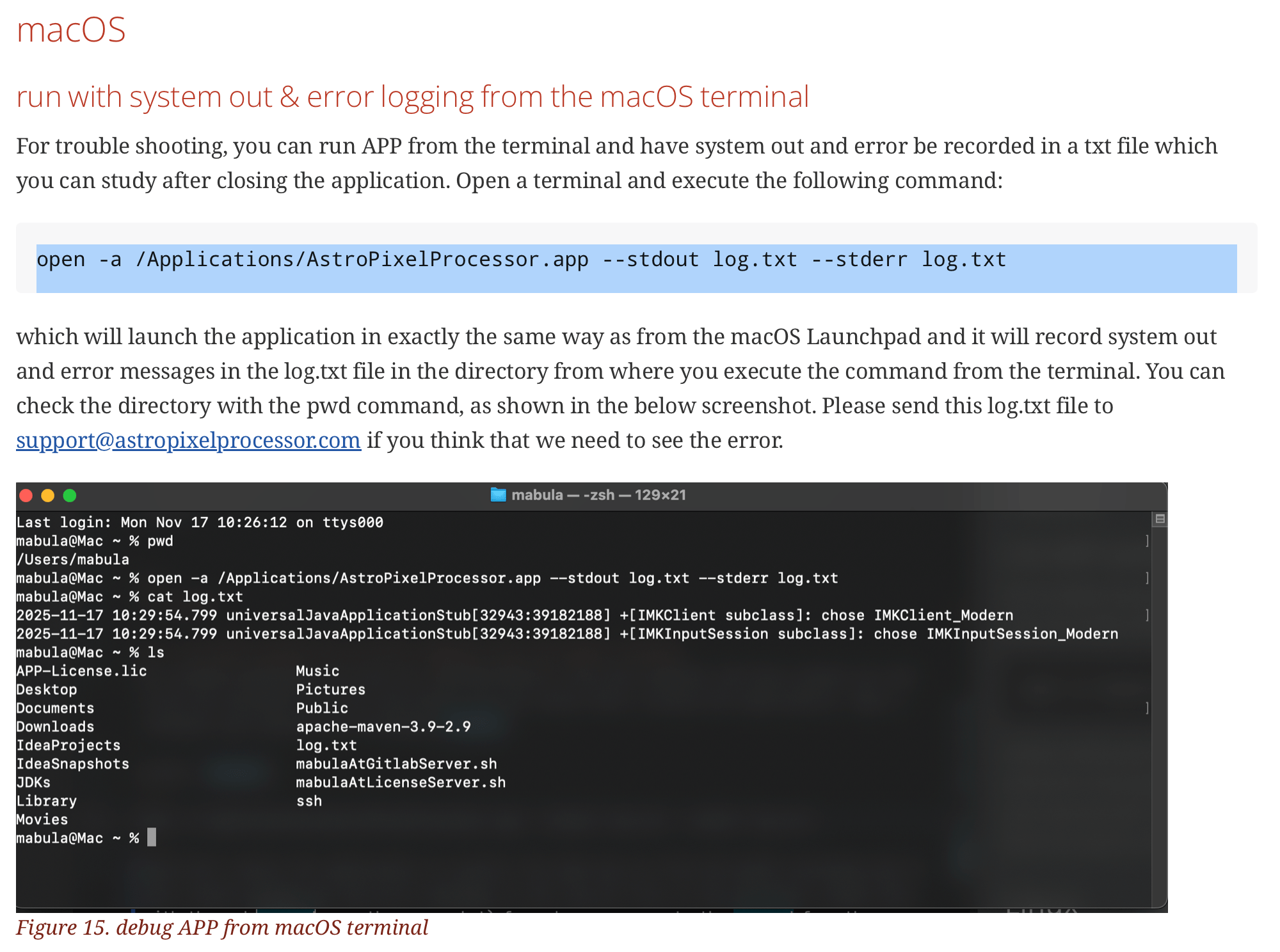
Can you run APP in the following way to see if we can collect a startup error log that might indicate the issue:
open -a /Applications/AstroPixelProcessor.app --stdout log.txt --stderr log.txt
Please run APP and close the process if it does not close by itself. Then share the contents of the log.txt file. It will be best to run this command from your documents folder for instance, then the log.txt file is created there.
Thanks,
Mabula
Hi @jeremychou,
Okay, thank you very much for your feedback.
Did you try beta39? Did that not work? Beta7 is quite inferior to the latest beta's, so we need to have this work with beta45 as soon as possible.
Did you try to record the error log?
Mabula
beat39 is not working either
Last login: Tue Jun 9 16:43:09 on console
cj@Mac-mini ~ % open -a /Applications/AstroPixelProcessor.app --stdout log.txt --stderr log.txt
cj@Mac-mini ~ % open -a /Applications/AstroPixelProcessor.app --stdout log.txt --stderr log.txt
cj@Mac-mini ~ % cat log.txt
Jun 07, 2026 6:42:26 AM com.sun.javafx.application.PlatformImpl startup
警告: Unsupported JavaFX configuration: classes were loaded from 'unnamed module @636be97c'
Jun 09, 2026 4:51:43 PM com.sun.javafx.application.PlatformImpl startup
警告: Unsupported JavaFX configuration: classes were loaded from 'unnamed module @636be97c'
Jun 09, 2026 4:53:30 PM com.sun.javafx.application.PlatformImpl startup
警告: Unsupported JavaFX configuration: classes were loaded from 'unnamed module @636be97c'
cj@Mac-mini ~ %
Hi Jeremy Chou @jeremychou,
I looks like a problem with having different APP versions installed into the same folder somehow.
Please remove APP completely. Make sure that the folder :
/Applications/AstroPixelProcessor.app
does not exist, before re-installing APP.
Please try beta39, if that works, simply try beta45. Again, first remove the old APP version before installing the newer one.
The reason that I mention installation of different versions into the same folder is because of the error/warning that you get:
Jun 09, 2026 4:53:30 PM com.sun.javafx.application.PlatformImpl startup
警告: Unsupported JavaFX configuration: classes were loaded from 'unnamed module @636be97c'
Can not be produced by beta37 or later actually, The last APP version that would normally produce this warning is beta36.
So for some reason, APP is not started correctly due to having different APP versions in the same folder I suspect.
Please let me know if this solves it or not.
Mabula
