
2026-10-09 APP 2.0.0-beta48 has been released !
This is mainly a bug fix release for the reported bugs in beta47. In addition it has a significant User Interface performance improvement noticable when you need to process 1000s of images in APP.
2026-10-03 APP 2.0.0-beta47 has been released !
This is a very big release... many code optimizations/rewrites, many parts of APP are much faster and more precise, especially star analysis and registration are much faster ! Big mosaics will go much faster 🙂
And we introduce a new preview filter, which includes the new Adaptive Deep Sky Stretch and a General Levels Stretch, this has been long over due. The old preview filter (the panel on the right side to stretch and preview your data) has not been updated for a couple of years and it is a critical part of any APP session.
Adaptive Deep Sky Stretch or ADSS is a much more intuitive stretch algorithm. It is also color preserving (which is a great new addition in itself ! ) which means that the highlights are no longer bleached, color is maintained from the linear data while stretching. You can simply stretch your data using the sky background level and signal width sliders which work much easier and more intuitive. You no longer need to fiddle with the old complicated sliders with zoom buttons. All the zoom buttons for the sliders are made redundant. And you can enter slider values in the slider value fields yourself. I will make a youtube video in the coming days to explain and fully introduce ADSS. Once the video is ready, it will be highlighted on the forum.
RGB Combine upgrade !. The RGB Combine Tool has been rewritten mostly. The tool is faster and easier to use and most importantly, the Luminance slider to inject a luminance channel or channels into the RGB composite is now working correctly. It no longer bleaches the RGB colors. Combined with the new ADSS preview, you will get much better and easier great composites with great color! I will also explain this in a new youtube video.
I have had this happen several times. I always use APP to integrate and for some finishing in PI.
I have the worst problem with this for some reason in either S2 or O3, Ha tends to be fine.
the camera is an ASI1600mc using SGP, Gain139, OS50, 300s for all 3 filters. I use the Ha setting instead of airy disk because I intend to do SHO even though it's a OSC camera and choose "Force bayer CFA", is that the wrong way?
Asking for guidance because this has been bugging me for some time.
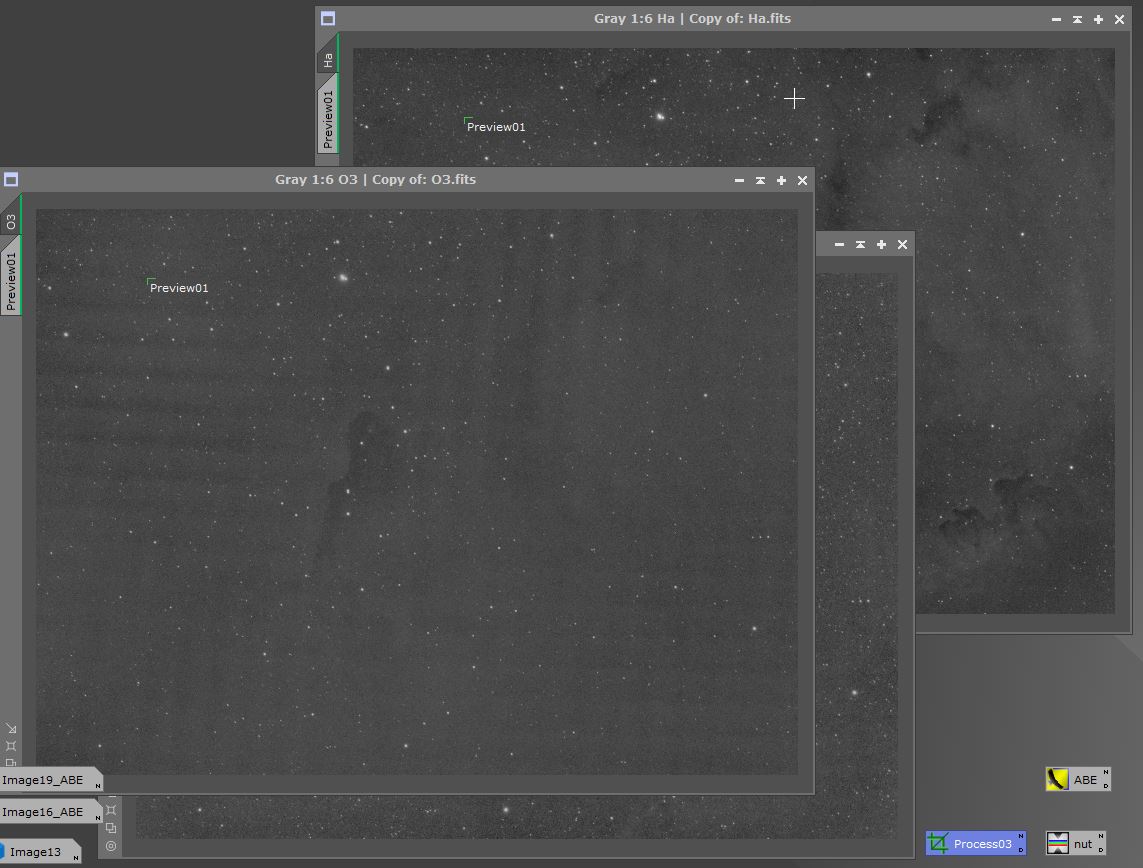
@lite2 What happens if you use Airy Disk for SII and OIII? Do you still get that pattern? Note that Ha-OIII extract Ha is intended to be used with dual band filters and certainly is not suited for OIII. For OIII you may try Ha-OIII extract OIII and see if that helps. If not then you should Airy Disk and then split the color channels manually. This can be done in tab 2. You should then combine the G and B channels for the OIII images into one mono image.
