

UPDATE FROM MABULA
I have had a very rough 2 months unfortunately health wise. I was struck 3x in a row with bacterial infections. The second infection occurred after a routine hospital checkup and I became very sick. I had to rest and take a lot of antibiotics. Once I was recovering and restarting work 1 month ago, I again became sick. The infection was not yet gone, so even more antibiotics and rest was needed. Needless to say, it took a lot of my energy and I needed a lot of rest.
Finally, the infection is really gone and my energy is coming back step-by-step now and I have started work again. I am terribly sorry to have kept you waiting for support. I will address all outstanding questions and e-mails step-by step and will be on the forum daily from today.
APP 2.0.0-beta47 will come soon as well, a lot of work was already completed before I became very ill, so the release is also nearly ready for you. Beta47 will be much faster actually. Many workflows will be more than 2x faster, mosaics can even be 10x faster than before because registration really received a major boost... all compared to beta46. Before I release it, I will make sure that everything is working properly and then I will release it.
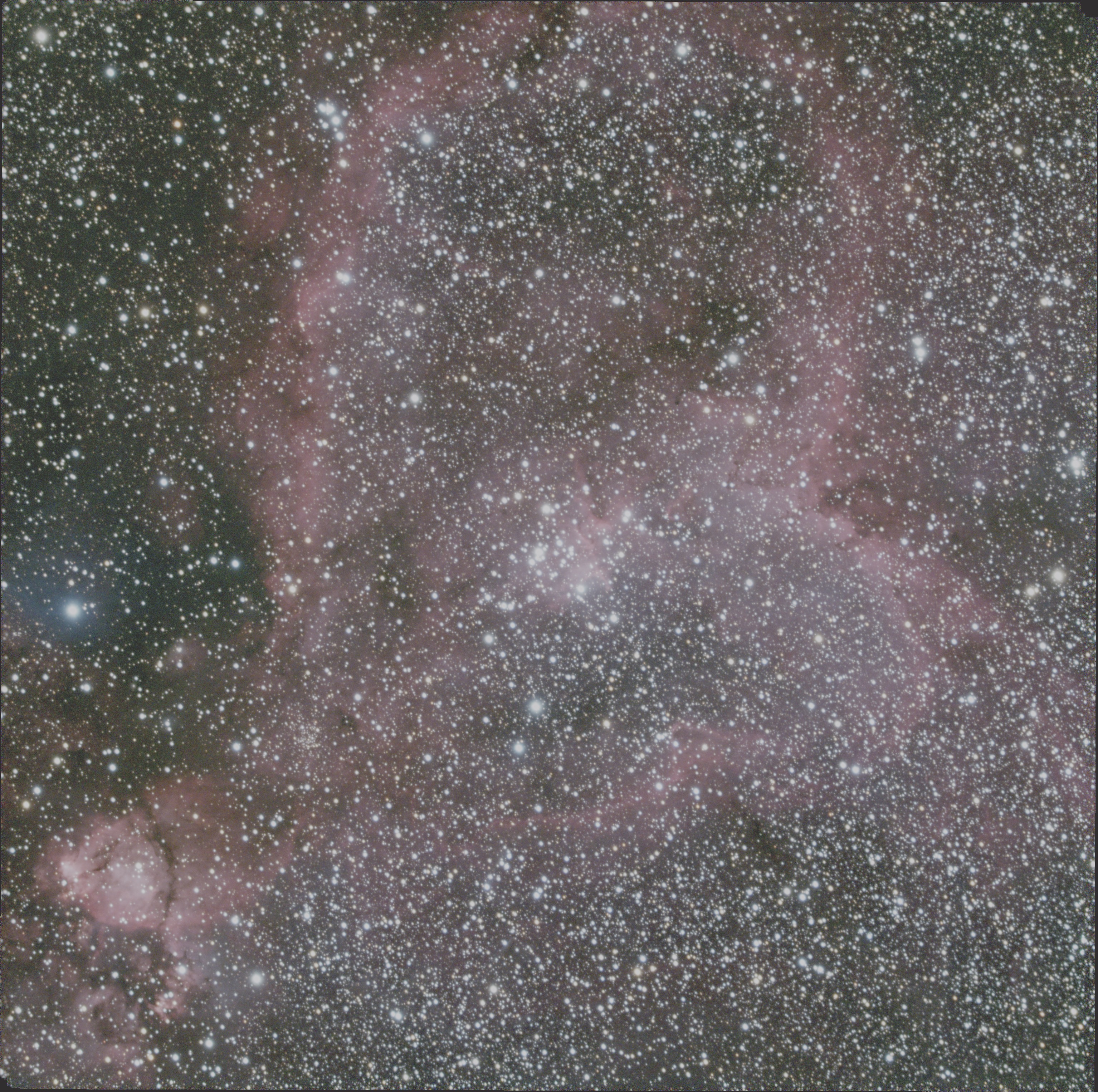
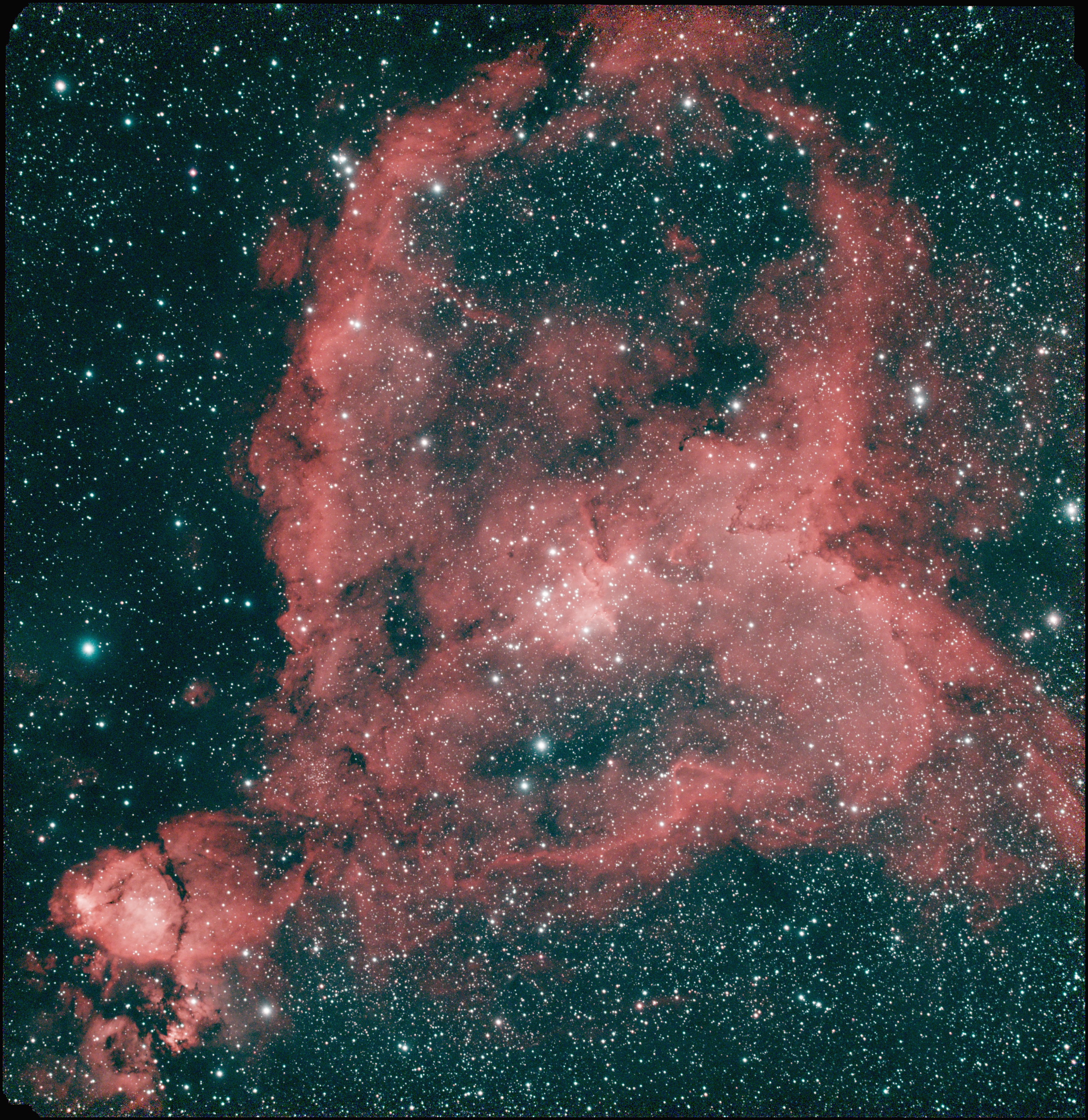
I have some OSC data of the Heart Nebula, and recently collected some ZWO DuoBand data as well. Having seen some brilliantly done shots of this target with similar setup, I'm trying to reproduce them using the RGB Combine tool. I've followed multiple tutorials on how to do this and am getting nothing but crap. The combined image looks almost identical to the RGB alone version. Clearly I'm doing something wrong but for the life of me I can't figure out what. I've attached three shots below (first two are stacked only, no processing; third is the results of extracting the R, G, B, HA, & OIII and "RGB Combine").
OSC data
DuoBand data
"RGB Combine" results.
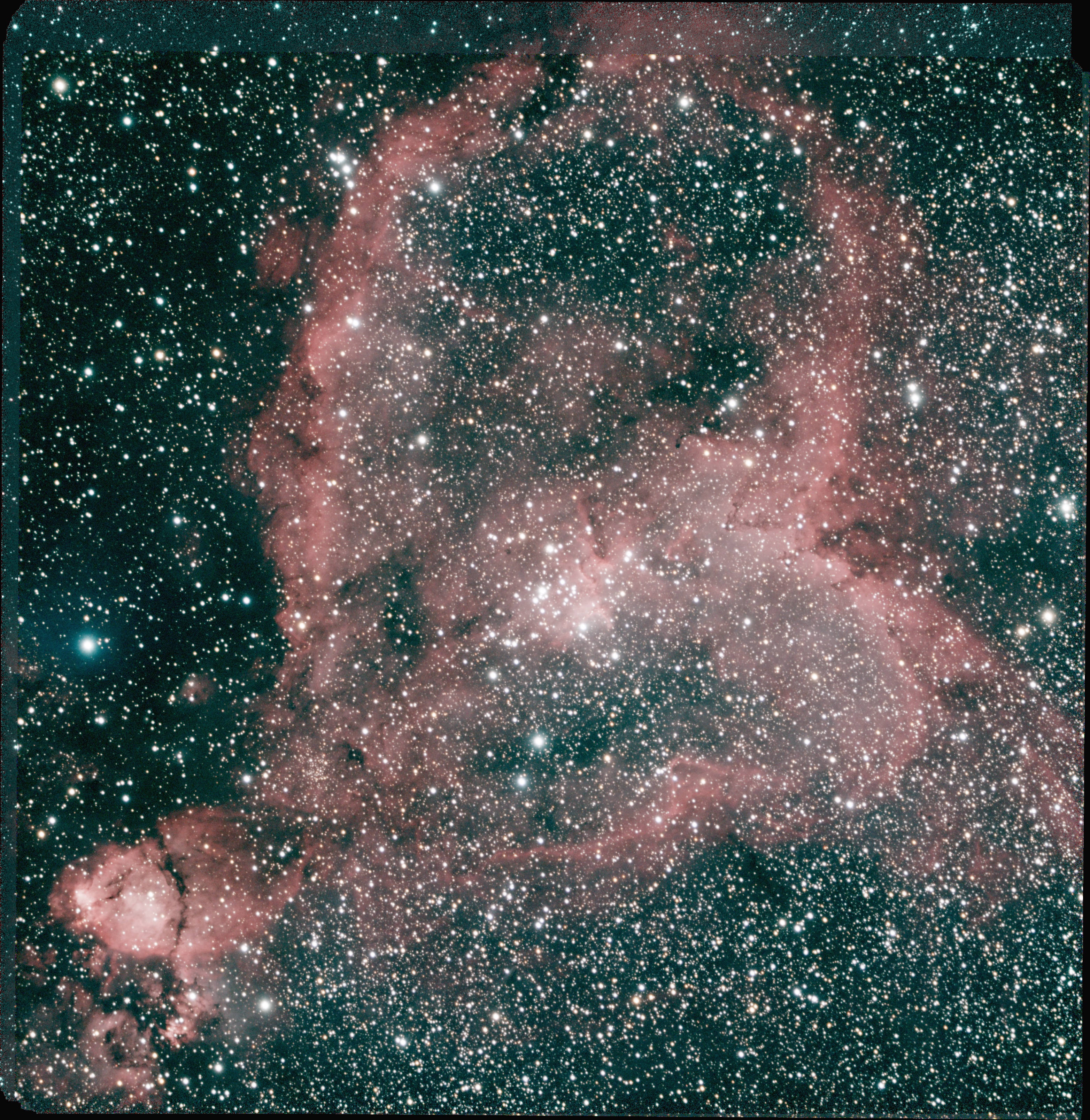
Following the tutorials I'm confident I have successfully extracted five registered and normalized .fits files (R, G, B, HA, OIII). It's the combining part that has me stumped. The tutorials provide instructions to mapping the files to colors with the OIII channel being mapped twice (B & G). However the latest version (Beta 26) doesn't ask me to assign a color but rather what filter was each channel shot with. It also asks for a Formula that is never addressed in the tutorials. Taking a guess I selected RGBHOO and mapped the channels as such:
R Channel: Red Filter
G Channel: Green Filter
B Channel: Blue Filter
HA Channel: HA Filter
OIII Channel: OIII Filter
OIII Channel: SII Filter
Clearly this didn't work. I'm out of altitude and airspeed at this point. Any guidance would be greatly appreciated (I'm still very new at this so any procedural help must not skip any steps or assume I know what I'm doing in way 😎). I would be willing to upload the five grayscale color-separated files.
Thanks!
