

UPDATE FROM MABULA
I have had a very rough 2 months unfortunately health wise. I was struck 3x in a row with bacterial infections. The second infection occurred after a routine hospital checkup and I became very sick. I had to rest and take a lot of antibiotics. Once I was recovering and restarting work 1 month ago, I again became sick. The infection was not yet gone, so even more antibiotics and rest was needed. Needless to say, it took a lot of my energy and I needed a lot of rest.
Finally, the infection is really gone and my energy is coming back step-by-step now and I have started work again. I am terribly sorry to have kept you waiting for support. I will address all outstanding questions and e-mails step-by step and will be on the forum daily from today.
APP 2.0.0-beta47 will come soon as well, a lot of work was already completed before I became very ill, so the release is also nearly ready for you. Beta47 will be much faster actually. Many workflows will be more than 2x faster, mosaics can even be 10x faster than before because registration really received a major boost... all compared to beta46. Before I release it, I will make sure that everything is working properly and then I will release it.
Hello!
I have been highly recommended to try APP by a few people now - I've been using Pixinsight exclusively. I have been consuming videos and reading up as much as I can but it is a lot to take in 🙂 It looks to be a wonderful piece of software that may finally convince me to attempt a mosaic...
I am currently using the Free Trial.
I am wondering if someone would be able to assist in an example workflow for me to assist with my latest data set? I *think* I know sort of what to do, but no doubt I'm doing something wrong :).
I would like to end up with:
- Lum stack
- Combined Ha / O3 stack
- Combined Hb / S2 stack
- Ha only stack
- S2 only stack
- O3 only stack
- Hb only stack [Or maybe combined Hb O3... never used Hb before and not sure of the best course!]
Specifics:
2600MC OSC with Askar ACL200. Filters used: Astronomik L2 for Lum, Antlia Ha-Oiii, Antlia Hb-S2
Data captured over 3 nights.
I had to set up each night so I have 25 x flats for each night for each filter, I have 25 x 120s darks, 25 x 60s darks and 25 x Bias.
- Night 1
- Lum 30 x 60s
- Antlia Dual Ha - Oiii 120 x 120s
- Antlia Dual Hb - S2 120 x 120s
- 25 x flats for each filter
- Night 2
- Antlia Dual Ha - Oiii 60 x 120s
- Antlia Dual Hb - S2 60 x 120s
- 25 x flats for each filter
- Night 3 (likely to be lots of bad frames here)
- Antlia Dual Hb - S2 35 x 120s
- 25 x flats
I am a *huge* fan of NSG in Pixinsight - it deals with clouds for me nicely. So if there is a workflow that includes an equivilent, or nipping in to Pix for NSG that would be fantastic.
I full appreciate this is a bit silly for my first APP run, but this will be an absolute slog in Pix as I tend not to use WPBB due to Bias issues with their algorithms. If there's a way to have this all go through at the same time, that would be great. However, I understand if it is better to do it in batches.
Thank you!
I thought I should give more detail ofwhat I actually have tried! I have unfortunately not been left with satisfactory results in anything but Ha, which I suspect is entirely down to user error (and not data...hopefully!). Please excuse the image spam, but it's easier to share than a word-picture!
2600MC OSC Dual Band Filters from Antlia - Ha-Oiii & Hb-S2
Method I've tried:
1. Blink images in Pixinsight - get rid of any walls, trees or wildlife I have imaged.
2. Subframe Selector in Pixinsight - sort by stars and remove the clear outliers.
StarsSigma > -2 &&
FWHMSigma < 2 &&
PSFSNRSigma < 2 &&
PSFSignalWeightSigma < 2
In APP
I decided that putting everyhthing in at once, while cool, was probably asking for trouble. Multiple nights plus multiple filters... I elected to go for all sessions for each filter, so all Hb-S2 from each session for example.
This is the process for the Antlia Dualband S2-Hb filter:
0 RAW/FITS Tab:
Trying to extract the S2:
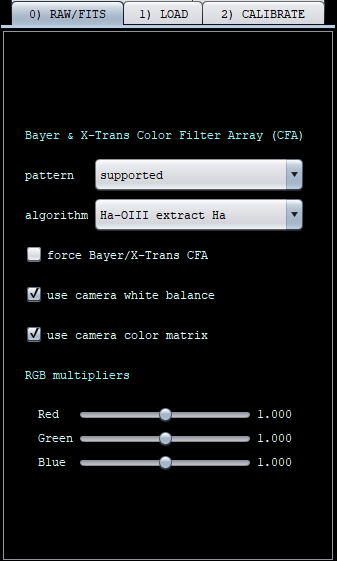
Trying to extract the Hb:
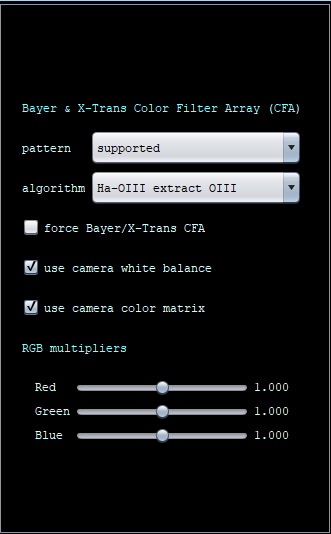
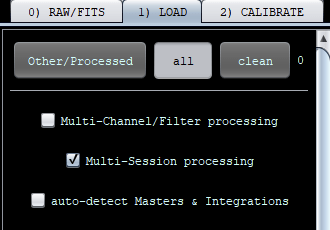
1 Load Tab:
Select multi-session, added all the lights, all the flats, darks and biases. I specific the session for the lights and flats and all sessions for the darks and biases. I added a master BPM.
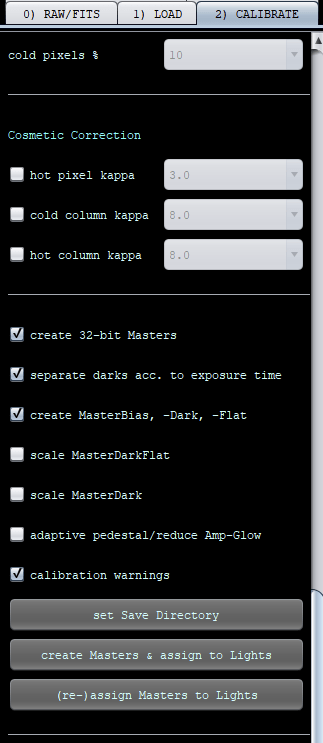
2 Calibrate Tab:
Left completely at defaults but unchecked "adaptive pedestal/reduce Amp-Glow" as it was suggested somewhere that this can play havoc with Pixinsight later (for now I will continue stretching in Pix while I learn APP).
3. Analyse Stars Tab:
Default
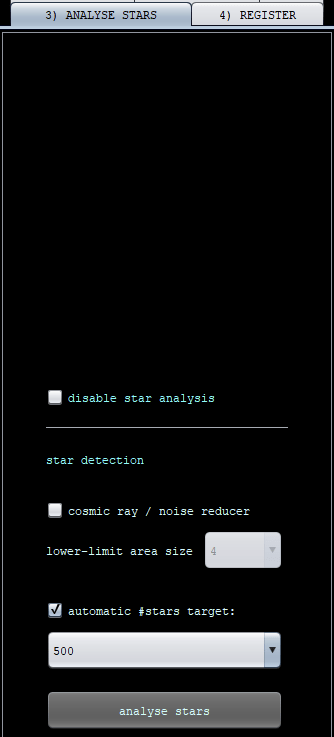
4. Register Tab
All default except "use dynamic distortion correction" checked - again I read somewhere to do this, I forget where or why(!).
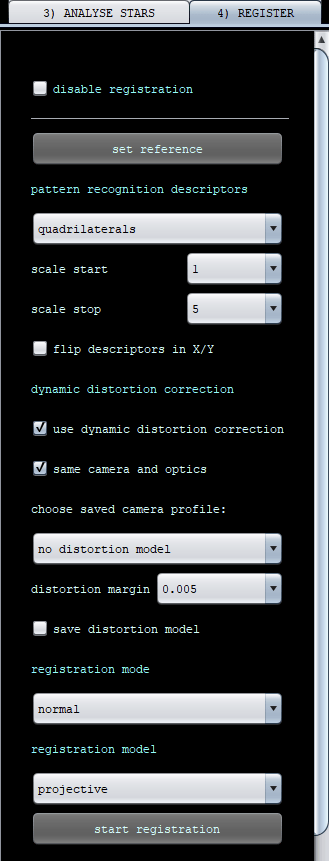
At this point I might save the registered images and run through NormaliseScaleGradient in Pixinsight (which I think is excellent). However, to test APP properly I continue with APP.
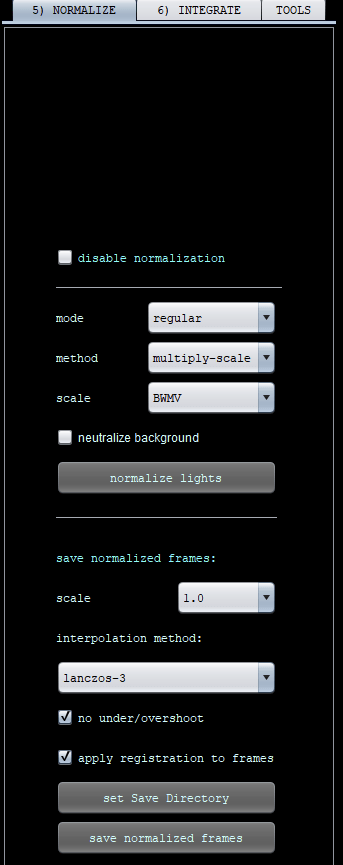
5. Normalise tab
Defaults - but neutralize background is unchecked.
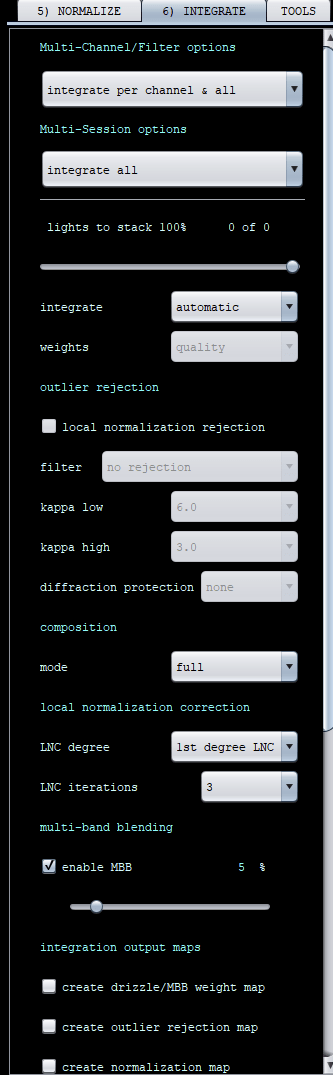
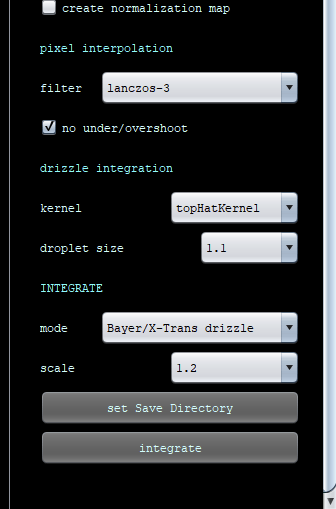
6. Integrate
This tab I don't really know what Multi-Channel/Filter option to choose so I opt for "integrate per channel & all". I am trying to get an S2 channel and a Hb channel, and my 0. RAW/Fits Tab was set to "Ha-Oiii extract Oiii" for Hb and "Ha-Oiii extract Ha" for S2. Not sure this is right, or if I needed to do "Ha-Oiii Color" first?
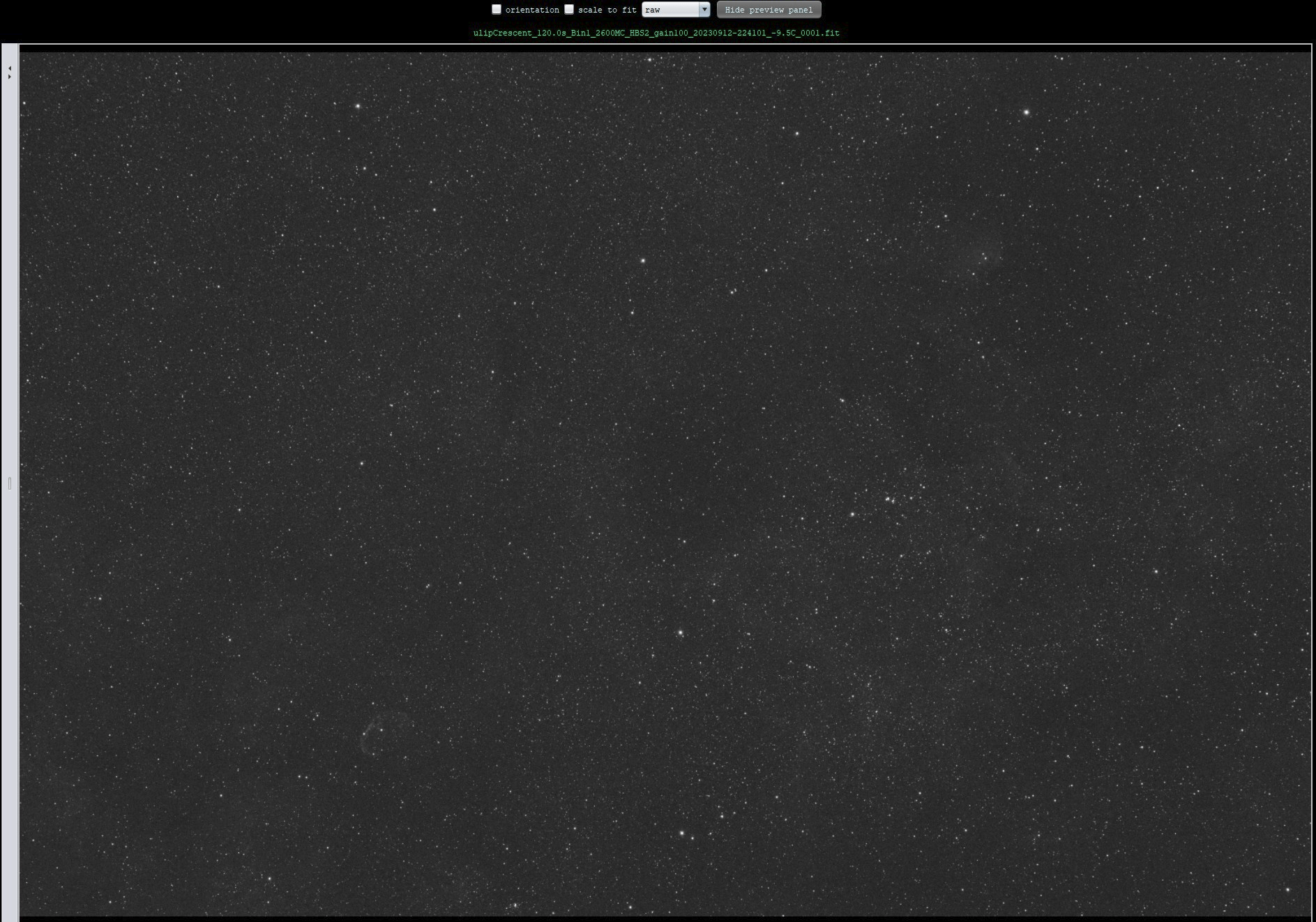
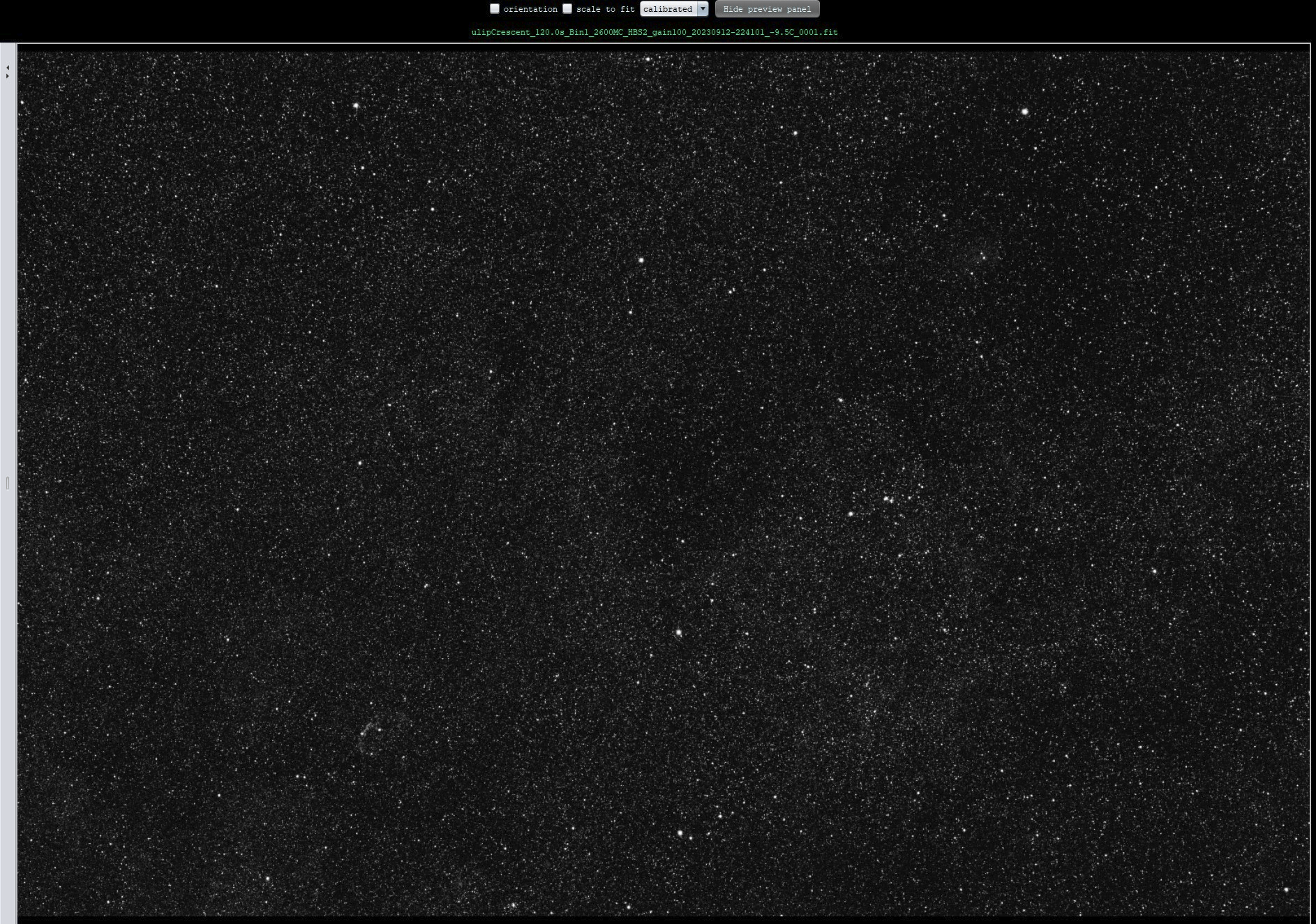
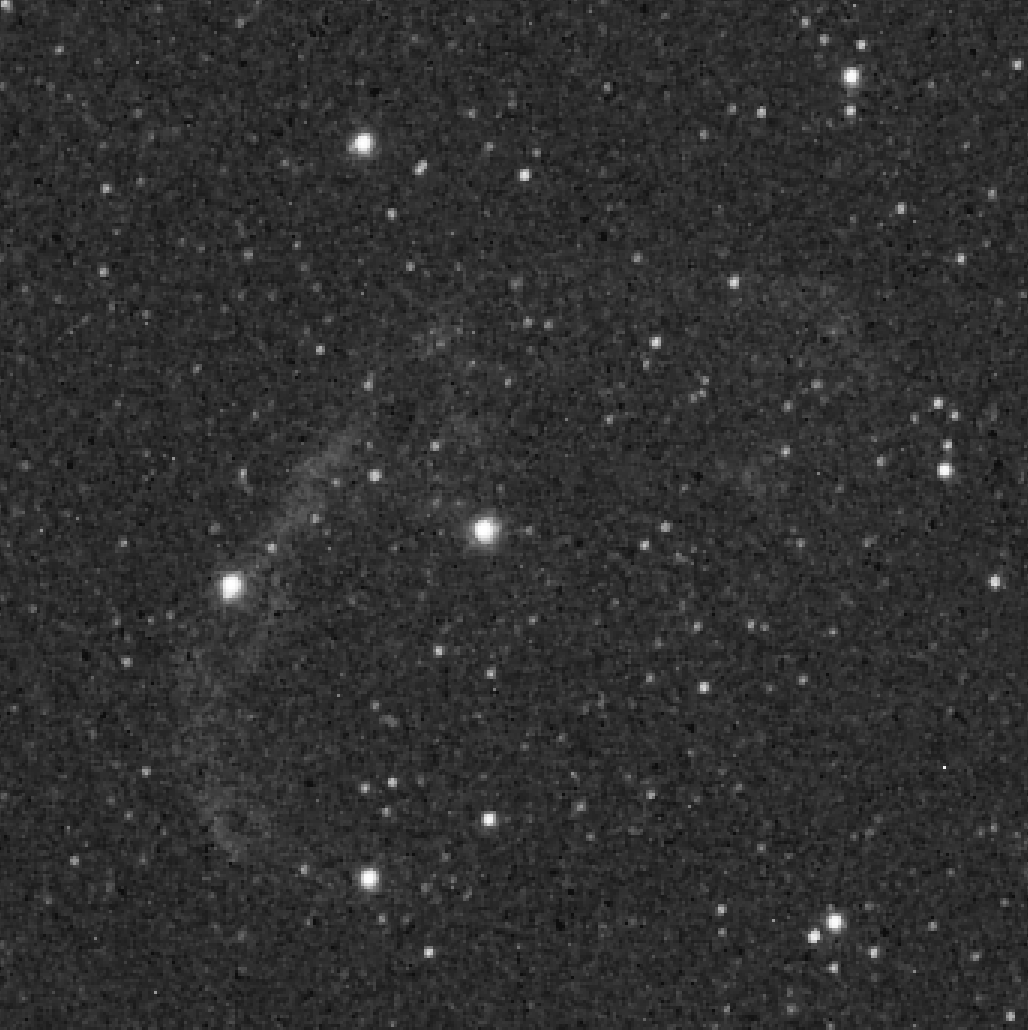
For testing purposes I click back to 2. Calibrate and "create Masters & assign to Lights" to check calibration is OK. Not massively impressed with the preview of a calibrated frame ... it looks super blocky I must have done something wrong.
Raw full:
Calibrated full:
Raw zoomed 225%:
Calibrated zoomed 225%:
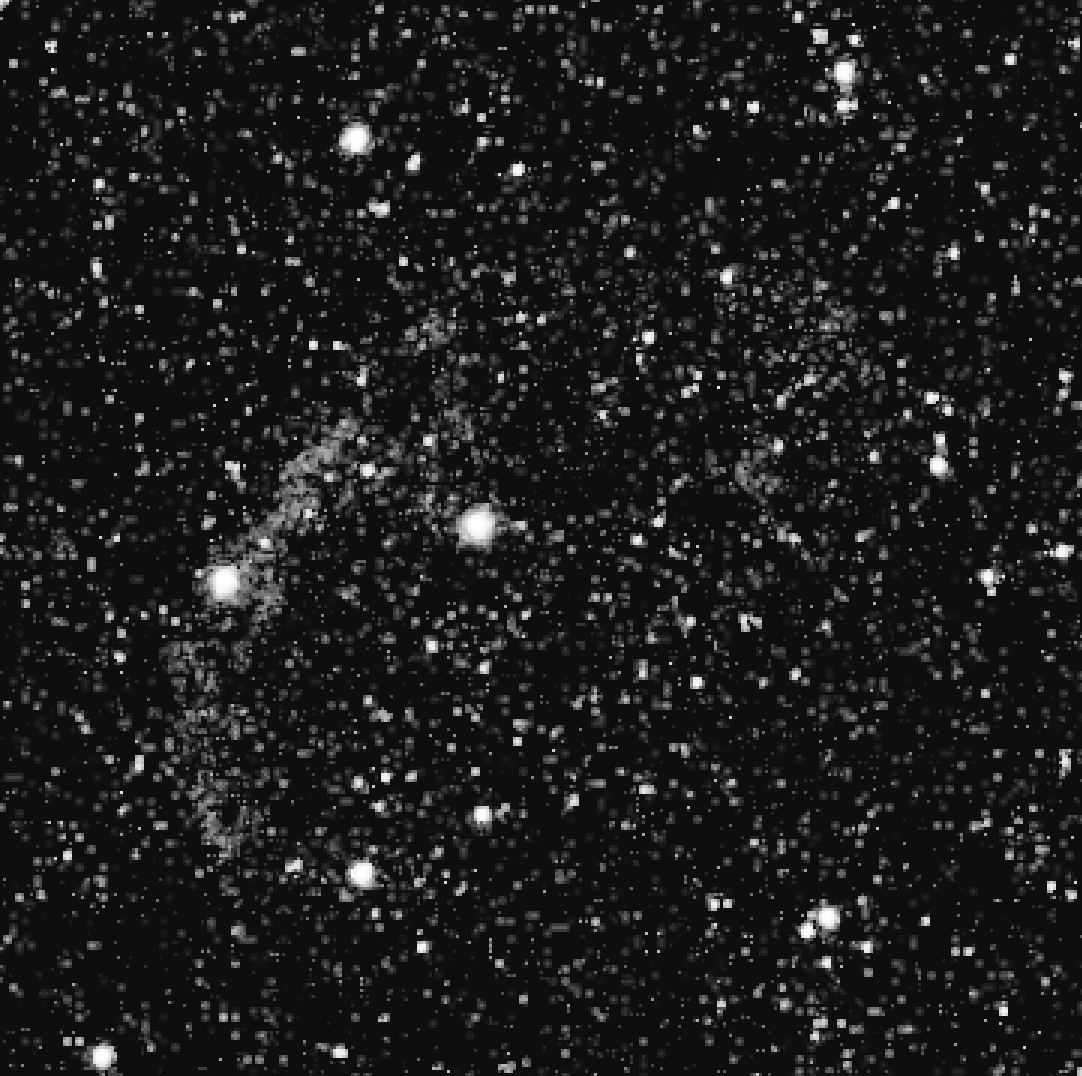
Calibrated files do not look like this in Pixinsight for me... not sure if it's different with APP.
I press on!
I head straight on to 4. Register to make sure that goes all OK. Analytical results:
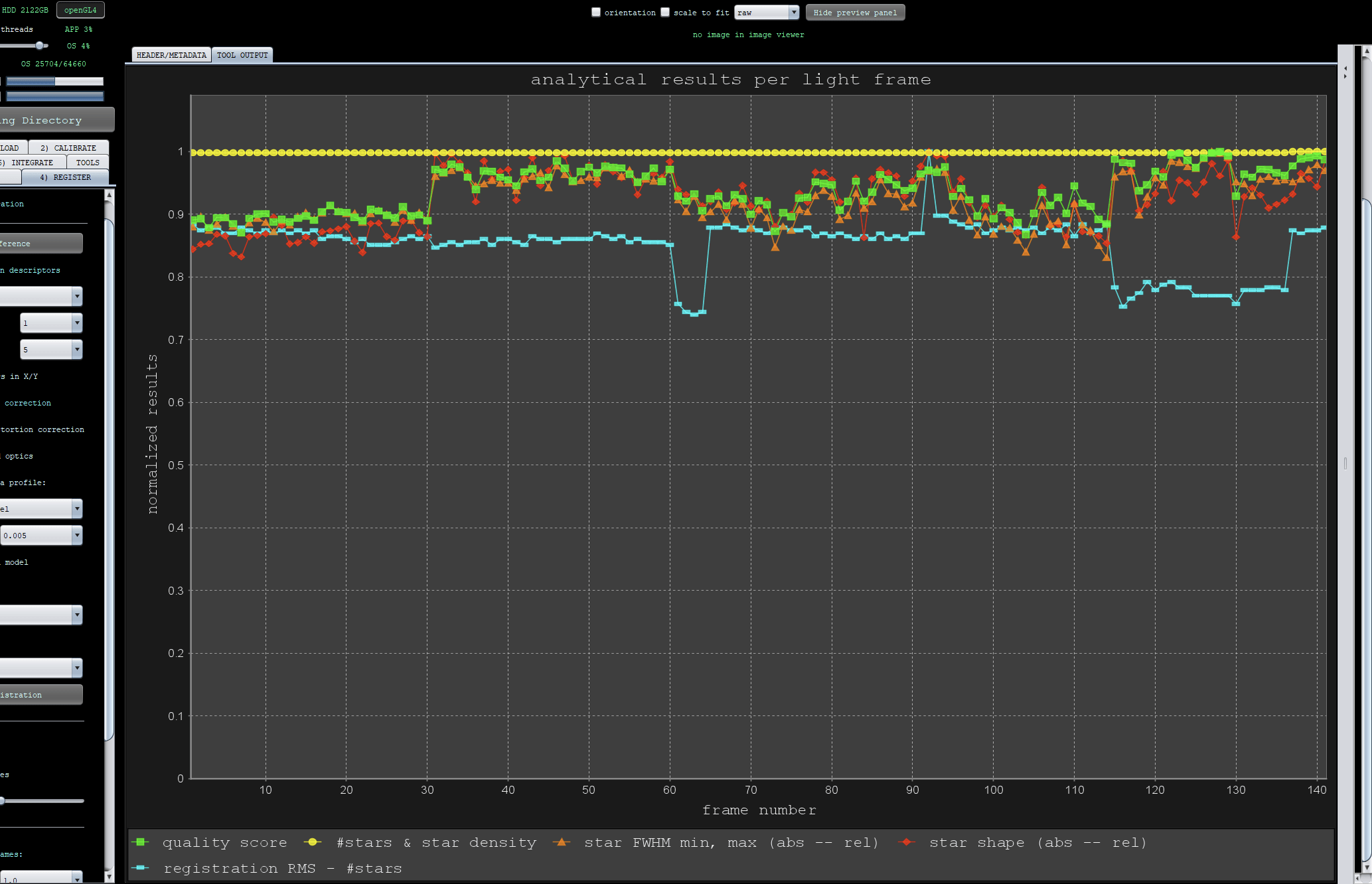
Then to 6. Integration
"local normalization rejection" is greyed out and I can't tick it, not sure why. Not sure I should tick it anyway!!
I played with some drizzle settings and these worked OK on Ha, so I've left them for S2 and Hb, not sure if that's wise.
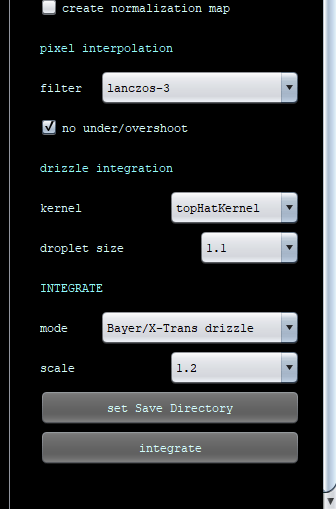
This message box pops up, I say "No". Not sure if I should have said "Yes".
I get some pretty angry looking normalisation chart which looks like my pre-selection in Pix was not good enough?!
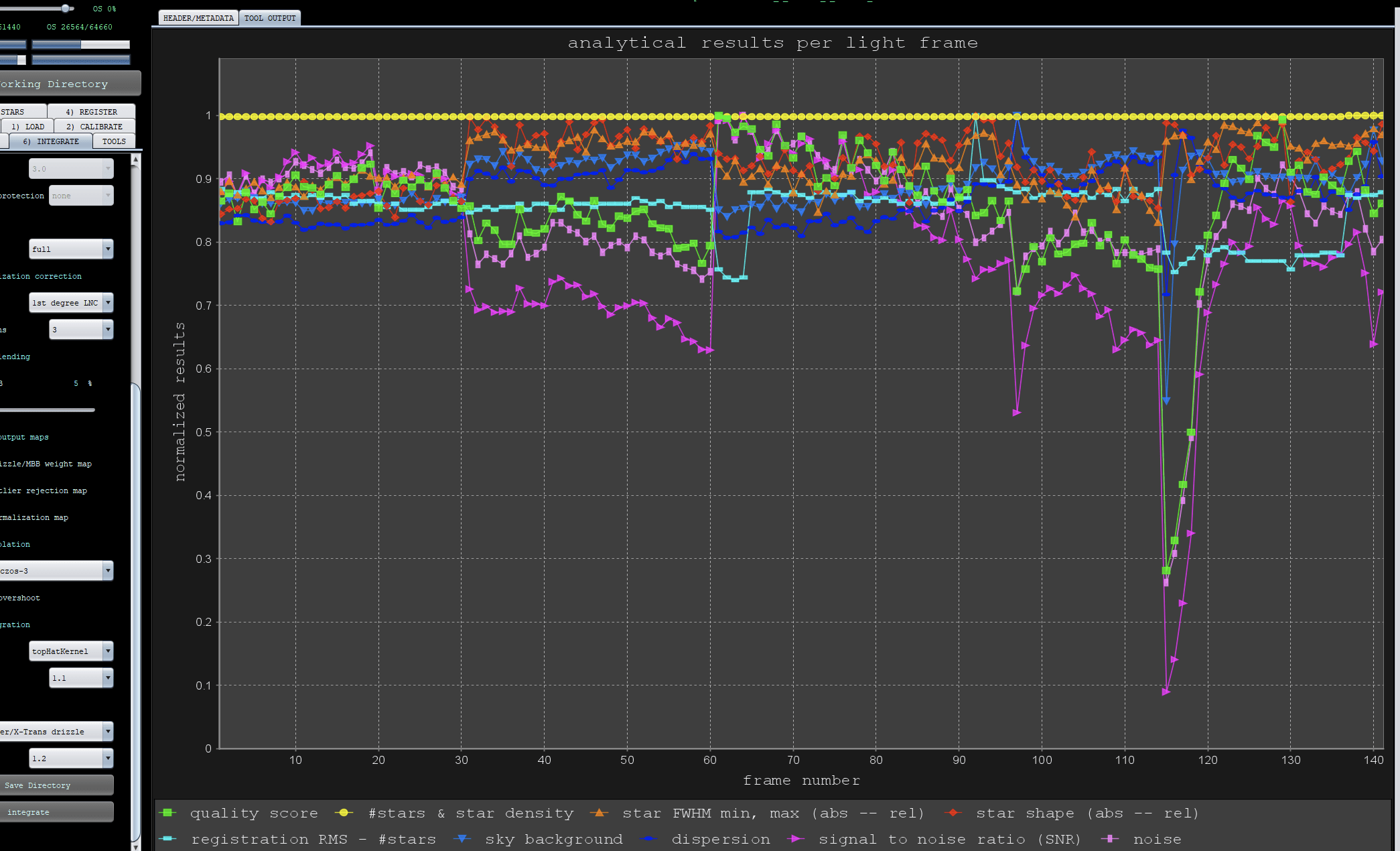
Then my end result looks like this - bit weird 🙂 Zoomed in on weird artifacts - they look like crosshairs!
This is Hb (Ha-Oiii Extract Oiii):
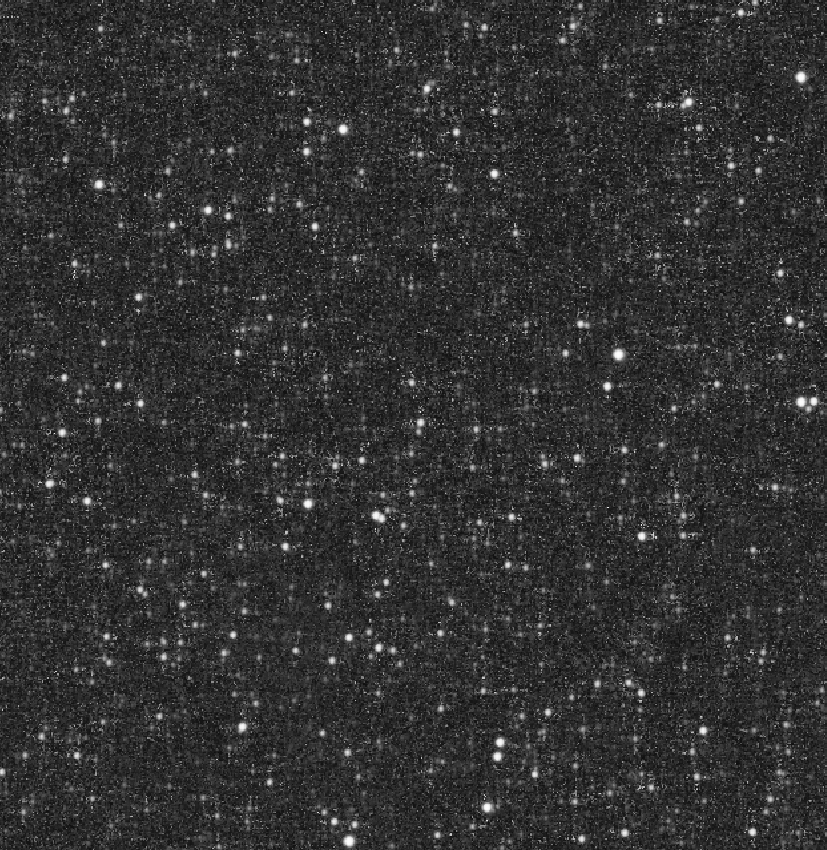
This is S2 (Ha-Oiii Extract S2):
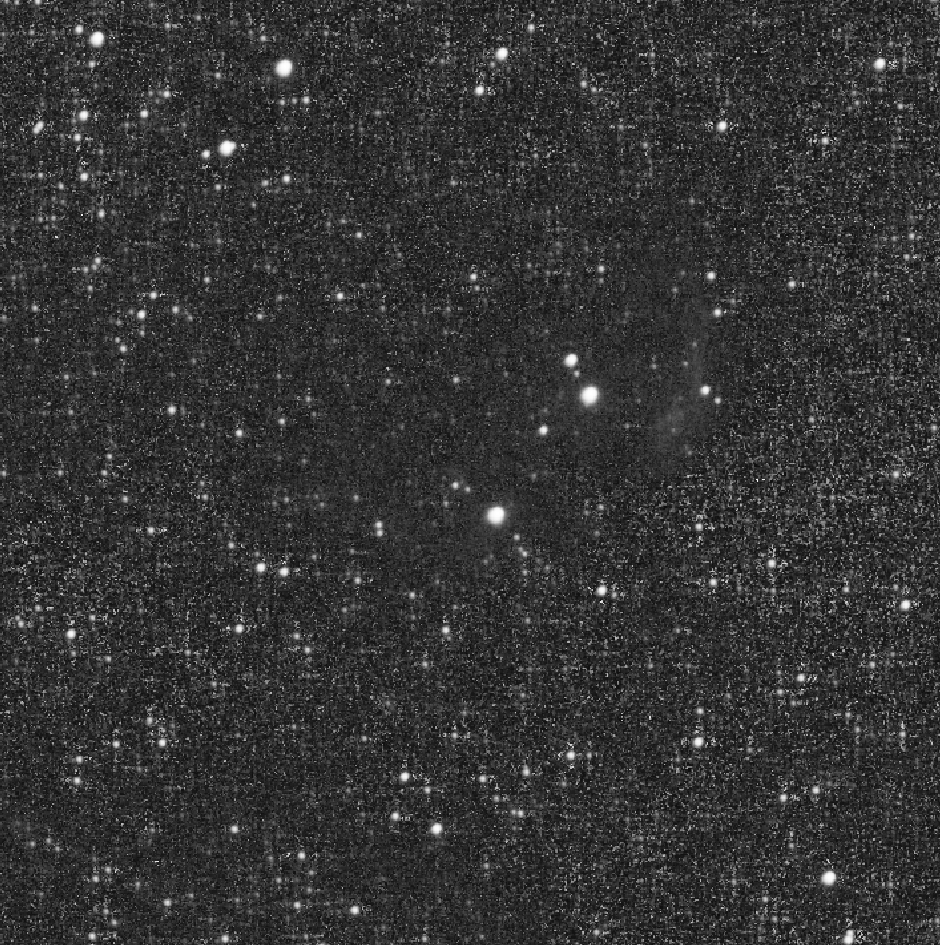
This is "Ha-Oiii Color"
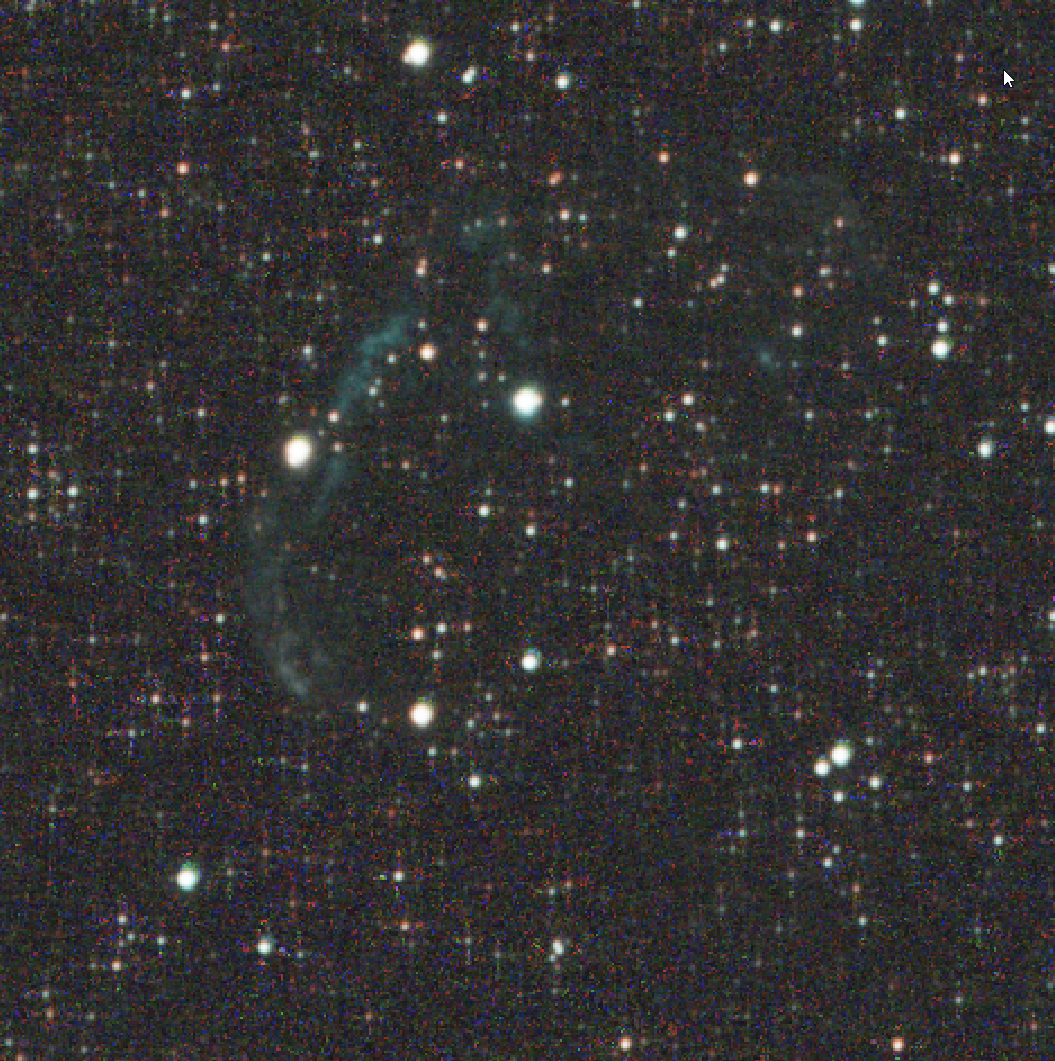
And finally, just for comparison, this is with the same settings as above but extracting the Ha from the Ha-Oiii filter using "Ha Oiii Extract Ha". Looks pretty good!
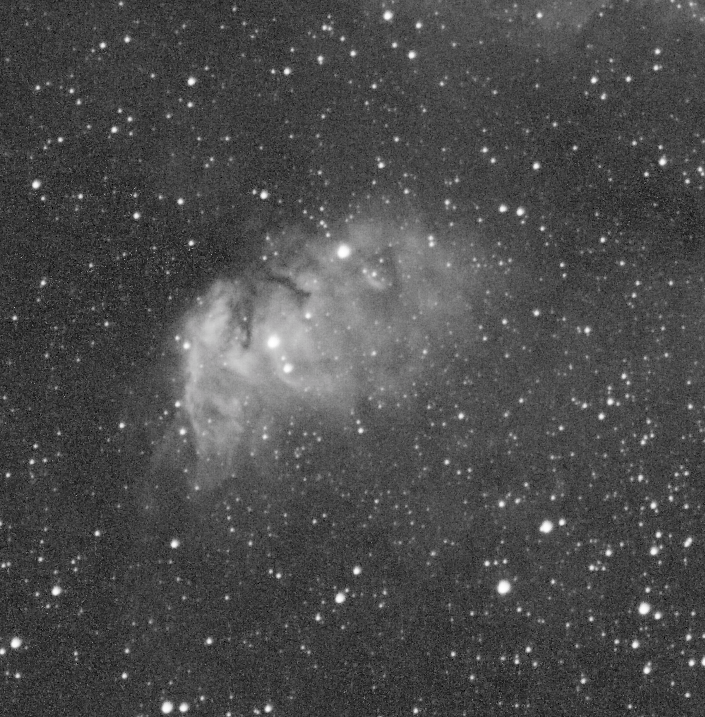
As always, any help appreciated!
Hi @mrflib,
Welcome to APP 🙂 !
I have read both your posts thoroughly and there is a lot to be commented on if I read all of this, but probably it is better to start simple and take this step by step to get you familiar with APP and how data will be processed.
If I understand correctly, processing the Ha extract data works fine and gives a decent result right?
Now, If I look at this zoomed in calibrated image :
It is quite clear things are going very wrong here, the background is clipped it seems to black and the BPM is not removing hot pixels at all. Once you see a calibrated view of the data like this, it should indicate to you that further processing makes little sense, something is not right at all in the calibration process.
The background clipping must indicate that turning off the adaptive pedestal in 2) calibrate was not the right thing to do here, allthough someone warned you about this somewhere i understand?
Why someone would warn you about this, i can not understand at all. The adaptive pedestal is a very important function for narrowband data shot with recent CMOS camera's. You never want to disable this function, if you would ask me. The adaptive pedestal only kicks in on data that needs it, and it looks like your data badly needs it.
Now why the BadPixelMap is not working? Was the BPM created from the same darks as you are using? If not, try to make one with those darks.
Adiitionally, because your data calibration is bad, because of these 2 problems, it seems APP is misdetection the stars, it thinks all those hot pixels might be stars and then registration is not working as a consequence.
So, I would focus first on getting the calibrated data to look as it should and not like this, If you want me to have a look at the data let me know. My guess will be that once the calibrated data looks okay, further processing will be very good.
Mabula
Thanks Mabula. It was a long post but honestly, I was getting so frustrated and there are so many choices I thought just screenshotting the lot might even help me work through things.
My issues have all come from following bad advice. There's a YouTube channel I've been following... and I've unfortunately come to the conclusion that he's just wrong about lots of things - not just APP.
I have removed and added each setting one by one prior to your post, and finally am getting *great* results. The massive culprit as you suggested was adaptive pedestal/reduce Amp-Glow being disabled. This fixed nearly everything and a few other small tweaks got me happy.
I'm still getting used to the workflow - I love NSG and moving away from that is hard - but APP is going to be my go-to for calibration from now on. I will work with your other tools later! I take it NSG's approach can't be replicated in APP?
@mrflib, I can fully understand this.yes, unfortunately, there is a lot of bad/uninformed information in a lot of youtube channels that don't check with me if they are correct in their information. Some do, but most won't...
Glad to hear that I was right about the adaptive pedestal, your screenshots made it very clear to me 😉
What is NSG? Is that a Pixinsight script perhaps, the Normalize, Scale, Gradient script ? Such a tool is on our Todo list. But I would think that APP's normalization and Local Normalization Correction (which will correct gradients between the images in the stack will achieve this as well. We are working in improved LNC as well.
Mabula
