

May 27 2026 APP 2.0.0-beta45 has been released !
Fully Multi-Threaded LNC, many improvements for the registration engine, platform upgrade, and further tuning of internal memory consumption and memory release back to OS.
Apr 14 2026: Google Pay, Apple Pay & WeChat Pay added as payment options
Update on the 2.0.0 release & the full manual
We are getting close to the 2.0.0 stable release and the full manual. The manual will soon become available on the website and also in PDF format. Both versions will be identical and once released, will start to follow the APP release cycle and thus will stay up-to-date to the latest APP version.
Once 2.0.0 is released, the price for APP will increase. Owner's license holders will not need to pay an upgrade fee to use 2.0.0, neither do Renter's license holders.
Hi,
i am having problems with artifacts on stars that are caused by the registration of already integrated images. Currently this is the case with a 4-panel-mosaic, but in the past there have also been problems when registering already finished stacks in "normal" registrations. The artifacts appear already after the registration in the single panels and not only in the final integrated mosaic.
I'm working with the current beta version, but just noticed similar problems when cross-checking with version 1.8.4.
Here is a GIF animation of a section that shows the problem:

Cheers
Pete
Ok, a bit of testing has shown that the artifacts occur when the "use dynamic distortion correction" option is checked. When I register the panels without this option, the stars in the field stay nice, but the registration rms goes way up and there are weird inconsistencies in the overlap areas.
Now is this a bug in the registration routine or is there something I can do to avoid the artifacts?
Pete
Hi, I still have problems with artifacts in the stars when stacking mosaics from already integrated panels. I am currently working on a 4 panel mosaic with R/G/B/Ha/OIII/SII. Just now I calculated an integration of 4 x Ha. The stars look like this (crop):
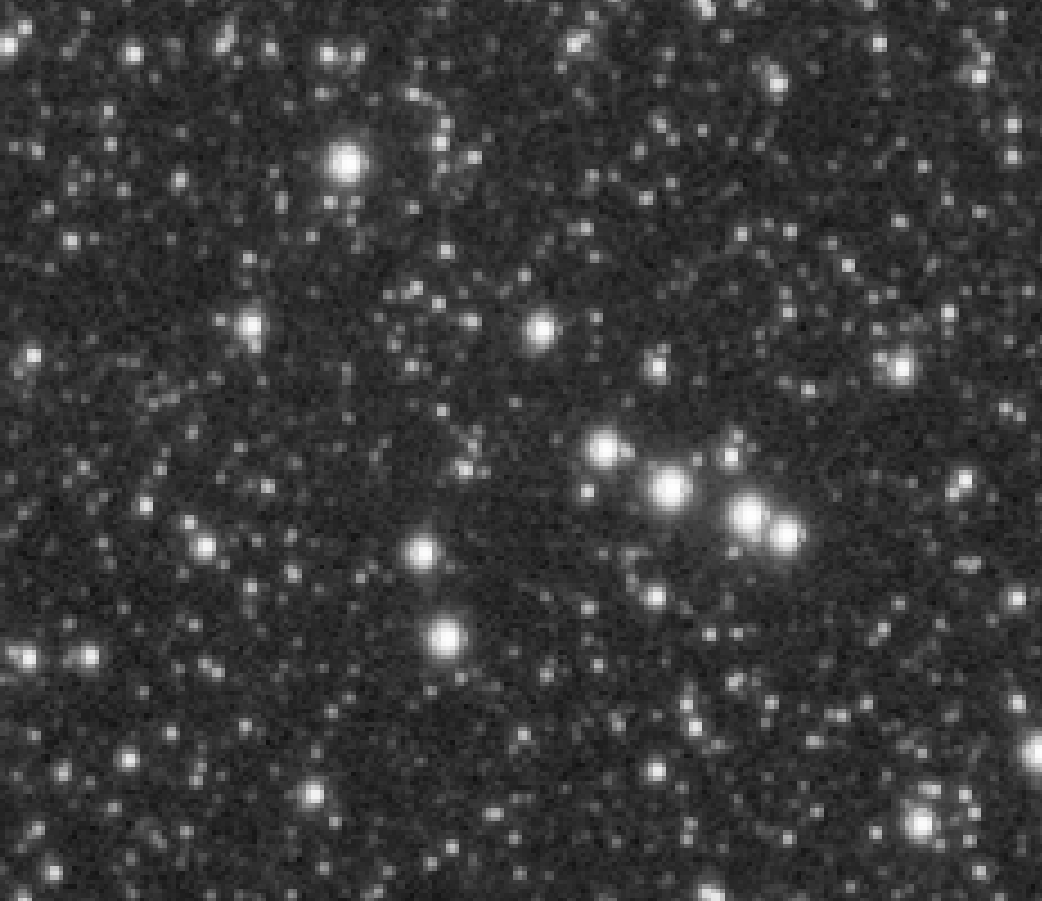
I wonder what causes this effect and I also wonder why I did not get any response up to now.
Cheers Pete
Sorry for missing your post! This, to me, looks like you're undersampling. Is that the case with your setup? If you dithered properly during data acquisition, drizzle might help here.
@vincent-mod
Thank you very much for your response, Vincent!
I am currently using a 480mm refractor with a 0.8x reducer (fl=384mm) on an ASI2600mm-pro. The ratio is 2.0" per pixel. I wouldn't put that in the undersampling range, or what do you think? And if too small stars really are the reason, is there a setting within the whole process that would help avoiding the effect?
By drizzle do you mean drizzle when integrating for the individual panels or during the stitching of the mosaic? What factor should be taken then? The mosaic is already very large (11,500 x 7,700 pixels) even without drizzling.
Another point is that the effect does not happen when I combine the mosaic in PixInsight. This actually indicates that it is not due to the data. And because I am a user and big fan of the first hour of APP I would like to do my work here, especially because for me APP is basically the world champion in stitching astromosaics. So I would be very glad if I could solve my problems with the artifacts in the stars.
Cheers
Pete
I think it's best if you upload some data for us to investigate, would you be able to upload like 10 lights per panel and calibration data?
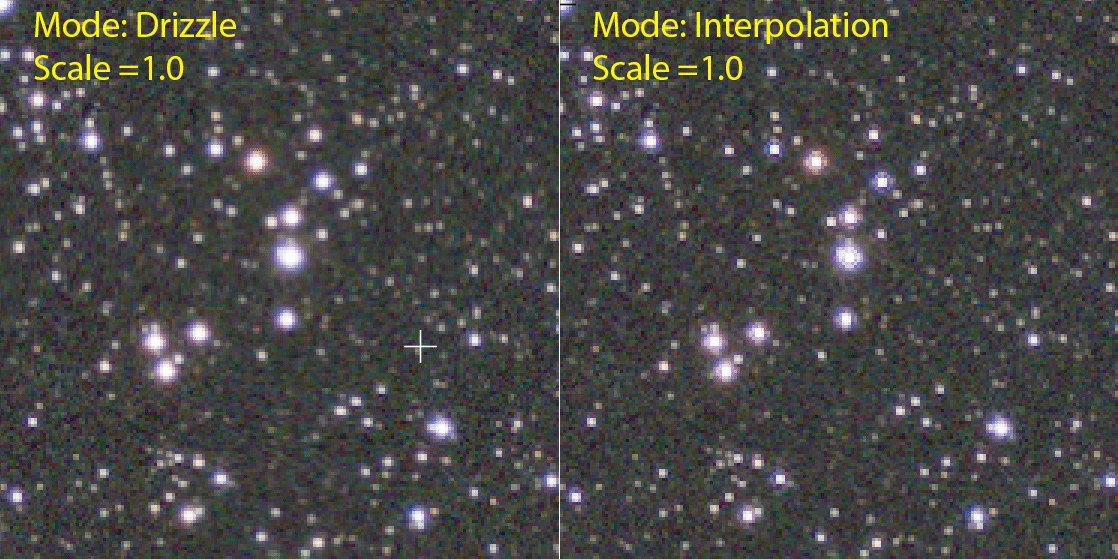
I must apologize, @vincent-mod. Unfortunately, I dismissed your advice to drizzle, too hasty. In fact, the integration in mode "drizzle" with Scale 1.0 completely eliminates the problem with artifacts in the stars. I tried it with 3 datasets and the stars look fine. Thanks for the support!
I'm glad to be able to finish my project in APP now without having to switch to PI for stitching the mosaic. APP makes creating mosaics much easier, faster and more intuitive.
CS and all the best
Pete
Absolutely no need to apologize! 🙂 I'm glad it indeed worked and thank you for the kind comments.
@vincent-mod @mabula-admin
Hi,
I'm getting back to you because it turns out that Drizzle doesn't completely solve the problems that were addressed here. But I think I have found another way.
In my current project, I have to register finished master stacks of shots with 384 mm focal length on master stacks of 740 mm focal length. The images from the smaller telescope, as with the moisaic at that time, show very small FWHM values in the range of 1.5 (median). Again, significant problems occurred at the stars:

Drizzling results in facet-like artifacts on the medium-sized stars, so it wasn't an option either.
In several trials, I found that the artifacts occurred with all interpolation methods except "bilinear" and "Cubic-B-spline".
Bilinear interpolation lets the stars appear a bit squared:

Cubic-B-spline produces the nicest stars IMHO:

All other interpolation methods result in messed-up stars comparable to the Lanczos-3 example above. So the bilinear and Cubic-B-spline interpolation will be my way to register masters made from data of my small TS-CF Apo80 rig and the ASI2600mm-pro
CS Peter
Hi Peter, @pete_xl,
Thank you very much for updating us on this topic. I have read the entire post and the issue is clear. This has to do with how the interpolation alogrithms work. I am curious, there is one additional setting for the interpolation algorithms No under/over shoot. Did you disable that function or not? I think disabling it could cause your issue in fact.
Maybe it is good if I play with your data a bit to see if I can prevent these artefacts also with Lanczos which will give sharper results than Cubic-B spline?
Mabula
