

UPDATE FROM MABULA
I have had a very rough 2 months unfortunately health wise. I was struck 3x in a row with bacterial infections. The second infection occurred after a routine hospital checkup and I became very sick. I had to rest and take a lot of antibiotics. Once I was recovering and restarting work 1 month ago, I again became sick. The infection was not yet gone, so even more antibiotics and rest was needed. Needless to say, it took a lot of my energy and I needed a lot of rest.
Finally, the infection is really gone and my energy is coming back step-by-step now and I have started work again. I am terribly sorry to have kept you waiting for support. I will address all outstanding questions and e-mails step-by step and will be on the forum daily from today.
APP 2.0.0-beta47 will come soon as well, a lot of work was already completed before I became very ill, so the release is also nearly ready for you. Beta47 will be much faster actually. Many workflows will be more than 2x faster, mosaics can even be 10x faster than before because registration really received a major boost... all compared to beta46. Before I release it, I will make sure that everything is working properly and then I will release it.
EDIT by Mabula: solved by enabling 3) analyze stars, cosmic ray/noise reducer
Hi. After many successful years with APP, I'm hitting problems stacking images properly.
I take what looks like a decent series of images, which, individually look fine, but when i stack them, I'd just getting a blurred mess. I ache a screen shot of an individual file, and the combined stack.
These shots are from a batch of 100 images I took of M51. The full stack of 100 was just a series of burred lines. These are from random selection of 10, just to show whats happening
I hope someone can help because I'm at my wit end with this
Thanks


In 3) analyse stars, you need to enable the cosmic ray/noise reducer and set the lower limit area size to 15-20. Then try again, it will probably work as expected then.
The stacked result looks to have a lot of noise, so I suspect that no Bad Pixel Mapping is used, maybe also no darks for some reason? I think that APP is locking onto hot pixels instead of stars to register on here.
Let me know if this helps.
Mabula
Thanks Mabula
I did use darks, flats, dark flats and BPM in the calibration stage. Maybe I should run some new darks and generate a new BPM from them, and rerun the process.
I’ll give it a try. Thank you
Hi Mabula
The advice about Step 3 worked perfectly - thank you so much 🙂
Here's the final image with the best 75 frames stacked
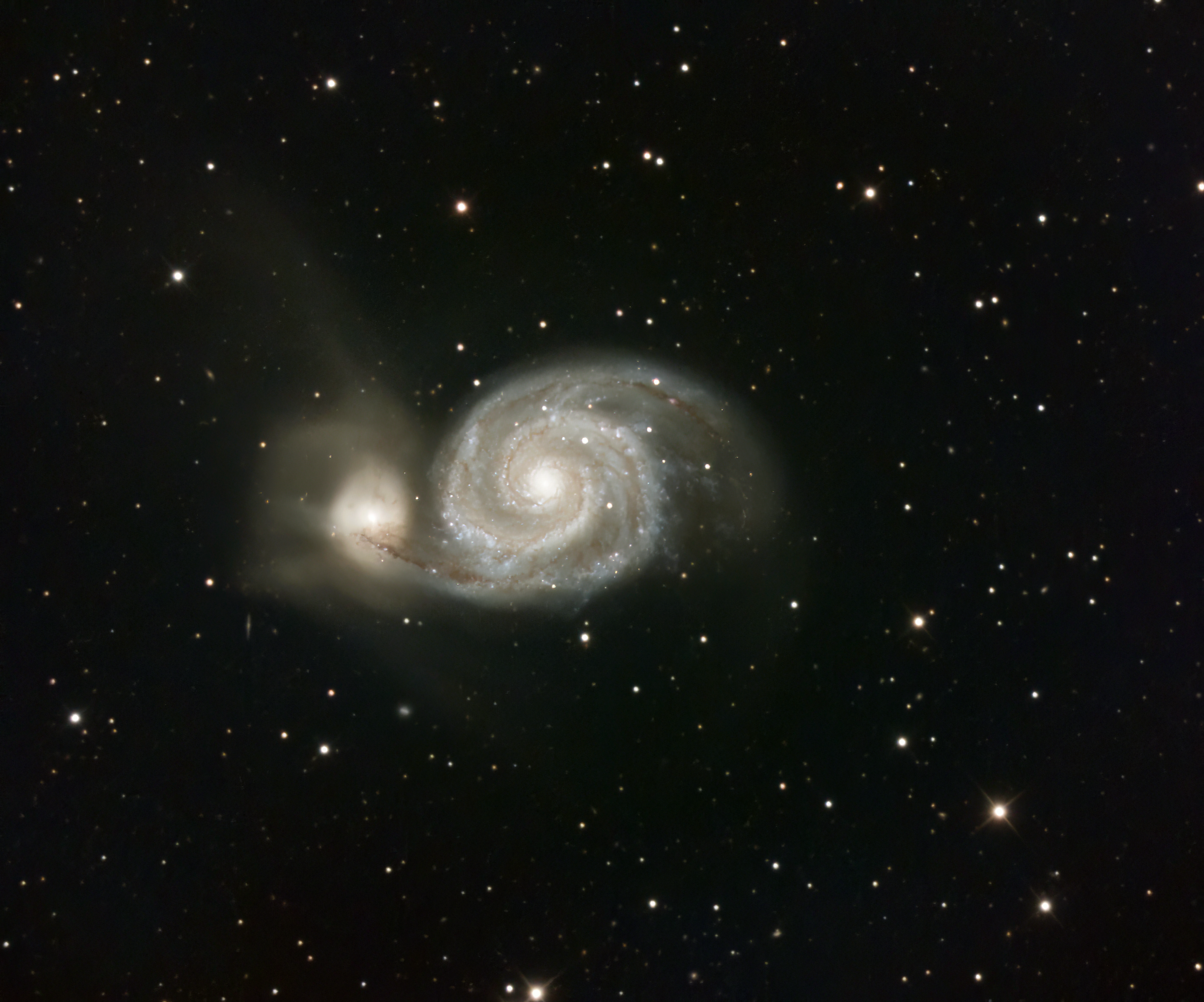
Hi Dave @davehux,
That looks really great ! Thanks for the feedback, I am happy to read that my suggestion solved it.
I will try to improve this behaviour in star analysis for sure going forward. Ideally, the noise reducer should become redundant.
Mabula
