

2026-10-09 APP 2.0.0-beta48 has been released !
This is mainly a bug fix release for the reported bugs in beta47. In addition it has a significant User Interface performance improvement noticable when you need to process 1000s of images in APP.
2026-10-03 APP 2.0.0-beta47 has been released !
This is a very big release... many code optimizations/rewrites, many parts of APP are much faster and more precise, especially star analysis and registration are much faster ! Big mosaics will go much faster 🙂
And we introduce a new preview filter, which includes the new Adaptive Deep Sky Stretch and a General Levels Stretch, this has been long over due. The old preview filter (the panel on the right side to stretch and preview your data) has not been updated for a couple of years and it is a critical part of any APP session.
Adaptive Deep Sky Stretch or ADSS is a much more intuitive stretch algorithm. It is also color preserving (which is a great new addition in itself ! ) which means that the highlights are no longer bleached, color is maintained from the linear data while stretching. You can simply stretch your data using the sky background level and signal width sliders which work much easier and more intuitive. You no longer need to fiddle with the old complicated sliders with zoom buttons. All the zoom buttons for the sliders are made redundant. And you can enter slider values in the slider value fields yourself. I will make a youtube video in the coming days to explain and fully introduce ADSS. Once the video is ready, it will be highlighted on the forum.
RGB Combine upgrade !. The RGB Combine Tool has been rewritten mostly. The tool is faster and easier to use and most importantly, the Luminance slider to inject a luminance channel or channels into the RGB composite is now working correctly. It no longer bleaches the RGB colors. Combined with the new ADSS preview, you will get much better and easier great composites with great color! I will also explain this in a new youtube video.
This happened today during integration while processing a set of LRGB frames. Nothing special about them. The blue set got integrated and the others not. I had 5 of these errors on top of each other when I checked the PC.
If I now click a frame I get this error, but the frame opens OK.
If I click a frame to be opened linear, the error does not appear.
If I open the integrated blue, no error appears.
I have checked all the green frames which are probably next in que to be integrated after the blue, but they are all OK.
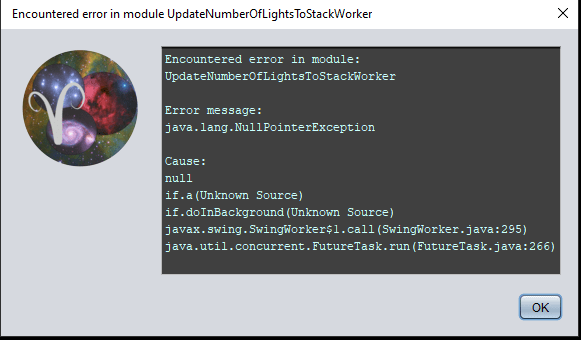
So here is an update:
I ran the whole session again from calibration to integration without changing anything. This time all the integrations were there except green. But when I checked the folder, all files were there, also green, and also also from the first attempt. They were just not visible in APP!
So I decided to try an "Integrate all" since all the data were already there, but that did not work. I had this error:
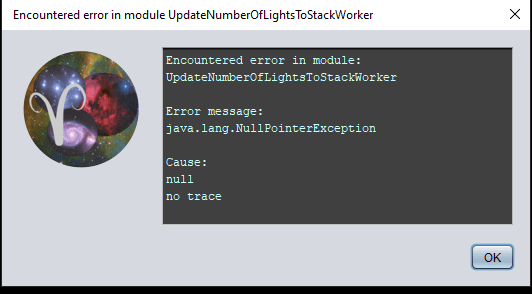
Mmm, ok, at this point I think it's best if we can have a look at the data and see if we can check if this is data related or an actual bug;
Go to https://upload.astropixelprocessor.com and use upload1 as username and upload1 as password.
Create a directory named “heno-integrationerror” and upload in there. Thank you!
@vincent-mod
I'm now uploading 10 of each color, 15 of RGB that have two different integrations(60 and 90sec). Also uploads all the Master files.
Uploading everything will take forever as there are several hundred lights.
Default setting were used for all except:
Hot pixel kappa checked
Adaptive pedestal unchecked
Integrate pr. channel.
MBB set at 10%
LNC set to 1. degree.
Just out of curiosity I will re-run the full integration to see what happens then. I'm the curious type. 😉
So I ran it all again, same files and settings, and same result! All integrations are created, but only the blue integration is visible in APP.
However, initially no error messages this time.
I copied the console output, starting from integration. Maybe you find something there?
When I change between linear, l-c, l-r-c and l-r-c-n i get the last error message in my first post.
If I try to open a file using anything but linear I get the first error message from my first post.
It all works just as yesterday. Iow, this error is repeatable!
Thanks for testing Heno, sorry I'm a bit busy here as my wife is arranging vaccinations in our region all day. 🙂 I'll come back to the data tomorrow!
@vincent-mod
No hurry, it is just a hobby. There are more important things! 👍
Hi Heno,
Working on it now and I loaded everything in at once, looking carefully at the data (looks normal as far as I can see) and checking the calibration like you mention above. This didn't produce an error on this set, flats seem to correct nicely as well. No distortion correction necessary either, went to integrating everything (LNC, it. 3, MBB 5%) and this also didn't produce a problem.
The biggest difference seems that I'm using APP 1.083-beta (on Windows) and you're on 1.081 I think. Could you try updating and see what happens? Also, what system specs do you have?
@vincent-mod
Hi.
There is one thing I didn't do that just occurred to me. I did not restart the PC between the two runs, but I did shut down APP. Which is why I will run this one more time, just to be sure. This PC is always running and I did not think about it.
If I have this error again I will dl the beta version and try even one more time.
The PC has an Intel i5, 2.70GHz processor and 24GB of ram.
UPDATE:
Run the integration again. Exactly same result. 🤔 😥
UPDATE II
Run it with the beta version: NO ERRORS! 🤩
Excellent! So that must've been a bug I think.
