

UPDATE FROM MABULA
I have had a very rough 2 months unfortunately health wise. I was struck 3x in a row with bacterial infections. The second infection occurred after a routine hospital checkup and I became very sick. I had to rest and take a lot of antibiotics. Once I was recovering and restarting work 1 month ago, I again became sick. The infection was not yet gone, so even more antibiotics and rest was needed. Needless to say, it took a lot of my energy and I needed a lot of rest.
Finally, the infection is really gone and my energy is coming back step-by-step now and I have started work again. I am terribly sorry to have kept you waiting for support. I will address all outstanding questions and e-mails step-by step and will be on the forum daily from today.
APP 2.0.0-beta47 will come soon as well, a lot of work was already completed before I became very ill, so the release is also nearly ready for you. Beta47 will be much faster actually. Many workflows will be more than 2x faster, mosaics can even be 10x faster than before because registration really received a major boost... all compared to beta46. Before I release it, I will make sure that everything is working properly and then I will release it.
Is it possible in terms of software to get rid of horizontal banding lines?
The problem is, the Canon matrix has lines of Phase Detect Auto-Focus (PDAF) pixels on the sensor. Unfortunately, this is caused by horizontal lines all over the frame. They are perfectly visible on the calibration frames as well as in a highly stretched photo.
Using dithering does not remove this. Although I haven't tried to do dither by e.g. 20 px yet.
I include a stretched stack, a stretched MasterBias and a Master Dak Flat.
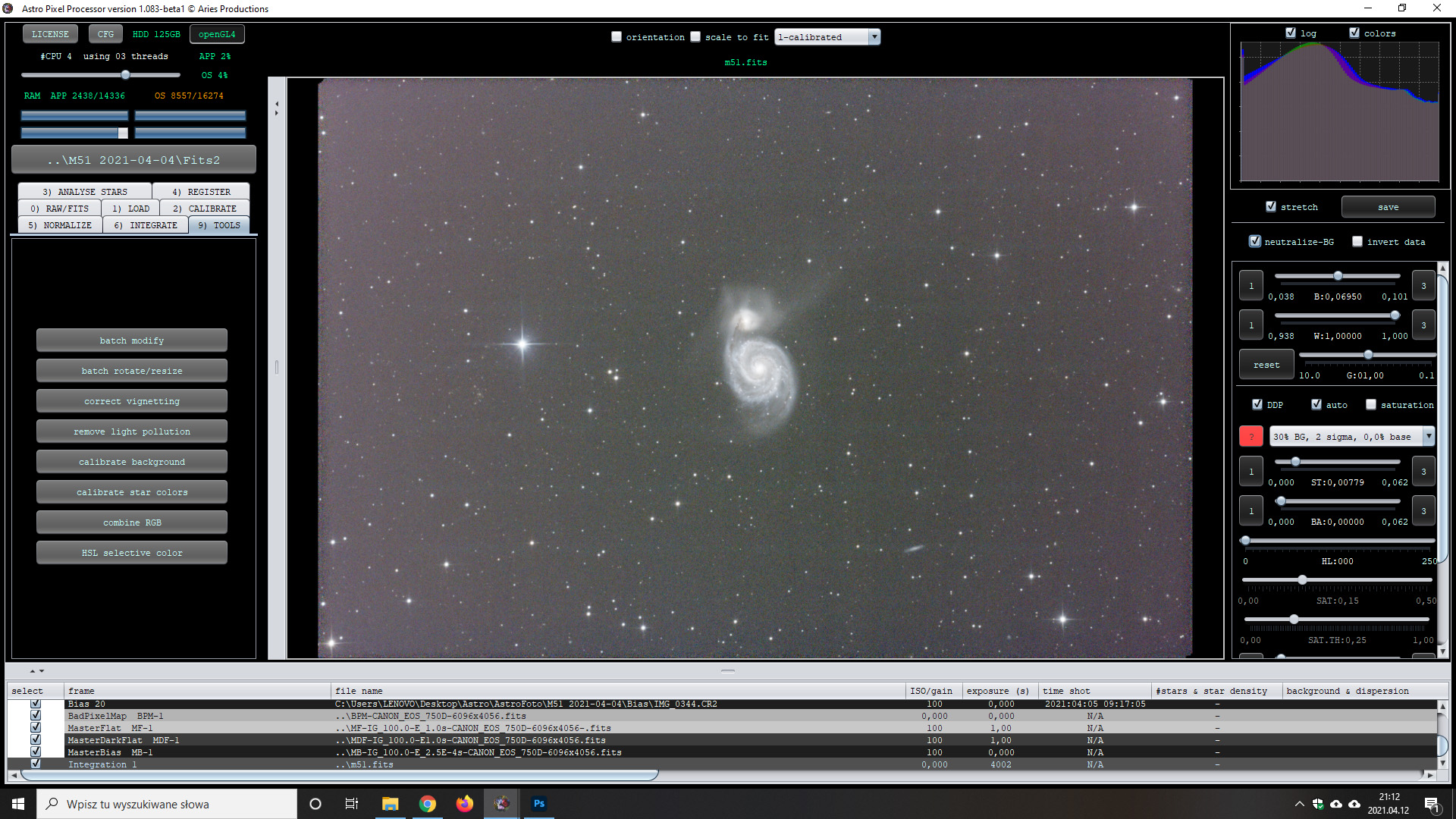

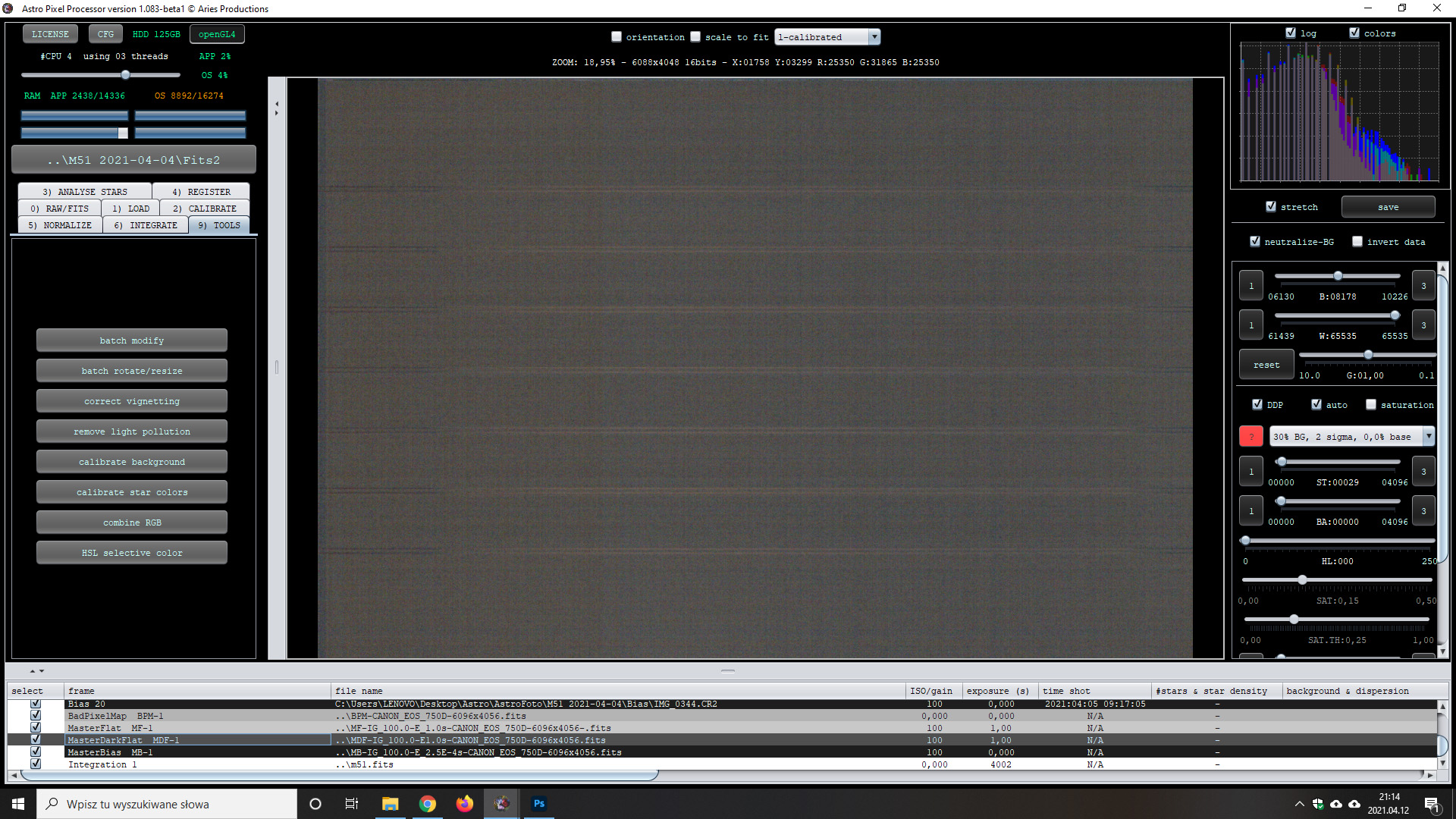
Here is more information: http://photomacrography.net/forum/viewtopic.php?t=30169
Interesting, I didn't know about that, thanks for sharing! Is this not corrected by the dark as I understand you're saying?
@vincent-mod
I'll put in a screen from stretch DarkFrame later.
But I think that if this pattern is always in the same place on every frame (light, flat, bias, dark) it can be quite a problem (for me).
Mmm, well that will depend on if it gets removed by the calibration data. If it's also in the bias, the flat will be corrected for instance, the darks might take care of the lights (not 100% sure). The proof will be in the pudding. 😉
@vincent-mod
This is MasterDark. Unfortunatelly it's not removing this baning.

Mmm, but I'm not seeing the banding in that masterdark right?
I'm afraid I don't have more information on this specific issue, if the bias doesn't get it out it might be an issue that's more difficult to solve.
@vincent-mod
I was afraid of this that it would not be that simple.
But what about your masterdark, I don't see the banding in there so maybe it does work?
@vincent-mod
That's right, you can't see this banding on MasterDark. But he is on the stack. Of course after the stretch.
I can put downloads (light, flat, bias, dark) if you want to check it out for yourself. Maybe you can do better than me 🙂
Yes, that's a good idea. 🙂 I'm just wondering, I'll have a play with it, just upload 20 bias, 20 darks, 20 flats and 20 lights. That should be enough.
Go to https://upload.astropixelprocessor.com and use upload1 as username and upload1 as password.
Create a directory named “maciekja-bandingIssue” and upload in there. Thank you!
@vincent-mod
Ok, I'll do it when I'm in front of my home computer.
The only working (not fully but let say in 80%) solution for me was to use.....PixInsight and the Canon Banding Removal tool. ISO 1600 also helped a bit in compare to ISO 800. But generally speaking 750D is not the greatest choice for AP. I am going to sell mine and buy 6D.
As you say Pix deals with it in some way, but not 100% either. I was doing my frames on ISO1600 because on ISO800 it was noticeably worse.
@vincent-mod
I've upload all data. It's in folder Canon 750 Banding.
Thanks, downloading it today and will have a look.
There is a way to get rid of banding.
The program Siril has a tool for this, the Canon Banding Script.
You can also use it for color images from OSC CMOS cameras.
Siril can be downloaded for free. The script is also used in Pixinsight.
Unfortunately, such a function is missing in APP.


With best regards.
Yes, I think Minusman is right, I wasn't able to completely get rid of it. So that may be something for Mabula to consider if it isn't already on his list, I'll pass it on.
And I already started considering the Canon 6D;) Maybe I can work with what I have.
Thanks for the answer!
