

UPDATE FROM MABULA
I have had a very rough 2 months unfortunately health wise. I was struck 3x in a row with bacterial infections. The second infection occurred after a routine hospital checkup and I became very sick. I had to rest and take a lot of antibiotics. Once I was recovering and restarting work 1 month ago, I again became sick. The infection was not yet gone, so even more antibiotics and rest was needed. Needless to say, it took a lot of my energy and I needed a lot of rest.
Finally, the infection is really gone and my energy is coming back step-by-step now and I have started work again. I am terribly sorry to have kept you waiting for support. I will address all outstanding questions and e-mails step-by step and will be on the forum daily from today.
APP 2.0.0-beta47 will come soon as well, a lot of work was already completed before I became very ill, so the release is also nearly ready for you. Beta47 will be much faster actually. Many workflows will be more than 2x faster, mosaics can even be 10x faster than before because registration really received a major boost... all compared to beta46. Before I release it, I will make sure that everything is working properly and then I will release it.
Ok, so first image in a while, also its a first with the new 1.077 version, its come out ok but still seems to be left over lp even after running lp removal 4 or 5 times, also looks grainy, is there any noise reduction settings I've missed?
Theres about 6 hours per filter integration, and the fit file was too big to upload, this is a 10mb jpeg and looks worse than it was in fit.

The problem seems that the light pollution either isn't actual light pollution, or it created a weird pattern maybe due to internal reflections? It should normally be a gradient, which means it's gradual and not this spotty. You can see that I tried to make a correction model on the jpeg above (not ideal to do like that but ok) and it's not a normal gradient, which makes it pretty hard to correct.

@vincent-mod
🤔 Wierd, it doesn't show as much on the tiff (I said fit above and I meant tiff)
@vincent-mod
ok so this is as good as i could get to best show it, its a screenshot of the 45mb tiff, I like the star colours, they've come out better than expected but what you cant see is the grainyness.
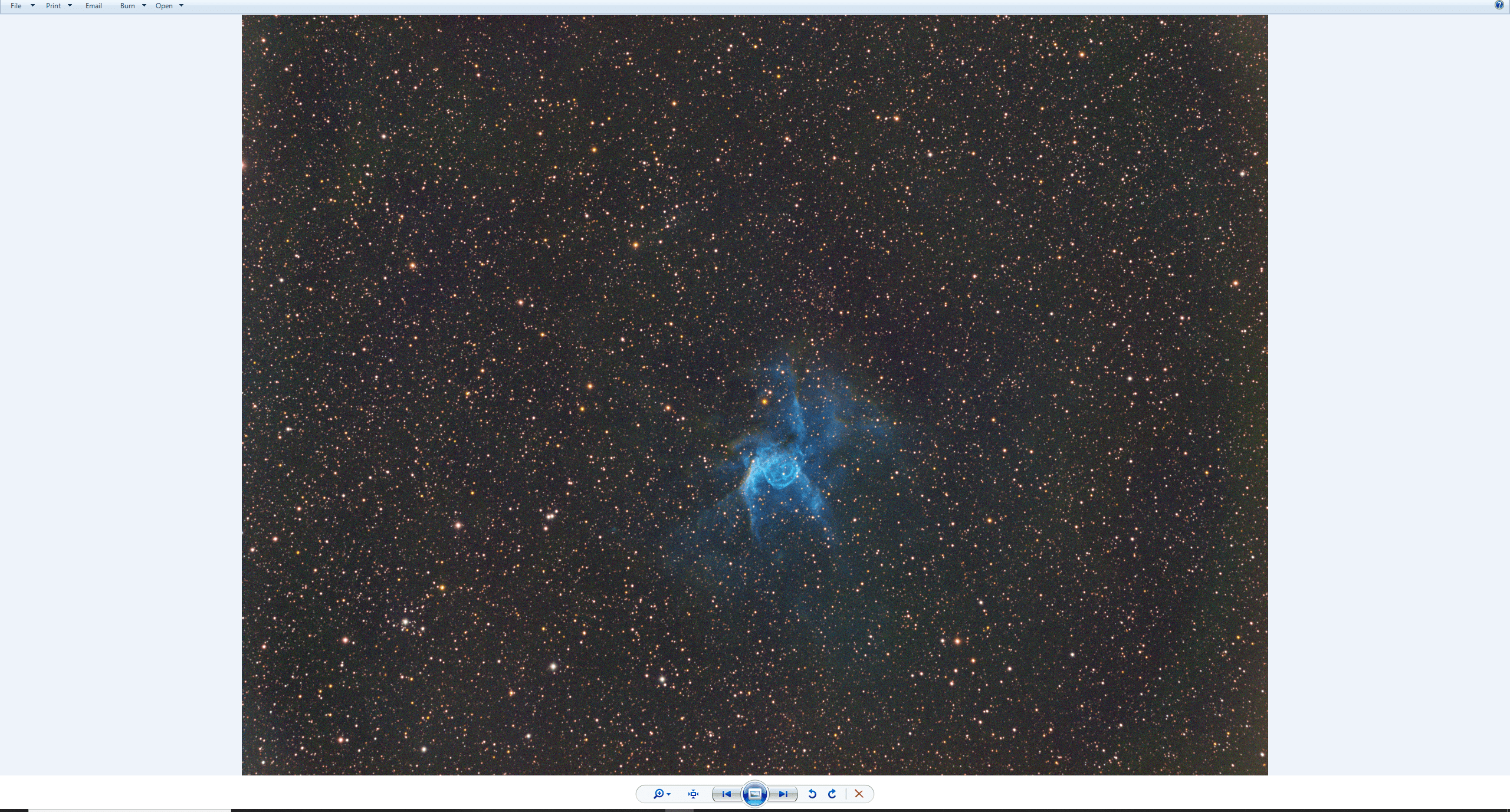
Wierd, it doesn't show as much on the tiff (I said fit above and I meant tiff)
I always over-stretch and over-saturate to better see the issue in the background. And then I place my boxes, does help a lot. The grainyness will likely be left over because of the uneven background and maybe not enough data, getting that better usually requires darkers skies and more data.
