

2026-10-09 APP 2.0.0-beta48 has been released !
This is mainly a bug fix release for the reported bugs in beta47. In addition it has a significant User Interface performance improvement noticable when you need to process 1000s of images in APP.
2026-10-03 APP 2.0.0-beta47 has been released !
This is a very big release... many code optimizations/rewrites, many parts of APP are much faster and more precise, especially star analysis and registration are much faster ! Big mosaics will go much faster 🙂
And we introduce a new preview filter, which includes the new Adaptive Deep Sky Stretch and a General Levels Stretch, this has been long over due. The old preview filter (the panel on the right side to stretch and preview your data) has not been updated for a couple of years and it is a critical part of any APP session.
Adaptive Deep Sky Stretch or ADSS is a much more intuitive stretch algorithm. It is also color preserving (which is a great new addition in itself ! ) which means that the highlights are no longer bleached, color is maintained from the linear data while stretching. You can simply stretch your data using the sky background level and signal width sliders which work much easier and more intuitive. You no longer need to fiddle with the old complicated sliders with zoom buttons. All the zoom buttons for the sliders are made redundant. And you can enter slider values in the slider value fields yourself. I will make a youtube video in the coming days to explain and fully introduce ADSS. Once the video is ready, it will be highlighted on the forum.
RGB Combine upgrade !. The RGB Combine Tool has been rewritten mostly. The tool is faster and easier to use and most importantly, the Luminance slider to inject a luminance channel or channels into the RGB composite is now working correctly. It no longer bleaches the RGB colors. Combined with the new ADSS preview, you will get much better and easier great composites with great color! I will also explain this in a new youtube video.
Hello from Austria!
Here is my latest project 
Canon 6D(a) - Lacerta 72/432 APO - Fornax Lightrack II - Optolong L Pro
Nebula: 49x 120 sec. / F5.9 / ISO 1600
Center: 24x 12 sec. / F5.9 / ISO 1600
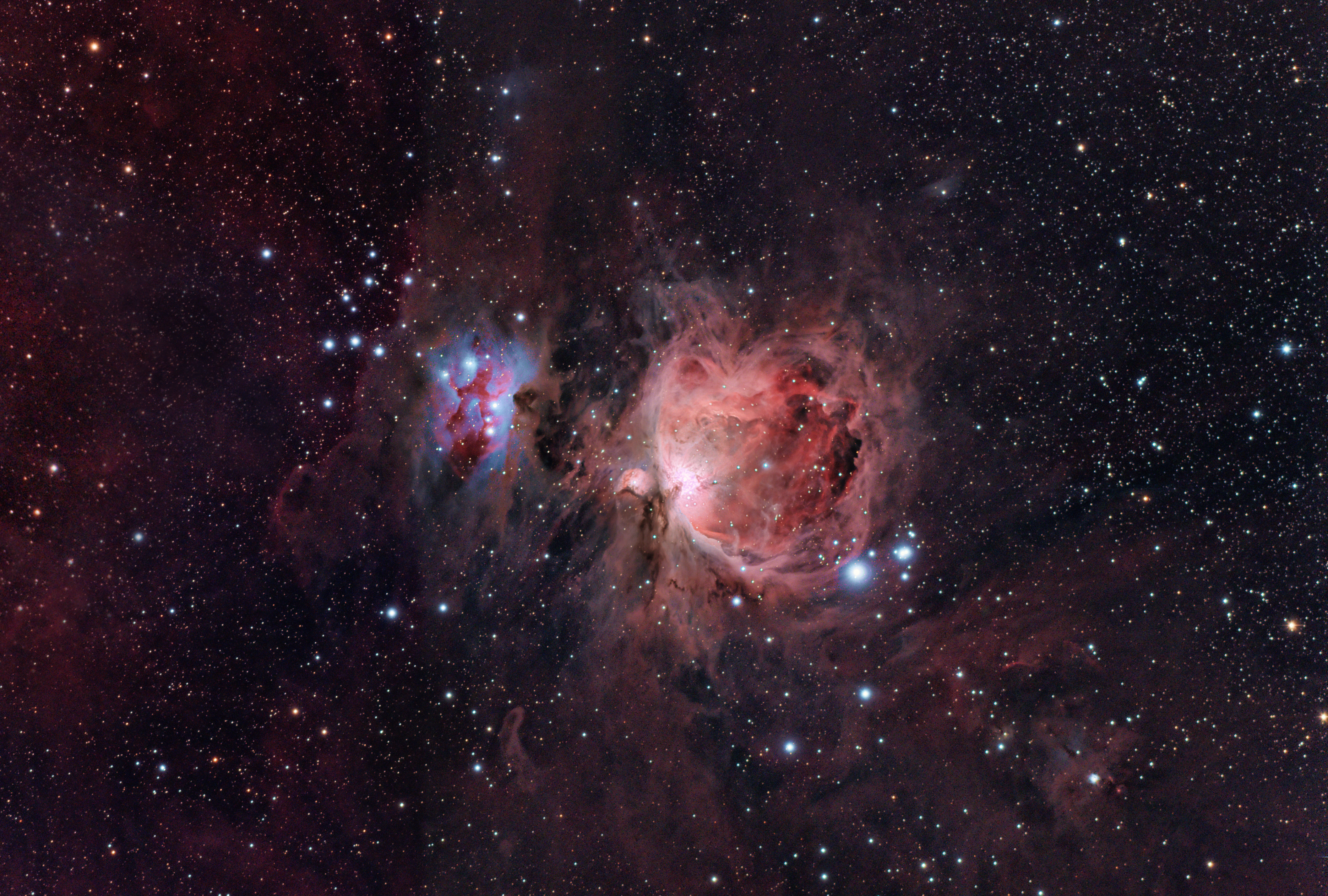
Full quality: https://www.astrobin.com/391593/?nc=user
Please give me feedback 😀
CS
Gernot
Hi Gernot @skanker,
Great Orion Nebula 😉 !
You have captured a lot of signal here in s hort time, nice job 🙂
Best feedback I can give right now is probably to try and add more data, for only 100 minutes of exposure time this is great, but perhaps with 4-8 hours the quality of the weaker nebulosity will be better as well 😉
Did you create a HDR in Photoshop, or did you let APP integrate the long and short exposures together ?
Cheers,
Mabula
Hello Mabula!
Thank you for your feedback... I'm very happy with the result 🙂
I have created the HDR in Photoshop ( layering two stacks made with APP). Does APP support this process?
Cheers
Gernot
Hello Mabula!
Thank you for your feedback... I'm very happy with the result 🙂
I have created the HDR in Photoshop ( layering two stacks made with APP). Does APP support this process?
Cheers
Gernot
Hi Gernot @skanker,
You can integrate the different exposure times in APP at the same time, that is no problem and it will give you more depth in the result. Using different integration weights is key here, with star shape weights, you usually get the best protection of the highlight areas for an object like this.
Making a HDR combination like you did in Photoshop is on my ToDo list, so that will come to APP as well.
Kind regards,
Mabula
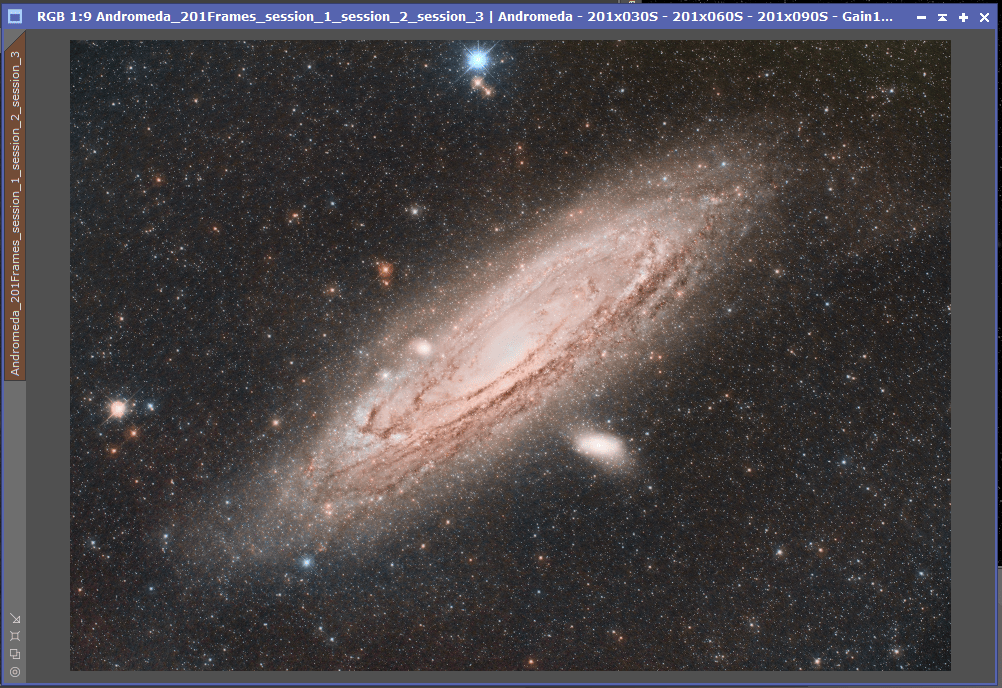
This didn't work for me on Andromeda, unless I am doing something fundamentally wrong. I have taken subs at 30S, 60S and 90S, but when loading them all up in APP, it produces a session1+2+3 stack which has blown out the core, when I look at each session stack individually, they all look similar, but when I create each stack seperately (Load up, stack, clear, load up stack, clear.....) I get different results, the 30S is not as blown out or as bright as when I process them as three seperate sessions within the same process job
So, you did try to set this star-shape option in the integration tab?
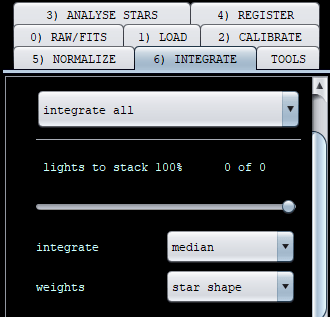
A true HDR, which is likely what you're after is not (yet) available in APP.
@stastro, Simon, like Vincent indicate, did you try different integration weights like the star shape ?
Maybe for your data, setup, you need more shorter exposures even. How does the 30s stack look like?
All three combined (As session 1, 2 and 3) in APP:
The three Stacked separately in APP and then HDRComposition performed in PI:
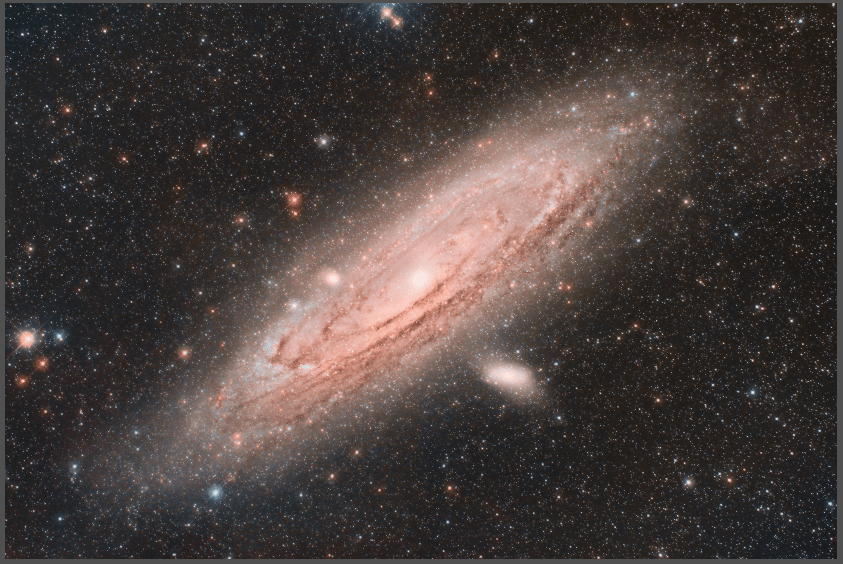
Exact same processing steps in both images (Image processing container with same settings) in PixInsight, you can see the first one lacks detail, and has the core blown completely, the 2nd one is much better
Regards
Simon
Hello All,
My M42 shoot at ISO200_9x300" on Dobson10"+Canon1000Da (50% Moon on Sky) 😋

Lovely! Dust is always tricky, so nicely done!
