

2026-10-09 APP 2.0.0-beta48 has been released !
This is mainly a bug fix release for the reported bugs in beta47. In addition it has a significant User Interface performance improvement noticable when you need to process 1000s of images in APP.
2026-10-03 APP 2.0.0-beta47 has been released !
This is a very big release... many code optimizations/rewrites, many parts of APP are much faster and more precise, especially star analysis and registration are much faster ! Big mosaics will go much faster 🙂
And we introduce a new preview filter, which includes the new Adaptive Deep Sky Stretch and a General Levels Stretch, this has been long over due. The old preview filter (the panel on the right side to stretch and preview your data) has not been updated for a couple of years and it is a critical part of any APP session.
Adaptive Deep Sky Stretch or ADSS is a much more intuitive stretch algorithm. It is also color preserving (which is a great new addition in itself ! ) which means that the highlights are no longer bleached, color is maintained from the linear data while stretching. You can simply stretch your data using the sky background level and signal width sliders which work much easier and more intuitive. You no longer need to fiddle with the old complicated sliders with zoom buttons. All the zoom buttons for the sliders are made redundant. And you can enter slider values in the slider value fields yourself. I will make a youtube video in the coming days to explain and fully introduce ADSS. Once the video is ready, it will be highlighted on the forum.
RGB Combine upgrade !. The RGB Combine Tool has been rewritten mostly. The tool is faster and easier to use and most importantly, the Luminance slider to inject a luminance channel or channels into the RGB composite is now working correctly. It no longer bleaches the RGB colors. Combined with the new ADSS preview, you will get much better and easier great composites with great color! I will also explain this in a new youtube video.
Astro Pixel Processor 2.0.0-beta14 release notes
- FRAME LIST PANEL IMPROVED
We have improved the look and feel and functionality of the Frame List Panel. Sorting now works by clicking on the column headers, which means that we have removed the sorting options from the frame list panel right-mouse click menu because sort on column header click is considered standard functionality. The column is which is sorted will show ascendind/descending icons to indicate this and this matches the sorting chosen/shown in the 1)LOAD menu. Furthermore, we have created 3 extra columns to be able to easily sort on all the metrics like noise, SNR, star FWHM, shape. We added sorting on star FWHM besides star Shape, both have their own colomn now. The columns can now be moved and the new column model is preserved when the table is updated and also preserved between APP restarts. You can revert back to the default column order with the CFG menu. Finally, we changed the default ordering of the columns, we have moved the frame select column to the middle of the analytical results for instance.

- FITS ROWORDER support
The ROWORDER keyword was already supported in beta13, but only for correct debayering of the CFA pixels. As mentioned here https://www.astropixelprocessor.com/community/main-forum/fits-roworder-support/#post-27331 APP was not yet displaying Bottom-Up images upside down as intendend. This is now fixed. Data calibration is not affected and old Masters will still work.
- OPENGL support Linux fixed
As decribed in this topic https://www.astropixelprocessor.com/community/linux/astropixelprocessor_2-0-0-beta9-amd64-not-works-on-kubuntu-22-04/ APP would not start on some linux distributions due to a bug in a 3rd party library for OpenGL support. This is now fixed by the developers of the OpenGL library.
- REGISTRATION QUESTION WINDOWS improved
We have updated the question windows in the registration engine to have a better look
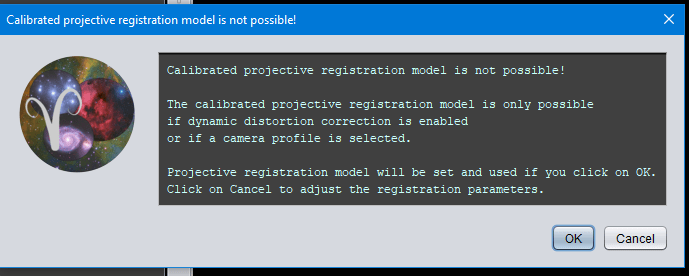
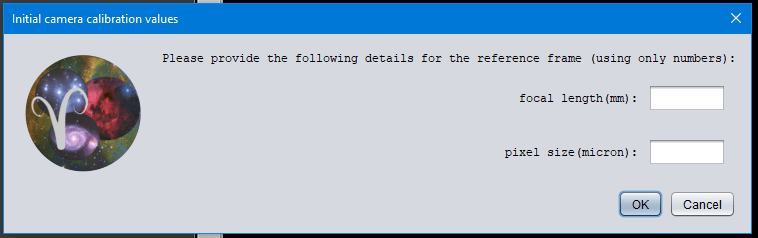
- REGISTRATION CALIBRATED PROJECTIVE camera parameter panel fixed
As reported here https://www.astropixelprocessor.com/community/rfcs-request-for-changes/bug-in-mercator-projection-2-0-0-beta-13/ the panel that asks for camera parameters was not always showing correctly, this is now fixed.
- HIDE/SHOW PREVIEW PANEL Button FIXED in COMET registration mode
It was reported https://www.astropixelprocessor.com/community/macos/hide-preview-panel-was-gone-after-comet-registration/ that the button could disappear in Comet registration mode. This is now fixed.
