2026-10-09 APP 2.0.0-beta48 has been released !
This is mainly a bug fix release for the reported bugs in beta47. In addition it has a significant User Interface performance improvement noticable when you need to process 1000s of images in APP.
2026-10-03 APP 2.0.0-beta47 has been released !
This is a very big release... many code optimizations/rewrites, many parts of APP are much faster and more precise, especially star analysis and registration are much faster ! Big mosaics will go much faster 🙂
And we introduce a new preview filter, which includes the new Adaptive Deep Sky Stretch and a General Levels Stretch, this has been long over due. The old preview filter (the panel on the right side to stretch and preview your data) has not been updated for a couple of years and it is a critical part of any APP session.
Adaptive Deep Sky Stretch or ADSS is a much more intuitive stretch algorithm. It is also color preserving (which is a great new addition in itself ! ) which means that the highlights are no longer bleached, color is maintained from the linear data while stretching. You can simply stretch your data using the sky background level and signal width sliders which work much easier and more intuitive. You no longer need to fiddle with the old complicated sliders with zoom buttons. All the zoom buttons for the sliders are made redundant. And you can enter slider values in the slider value fields yourself. I will make a youtube video in the coming days to explain and fully introduce ADSS. Once the video is ready, it will be highlighted on the forum.
RGB Combine upgrade !. The RGB Combine Tool has been rewritten mostly. The tool is faster and easier to use and most importantly, the Luminance slider to inject a luminance channel or channels into the RGB composite is now working correctly. It no longer bleaches the RGB colors. Combined with the new ADSS preview, you will get much better and easier great composites with great color! I will also explain this in a new youtube video.
I have noticed more lately that I am getting a weird pattern at some corners. It doesn't matter if it is a mosaic or a normal integration. Any idea what is behind this?
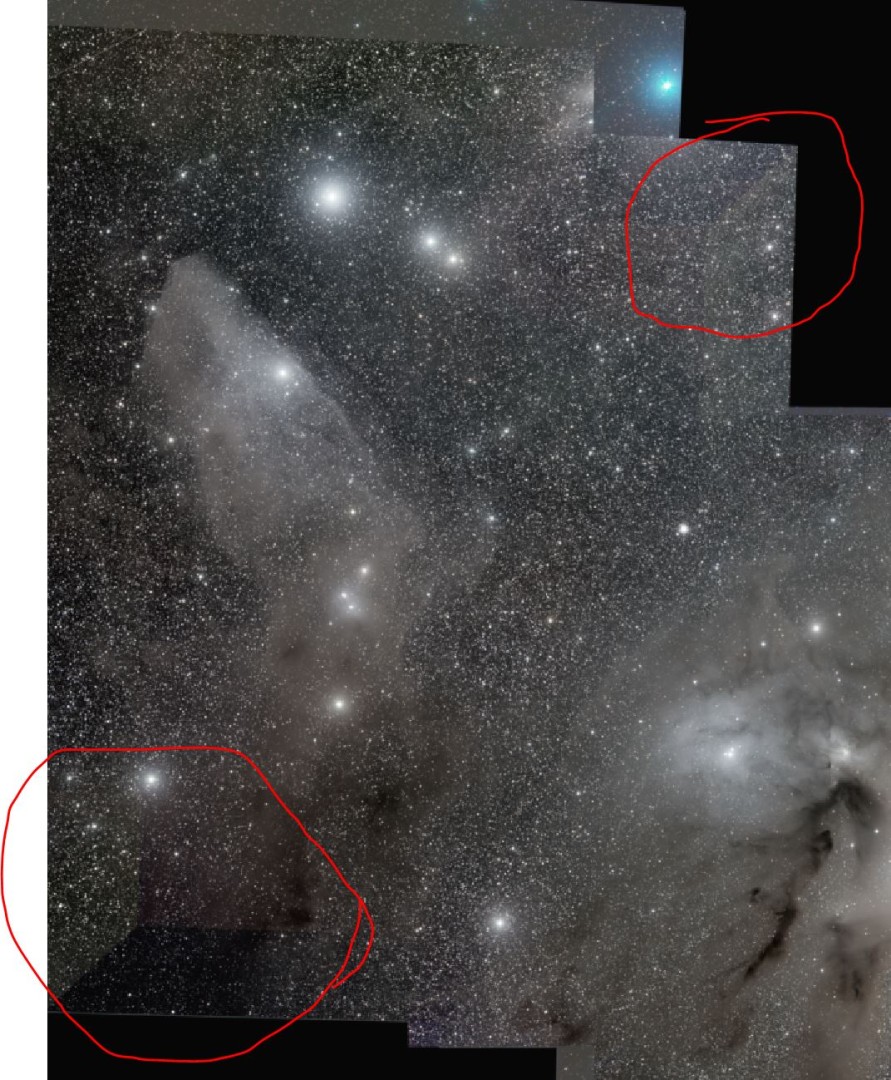
@imnewhere Which version of APP are you using? If a 2.0.0-betaX version, can you try with 2.0.0-beta9?
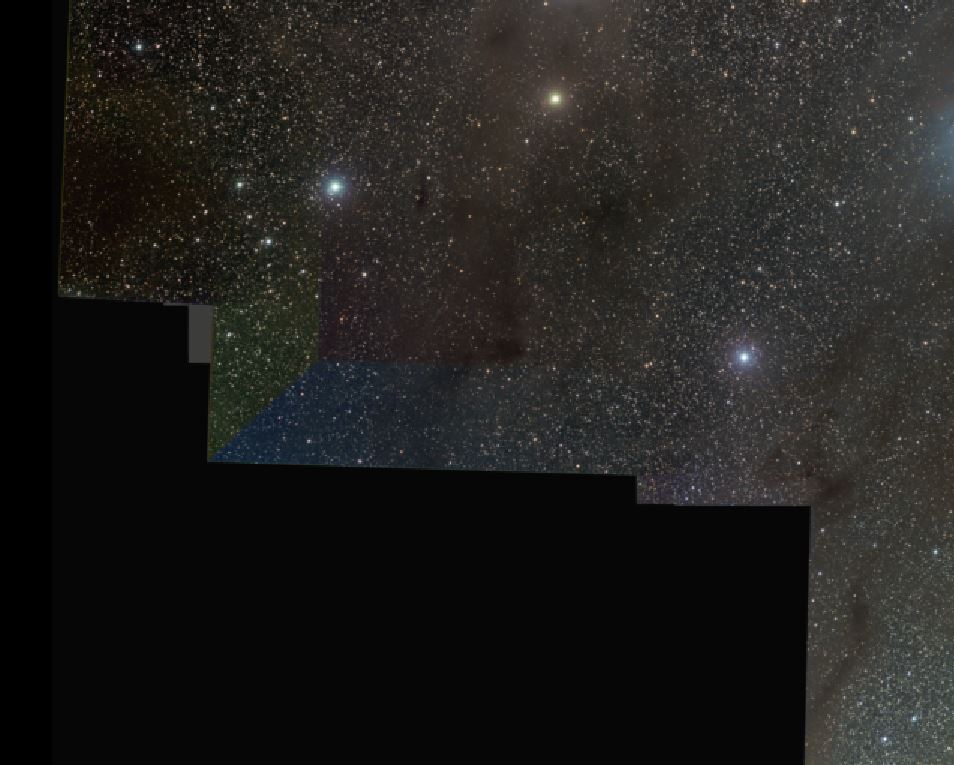
@imnewhere What kind of data are you integrating? OSC, mono or combined? What calibration data? I think the images you show are for a mosaic. Does this also happen in de individual panels? If yes, can you post an image that shows that?
@wvreeven it only happens on mono, and then I have only noticed it on shorter sets of subs regardless of total integration, for instance the following example has 2x 600s each of LRGB. Sometimes turning off MBB and LNC keeps it from happening, but not always. OSC is fine no matter how few subs there are. It will happen on a mosaic with a panel that happens to be a lower number of subs, but that same panel will do this when set as a normal integration of just that object. I have had this happen on multiple integrations and between light pollution removal and Photoshop I can make it not very noticeable, but on other things I have to crop it down past the pattern.
If you want I can upload the calibrated subs for a few different cases where this happens.
Hi @imnewhere,
What kind of normalization parameters are you using? And which settings for MBB and LNC ?
We fixed a bug a bug with the adaptive pedestal which was responsible for some normalization issues. In this case it seams that maybe enabling LNC is causing it, which is a known problem in the current implementation. Does your problem happen with LNC disabled and advanced normalization ?
Mabula
@mabula-admin
For normalization I leave things as default on regular integrations and advanced on mosaics. I found that some would end up fine if I turn off MBB and LNC, though I normally run 10% MBB and 2nd degree 3 iterations on LNC. This one I left everything at defaults for the whole run other than checking the boxes for hot pixels, cold columns, and hot columns at default.
Okay, Can you upload the data on which this occurs and give me instructions exactly on how I should process it to reproduce this problem?
https://upload.astropixelprocessor.com/
username : upload
password : upload
Please make a folder with your new like ImNewHere-normalization-issue and let me know once uploaded, I will investigate as soon as possible.
Mabula
@mabula-admin
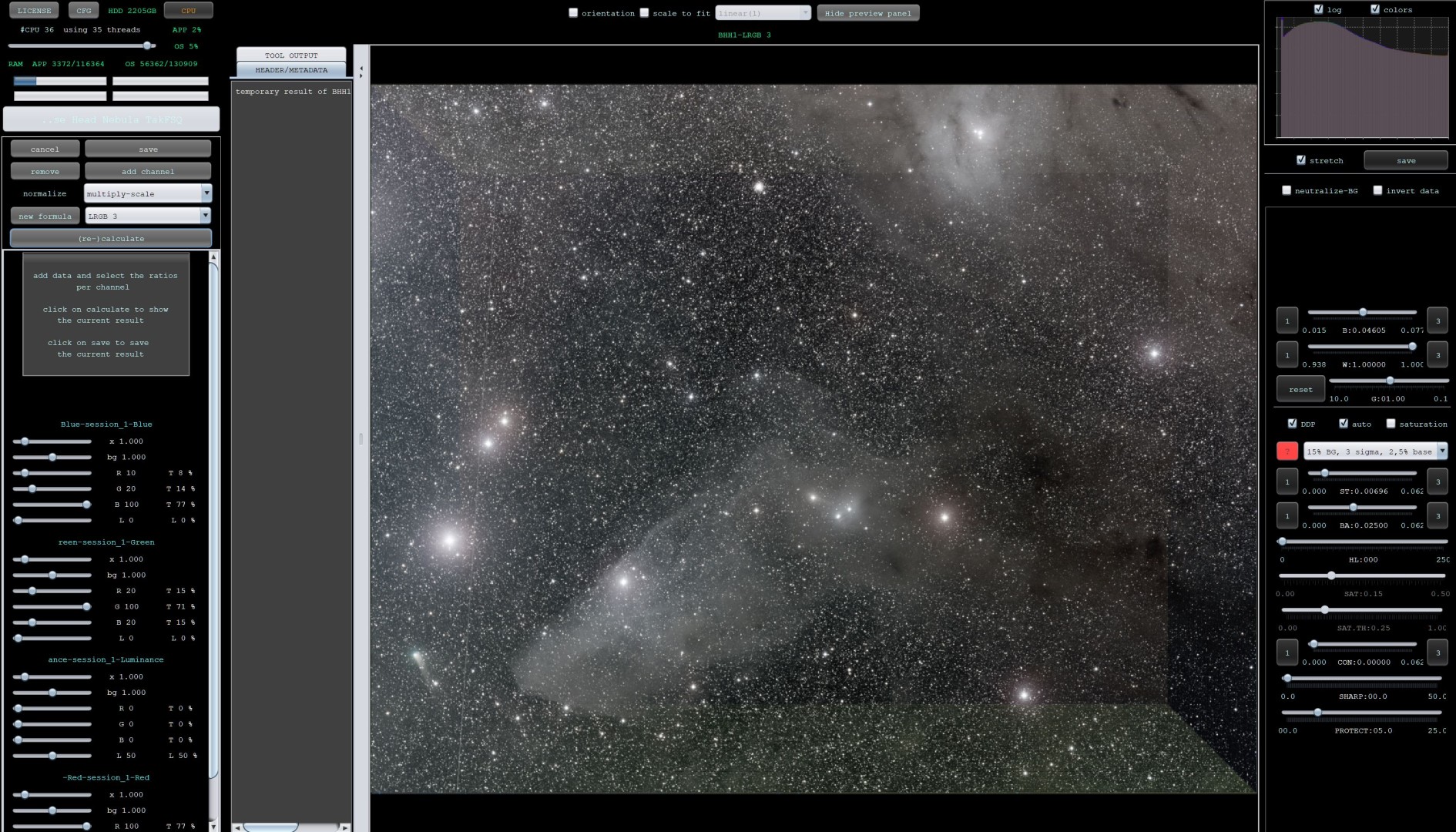
I have uploaded what gave me the attached result. It was with 2nd degree LNC 3 iterations and with MBB enabled at 10%
I did testing to see if I could get it with LNC off, MBB off, or both off and I got results that were good.