

UPDATE FROM MABULA
I have had a very rough 2 months unfortunately health wise. I was struck 3x in a row with bacterial infections. The second infection occurred after a routine hospital checkup and I became very sick. I had to rest and take a lot of antibiotics. Once I was recovering and restarting work 1 month ago, I again became sick. The infection was not yet gone, so even more antibiotics and rest was needed. Needless to say, it took a lot of my energy and I needed a lot of rest.
Finally, the infection is really gone and my energy is coming back step-by-step now and I have started work again. I am terribly sorry to have kept you waiting for support. I will address all outstanding questions and e-mails step-by step and will be on the forum daily from today.
APP 2.0.0-beta47 will come soon as well, a lot of work was already completed before I became very ill, so the release is also nearly ready for you. Beta47 will be much faster actually. Many workflows will be more than 2x faster, mosaics can even be 10x faster than before because registration really received a major boost... all compared to beta46. Before I release it, I will make sure that everything is working properly and then I will release it.
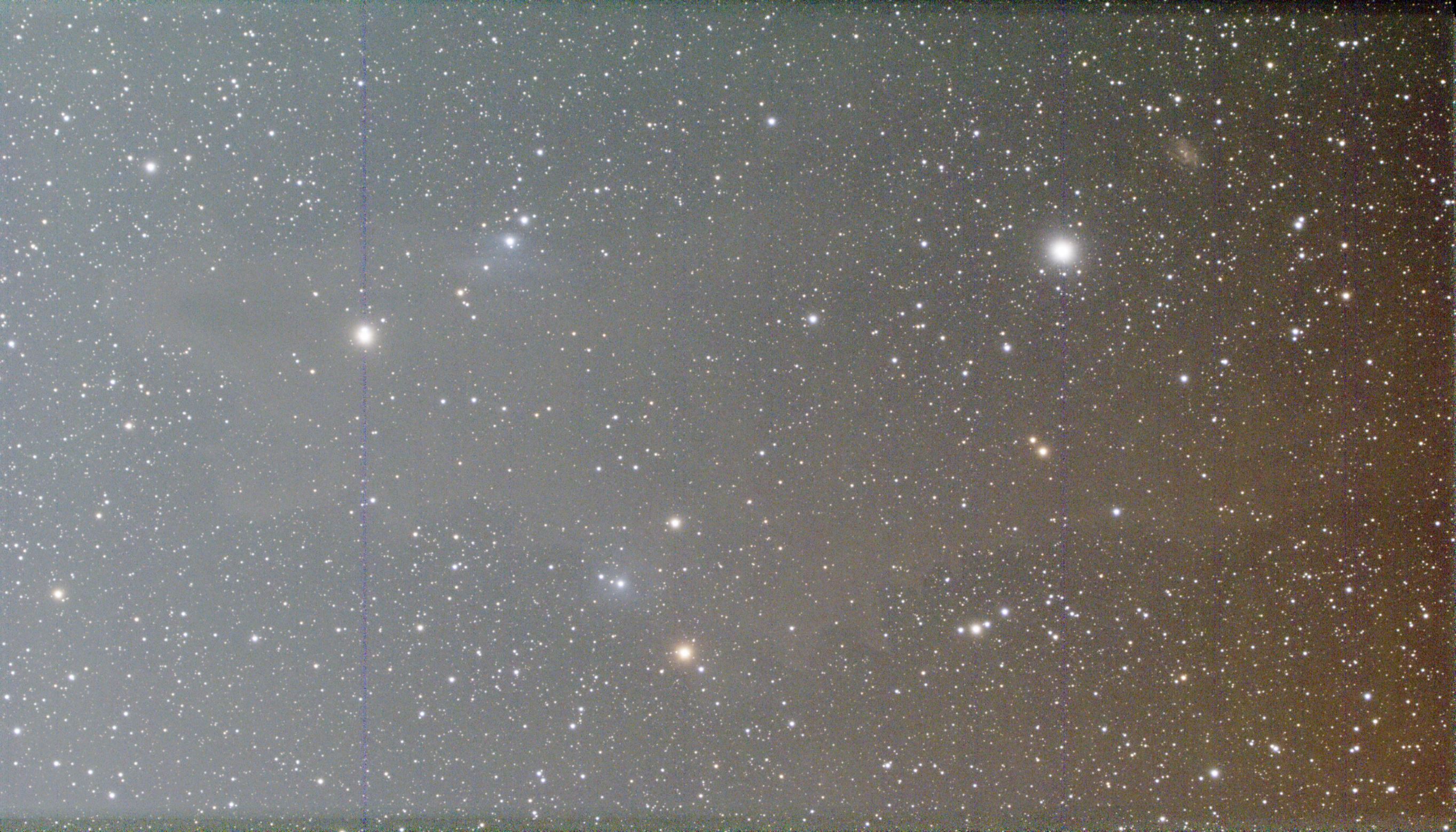
Since the last version, no 38, I could not install over 37, I re-installed 38 from scratch.
In previous versions I have never seen this problem before, also a with another image all image had big squares.
This one I processed in Siril as well and the outcome was fine, so I exclude that my callibration frames are the problem.
Kindly advise what is going on, or more precise where can be my problem.
Thanks for any advise that would guide me.
Rgds,
Hans
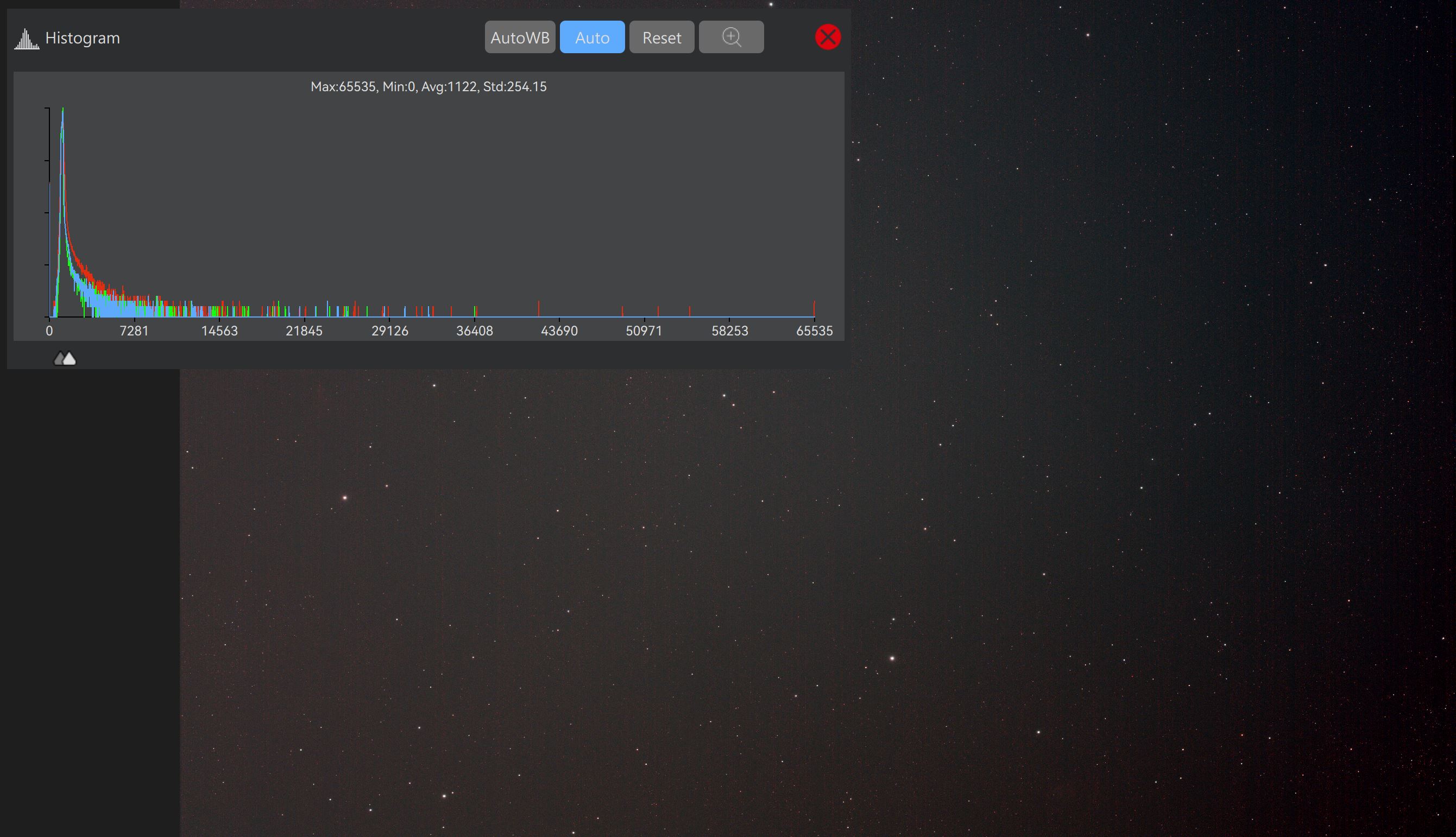
In my first post the picture was made with ASI 585MC Pro and the use of only UV/IR filter. Scope: ZWO FF65
This second second picture (3 hrs of integration) was made with Askar SQA55 with use of Optolong L-Quad filter. (No callibration shots made yet).
It seems my problem is settings in APP, not my scopes or cams used.
No reaction from Mabula or anyone else on this subject, where I have no clue where to dig to get rid of this problem.
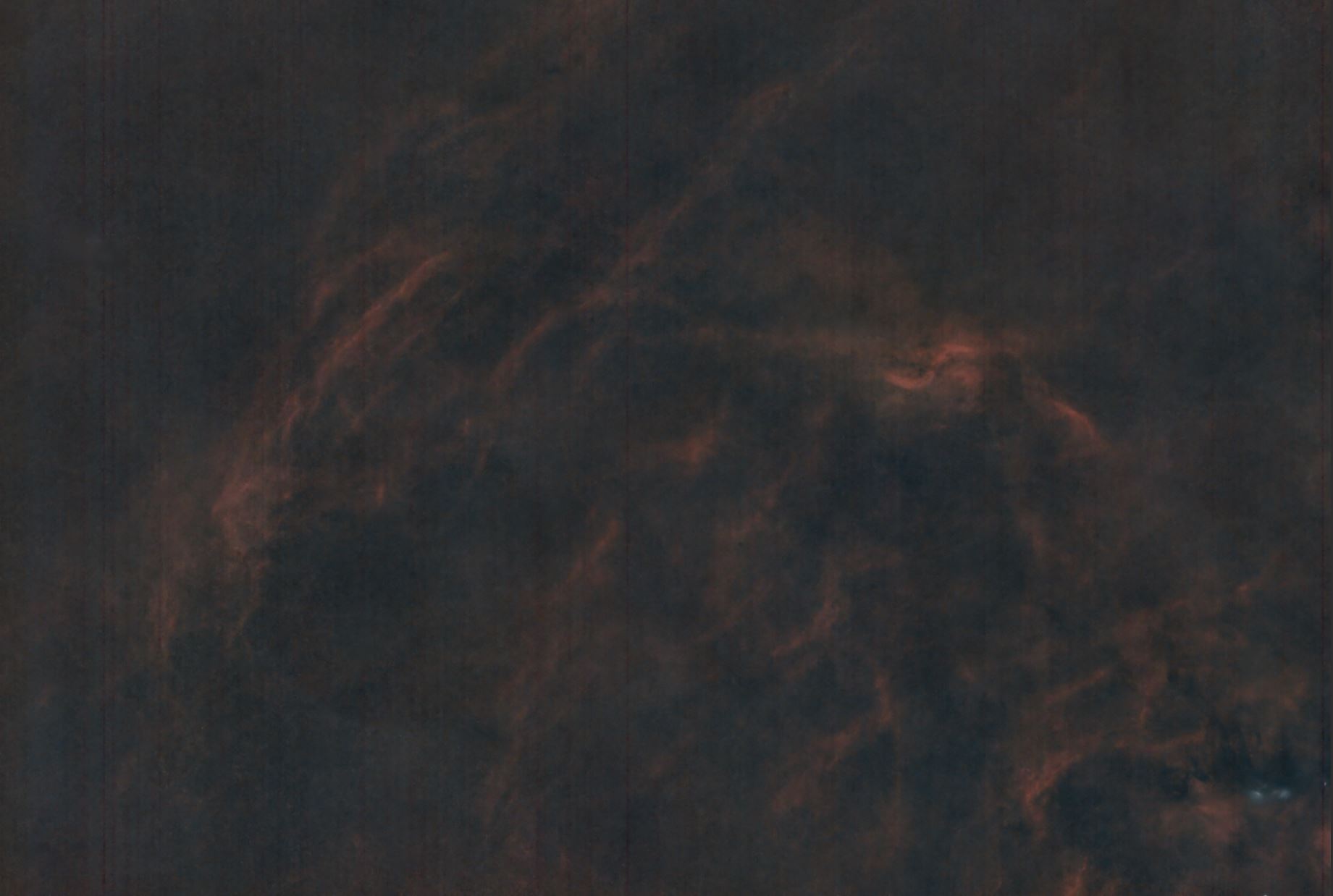
Example 3.
All settings basic in APP.
Askar 5QA55 with Ha/OIII filter and zwo 2600mc pro. 3.5 hrs integration.
@hansh What's strange about this image is that those vertical lines look like the result of oversaturated pixels from the bright stars. But I thought those issues were a thing of the past and only with CCDs. I checked and seems to be possible even with CMOS sensors especially if you have the gain turned up. Your scope and filters are not important. What is important is your gain, offset and exposure settings.
I suggest you reduce the gain to the sweet-spot - read noise drop off - for that camera, 252 for ASI 585MC Pro.
Make exposure time long enough to make sure your histogram is not blocking - pushed into the left side of histogram, but short enough to not overexpose the stars. You may not be able to do both.
If not, reduce the gain to 100 - you want at least 11 stops of dynamic range and gain of 100 on ASI 585MC Pro will give you that. Then again set the exposure as previously mentioned.
If you still need to drop the gain, you can do so but you will need to take a lot more images to cancel out the read noise. Or you can allow the brightest stars to overexpose and maybe you will not get the vertical "blooming" lines because the gain has been reduced.
Good luck!
@astrogee, thanks for your reply.
In basis I shoot with 2600 at 100 gain only, for 585 the sweet spot is 198 gain, which I use.
I am going the Asiair route, so offset is the basic ZWO offset baked into their system.
The last picture was 7 hours of data, just now have collected 17,3 hrs of data and will do the processing again.
Note: all above 3 pictures ran through Siril for double check and no banding/striping occured. That is why I am confused.
Whenever I troubleshoot a problem, I always start by identifying the root cause. Here’s how I would approach it:
- Stack only the light frames — no issues?
- If that’s clean, add the bias frames and stack again — still fine?
- Then add darks and test, followed by flats — one step at a time.
Keep going until the banding appears. That way, you’ll know which calibration file is the culprit.
Then, either reshoot the faulty calibration frames or remake the master from scratch.
Note: all above 3 pictures ran through Siril for double check and no banding/striping occured. That is why I am confused.
A lot of people like Siril. I'm not one of them 😉 Maybe try another app like deepskystacker or if you want a mac program, there is a a powerful but rather manual tool called AstroImageJ. I use it once in a while to get a more technical view of my images.
Untill version 38 I never had a problem. I love APP, just a little less now..
In worst case, I will switch back to v37 or earlier.
Anyway, for comparisson reasons I will use Siril alongside APP. Just curious to see if any differences.
Followed your steps and at the first attempt, lights only, the vertical bands already were there.
Definitely a camera issue I would say.

