

2026-10-03 APP 2.0.0-beta47 has been released !
This is a very big release... many code optimizations/rewrites, many parts of APP are much faster and more precise, especially star analysis and registration are much faster ! Big mosaics will go much faster 🙂
And we introduce a new preview filter, which includes the new Adaptive Deep Sky Stretch and a General Levels Stretch, this has been long over due. The old preview filter (the panel on the right side to stretch and preview your data) has not been updated for a couple of years and it is a critical part of any APP session.
Adaptive Deep Sky Stretch or ADSS is a much more intuitive stretch algorithm. It is also color preserving (which is a great new addition in itself ! ) which means that the highlights are no longer bleached, color is maintained from the linear data while stretching. You can simply stretch your data using the sky background level and signal width sliders which work much easier and more intuitive. You no longer need to fiddle with the old complicated sliders with zoom buttons. All the zoom buttons for the sliders are made redundant. And you can enter slider values in the slider value fields yourself. I will make a youtube video in the coming days to explain and fully introduce ADSS. Once the video is ready, it will be highlighted on the forum.
RGB Combine upgrade !. The RGB Combine Tool has been rewritten mostly. The tool is faster and easier to use and most importantly, the Luminance slider to inject a luminance channel or channels into the RGB composite is now working correctly. It no longer bleaches the RGB colors. Combined with the new ADSS preview, you will get much better and easier great composites with great color! I will also explain this in a new youtube video.
2026-10-03- UPDATE FROM MABULA
I am glad to announce that I am finally fully healed, my energy and strength are really back now !
In the past 3 weeks while recovering, I have prioritzed the release of 2.0.0-beta47. So much work has accumulated into this release that it needed to be tested extensively, but also it needed to be available for all of you. Unless a big problem is reported for this release, I expect it will be the final release, finally !, before the official 2.0.0 release.
Hi Can someone help i have a very strange effect on my light files when i load them in the Pixelprocessor see attached image and the light file. If i load the fit file in to say ASIfitview they look fine image is level in RGB and looks ok but if i load them in to Pixelprocessor the green is shifted left and has a large effect on the final processed image.
Mike
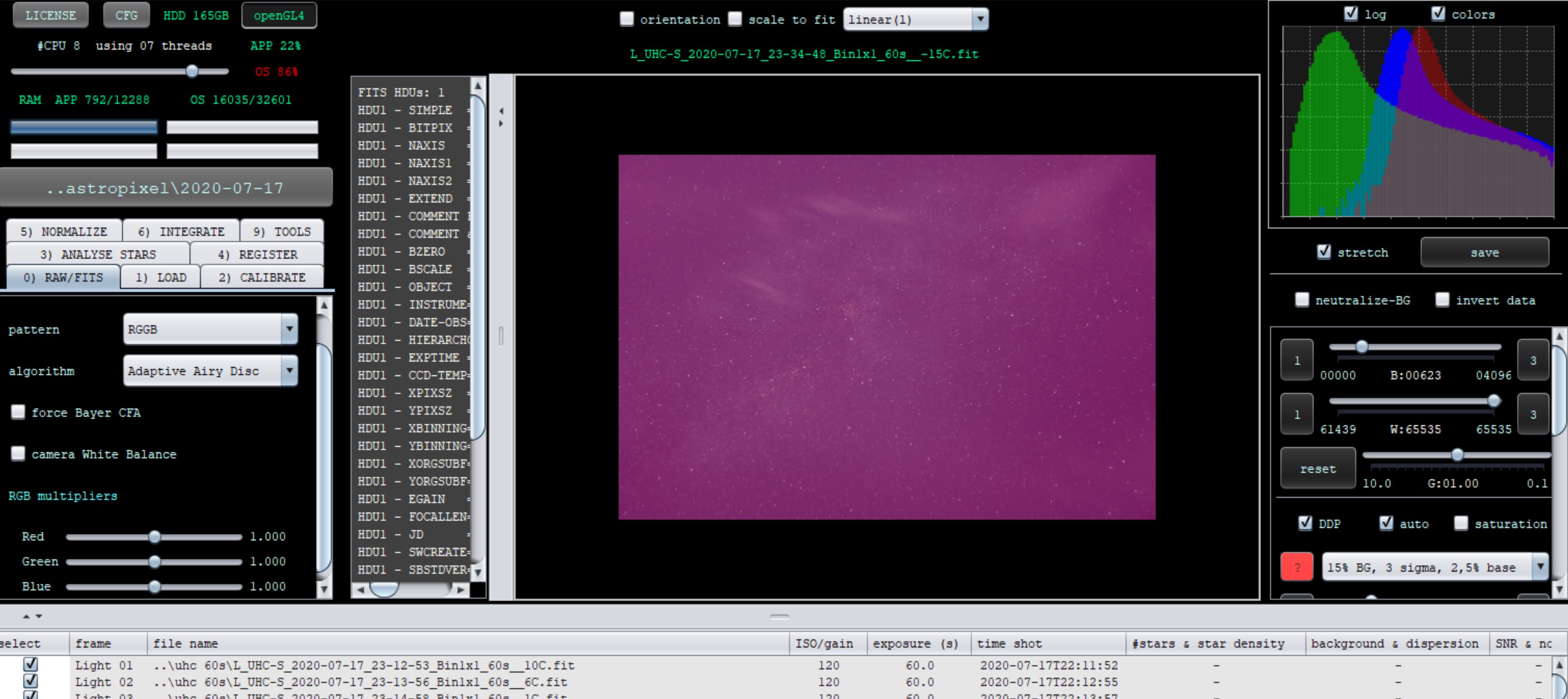
I think APP shows the actual raw result and maybe the other viewer is correcting a bit. What happens when you select “neutralize background” on the right there? This will not change the data on disk, but you can work with that and in the end save the file as seen to disk.
Hi Vincent
Thanks for the tip I will give it a go, i forgot i turned it off as i was trying startools and had to turn both background and stretch off.
Mike
