

2026-10-09 APP 2.0.0-beta48 has been released !
This is mainly a bug fix release for the reported bugs in beta47. In addition it has a significant User Interface performance improvement noticable when you need to process 1000s of images in APP.
2026-10-03 APP 2.0.0-beta47 has been released !
This is a very big release... many code optimizations/rewrites, many parts of APP are much faster and more precise, especially star analysis and registration are much faster ! Big mosaics will go much faster 🙂
And we introduce a new preview filter, which includes the new Adaptive Deep Sky Stretch and a General Levels Stretch, this has been long over due. The old preview filter (the panel on the right side to stretch and preview your data) has not been updated for a couple of years and it is a critical part of any APP session.
Adaptive Deep Sky Stretch or ADSS is a much more intuitive stretch algorithm. It is also color preserving (which is a great new addition in itself ! ) which means that the highlights are no longer bleached, color is maintained from the linear data while stretching. You can simply stretch your data using the sky background level and signal width sliders which work much easier and more intuitive. You no longer need to fiddle with the old complicated sliders with zoom buttons. All the zoom buttons for the sliders are made redundant. And you can enter slider values in the slider value fields yourself. I will make a youtube video in the coming days to explain and fully introduce ADSS. Once the video is ready, it will be highlighted on the forum.
RGB Combine upgrade !. The RGB Combine Tool has been rewritten mostly. The tool is faster and easier to use and most importantly, the Luminance slider to inject a luminance channel or channels into the RGB composite is now working correctly. It no longer bleaches the RGB colors. Combined with the new ADSS preview, you will get much better and easier great composites with great color! I will also explain this in a new youtube video.
294MC PRO, HEQ5, NINA, PHD2,
This is the same issue I have had for several months.
Light frames are all 121 gain, 120 secs, 30 offset
Once in a while I can get it to work...I had a 7 session a few months ago that went fine but that was the exception. All of the flats are taken at the same time as the dark flats are taken with NINA flat frame wizard. They are taken at the same ISO, Gain, and temperature.
I've uploaded the error as well as a screen shot showing the flats and dark flats all match.
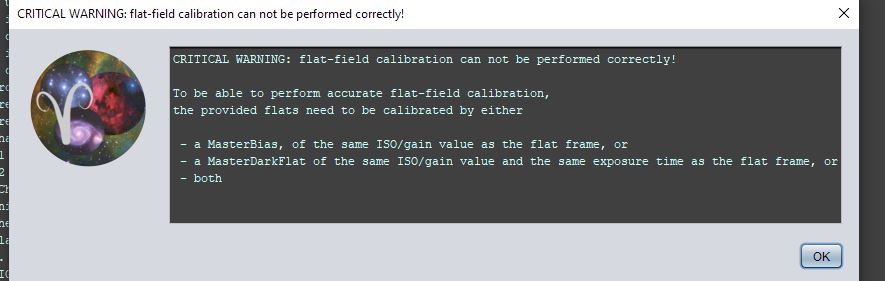


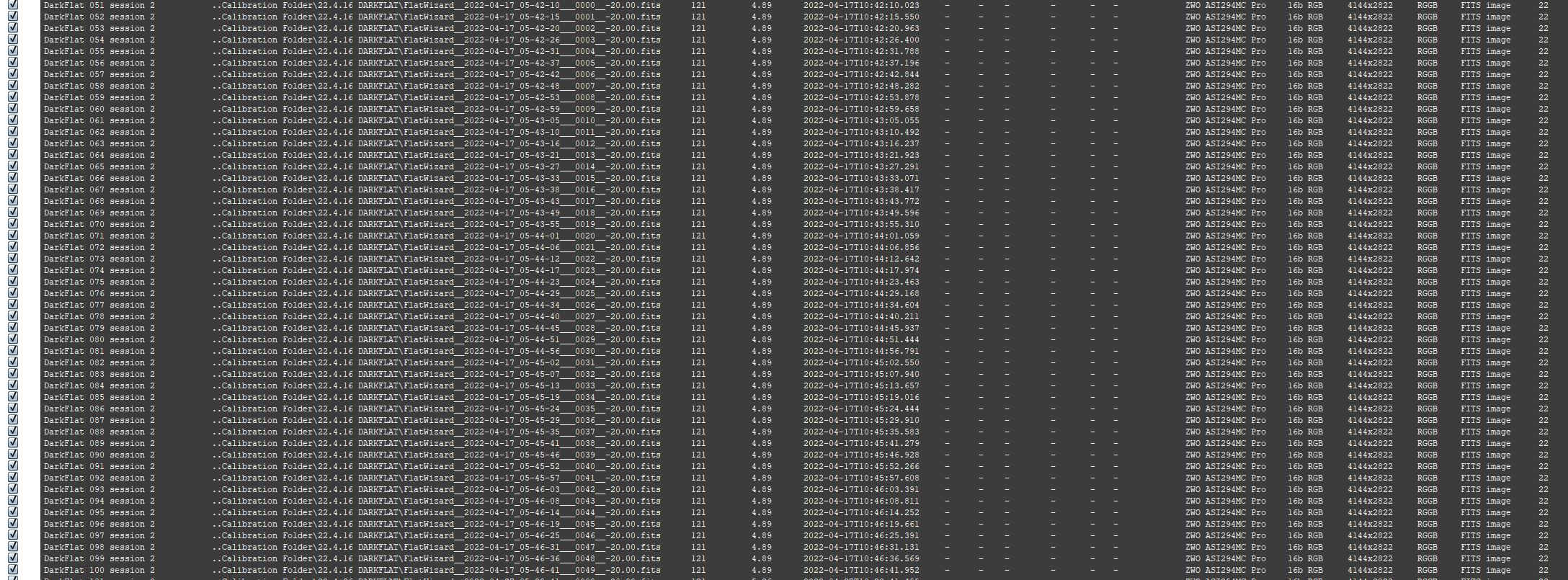
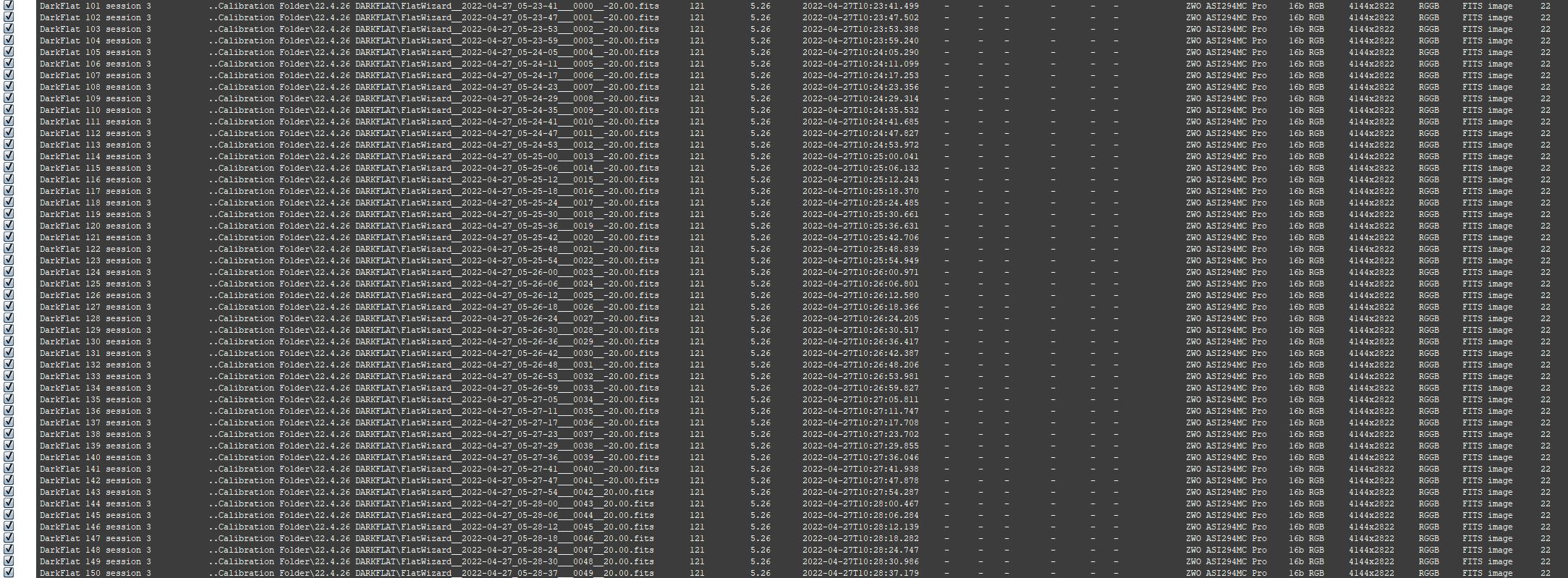
The most frustrating thing is, if I upload 5 files of each session, it will often work; however, when I incorporate the entire session is when I have problems.
After the above error, If I continue to Analyze stars I get the following error. I select ok and apply to all frames with same ISo/gain...then I have multiple master frames.


These are the same errors I have gotten time after time over the past several months.
@adstottyahoo-com Hi Andrew,
Sorry to see you have these issues. Could you upload the whole data set, or perhaps a subset that displays the error? Then we can have a look and try to fond out what's going on. Upload instructions are on the top right of any forum page. Please create a folder called adstottyahoo-com-flat-warning and put the files there. Let us know when the upload has finished and we'll investigate.
Thanks! Wouter
I can try. It will be about 20GB
I just tried to recreate the issue with a subset of the Light frames while using the full set of calibration frames-I could not recreate the issue. Then I tried the full light frame data set, and I got the error.
Below is a full screen shot of the error, which shows where in the process I get the error. This is a 3 session data set.
What is odd, I would think the error would present itself regardless of the number of
light frames because it's saying it's an issue with calibration frames. That is not the case though, and that is how it has been since I have been getting this issue...If I try small subset of light frames with the full calibration set; I will not get the error.
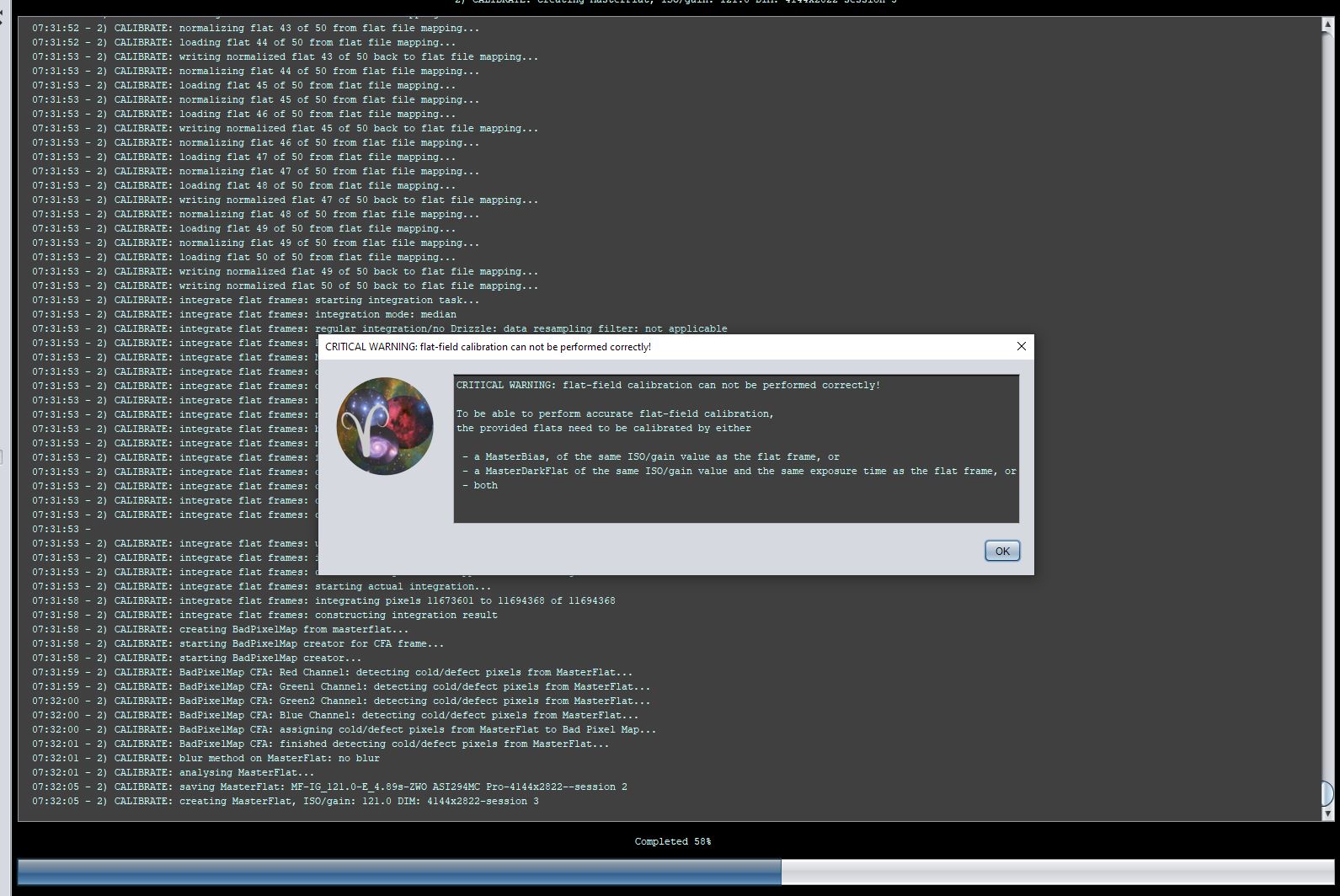
Forgot to mention, (and you can see in my post from a few months ago this happened) The additional Master frames that are created, are not created until I get the error in Analyze Stars. Once that error pop up, I have extra Master Files.
P.S. I let APP run through the process with the errors, the final image is pretty bad.
@wvreeven If anyone has time I uploaded a Youtube video of my process for adding frames. I have timestamps in the description.
I will upload frames later tonight and tomorrow...it's going to take awhile with my slow upload speed.
@adstottyahoo-com Thanks. I see you decided to call the folder AndyS_FlatField instead of adstottyahoo-com-flat-warning as I requested.
Hi Andrew @adstottyahoo-com,
Thank you for uploading the data, I will run the data myself now, to see what happens and what the cause is of your problems.
Will report back later today 😉
Mabula
Hi Andrew @adstottyahoo-com,
Indeed, I am running into the same problem with your data set. I will fix this a.s.a.p. so it will be fixed in the upcoming release 😉
Mabula
Hi Andrew, @adstottyahoo-com, in the mean time you can integrate the three sessions separately. I have successfully calibrated all sessions one by one so you should be able to integrate them. Once you have the three integrations, you can load those as lights in tab 1 (no calibration data) and register them against each other in tab 4. Then save the registered frames and you can use those for further processing.
@mabula-admin thanks. I'm just happy it wasn't me doing something wrong all this time. I appreciate it
Hi Andrew @adstottyahoo-com,
Thank you very much for reporting this issue. I have definitely located the source of the problem and it is fixed now ! So next (beta) release will have this fixed 😉
Mabula
@mabula-admin Great!!!! I will keep a lookout for the beta. I'm surprised I'm the only one with the issue. I don't do anything so different than anyone else regarding my data. The only thing I may do different is that I save the data on my imaging PC which is backed up to a synology NAS. I access my data through the NAS.
@adstottyahoo-com Andrew, I was having similar problems, but I am just seeing this now. I was able to work around it by integrating my L, R, G, B channels separately. This issue didn't crop for me until I started using NINA to process my Flats and Dark Flats. I was using the ASIStudio apps (ASI DeepSky module) to do Lights, then calibration frames, but when I did a sequence of calibration frames with NINA, I started to get the issue...I was also getting a warning from APP that my Flats and Dark Flats were multichannel, instead of mono (This was for an ASI2600MM Pro - mono camera) I suspected the issue was with NINA? but when I looked at the metadata, everything seemed to be okay...Instead, on a lark I tried processing each filter light separately and the issue disappeared. So I suspected that I was doing something wrong and adjusted my workflow to around it. Interestingly, this issue did not occur when I was solely working on narrowband frames, only L-R-G-B frames
It sure would be nice to have a printed manual. I love the tool tips, for the most part they are very helpful, but some of the major processes/options do not have any meaningful information to help you decide what to choose or how it will affect your process. I know this is a hot-topic here. I know there are video tutorials, however many of those are dated and well incomplete or don't answer/address specifics about what an option does or doesn't do.
Thanks for the info. I only shoot in one shot color. I always thought there was something that NINA was doing with the calibration frames but if that was the case I expected others to have the same problem. In APP all of the meta data looked fine which was even more in odd. Seems like Mabula figured it out so hopefully it will be fine in the next update.
I spoke too soon. I just saw the new beta is out.
