
2026-10-09 APP 2.0.0-beta48 has been released !
This is mainly a bug fix release for the reported bugs in beta47. In addition it has a significant User Interface performance improvement noticable when you need to process 1000s of images in APP.
2026-10-03 APP 2.0.0-beta47 has been released !
This is a very big release... many code optimizations/rewrites, many parts of APP are much faster and more precise, especially star analysis and registration are much faster ! Big mosaics will go much faster 🙂
And we introduce a new preview filter, which includes the new Adaptive Deep Sky Stretch and a General Levels Stretch, this has been long over due. The old preview filter (the panel on the right side to stretch and preview your data) has not been updated for a couple of years and it is a critical part of any APP session.
Adaptive Deep Sky Stretch or ADSS is a much more intuitive stretch algorithm. It is also color preserving (which is a great new addition in itself ! ) which means that the highlights are no longer bleached, color is maintained from the linear data while stretching. You can simply stretch your data using the sky background level and signal width sliders which work much easier and more intuitive. You no longer need to fiddle with the old complicated sliders with zoom buttons. All the zoom buttons for the sliders are made redundant. And you can enter slider values in the slider value fields yourself. I will make a youtube video in the coming days to explain and fully introduce ADSS. Once the video is ready, it will be highlighted on the forum.
RGB Combine upgrade !. The RGB Combine Tool has been rewritten mostly. The tool is faster and easier to use and most importantly, the Luminance slider to inject a luminance channel or channels into the RGB composite is now working correctly. It no longer bleaches the RGB colors. Combined with the new ADSS preview, you will get much better and easier great composites with great color! I will also explain this in a new youtube video.
Hello,
after several attempts I must now ask for help here. I am trying to stack shots from the past nights which were taken around Polaris. Unfortunately the process always stops at the end of the registration, and brings the following message:

According to the indications of the message, I have increased the number of stars. Once to 4000, and once to 7000, and 8000. Unfortunately without success.

I have "same camera and optics" disabled. Also without success

I enabled flip descriptors in X/Y. Also without success.

I increase the scale stop level to 10. Also without success.

I changed to the pattern recogintion descriptors to pentagons. Also without success.

I do not know what else to do. And I'm running out of patience for more experiments.
Here is an example from a sub

Could there be a problem here because the shots were taken directly at Polaris?
I had this problem once. Long story short- half of my light frames were not of the target that was labeled by NINA. When I got this error I was able to see in the list of files which Light subframes were causing the problem because APP highlighted them. Do you have any highlighted subframes when you get this error?
That shouldn't be an issue indeed. You are running the latest APP version just to confirm? Does it work without calibration frames by any chance?
If not, please upload some of the failing frames (like 10) to our server. Instructions are on the top right of the forum. Please add a directory named "dv_stranger-regFailure" and let me know once uploaded.
Thanks!
Hi!
About the highlighted subframes, its a good question. I never paid attention to that. What does it look like?
I uploaded one session into the mentioned folder. Let me know if it works with your settings.
Thank you!
I'll have a look today, wasn't needed to upload the entire dataset I think though. 😉
Ok looking at the data right now;
1. The darkflats look like flats, did you mis-lable them by accident? This means I can't use them, but I'll try to use the bias you provided. Might be a good idea to either use bias or darkflats anyway, having proper darks also already contains the bias signal and removes hot-pixels and such. So, darkflats are a good idea for the flats and then extra darks for the data.
2. On to analysis of the stars, this all looks fine.
3. Registration, this also went fine. I'm using the latest APP version, so maybe something to check as well.
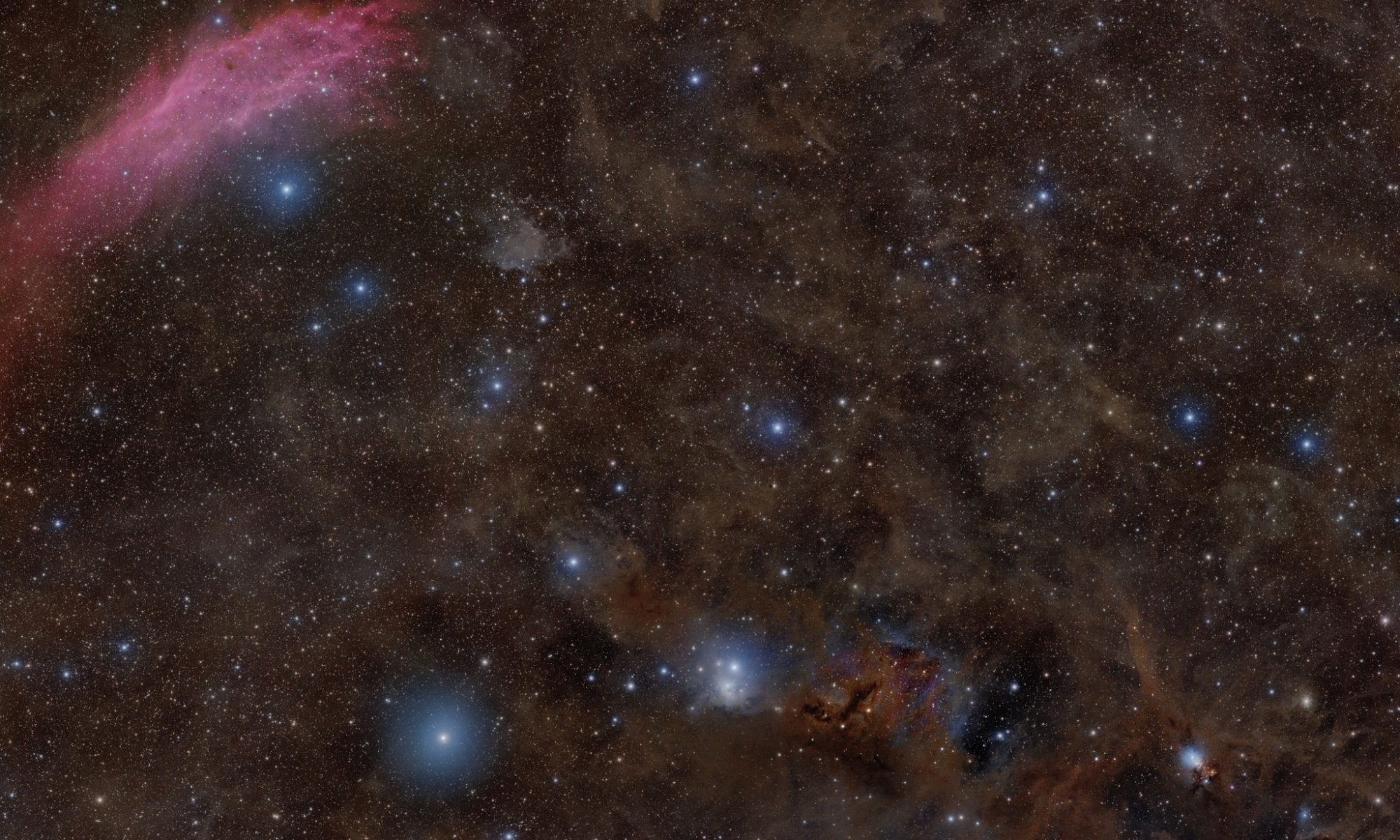
Result;

After LP correction;

Hi!
Thank you for take time to check my data.
You were right, something seems to have gone wrong with my darkflats. I have simply recreated them.
Now to the actual problem. I have been working with version 1.083.3. I have now updated to 1.083.4 on your hint. That was actually the solution to the problem! I first stacked the data, which I uploaded to your server, that worked flawlessly. Then I stacked the data of a second night, which also worked. Then I stacked all three nights together, which also worked without problems. So it was really due to a bug in the program, which was fixed in the latest version.
Thanks for the help!
I am now facing a new challenge. Maybe you have a tip for me here. Namely, how can I do a clean light pollution removal in such a dusty area?

Excellent! Yes, there was a small bug introduced in that version, so good to hear all is working again!
LP pollution correction in a dusty area can be a difficult problem indeed. A good problem to have usually, as you have good signal then at least! 🙂 Apart from having well working flats and not too much light pollution, there isn't much you can do about that. I would place the boxes, small ones are fine, as much as possible on "background". It's not possible usually to avoid placing it on areas with a bith of dust, but then choose the most faint features, these will then be removed a bit though.
I tried it, and I think for now the result is not quite as bad as expected. However, I will collect many more hours here. Currently I'm at 16 hours, and I want to at least double that.
But it's good to know that it's working now. Thanks again.

