
UPDATE FROM MABULA
I have had a very rough 2 months unfortunately health wise. I was struck 3x in a row with bacterial infections. The second infection occurred after a routine hospital checkup and I became very sick. I had to rest and take a lot of antibiotics. Once I was recovering and restarting work 1 month ago, I again became sick. The infection was not yet gone, so even more antibiotics and rest was needed. Needless to say, it took a lot of my energy and I needed a lot of rest.
Finally, the infection is really gone and my energy is coming back step-by-step now and I have started work again. I am terribly sorry to have kept you waiting for support. I will address all outstanding questions and e-mails step-by step and will be on the forum daily from today.
APP 2.0.0-beta47 will come soon as well, a lot of work was already completed before I became very ill, so the release is also nearly ready for you. Beta47 will be much faster actually. Many workflows will be more than 2x faster, mosaics can even be 10x faster than before because registration really received a major boost... all compared to beta46. Before I release it, I will make sure that everything is working properly and then I will release it.
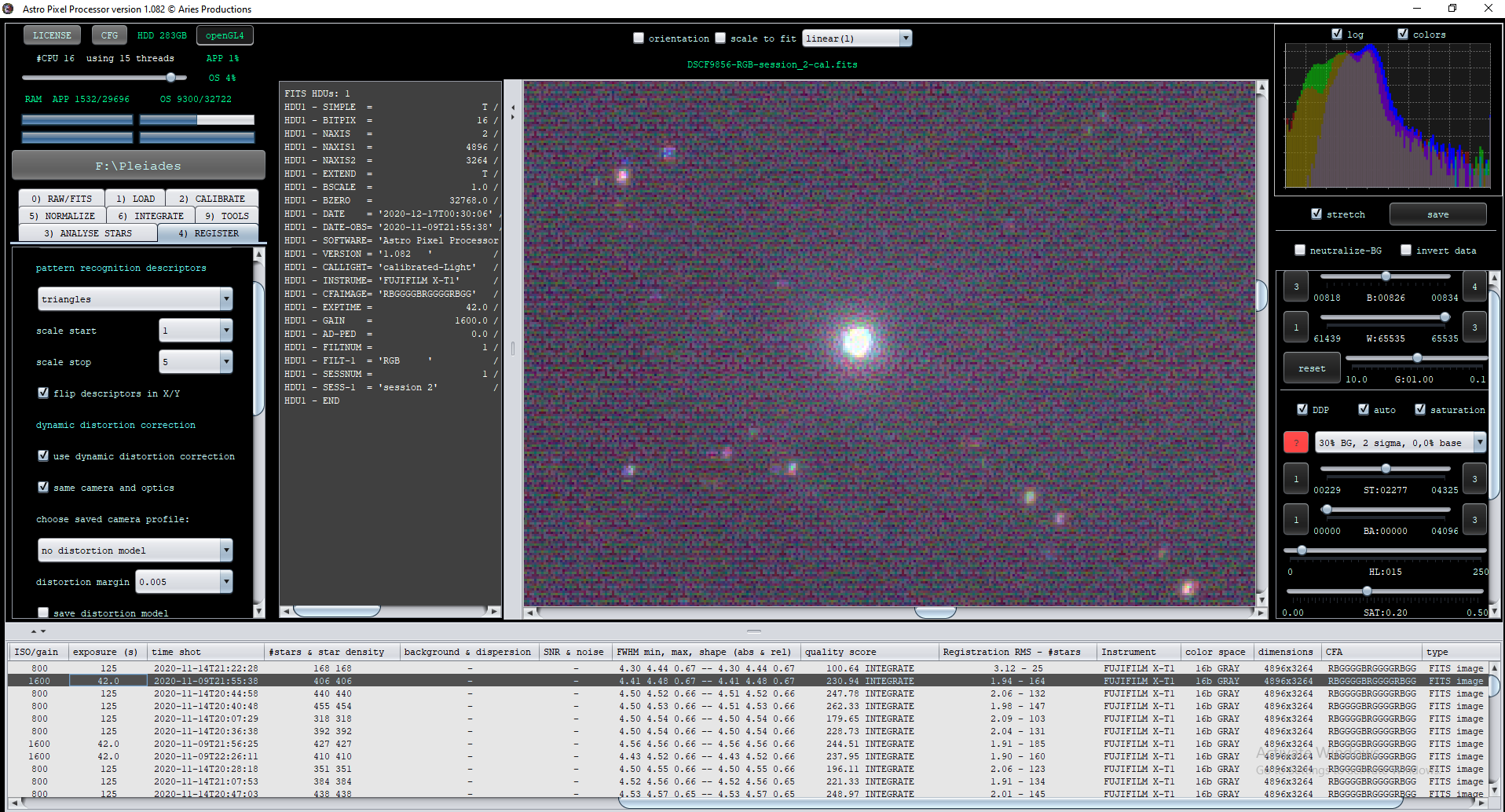
I'm using a Fuji XT-1, which uses the X-Trans sensor, doing the calibration workflow from the RAF files to a final integrated frame works flawlessly. I ran into a problem, where I wanted to save the fully calibrated light files so I don't need to calibrate ALL files again when I capture more data on this subject. I calibrated the lights and saved them (as fits). When I load one of these calibrated lights, the image is not properly debayered. When I open the calibrated fits file in ImageJ, the X-Trans pattern is clearly visible (as expected) and the CFA pattern is correctly called out in the HDU, pasted below for convenience. I believe what might be happening is that there's some ambiguity about which end of the image in the FITS file is pixel #1, which would cause the CFA pattern to be incorrect.
Attached is a screenshot of the improperly debayered file in APP.
RAF File:
https://drive.google.com/file/d/1JcIvAWfZBwqyGO9u7YaP1WUCudPJBXgT/view?usp=sharing
Calibrated Light:
https://drive.google.com/file/d/1NjvXx2nLdQ9FQzK79fm1QOSDKgzRsx3z/view?usp=sharing
SIMPLE = T / Java FITS: Tue Dec 15 07:46:34 EST 2020
BITPIX = 16 / bits per data value
NAXIS = 2 / number of axes
NAXIS1 = 4896 / size of the n'th axis
NAXIS2 = 3264 / size of the n'th axis
EXTEND = T / Extensions are permitted
BSCALE = 1.0 / scaling to 16bit
BZERO = 32768.0 / offset data range to that of unsigned short
DATE = '2020-12-17T00:40:44' / creation date of calibrated-Light
DATE-OBS= '2020-11-09T22:25:24' / observation date of calibrated-Light
SOFTWARE= 'Astro Pixel Processor by Aries Productions' / software
VERSION = '1.082 ' / Astro Pixel Processor version
CALLIGHT= 'calibrated-Light' / calibrated light frame
INSTRUME= 'FUJIFILM X-T1' / instrument name
CFAIMAGE= 'RBGGGGBRGGGGRBGG' / Color Filter Array pattern
EXPTIME = 42.0 / exposure time (s)
GAIN = 1600.0 / gain or ISO depending on instrument
AD-PED = 0.0 / adaptive pedestal from data calibration
FILTNUM = 1 / data combined from 1 filter
FILT-1 = 'RGB ' / filter used
SESSNUM = 1 / data combined from 1 session
SESS-1 = 'session 2' / capture session
END

------------------------------------------------------
(Fiji Is Just) ImageJ 2.0.0-rc-69/1.52p; Java 1.8.0_172 [64-bit]; Windows 10 10.0; 132MB of 24433MB (<1%)

Title: DSCF9894-RGB-session_2-cal.fits
Width: 4896 pixels
Height: 3264 pixels
Size: 30MB
Pixel size: 1x1 pixel^2
ID: -2
Bits per pixel: 16 (unsigned)
Display range: 0 - 65535
No threshold
Magnification: 0.25
ScaleToFit: false
Uncalibrated
Path: F:\Pleiades\DSCF9894-RGB-session_2-cal.fits
Screen location: 0,0 (1920x1080)
No overlay
No selection
Dear Bob @copper280z,
Thank you very much for sharing this issue. I will download the original and the calibrated one and I will check what is happening 😉
I will let you know if there is a bug here that needs to be fixed, or if there is another problem..
Mabula
Appreciate the fast response, thank you!
It's possible I made an error somewhere too, I'm just trying APP out for the first time.
Dear Bob @copper280z,
Thanks, there is a bug indeed with the saved calibrated frame which I need to fix a.s.a.p. Can you share a bias or dark frame in Raf format so I can properly fix this?
Mabula
Thank you Bob @copper280z,
Working on it right now 😉 I will make sure that it works properly in the next release.
Mabula
Dear Bob @copper280z,
Thank you very much for bringing this issue to our attention, it is fixed now 😉
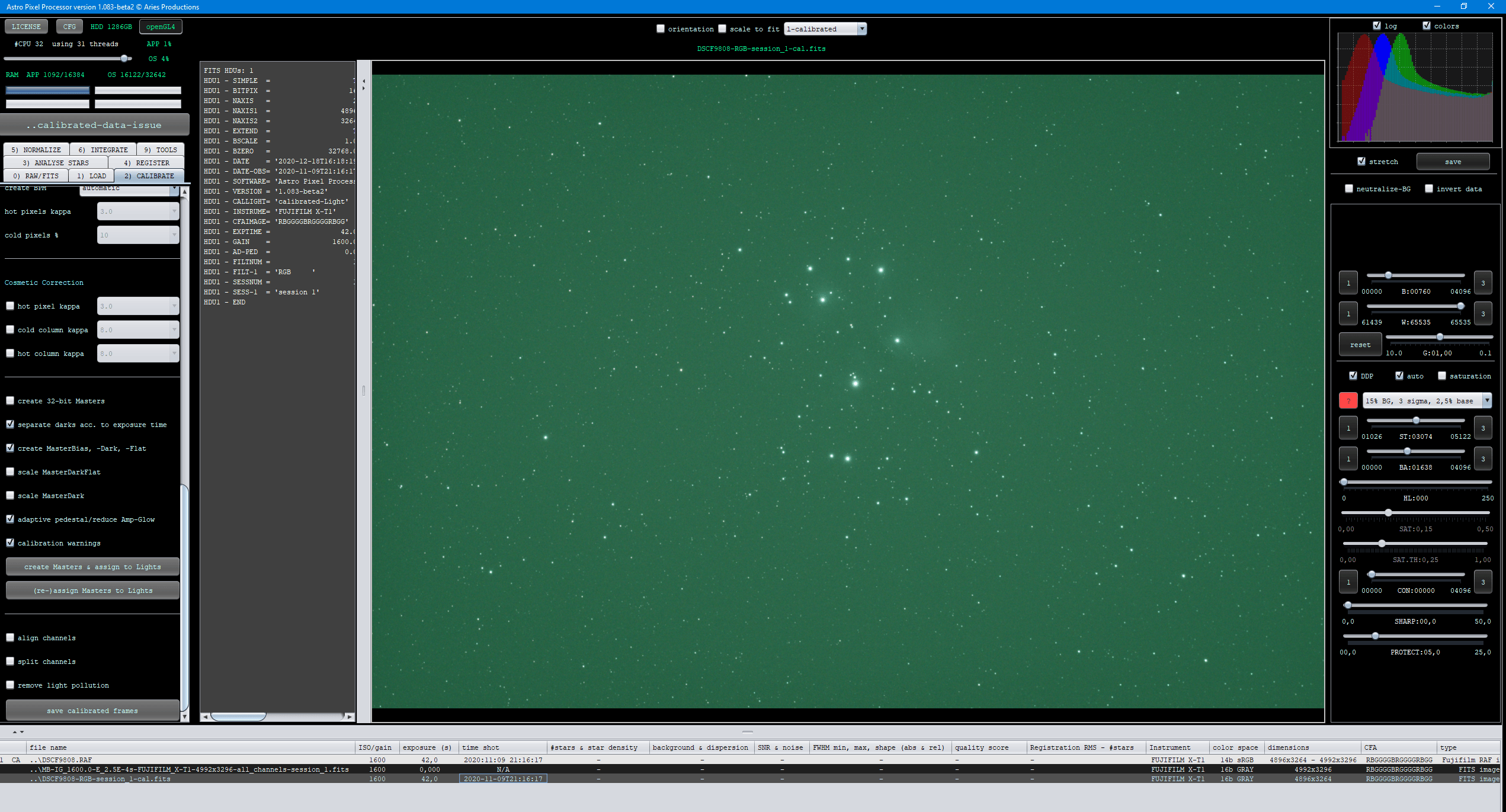
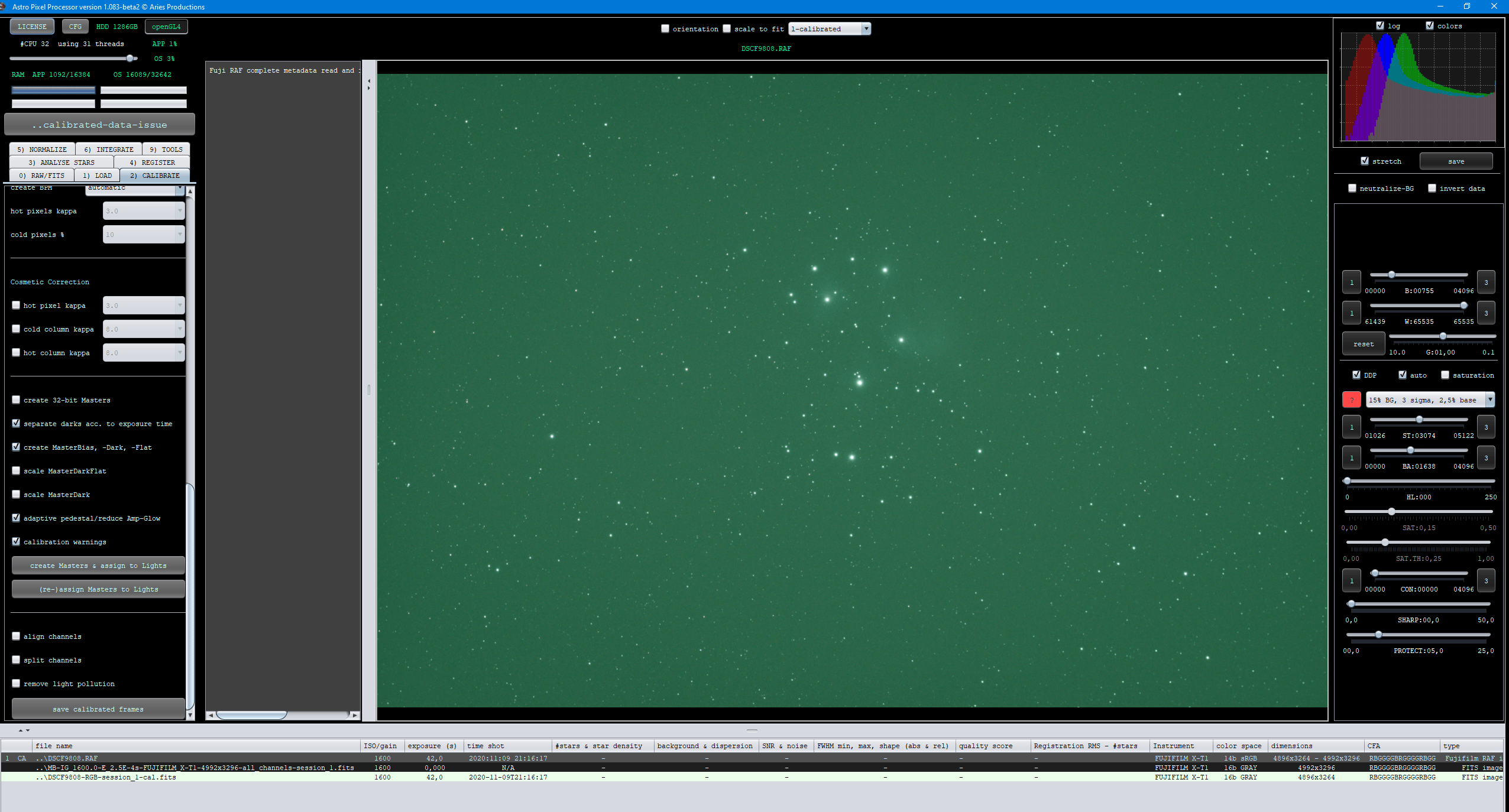
So in the next version it will work properly.
Mabula
