

Mar 28 2026 APP 2.0.0-beta40 will be released in 7 days.
It did take a long time to have the work finished on this and it will have a major performance boost of 30-50% over 2.0.0-beta39 from calibration to integration. We extensively optimized many critical parts of APP. All has been tested to guarantee correct optimizations. Drizzle and image resampling is much faster for instance, those modules have been completely rewritten. Much less memory usage. LNC 2.0 will be released which works much better and faster than LNC in it's current state. And more, all will be added to the release notes in the coming weeks...
Update on the 2.0.0 release & the full manual
We are getting close to the 2.0.0 stable release and the full manual. The manual will soon become available on the website and also in PDF format. Both versions will be identical and once released, will start to follow the APP release cycle and thus will stay up-to-date to the latest APP version.
Once 2.0.0 is released, the price for APP will increase. Owner's license holders will not need to pay an upgrade fee to use 2.0.0, neither do Renter's license holders.
Hi,
I'm not sure what you mean by "Always take all frames with the same software". You mean generate all the calibration frames in the same software?
As I mentioned before, I am trying to create an artificial flat for my 6000x4000 resolution sensor from a flat I shot on my newer camera (bigger resolution). There is no way to downscale the flat (down to the exact pixel dimensions, that I'm aware of?) from within APP, which is why I was forced to resize it in PI, then PS.
This time I resized it just in PI and didn't get any error messages but still got this:

If there was a way to rescale in APP, I am sure this wouldn't be an issue.
I'm not sure what you mean by "Always take all frames with the same software". You mean generate all the calibration frames in the same software?
My bad. I didn't notice that you are using more than one camera.
Any suggestions on how to resize the flat so that it works in APP without the grid issue?
Any chance I can get an answer on this? All I need to finish this mosaic at this point is a way to correct my a7iii frames with an artificial flat (or figure out why my flats are overcorrecting). Sadly I no longer have that camera otherwise I'd just reshoot them.
@vincent-mod @wouter-mod @mabula-admin
can you please let me know how I can create an artificial flat to correct this. I need to finish this project after many months. Using the built-in tool in APP doesn't correct anything at all but I am able to pretty successfully correct the lights artificially using a master flat from another camera aside from the strange grid effect after resizing.
Sorry for the delay Michael I've forwarded a request to Mabula for a good look as well
Hi Michael @mikeabr,
The artificial flats must have the same dimension as the raw sensor dimensions since calibration is done on the whole sensor. which has dimensions of 6048x4024 in your case. For regular camera's like yours, always a raw border is removed to get the final dimensions of the image with good pixels which is then 6000x4000. That crop where the raw borders are removed is done after calibration of the data, therefor the master calibration frames must have a dimension of 6048x4024 to be able to work on your lights.
Scaling masters is never a solution to solve your issue.
I would recommend you to focus on making proper flats instead of using an artifical flat. But if making good flats is not working at all with your camera, then the artificial flat is an option, but it will never be as good as proper flats.
Maybe the best solution for now is that you share a couple of lights, and a couple of bias or darks and I will show you how to make an artifical flat. You would a light frame with no clear object in the frame, it must contain only sky background otherwise it will be very hard to get things right.
Mabula
@mabula-admin Thank you for taking the time to take a look.
I understand that the scale must be 6048x4024, thanks for explaining that. I did rescale my master flat to that exact resolution but still get that artifact with the grid lines. Rescaling actually did still give me pretty decent results for vignette correction if it wasn't for that grid line artifact. You can see it here:
before/after

Unfortunately, I don't really have any lights without nebulosity, but you can take a look at the data as there's one shot in there without too much.
I no longer have the camera, otherwise, I would not have to resort to any of this. At this point, I just need to do the best job of removing that vignetting as possible so I can proceed with the project. The above example should be an acceptable level of correction once everything gets stitched in the end, I just need to achieve that without the grid lines that come from importing the resized master flat.
Here are the light frames + calibration frames.
Thanks Michael, I forwarded it to Mabula
@vincent-mod @mabula-admin
I figured out how to remove the grid - I added a gaussian blur to the master flat in PS and it corrects the images just fine. Still not sure what was causing that issue but at this point it is resolved - if anyone is looking back at this thread with that issue, adding 10pixels of blur to the master flat solved it.
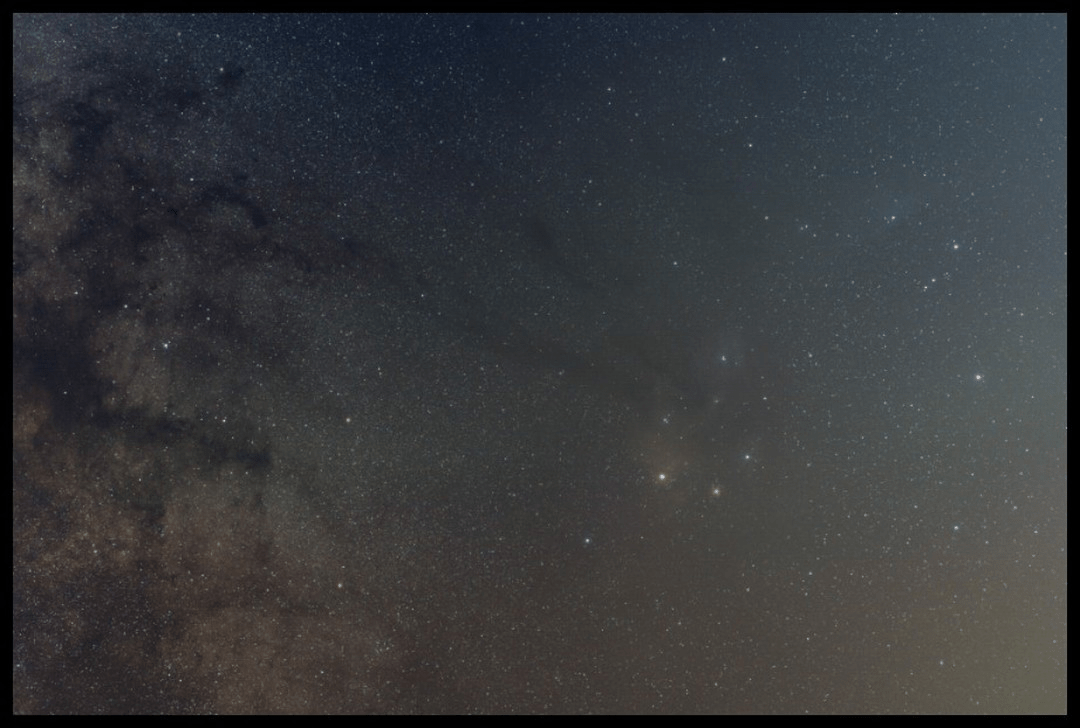
Now I am trying to assemble the final mosaic for this project (finally) using @mabula-admin's settings and for some reason I am getting misalignment in the Rho Ophiuchi region. It is the ONLY place there is misalignment, but obviously, it is an issue - what setting should I try to resolve this?


vs single light frame, should be pin point stars.

@vincent-moderator any chance this could get escalated? I'd love to get a finished result soon so I can begin the real post-processing on this.
Hi Michael.
Very nice looking mosaic !
I had this happen with my recently completed big Milky Way panorama and the problem ended up being a few frames that had double stars due to some sort of tracking problem. I had to inspect every frame in detail where this was happening and delete the few that had elongated stars. Sometimes APP fails to detect them as being low quality.
Something to consider.
Hi @mikeabr,
I think the solution would be to create the mosaic where you increase the star count in 3) so more stars in the corners of your frames are properly aligned.
But... from my earlier test on your data, it will be a bit difficult I think to get everything perfect.., because of the optical artefacts that you have in the corners of your frames. Some of the stars in the corners have so much coma (optical aberration) that it is hard to detect the star centroids and get them properly aligned. Stars with coma can't be properly analysed, the coma will give bad star centroids.
On the other hand, the location were it fails, you have a mosaic panel in there with horizon most to the top of the composition, perhaps if you remove that panel from the mosaic, all will be okay ?
Mabula
@mabula-admin What if I cropped the bad edges of every frame, or at least in key areas like rho? Would the software still be able to stitch them? or would the irregular size of each frame cause problems?
I cropped all the images that had bad corners/took out questionable frames entirely...
upped the star count to 3,000
still not aligned...

Should I upload my calibrated frames?
Update: I attempted to stitch after removing pretty much all frames with bad edges or I at least cropped out the bad parts from every frame, particularly in key areas like rho or the lagoon nebula.
Star count 3000, everything else as prescribed (actually I set the reference frame as one in the center of the composition rather than the bottom right corner, since that one was removed I believe). Resulting in even worse alignment, and now a strange discoloration in the top half of the frame.


I hope it's true what they say, "The night is always darkest before dawn". 😥
@mikeabr Be careful when cropping. How much overlap between the frames remains? APP, or any other stacking software, requires a minimum amount of overlap plus a minimum amount of stars per frame to be able to register frames.
@wvreeven There should be plenty of overlap still, I did something like 50% overlap originally and didn't crop more than like 20% for the most part.
I would not start to crop those edges away, really. You are throwing away good and valuable data in that case.
I did run your data previously and it only took me 1 try to get a good mosaic. So what is different then with your attempts now? Is it more or other data?
Are you creating mosaic panels first? Which settings in 4)?
If you have so much overlap, the star count in 3) can stay low and it would deliver good results.
Mabula
@mabula-admin I'm not sure what has changed. I tried to run with only the data I provided to you and had the exact same issues. Here are all of my panels stacked and calibrated, if you wouldn't mind taking a look once more. I think they are mostly very useable and decent pieces of data.
I used all of the exact settings you wrote in your post - so I'm not sure why I am getting this misalignment. Thanks in advance.
@mabula-admin any chance you had a moment to look at this yet? Thanks!
Hi @mikeabr,
I have not checked it yet, but I just started downloading the data that you provided now.
Looking at the file names on Google Drive, it does not look like these are already integrated mosaic panels, aren't they? How many panels are there? How many frames were integrated to get the panels? Do I need to integrate the panels first myself? It would be most helpful, if the mosaic panels are already created by you, then I can test quickly 😉
Mabula
Hi, Yes they are all mosaic panels to save you time 🙂
The a7iii panels are single exposures, aside from the one named "Rhode Island Rho...etc" as that one is roughly 50ish frames.
The a7iv panels are mostly 3 60 second subs stacked, although there are a few with a little bit longer time that I took on a separate night of the milkyway.
They are all calibrated and integrated and just need to be stitched into the final mosaic now.
All of these were shot on 85mm.
Hi Michael @mikeabr,
Okay I see.. so it is a 63 panel mosaic now using 2 camera's, where I previously processed only 33 panels... and I think from only 1 camera, right?
I am running the mosaic now and will report back what happens.
A stable solution might be to first make a mosaic for 1 camera using same camera and optics on in 4) register and then similar for the other camera. And finally mosaic those 2 together... I will try this if mosaic of all 63 panels proves too difficult somehow.
Mabula
@mabula-admin Yes, different sensors but the same lens.
I tried to stitch only the panels from the a7iv and still had a misalignment in rho ophiuchi.... Not sure what was going wrong there. I tried it multiple times. Looking forward to seeing your results.
@mabula-admin Have you had a chance to run the integration yet?
Hi @mikeabr,
No, I did not have time yet to fully process it I am afraid. It is on my list though todo... 😉
Mabula
@mabula-admin Thank you so much for taking the time to help me solve this issue.
I can't believe it has been over two months that I have been trying to stitch this mosaic, and my client is a bit confused as to what is taking so long, so I am at your mercy here. I'm not sure there is any better software than APP that can stitch it, so I am truly hoping I can get a perfect stitch from APP very soon to finally wrap this project up.
Thanks again.
Mike
Hi Mike @mikeabr,
I understand that you have pressure from a 3rd party here and I am sorry I have not yet been able to get it done for you myself. Did you at least try to see if one of the panels where the misalignment occurs has some issue somehow? Maybe one panel is causing all your problems here?
In other words, can you get a good stich if you leave out the problem area and then add 1 panel at a time until it starts giving the issue? And then make the whole mosaic leaving out that particular panel.
Mabula
