

Mar 28 2026 APP 2.0.0-beta40 will be released in 7 days.
It did take a long time to have the work finished on this and it will have a major performance boost of 30-50% over 2.0.0-beta39 from calibration to integration. We extensively optimized many critical parts of APP. All has been tested to guarantee correct optimizations. Drizzle and image resampling is much faster for instance, those modules have been completely rewritten. Much less memory usage. LNC 2.0 will be released which works much better and faster than LNC in it's current state. And more, all will be added to the release notes in the coming weeks...
Update on the 2.0.0 release & the full manual
We are getting close to the 2.0.0 stable release and the full manual. The manual will soon become available on the website and also in PDF format. Both versions will be identical and once released, will start to follow the APP release cycle and thus will stay up-to-date to the latest APP version.
Once 2.0.0 is released, the price for APP will increase. Owner's license holders will not need to pay an upgrade fee to use 2.0.0, neither do Renter's license holders.
Hi
I am now trying to use APP the way I think God Mabula intended it to be used. I have taken in all my RGB subs and run a calibration and registration. I then deselect all of the subs, excpet for the Green subs. I run Integrate. However, during the Normalization process, I get:
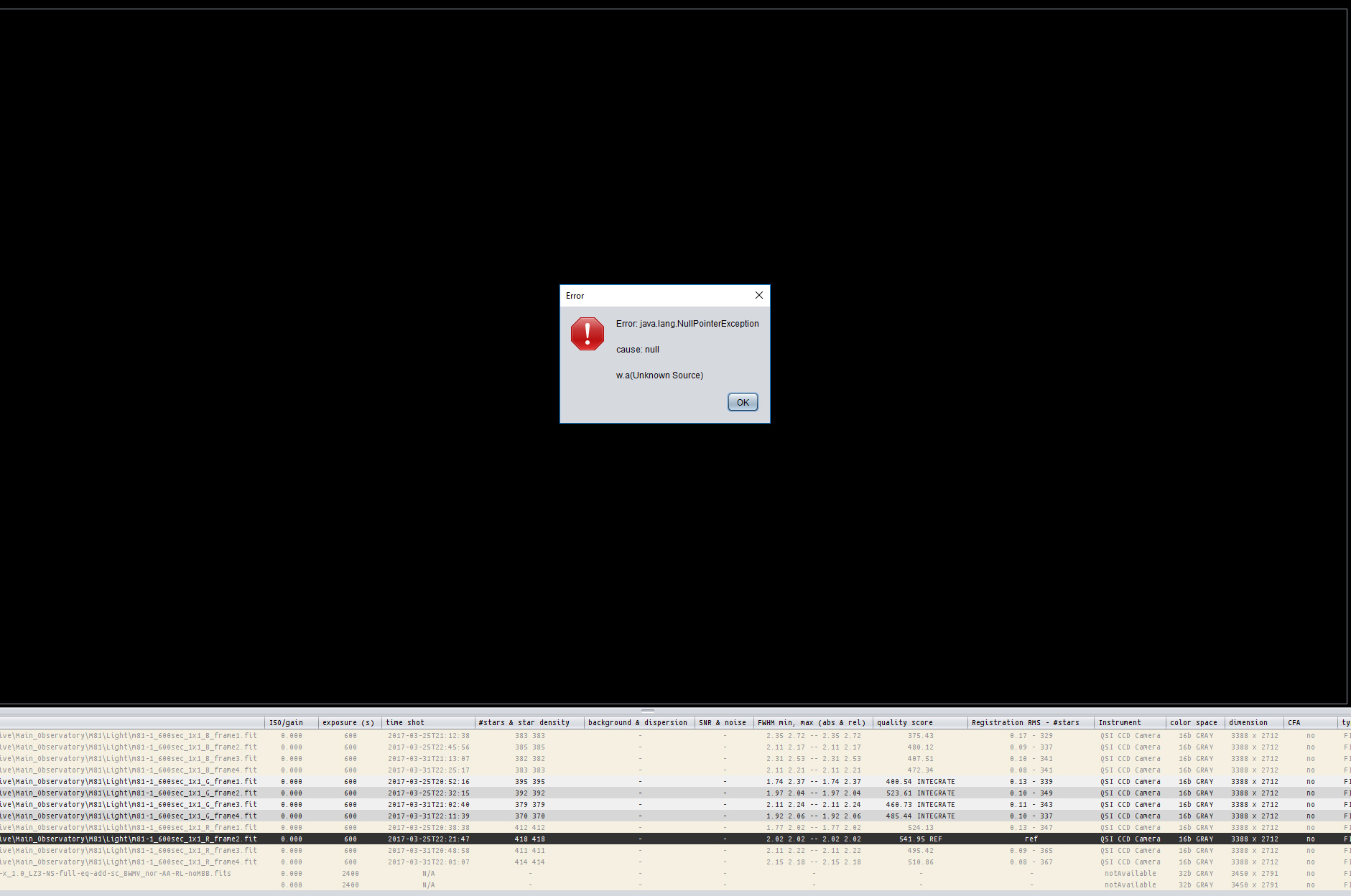
Any ideas?
I have seen that and I think you get that each time at cannot normalize one of your frames. Click ck okay or close on each time it comes up. When clicking a whole bunch of those little windows at once, be careful cuz the final one you might hit cancel all . I think I mainly see this on the Mac but not on Windows I wouldn't swear to that
Hi Steve,
I have not seen this error myself yet, so I will test it today. Does it happen each time that you try to do this?
Does it happen in both normal and advanced normalization mode? Or only in one particular mode?
Kind regards,
Mabula
Sorry Mabula, I didn't see your post. Yes, it is reproducible. I only use 'Regular' normalization mode (except for mosaics). Would I be better off using advanced? I don't really mind (within reason) how long the pre-processing and stacking takes: I want the best possible starting stacks. I will use 'advanced' if this would give me a better result.
Steve
Do your lights all have bad pixel map darks flats and bias next to them? Sometimes if the times aren't right it won't be able to normalize and you'll get that error.
Sorry Mabula, I didn't see your post. Yes, it is reproducible. I only use 'Regular' normalization mode (except for mosaics). Would I be better off using advanced? I don't really mind (within reason) how long the pre-processing and stacking takes: I want the best possible starting stacks. I will use 'advanced' if this would give me a better result.
Steve
Hi Steve,
Okay, if it happens with regular normalization then something is off, I will further test it in the coming days ;-). Advanced normalization is more complex, but please try and let me know if the result is the same or different, it could help me in diagnosing the issue.
Mabula
Do your lights all have bad pixel map darks flats and bias next to them? Sometimes if the times aren't right it won't be able to normalize and you'll get that error.
Hi Greg, did you get the error as well ?
It shouldn't happen, so if you encounter it, do let me know 😉
Mabula
Yes I encountered that error on several occasions. Each time after cancelling out of the error boxes, I looked at my Subs and several have red lines through them that were not able to normalize. These were really bad Subs that didn't fit the times or ISO or something. I went through the subs list and remove them and re-ran and everything was smooth no error.
Hi Greg,
Can you send me one of those bad subs, so I can pinpoint why an error occurs with these frames?
Thanks,
Mabula
That's too bad, do let me know if you have frame on which it happens again 😉
Mabula
Hi Steve & Greg,
I am currently finishing working on this issue so it will be fixed in 1.057 😉 for fast and trouble free multi-channel processing,
I found several bugs in the multi-channel workflow actually, which happen when you multi select/deselect the frames of a channel and try to integrate them and the reference is not part of the selected files. Different bugs were present depending on which processes 3)-5) were done on all frames or only a selection.
Will report it in the release notes as well.
Mabula
Hi Steve & Greg,
I am currently finishing working on this issue so it will be fixed in 1.057 😉 for fast and trouble free multi-channel processing,
I found several bugs in the multi-channel workflow actually, which happen when you multi select/deselect the frames of a channel and try to integrate them and the reference is not part of the selected files. Different bugs were present depending on which processes 3)-5) were done on all frames or only a selection.
Will report it in the release notes as well.
Mabula
Thanks for the update, Mabula. Looking forward to 1.057. Will it be soon?
Yes, I hope to release it within the next few days 😉
