

2026-10-09 APP 2.0.0-beta48 has been released !
This is mainly a bug fix release for the reported bugs in beta47. In addition it has a significant User Interface performance improvement noticable when you need to process 1000s of images in APP.
2026-10-03 APP 2.0.0-beta47 has been released !
This is a very big release... many code optimizations/rewrites, many parts of APP are much faster and more precise, especially star analysis and registration are much faster ! Big mosaics will go much faster 🙂
And we introduce a new preview filter, which includes the new Adaptive Deep Sky Stretch and a General Levels Stretch, this has been long over due. The old preview filter (the panel on the right side to stretch and preview your data) has not been updated for a couple of years and it is a critical part of any APP session.
Adaptive Deep Sky Stretch or ADSS is a much more intuitive stretch algorithm. It is also color preserving (which is a great new addition in itself ! ) which means that the highlights are no longer bleached, color is maintained from the linear data while stretching. You can simply stretch your data using the sky background level and signal width sliders which work much easier and more intuitive. You no longer need to fiddle with the old complicated sliders with zoom buttons. All the zoom buttons for the sliders are made redundant. And you can enter slider values in the slider value fields yourself. I will make a youtube video in the coming days to explain and fully introduce ADSS. Once the video is ready, it will be highlighted on the forum.
RGB Combine upgrade !. The RGB Combine Tool has been rewritten mostly. The tool is faster and easier to use and most importantly, the Luminance slider to inject a luminance channel or channels into the RGB composite is now working correctly. It no longer bleaches the RGB colors. Combined with the new ADSS preview, you will get much better and easier great composites with great color! I will also explain this in a new youtube video.
Hi
I am now trying to use APP the way I think God Mabula intended it to be used. I have taken in all my RGB subs and run a calibration and registration. I then deselect all of the subs, excpet for the Green subs. I run Integrate. However, during the Normalization process, I get:
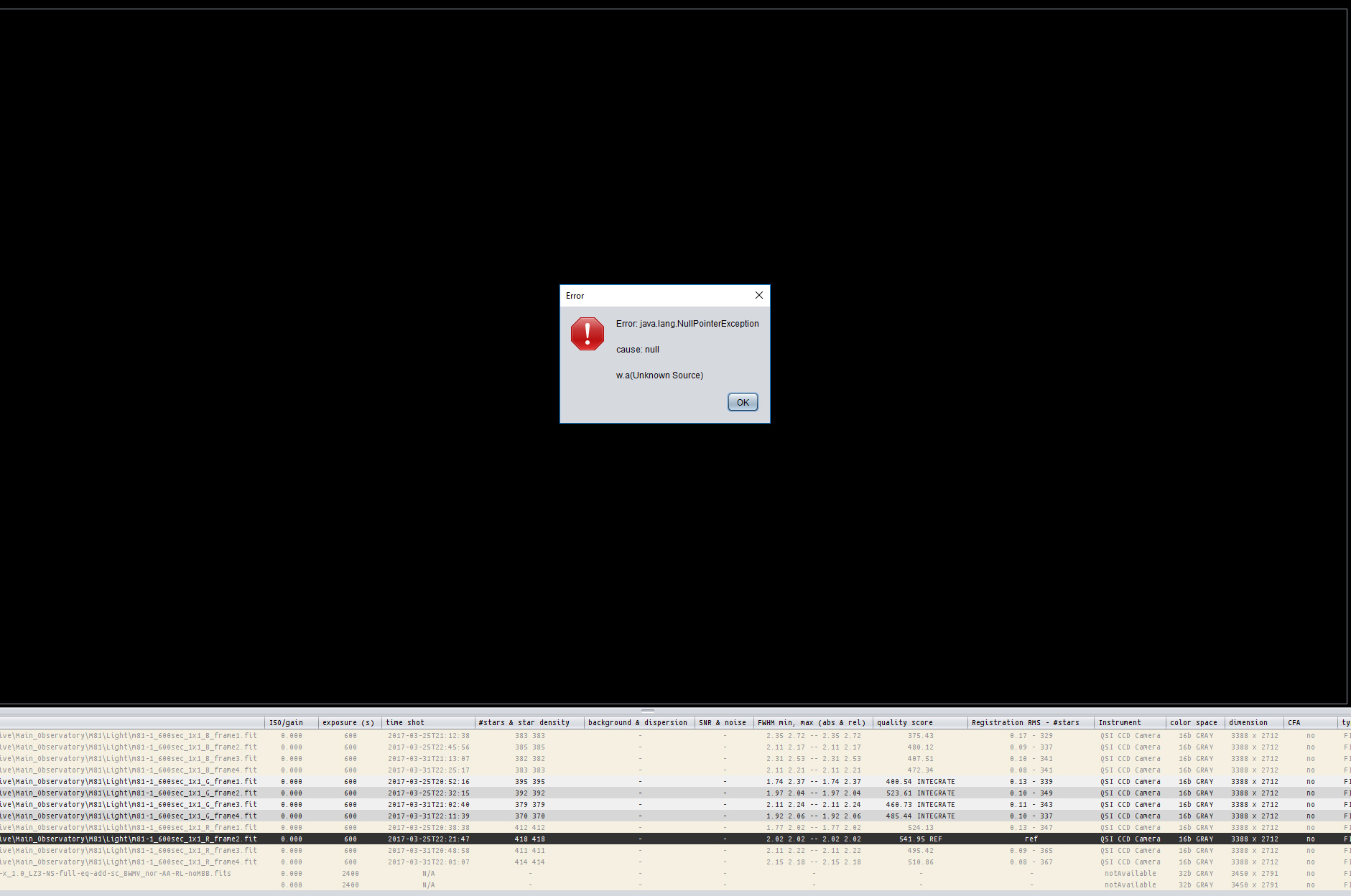
Any ideas?
I have seen that and I think you get that each time at cannot normalize one of your frames. Click ck okay or close on each time it comes up. When clicking a whole bunch of those little windows at once, be careful cuz the final one you might hit cancel all . I think I mainly see this on the Mac but not on Windows I wouldn't swear to that
Hi Steve,
I have not seen this error myself yet, so I will test it today. Does it happen each time that you try to do this?
Does it happen in both normal and advanced normalization mode? Or only in one particular mode?
Kind regards,
Mabula
Sorry Mabula, I didn't see your post. Yes, it is reproducible. I only use 'Regular' normalization mode (except for mosaics). Would I be better off using advanced? I don't really mind (within reason) how long the pre-processing and stacking takes: I want the best possible starting stacks. I will use 'advanced' if this would give me a better result.
Steve
Do your lights all have bad pixel map darks flats and bias next to them? Sometimes if the times aren't right it won't be able to normalize and you'll get that error.
Sorry Mabula, I didn't see your post. Yes, it is reproducible. I only use 'Regular' normalization mode (except for mosaics). Would I be better off using advanced? I don't really mind (within reason) how long the pre-processing and stacking takes: I want the best possible starting stacks. I will use 'advanced' if this would give me a better result.
Steve
Hi Steve,
Okay, if it happens with regular normalization then something is off, I will further test it in the coming days ;-). Advanced normalization is more complex, but please try and let me know if the result is the same or different, it could help me in diagnosing the issue.
Mabula
Do your lights all have bad pixel map darks flats and bias next to them? Sometimes if the times aren't right it won't be able to normalize and you'll get that error.
Hi Greg, did you get the error as well ?
It shouldn't happen, so if you encounter it, do let me know 😉
Mabula
Yes I encountered that error on several occasions. Each time after cancelling out of the error boxes, I looked at my Subs and several have red lines through them that were not able to normalize. These were really bad Subs that didn't fit the times or ISO or something. I went through the subs list and remove them and re-ran and everything was smooth no error.
Hi Greg,
Can you send me one of those bad subs, so I can pinpoint why an error occurs with these frames?
Thanks,
Mabula
That's too bad, do let me know if you have frame on which it happens again 😉
Mabula
Hi Steve & Greg,
I am currently finishing working on this issue so it will be fixed in 1.057 😉 for fast and trouble free multi-channel processing,
I found several bugs in the multi-channel workflow actually, which happen when you multi select/deselect the frames of a channel and try to integrate them and the reference is not part of the selected files. Different bugs were present depending on which processes 3)-5) were done on all frames or only a selection.
Will report it in the release notes as well.
Mabula
Hi Steve & Greg,
I am currently finishing working on this issue so it will be fixed in 1.057 😉 for fast and trouble free multi-channel processing,
I found several bugs in the multi-channel workflow actually, which happen when you multi select/deselect the frames of a channel and try to integrate them and the reference is not part of the selected files. Different bugs were present depending on which processes 3)-5) were done on all frames or only a selection.
Will report it in the release notes as well.
Mabula
Thanks for the update, Mabula. Looking forward to 1.057. Will it be soon?
Yes, I hope to release it within the next few days 😉
