

UPDATE FROM MABULA
I have had a very rough 2 months unfortunately health wise. I was struck 3x in a row with bacterial infections. The second infection occurred after a routine hospital checkup and I became very sick. I had to rest and take a lot of antibiotics. Once I was recovering and restarting work 1 month ago, I again became sick. The infection was not yet gone, so even more antibiotics and rest was needed. Needless to say, it took a lot of my energy and I needed a lot of rest.
Finally, the infection is really gone and my energy is coming back step-by-step now and I have started work again. I am terribly sorry to have kept you waiting for support. I will address all outstanding questions and e-mails step-by step and will be on the forum daily from today.
APP 2.0.0-beta47 will come soon as well, a lot of work was already completed before I became very ill, so the release is also nearly ready for you. Beta47 will be much faster actually. Many workflows will be more than 2x faster, mosaics can even be 10x faster than before because registration really received a major boost... all compared to beta46. Before I release it, I will make sure that everything is working properly and then I will release it.
After loading Flats, Dark Flats, and Dark calibration frames, I noticed that they have turned colors! Is this normal? My Masterflat is now a bright neon green; MasterDark is a reddish-orange; and the MasterDarkFlat is sienna. I went ahead and processed my lights and after Integration, I have a totally green image. If I select Neutralize, the majority of the image turns a bright red that I can't get rid of using the Tools. I am using the ZWO ASI183MC camera so it has a lens flare but I've never had these issues before. What am I doing wrong?
Hi Gay @starhopper,
Thank you very much for posting your issue.
You must have set something for debayering/demosaicing in the 0) RAW/FITS menu that causes this I think. You probably have enabled force Bayer/X-Trans CFA, or set a wrong Bayer/X-Trans CFA pattern ? If you disable it, all should be fine. If that does not solve it, please reset all the menus to the defaults in the LICENSE & SETTINGS menu at the top left and let me know if that solves it. If you do not see this menu, you are probably using an older APP version, please upgrade it to the latest version by downloading the latest version from our DOWNLOADS page at the top of the website.
Thanks,
Mabula
Thank you for your reply Mabula. I'm still having the same issues. I am still learning the program but the only Bayer place I can find is on the RAW/FITS screen and it was not checked on any of the images. I downloaded the updated version of AP but that didn't fix it either. When I select "normalize" on the calibration frames, they do turn gray but the final image, normalized, is red.
Master-Dark:

Master-Flat:
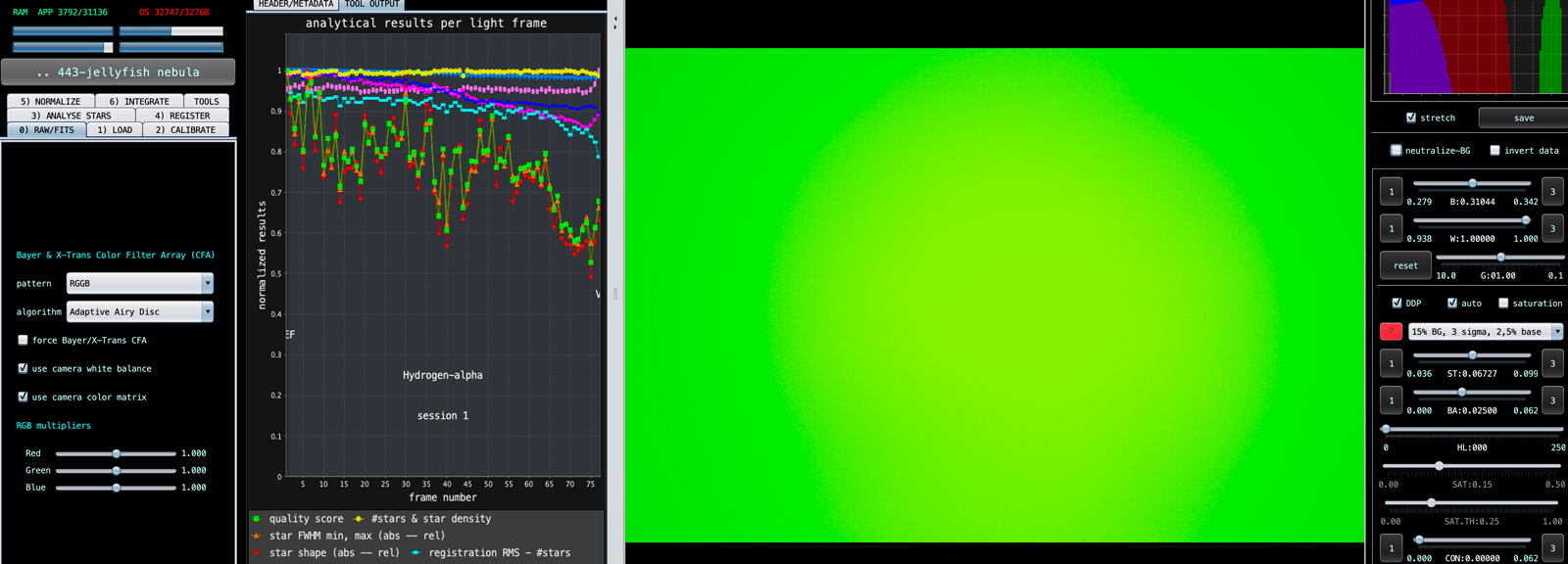
Master-Dark Flat:

Integrated:
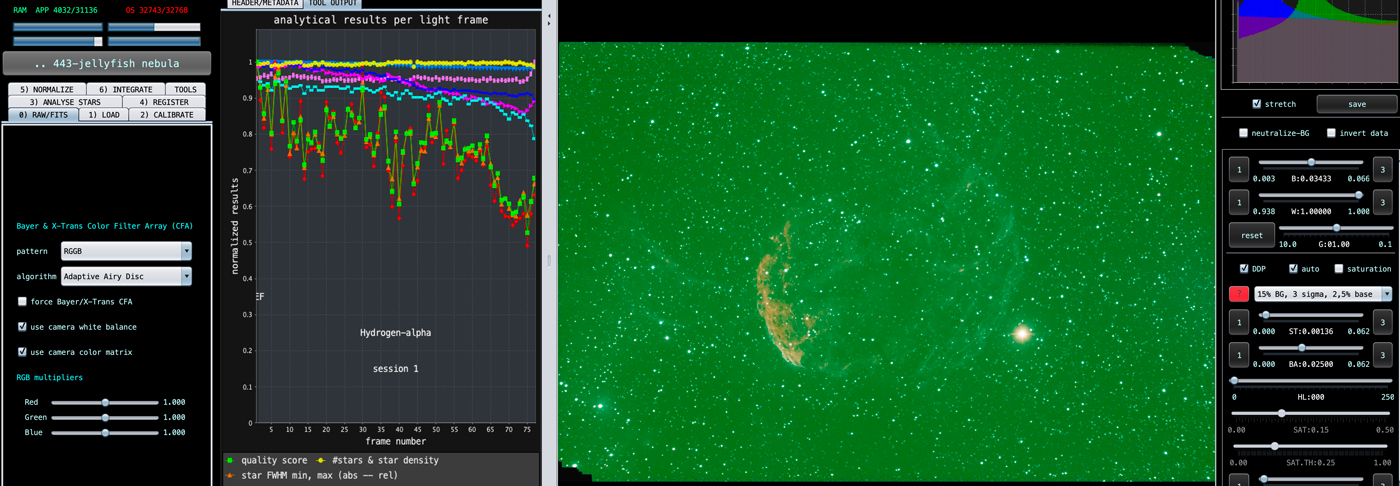
Integrated, Normalized:

Any ideas?
Thank you,
Gay
Dear Gay,
This looks like a serious problem with your optical setup actually then. The MasterDark and also the MasterDarkFlat should always be gray.
I suspect that you have either
- a clear light leak in your optical setup causing light to enter your camera while shooting darks causing them to become colored.
- or your capture method/software has a problem, so which software/hardware are you using to capture the data?
- or APP has a problem with correctly reading your data, in that case we need to know what file type you are loading like FITS or TIFF and we possibly need to see that data ourselves.
I also see that your lights have the assigned of H-alpha, so that indicates that you are trying to capture monochrome H-alpha data with your color camera right? Then I highly suspect that you have a serious light leak. The light enters your system while shooting darks and the light is red from the H-alpha filter in your optical setup causing the darks to turn reddish unwantedly.
Then when processing the lights with the calibration frames, many things are going wrong and you get weird result like this.
What you can also try to do as a test, simply only load the lights and try to integrate them, does it look a bit normal then?
Mabula
@mabula-admin I did process the image without any calibration frames and it turns out great! I cropped out the ever present lens flare that comes with the ASI183MC (at least that is what I TOLD was normal). The JPG copies of my FIT calibration files look right as they are all gray.
I have to admit that I have not gone through your tutorials so there could be many issues with processing. I used the IDAS NBZ II Nebula Booster attached to the Starizona Hyperstar and the ASI 183MC. That is why I labeled the images as I did--just for me to know what that filter is supposed to bring out (still learning). I also used the ASIAIR Pro to capture FIT files (and JPG). You probably don't need to know this, but just in case, I have a Celestron 8SE telescope on an EQ6R-Pro Mount.
I am not sure what to do about a light leak. Does that mean that my imaging train is not tight enough or is it my telescope that is the problem?
I tried to attach my FIT files but the system panicked a little. I am more than happy to send them to you because I am pretty lost at this point. I will attach my finished image without calibration frames.

Thank you SO MUCH for all your help and guidance.
Gay
Hi @starhopper,
Okay, thank you very much for all the feedback. Please upload all the data here, then I will have a good look and I will be able to advise you in all detail on what is going on and if you have a light leak or not.
https://upload.astropixelprocessor.com/
username: uploadData
password: uploadTestData
Please make a folder with your name and issue like : Starhopper-data-issue
and upload the data there and let me know once done, then I will look and get back to you as soon as possible.
Mabula
Hi @starhopper,
Thank you very much for your upload, I will look at your data in the coming week and will get back to you with my feedback.
Mabula
Just curious if you were able to figure out my issue yet.
Thanks, Gay
Hi Gay @starhopper,
No not yet, sorry to keep you waiting. I have moved it to the top of my list, so should look at it tomorrow or sunday for sure 😉 I will get back to you with my findings.
Mabula
I'm sure you are swamped. I appreciate your taking time to figure out my mess. I have since tried another camera to see if there were issues with those images and it turned out the same but quite pixelated as well! I am beginning to wonder if my ASIAIR is beginning to fail.
Anxiously, yet patiently, awaiting your findings,
Gay
Thank you very much for your understanding Gay @starhopper, I will let you know more as soon as possible.
Hi Gay @starhopper,
I have studied your data and I get the same problem results as yours.
Based on your darks and flatdarks being colored, reddish, I do highly suspect that you have a light leak. The darks and flatdarks should be purely gray. Since you were making H-alpha exposures and the darks being red, I suspect that the light leak is in front of the filter. So check all adapters in front of the filter.
Another good way to see if you have a light leak, is to simply try and make dark in day light. Cover the aperture of the telescope robustly and shoot a dark of 1 minute. That dark should then clearly show you that light is entering the system where you don't want it to enter.
Were you able to sort out the issue yourself in the meantime?
Mabula
Thank you for your reply! No, I am still having the same issues. The weird thing is that when I put my calibration frames into APP, it gets to #21 and says the file is corrupted. I take #21 out and run again and the new #21 is also corrupt. I appreciate your guidance--especially knowing where to look. I did try to hunt down a light leak a couple months ago but couldn't find one. I will try it again though. ...if it isn't one thing, it another, right!? Do things EVER go smoothly with this hobby?
Thanks again,
Gay
