

2026-10-09 APP 2.0.0-beta48 has been released !
This is mainly a bug fix release for the reported bugs in beta47. In addition it has a significant User Interface performance improvement noticable when you need to process 1000s of images in APP.
2026-10-03 APP 2.0.0-beta47 has been released !
This is a very big release... many code optimizations/rewrites, many parts of APP are much faster and more precise, especially star analysis and registration are much faster ! Big mosaics will go much faster 🙂
And we introduce a new preview filter, which includes the new Adaptive Deep Sky Stretch and a General Levels Stretch, this has been long over due. The old preview filter (the panel on the right side to stretch and preview your data) has not been updated for a couple of years and it is a critical part of any APP session.
Adaptive Deep Sky Stretch or ADSS is a much more intuitive stretch algorithm. It is also color preserving (which is a great new addition in itself ! ) which means that the highlights are no longer bleached, color is maintained from the linear data while stretching. You can simply stretch your data using the sky background level and signal width sliders which work much easier and more intuitive. You no longer need to fiddle with the old complicated sliders with zoom buttons. All the zoom buttons for the sliders are made redundant. And you can enter slider values in the slider value fields yourself. I will make a youtube video in the coming days to explain and fully introduce ADSS. Once the video is ready, it will be highlighted on the forum.
RGB Combine upgrade !. The RGB Combine Tool has been rewritten mostly. The tool is faster and easier to use and most importantly, the Luminance slider to inject a luminance channel or channels into the RGB composite is now working correctly. It no longer bleaches the RGB colors. Combined with the new ADSS preview, you will get much better and easier great composites with great color! I will also explain this in a new youtube video.
I know I'm preaching the choir, but I just spent two solid 10-hour days plus six more hours yesterday to create a 2x3 mosaic using the free 45-day Pixinsight Trial (my third attempt to scale the bulwark). This morning I spent just over two hours and produced a much better result using Astro Pixel Processor.
In both cases I used the same six previously calibrated and stacked FITs files. In both cases I was familiar with the interface but had to cookbook the process. Learning curve and interface were not the issue.
I was up to version 4.3 (no, really) on my PI effort after several wretched failures and decided the result was good as it could get and abandoned the effort having tamed the beast. But to what end?
With APP I went with V1.0, a seamless, good looking mosaic. Used Tools to crop, rotate, remove light pollution, calibrate star colors, and reduce stars a bit. Took a crack at the cropped version with StarTools but stayed with the APP version. Tidyb it up with Lightroom.
Yesterday I was prepared to lay down $200 for PI. Today? No way. I wish I'd invested those 26 man-hours in learning more about the intricacies and opportunities presented by APP.
Sure, some will say that only a poor craftsman blames his tools. But seriously, does a hammer really need a ratchet handle? Does a screwdriver need to have the point sharpened for every use?
There seems to be some kind of, "You aren't a real astrophotographer if you don't use PI," vibe out there. To paraphrase Marcus Aurelius, "Waste no more time arguing about what software a good astrophotographer should use. Be a Man and use Astro Pixel Processor.”
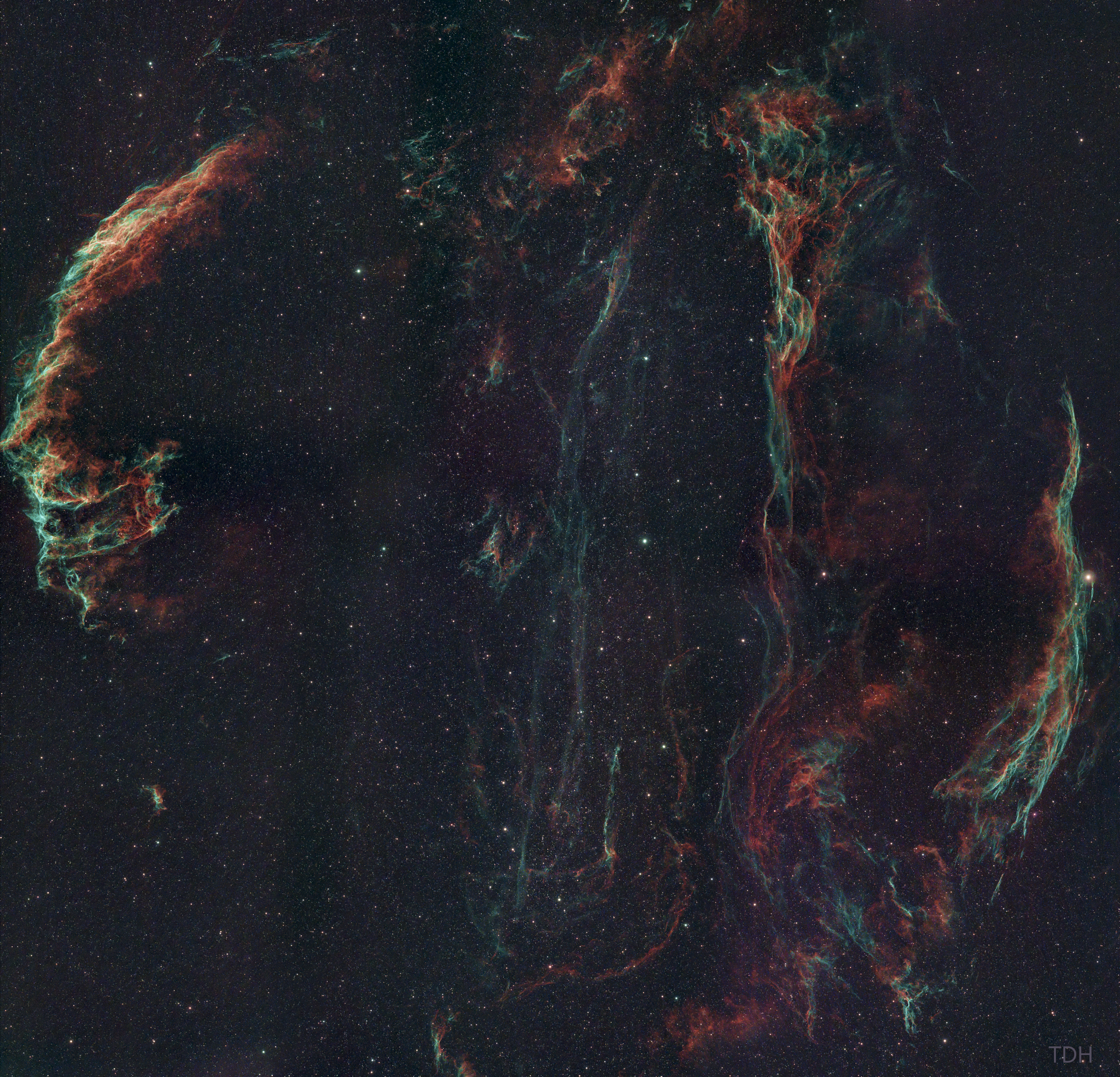
That's an incredible image!
By the way, my browser (Firefox on MacOS) doesn't show the TIF file so I needed to download it to be able to see it. Can you post a JPEG version please?
@tailspin45 Beautiful result indeed! I'm always as honest as possible when it comes to packages that people use. Even though I work here, I of course know people use all kinds of software and I think that's great. Use whatever works for your workflow. PI has been around for a long time so it has a good basis, I own it myself (as I also started with it), I liked the amount of tuning you can do etc. But, it's not easy. Which I don't mind, but when I found APP and tried that as well while I was doing my first ever mosaic, I was creating them while I was taking the data (just to check if the mosaic worked as planned). That alone blew my mind, as I knew it would take me days to figure it out in PI. So, I realized that software can be easy AND produce a great result, the more I used it, the more I created results that were simply the same with less hassle. I do still use it for stuff APP doesn't have yet, as everyone does I think.
Here's a PNG, Wouter, can you read that OK?

@vincent-mod
Here's the PI version. I agree that it has some tools that are not part of APP yet. But I'm not sure I often need a left handed spanner. I'll readily admit a PI expert probably could produce a better result, BTW.

Did you use LNC and MBB on the APP result? Just curious as I see the edges of the frames I think still. Anyway, for just a few hours, very impressive! 🙂
