This is mainly a bug fix release for the reported bugs in beta47. In addition it has a significant User Interface performance improvement noticable when you need to process 1000s of images in APP.
2026-10-03 APP 2.0.0-beta47 has been released !
This is a very big release... many code optimizations/rewrites, many parts of APP are much faster and more precise, especially star analysis and registration are much faster ! Big mosaics will go much faster 🙂
And we introduce a new preview filter, which includes the new Adaptive Deep Sky Stretch and a General Levels Stretch, this has been long over due. The old preview filter (the panel on the right side to stretch and preview your data) has not been updated for a couple of years and it is a critical part of any APP session.
Adaptive Deep Sky Stretch or ADSS is a much more intuitive stretch algorithm. It is also color preserving (which is a great new addition in itself ! ) which means that the highlights are no longer bleached, color is maintained from the linear data while stretching. You can simply stretch your data using the sky background level and signal width sliders which work much easier and more intuitive. You no longer need to fiddle with the old complicated sliders with zoom buttons. All the zoom buttons for the sliders are made redundant. And you can enter slider values in the slider value fields yourself. I will make a youtube video in the coming days to explain and fully introduce ADSS. Once the video is ready, it will be highlighted on the forum.
RGB Combine upgrade !. The RGB Combine Tool has been rewritten mostly. The tool is faster and easier to use and most importantly, the Luminance slider to inject a luminance channel or channels into the RGB composite is now working correctly. It no longer bleaches the RGB colors. Combined with the new ADSS preview, you will get much better and easier great composites with great color! I will also explain this in a new youtube video.
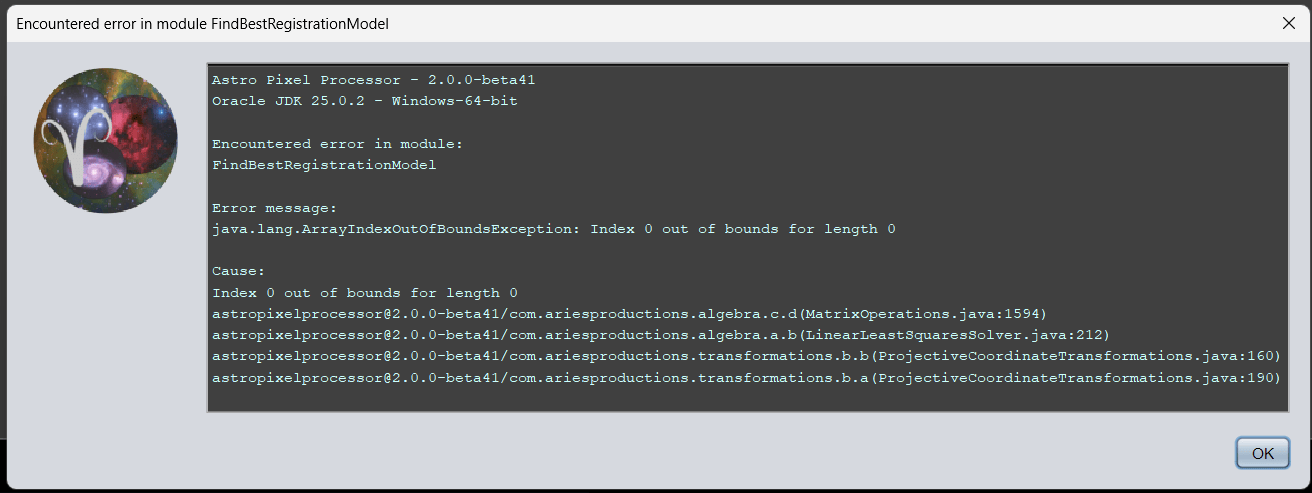
ArrayIndexOutOfBoundsException in FindBestRegistrationModel while registering
in 4) Register (APP 2.0.0 beta41) I get an error message when I try to register 20 subs each with approximately 50-60 stars (pattern recognition set to automatic or triangle):
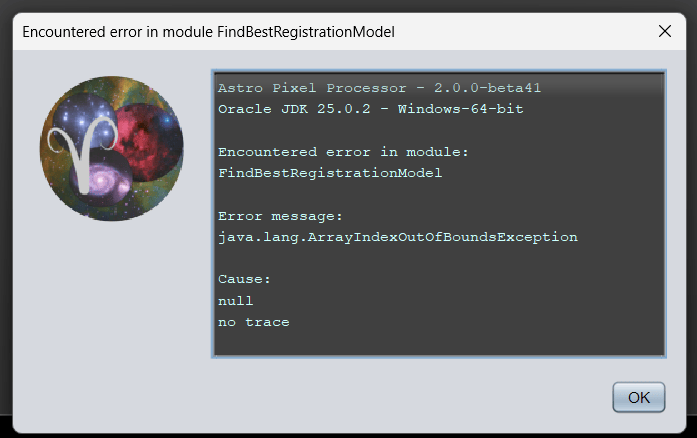
When pattern recognition set to quadrilaterals it does not finish the job, but no error is given. In order to stop the process I need to click the cancel button.
I tried a 10-subb dataset with more stars and that went fine in beta41.
in 4) Register (APP 2.0.0 beta41) I get an error message when I try to register 20 subs each with approximately 50-60 stars (pattern recognition set to automatic or triangle):
When pattern recognition set to quadrilaterals it does not finish the job, but no error is given. In order to stop the process I need to click the cancel button.
I tried a 10-subb dataset with more stars and that went fine in beta41.
Thank you very much for reporting this. One other user also bumped in this bug, i have not seen it yet, but the error message is clear, it will be related to little stars in the data. Beta39 included a whole new registration module, and this bug seems part of that. Can you upload the dataset that creates this problem? I will fix it a.s.a.p. 😉 and will release that quickly.
data uploaded! It is not very exiting data: 20 x 0.1s luminance subs of 61 Cyg A+B that I use for stellar parallax measurement.
I noticed that downgrading from beta41 to beta38 did not work and neither does a double installation in two folders. I had to first uninstall beta41, then install beta38 to make it function again.
Thanks, i will look at the data now and will report back.
I noticed that downgrading from beta41 to beta38 did not work
That is because there is an issue with the beta38 installer in fact, it will not clean up the installation directory. That issue is solved.
and neither does a double installation in two folders. I had to first uninstall beta41, then install beta38 to make it function again.
And that is caused by the Windows registry. If the same application lives twice in the registry, you will get weird problems or non functioning problems. We have not made any intention to be able to install different versions at the same time as well.
Thanks for the data upload, I will look at it now.
I am already testing with your data. Can you confirm that it only errors when you enable dynamic distortion correction? If I disable it, all works fine over here.
Fixed ArrayIndexOutOfBoundsException in FindBestRegistrationModel
As reported here https://www.astropixelprocessor.com/community/main-forum/arrayindexoutofboundsexception-in-findbestregistrationmodel-while-registering/#post-34227 an ArrayIndexOutOfBoundsException could be thrown when registering in the FindBestRegistrationModel module. The issue will be caused when dynamic distortion correction is enabled. When disabled all works as expected. The issue would manifest if APP tries to calculate distortion correction on data that really does not need it for already perfect registration. The issue is now solved and prevented by simply disabling distortion correction completely in the 2-view registration phase on data that has very little movement in the stars between the images. The user can simply leave distortion correction enabled, internally, APP will disable it for the specific registration task.
The issue was caused by APP trying to perform dynamic distortion correction between your images while your images have no dither steps between them really, in that case distortion parameters can not be reliable calculated. Internally we can detect this now and APP will safely disable it for the registration task at hand.
Will release the fix soon 😉 thanks for reporting this.
I am already testing with your data. Can you confirm that it only errors when you enable dynamic distortion correction? If I disable it, all works fine over here.
Mabula
Hi Mabula,
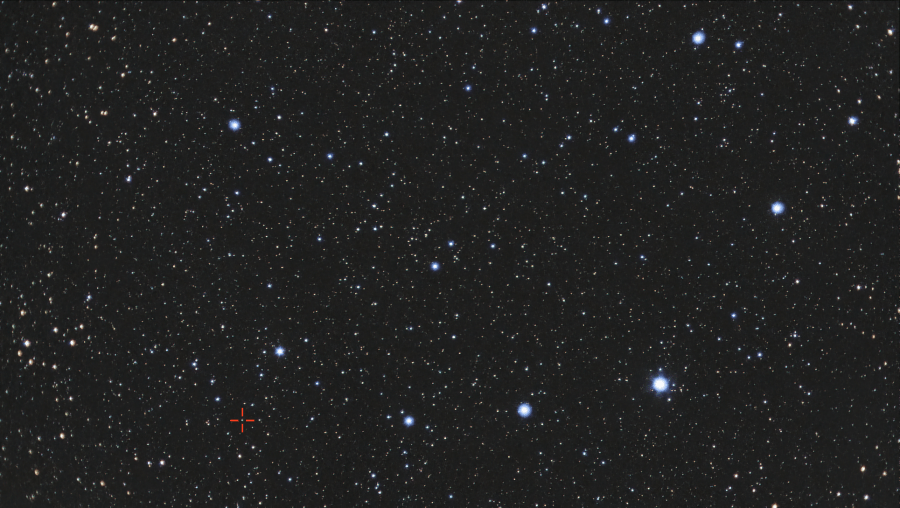
last week I did an imaging session using a ASI290MC with a cheapish 25mm CCTV lens on Corona Borealis (here shown full but downsampled size):
Those images have a FOV of 12.5 x 7 degrees, for which I indeed enabled dynamic distortion correction, and I never thought of disabling it again. Strangely enough beta38 had no issue with that setting. The red cross indicates the upcoming nova T CrB (expected to happen within the next half year).
The red cross indicates the upcoming nova T CrB (expected to happen within the next half year).
Nice !
Some technical background, I think you can appreciate that:
Beta39 has a very new registration engine, many parts were rewritten including the behaviour in the 2-view registration phase. 2-view means only registering 2 images together. N-view is N images in a mosaic. In 2-view we always need to get a registration hypothesis first, test it with Ransac and if it confirms to be a valid hypothesis we expand it by including as much as star pairs as we can to make it become more precise. If distortion correction is enabled, we expand the hypothesis possibly with increasing complex models for optical distortion correction.
Before beta39, sometimes data that had very little or no dither steps, would produce very weird whirlpool results in APP when distortion correction was enabled. That should definitely no longer occur with the new engine. But, your data did trigger one flaw in the new implementation clearly. Internally it did try the most simple distortion correction model ( radial model ~ r^2 with assumption of same distortion model for both the views) and because there is no dither at all, the model became unstable and it produced the bug. I have covered this bug robustly now. Internally APP studies the projection matrix now with distortion correction and if it is very close to the unit matrix, we keep distortion correction disabled as a safe guard. The inistability can no longer occur and data like this will not register more precise with distortion correction, because it can simply not be calculated if there is no shift in the field of view between the images.
So thanks for letting me know about the issue 😉
Hope to release beta42 with this fix and others soon.