

Mar 28 2026 APP 2.0.0-beta40 will be released in 7 days.
It did take a long time to have the work finished on this and it will have a major performance boost of 30-50% over 2.0.0-beta39 from calibration to integration. We extensively optimized many critical parts of APP. All has been tested to guarantee correct optimizations. Drizzle and image resampling is much faster for instance, those modules have been completely rewritten. Much less memory usage. LNC 2.0 will be released which works much better and faster than LNC in it's current state. And more, all will be added to the release notes in the coming weeks...
Update on the 2.0.0 release & the full manual
We are getting close to the 2.0.0 stable release and the full manual. The manual will soon become available on the website and also in PDF format. Both versions will be identical and once released, will start to follow the APP release cycle and thus will stay up-to-date to the latest APP version.
Once 2.0.0 is released, the price for APP will increase. Owner's license holders will not need to pay an upgrade fee to use 2.0.0, neither do Renter's license holders.
Hello Mabula
Using your and Sara's tutorials are very usefull in getting APP working for me. But there is 1 thing that keeps showing, whatever I do. Even when I was with another APP user he claimed he also gets the same result: vignetting very visible in the integrated picture, eventhough there were flats used. Even with the master flat, master bias and bpm correction frames loaded with the lights, all results are with very visible vignetting.
Recently I tried a dataset from someone else with better and more experience with making astropictures and in a low-lightpollution area (very different from mine) I get very visible vignetting. Usually I tried to correct this with the vignetting correction tool, but as I read in the forum, it is not built for integrated frames.
Can you assist me in how I can integrate my lights without getting the vignetting visible after integration.
Because there are a lot of questions about the correct vignetting tool, I suspect a lot more people have the same issue about the vignetting nog being removed with integration.
Thnx in advance for your reply.
Regards
ArnoM

Hi @ArnoM,
Thank you for your question and welcome to the APP forum 😉
If vignetting still shows in your integration, while flats are applied then I suspect that you (and your fellow APP user) are following a wrong or incomplete calibration path.
Luckily, we should be able to solve this easily ;-).
The issue that you face is documented in the calibration rules, which you can find here:
A common mistake is to not calibrate both the flats and lights 1 time (and 1 time only) with either bias or darks. Your flats need to be calibrated with a masterbias or masterdark, and so do your lights. Otherwise, the bias pedestal is not removed in either flats or lights giving a failed flat-field calibration.
So, please read my first post in the link above and let me know if this is clear to you.
And please share the details of how you calibrated your lights and flats, what kind of exposure times and iso/gain values were used in the lights and all of the calibration frames?
Example of working flat-field calibration, a linear and a calibrated light frame:

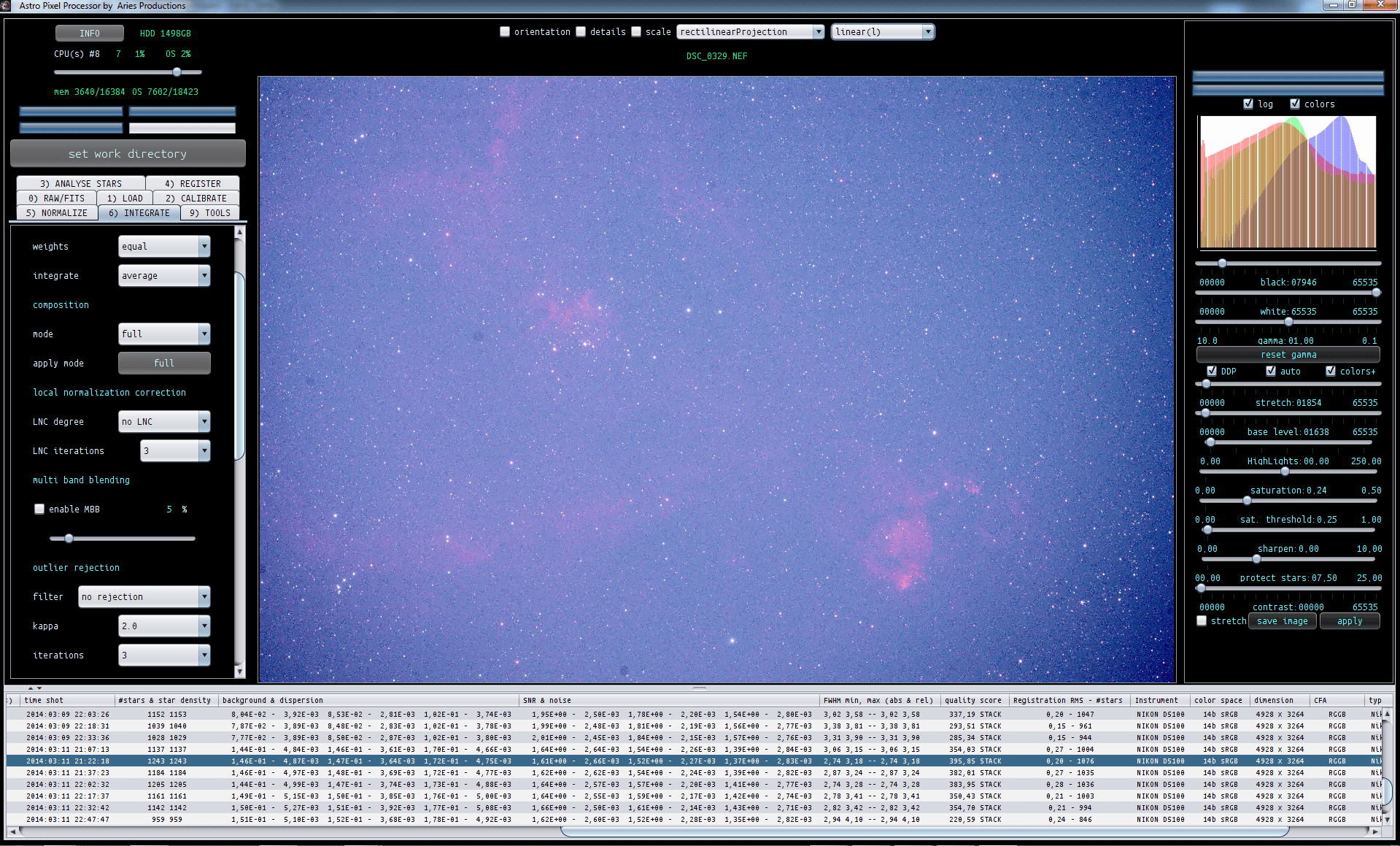
Did you verify if calibration was working correctly before you started with 3) analyse stars and further? Always try to do that (will save you time 😉 ) with the linear-calibrated image viewer mode (can be found in dropdown box at the top of the image viewer).
Regarding the vignetting tool:
So only use this tool if you don't have flats or fail to make good flats. It is only to be used on data that hasn't had flat-field correction from applying flats. And I would always advise to try to make your flats as good as you can. So the correct vignetting tool should be regarded as an option only if you can't make flats or haven't made them yet... 😉
Kind regards,
Mabula
