

UPDATE FROM MABULA
I have had a very rough 2 months unfortunately health wise. I was struck 3x in a row with bacterial infections. The second infection occurred after a routine hospital checkup and I became very sick. I had to rest and take a lot of antibiotics. Once I was recovering and restarting work 1 month ago, I again became sick. The infection was not yet gone, so even more antibiotics and rest was needed. Needless to say, it took a lot of my energy and I needed a lot of rest.
Finally, the infection is really gone and my energy is coming back step-by-step now and I have started work again. I am terribly sorry to have kept you waiting for support. I will address all outstanding questions and e-mails step-by step and will be on the forum daily from today.
APP 2.0.0-beta47 will come soon as well, a lot of work was already completed before I became very ill, so the release is also nearly ready for you. Beta47 will be much faster actually. Many workflows will be more than 2x faster, mosaics can even be 10x faster than before because registration really received a major boost... all compared to beta46. Before I release it, I will make sure that everything is working properly and then I will release it.
Hi
I shot with Ha-OIII filter on a DSLR and got these weird lines. These are in both my HA and OIII channels. I am shooting with A7RII and a 600mm lens. I can load all my data (About 112 50s frames and equal number of darks) if needed
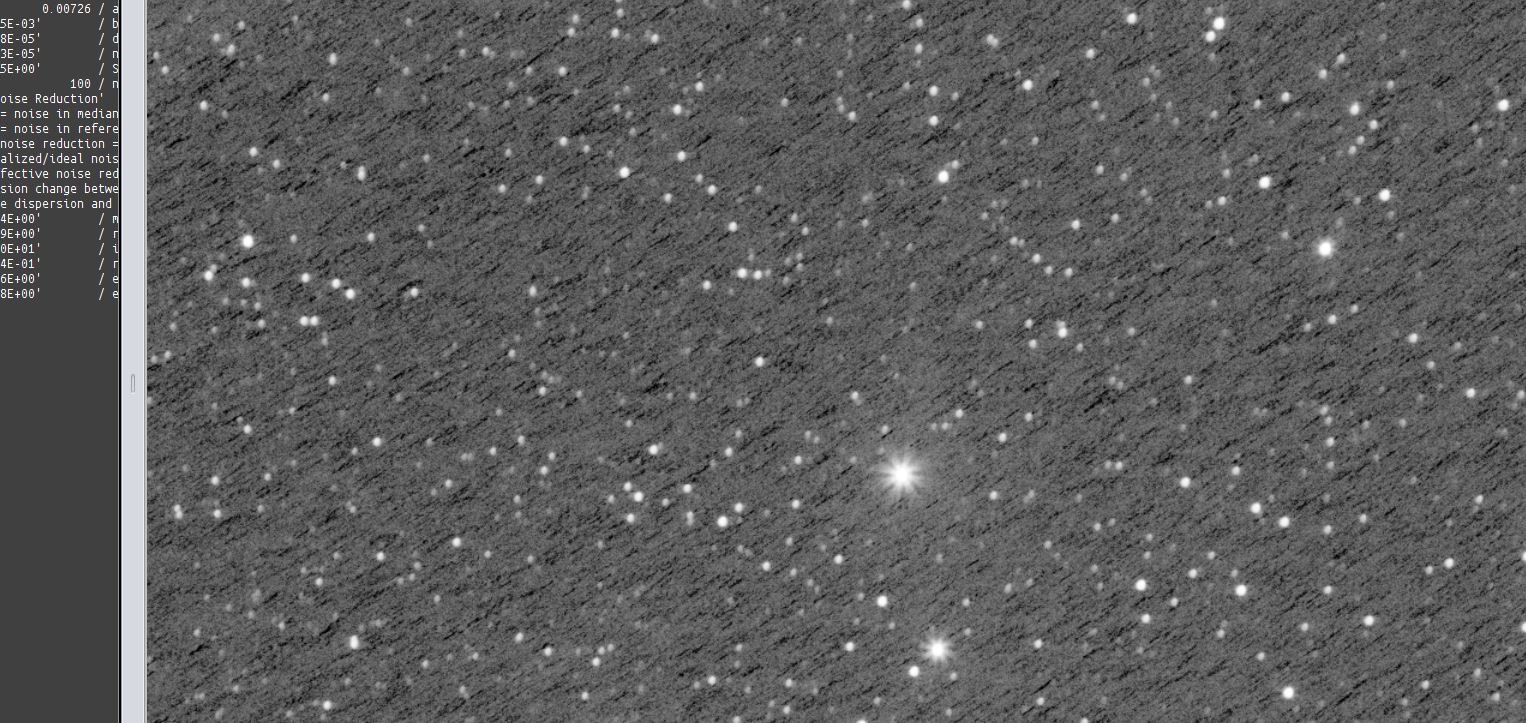
It happens to me too, but with smaller and shorter lines and "spaghetti" stripes, but i think the reason is the same...
I'm waiting an answer too....
I even tried with force Bayer CFA and still have the issue.
Did you use the Ha-OIII algorithm?
@vincent-mod
Yes, on the first screen I Did HaOIII extract Ha and then HaOIII extract OIII. I used the same steps you outlined in my earlier question few months back.
Mm, it looks like what is called walking noise (though it looks quite strong here so not 100% sure), which is fixed by using dithering. Do you dither?
@vincent-mod
EDIT : No dithering at all. I have never used dithering, but never got this kind of noise. Any way to fix in Post process. If you give link, I can post my RAW data to your server
@vincent-mod will longer exposures and higher ISO help here if I cannot use dithering
Maybe longer exposures, but I'm not sure. If it indeed is walking noise, dithering would be the only solution I know of (I always dither so never looked more closely into it). APP, or any other program for that matter, will have problems with this.
