

June 24 2026 APP 2.0.0-beta46 has been released !
Improved internal memory configuration (lower ! memory usage), fixed beta45 startup issue, fixed Set Save Directory & 2-panel mosaics.
May 27 2026 APP 2.0.0-beta45 has been released !
Fully Multi-Threaded LNC, many improvements for the registration engine, platform upgrade, and further tuning of internal memory consumption and memory release back to OS.
Apr 14 2026: Google Pay, Apple Pay & WeChat Pay added as payment options
Update on the 2.0.0 release & the full manual
We are getting close to the 2.0.0 stable release and the full manual. The manual will soon become available on the website and also in PDF format. Both versions will be identical and once released, will start to follow the APP release cycle and thus will stay up-to-date to the latest APP version.
Once 2.0.0 is released, the price for APP will increase. Owner's license holders will not need to pay an upgrade fee to use 2.0.0, neither do Renter's license holders.
Hi Wouter, it would be verryy verryy handy, to have a switsch to set this toggle to one position for me, even after a restart. I need "CPU" for me and have to switch it every time I start APP.
CU Peter
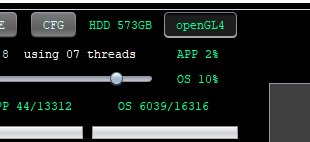
@sternefueralle That would be a request for Mabula, not me. I'll pass it on to him. Note that the next version will have extended capabilities to save user settings and I'll ask Mabula to add this one too if he hasn't yet but I am pretty sure he has.
@sternefueralle Mabula has added this to the TODO list for the next version. Thank you for the request!
@wvreeven Hi Wouter, perhaps interesting for other users!
I found a setting to work around the inconvenience with the OpenGL4/CPU switch to be set at startup.
There is a setting in the NVIDIA driver that says how to use the graphic-card while running APP. Setting this to use the NVIDIA adapter and NOT the build in Intel Adapter, it uses the OpenGL4 and everything ist ok...
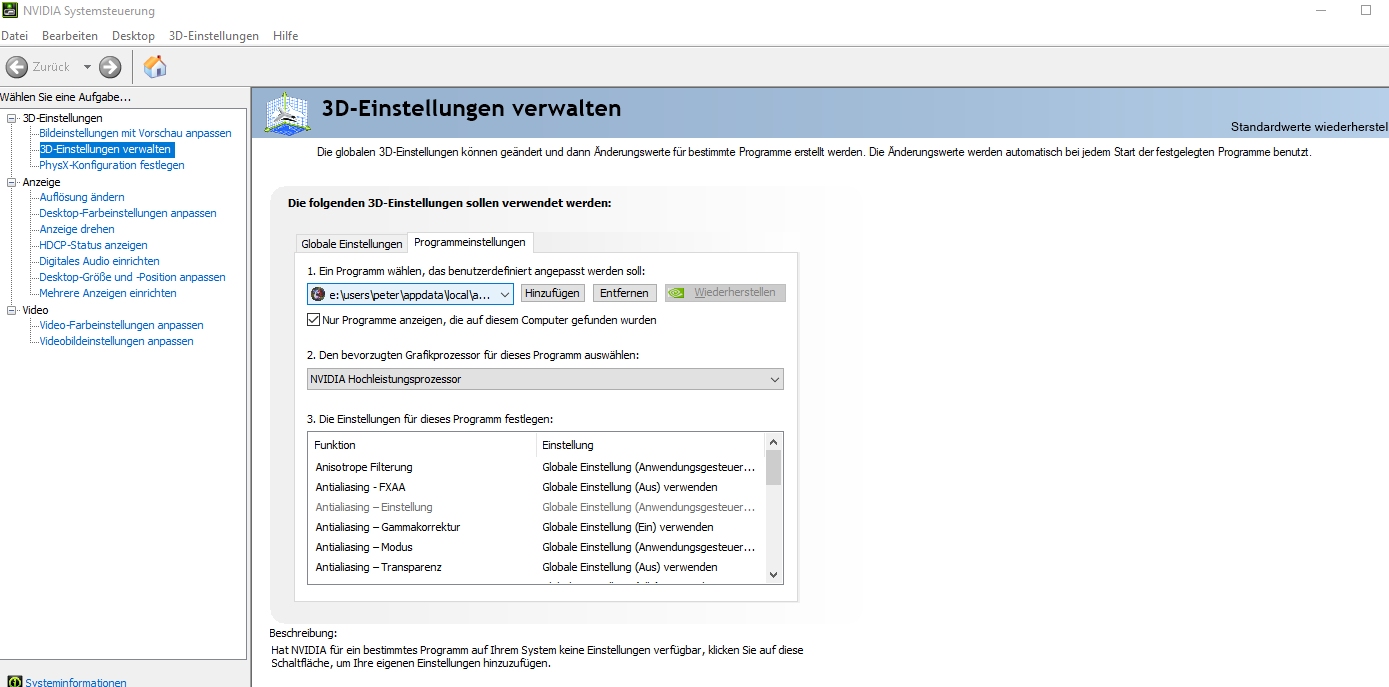
Thank you and stay healthy...
Peter
I know this thread is old but had a really simple/stupid question . . .
How do I know the openGL4 option is engaged? If I see the green "openGL4" does this mean it's currently on, or does it mean to click to turn it on.
Likewise, if I see the orange "CPU" showing, does this mean it's using the CPU and not the openGL4? Or the other way around?
Thanks!
Hi Thomas, questions never get old ;- )) - - - posts only...
sorry, but I cannot test it anymore, because I don't update my License until I know what is going on with the company/software. There is no response from anybody! The posts from mabula are years old!!!
As long as we pay them they further on they won't change a thing!!!
So in my case there was no reaction of the system when the software came up.
No pic was generated. So it was quite simple. Toggle the switch an things behave as expected.
I work on a rather old system...15 years or so. So openGL4 is very very strange for my Hardware.
Hope it works fine for you.
CU
I know this thread is old but had a really simple/stupid question . . .
How do I know the openGL4 option is engaged? If I see the green "openGL4" does this mean it's currently on, or does it mean to click to turn it on.
Likewise, if I see the orange "CPU" showing, does this mean it's using the CPU and not the openGL4? Or the other way around?
Thanks!
Hi @tom62e,
OpenGL(2/3/4) is engaged and being used when the button is green and shows openGL(2/3/4). If you click it, you will disable it and the image viewer will be transformed into a viewer that is using CPU calculations for rendering image data instead of GPU hardware acceleration.
Hope this clarifies it?
@sternefueralle, OpenGL can behave badly when using an internal Intel adapter when the wrong driver is installed for the Intel hardware. In many cases, a Microsoft driver is used which is really buggy. When you install the Intel driver for the actual intel adapter, OpenGL would work fine actually with that internal adapter.
