

Mar 28 2026 APP 2.0.0-beta40 will be released in 7 days.
It did take a long time to have the work finished on this and it will have a major performance boost of 30-50% over 2.0.0-beta39 from calibration to integration. We extensively optimized many critical parts of APP. All has been tested to guarantee correct optimizations. Drizzle and image resampling is much faster for instance, those modules have been completely rewritten. Much less memory usage. LNC 2.0 will be released which works much better and faster than LNC in it's current state. And more, all will be added to the release notes in the coming weeks...
Update on the 2.0.0 release & the full manual
We are getting close to the 2.0.0 stable release and the full manual. The manual will soon become available on the website and also in PDF format. Both versions will be identical and once released, will start to follow the APP release cycle and thus will stay up-to-date to the latest APP version.
Once 2.0.0 is released, the price for APP will increase. Owner's license holders will not need to pay an upgrade fee to use 2.0.0, neither do Renter's license holders.
Astro Pixel Processor 2.0.0-beta15 release notes
- Camera RAW (Nikon, Canon, Sony, etc) processing, added support for the camera color matrix
In 0)RAW/FITS you can now enable/disable the camera color matrix for processing of your RAW camera images shot with regular consumer camera's from Canon, Nikon, Sony and other brands. When you enable the camera color matrix, the sensor data is converted from sensor data to the Linear RGB colorspace through the neutral XYZ colorspace. The gamma curves for the non-linear sRGB and Adobe1998 colorspaces are not applied to keep the data linear so we are still able to do proper statistics and integration. Data calibration is not affected by this and this also works with 32bits calibration masters, so all your old masters are still fine. The camera matrix is applied after having the data calibration using the CFA pixels and the camera matrix is always applied relative to the actual black point of the sensor (thus the sensor offset/bias pedestal). Please note, the camera color matrix might not prove nice to use if you are using LPS filters or if you are using a modded camera. If you use the narrowband debayer options in APP (H-alpha, SII etc) then the camera matrix is not applied since the result will be monochrome. The following images show the difference in processing, clearly, when you enable the camera color matrix your results will have much more color to start with:


- Greatly improved Analytical Chart of your processing results
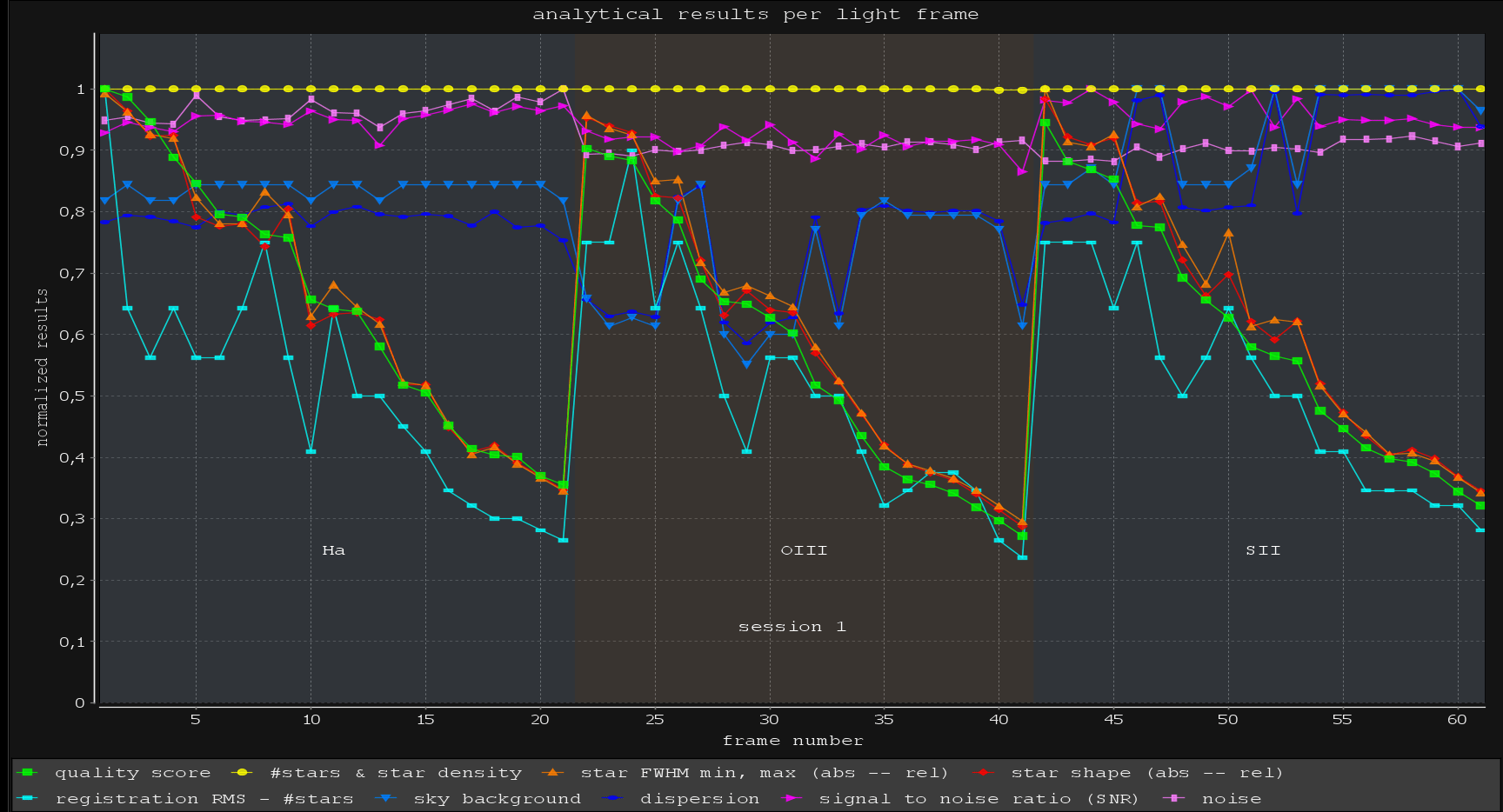
We have updated the analytical chart to be dynamic now, it is always dynamically generated whenever new analytical data is gathered and it is shown automatically as well. Whenever the frame list contents changes, the chart is automatically updated. You can choose between a scatterplot (like before) and a line chart now. The colors of the metrics are now fixed, so the quality metric for each frame is now always plotted as green. We have added text annotations to show the filter and session names in the graphs clearly combined with background colors per filter and session. The type of chart is remembered. The chart will show a crosshair and there is a mouse popup menu to load/select/deselect/remove/delete/set reference that particular frame.


- Improved Popup menu's and image viewer mode options
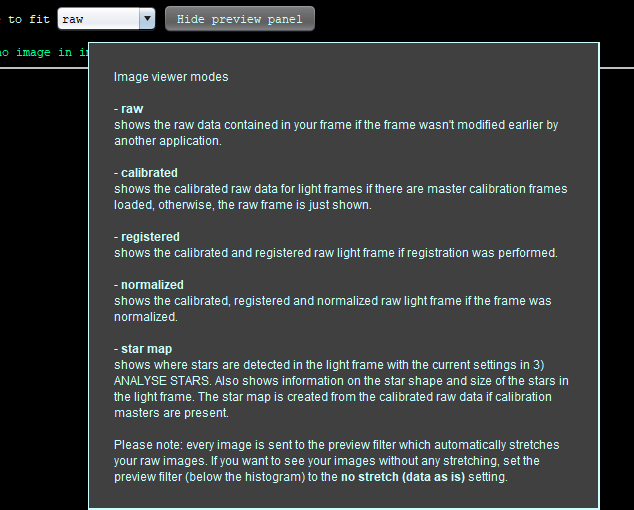
The frame list panel and the new analytical chart have improved mouse click popup menu. They enable you to load/select/deselect/remove/delete/set reference/ save analytical data/plot analytical data. We have also adjusted the image viewer options. The image mode has been removed, since it had no real purpose and it is now redundant due to the camera color matrix option and it was confusing relative to the linear mode. The linear mode is now simply called raw. Linear was confusing as well, since it represented the raw linear data, but it was always being stretched by the preview filter, so visually it was not linear. The image viewer modes can now simply be used directly with the mouse popup menus on the frame list and the analytical chart, so you can easily swith between raw and calibrated data for instance:

- Save analytical results to a CSV file with semi-colon separator
the improved popup menus also provide the option to save analytical data to a .csv file so you can import the results into a spreadsheet.
- Improved Batch Tools file selection
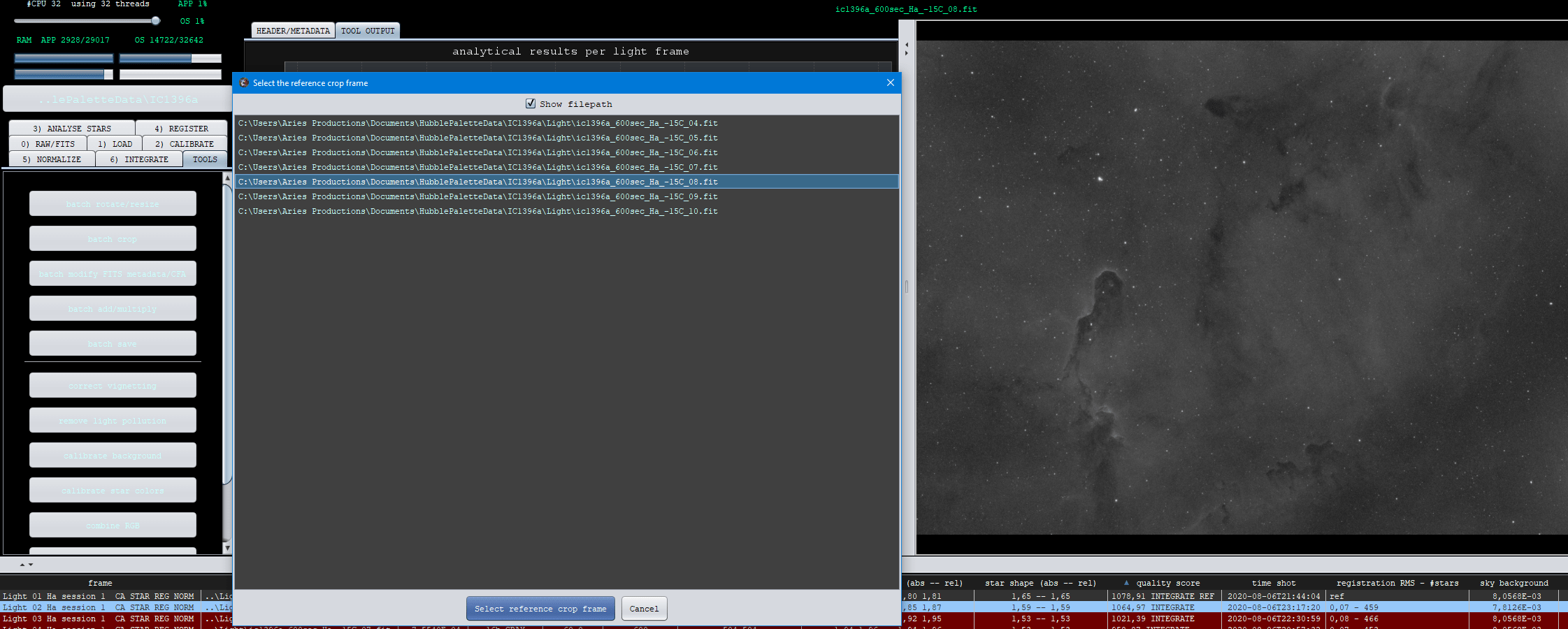
The file selection window for the Batch Tools has been improved and has the functionality now that you can choose the reference frame in the list for crop or rotate/resize batch tools:
- Process console window
Whenever a process is running from 2)Calibrate until and including 6)Integrate, a process console is active with a clear cancel button. The previous beta's did not show this nicely. We have improved this in such a way that whenever such a long running task is busy, the process console is clearly visible and the image viewer when not detached from the main window is temporarily moved away. The image viewer is always restored whenever an image is loaded into the image viewer as well.


- FIXED 2 OpenGL issues
We have fixed 2 OpenGL issues: if the iamge viewer was not visible when APP started, the OpenGL window could be broken and not start properly. And if you would load an image into the image viewer when the image viewer was not visible it could break the image viewer as well in terms of proper zooming funtionality. Both issues have been fixed.
- FIXED Working Directory on FAT32 filesystem
When you set the working directory on a FAT32 filesystem, APP will now warn you that the filesystem in not very suitable for processing. If you have a large dataset, the amount of data to be stacked will be larger than 4GBs and it requires you to have a different type of filesystem. If the data is larger than 4GBs and the filesystem is FAT32, APP will cancel the process now, since it will lead to a bad result.
- FIXED SAVING TO DIFFERENT DIRECTORY
If you would try to save to a different directory than the one proposed by the save dialog, it would not work, the saver would be cancelled. This is now fixed. It was reported here: https://www.astropixelprocessor.com/community/postid/27517/
- Improved question dialogs
The question dialogs for setting the crop composition mode in 6) Integrate have been improved.
