I have had a very rough 2 months unfortunately health wise. I was struck 3x in a row with bacterial infections. The second infection occurred after a routine hospital checkup and I became very sick. I had to rest and take a lot of antibiotics. Once I was recovering and restarting work 1 month ago, I again became sick. The infection was not yet gone, so even more antibiotics and rest was needed. Needless to say, it took a lot of my energy and I needed a lot of rest.
Finally, the infection is really gone and my energy is coming back step-by-step now and I have started work again. I am terribly sorry to have kept you waiting for support. I will address all outstanding questions and e-mails step-by step and will be on the forum daily from today.
APP 2.0.0-beta47 will come soon as well, a lot of work was already completed before I became very ill, so the release is also nearly ready for you. Beta47 will be much faster actually. Many workflows will be more than 2x faster, mosaics can even be 10x faster than before because registration really received a major boost... all compared to beta46. Before I release it, I will make sure that everything is working properly and then I will release it.
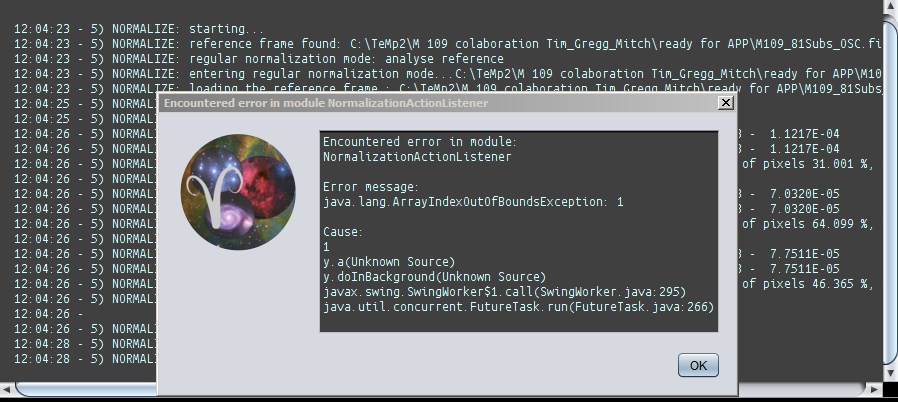
So I have loaded my Lights, Flats & Dark Flats in to APP and hit Calibrate, the process runs through creating the Master Dark Flat & then the Master Flat but then failed with this error message:
So I thought this was just a one off glitch & ran the data for a second time, this time it failed at exactly the same stage but the error message was different, plus there was one message box on top of another saying the same message:
Also, it took 8 presses of the OK button on these message boxes for the box to unload from my screen.
Here's an image showing what APP was doing right at the failure point from the log viewer:
The files I was using are as follows:
Lights ISO800 200s
Flats ISO100 0.6s
Dark Flats ISO100 0.6s
Yes, I did get the calibration warning about Bias, Dark frames etc but I chose OK to ignore the warning as I am attempting to change from using Darks & Bias to just Flats & Dark Flats.
This cannot be the issue though as I have used this combo of file previously in APP & not had the Java error.
I have been noticing a lighter area along the bottom edge of my Integrations lately around the area where the shadow if the prism in my OAG falls.
I have been struggling with an attempt to rectify this assuming that it is a Flats issue that I am having but cannot seem to removing it during Calibration.
So, I just ran the exact same data as used above but this time added in Dark frames matching my Lights & chose the 'adaptive pedestal/reduce amp glow' option under Calibration thinking that perhaps I am seeing some amp glow.
Again, after starting Calibration APP runs for quite a while before showing this error message:
My sincere apologies for the lack of activity from our side lately. Mabula is indeed very busy and unfortunately I am as well at this time. We're moving between countries, which is tricky internet-wise. No excuse for you having to wait, just wanted to clarify. I'll try to get more time in and I'll try to get to you here as well asap.