

June 24 2026 APP 2.0.0-beta46 has been released !
Improved internal memory configuration (lower ! memory usage), fixed beta45 startup issue, fixed Set Save Directory & 2-panel mosaics.
May 27 2026 APP 2.0.0-beta45 has been released !
Fully Multi-Threaded LNC, many improvements for the registration engine, platform upgrade, and further tuning of internal memory consumption and memory release back to OS.
Apr 14 2026: Google Pay, Apple Pay & WeChat Pay added as payment options
Update on the 2.0.0 release & the full manual
We are getting close to the 2.0.0 stable release and the full manual. The manual will soon become available on the website and also in PDF format. Both versions will be identical and once released, will start to follow the APP release cycle and thus will stay up-to-date to the latest APP version.
Once 2.0.0 is released, the price for APP will increase. Owner's license holders will not need to pay an upgrade fee to use 2.0.0, neither do Renter's license holders.
Topic starter
January 13, 2022 15:22
This is probably a very silly question with an obvious answer (but I cannot see it)
I run a project and achieve the final image. I then wish to start another. However I cannot see a way to clear the existing image data, in order to star a second image processing. Up to now I have been closing down APP and restarting.
Is there a better way?
Thanks
Frank
January 13, 2022 15:30
In tab 1 there is a "clear" button:
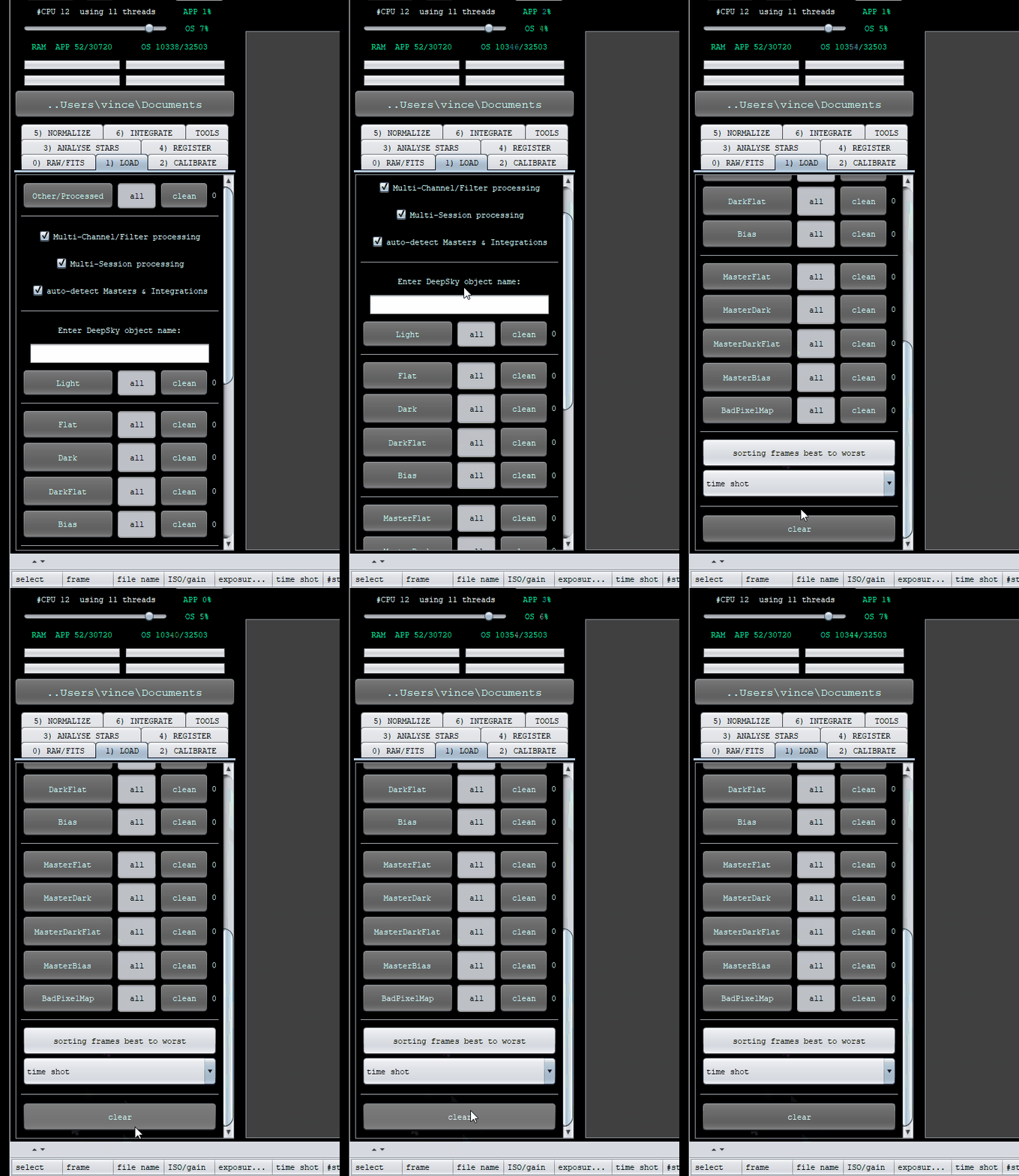
Topic starter
January 13, 2022 17:34
Hi - Many thanks. I thought it would be something simple - I just didn't find it - must need a white stick ;-((
Thanks again
January 13, 2022 17:40
No worries, gave me a chance to try out my new gif animation thingy. 😉
