

UPDATE FROM MABULA
I have had a very rough 2 months unfortunately health wise. I was struck 3x in a row with bacterial infections. The second infection occurred after a routine hospital checkup and I became very sick. I had to rest and take a lot of antibiotics. Once I was recovering and restarting work 1 month ago, I again became sick. The infection was not yet gone, so even more antibiotics and rest was needed. Needless to say, it took a lot of my energy and I needed a lot of rest.
Finally, the infection is really gone and my energy is coming back step-by-step now and I have started work again. I am terribly sorry to have kept you waiting for support. I will address all outstanding questions and e-mails step-by step and will be on the forum daily from today.
APP 2.0.0-beta47 will come soon as well, a lot of work was already completed before I became very ill, so the release is also nearly ready for you. Beta47 will be much faster actually. Many workflows will be more than 2x faster, mosaics can even be 10x faster than before because registration really received a major boost... all compared to beta46. Before I release it, I will make sure that everything is working properly and then I will release it.
I have 61 light frames from the same OSC camera and telescope. I was following Eric Astro's Hubble Palette with OSC and APP. I followed the steps exactly 3 different times, but each time, when I select the RGB combine under tools, assign the 3 channels that were created earlier and click (re)calculate I get and error. "The images aren't compatible. Please make sure the data has the same dimensions and bit depth." If I look at the 3 files loaded it seems the Oxygen III channel dimension is different. Any idea why it is doing this?
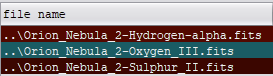

Did you do a Analyze Stars and Register on the three stacks before trying to combine them in Combine RGB?
@wvreevenYes
@wvreevenYes
Wait, I may have answered to quick. I did that as part of the stacking process of the three, are you saying I should do an Analyze Stars and Register on the three "completed" stacks. prior to doing the RGB combine?
Yes indeed. Though as to why the OIII stack is one pixel smaller than the other two, I don’t know. But you could crop the three frames to the same size, then run them through Analyze Stars and Register, save the registered frames and then load them in Combine RGB.
I did what was suggested to the 3 completed stacks, the OIII still came out different. I will try cropping.
Thanks
