

June 24 2026 APP 2.0.0-beta46 has been released !
Improved internal memory configuration (lower ! memory usage), fixed beta45 startup issue, fixed Set Save Directory & 2-panel mosaics.
May 27 2026 APP 2.0.0-beta45 has been released !
Fully Multi-Threaded LNC, many improvements for the registration engine, platform upgrade, and further tuning of internal memory consumption and memory release back to OS.
Apr 14 2026: Google Pay, Apple Pay & WeChat Pay added as payment options
Update on the 2.0.0 release & the full manual
We are getting close to the 2.0.0 stable release and the full manual. The manual will soon become available on the website and also in PDF format. Both versions will be identical and once released, will start to follow the APP release cycle and thus will stay up-to-date to the latest APP version.
Once 2.0.0 is released, the price for APP will increase. Owner's license holders will not need to pay an upgrade fee to use 2.0.0, neither do Renter's license holders.
So far I still can not manage the star reducer tool. When I remove stars or reduce them, APP creates a big color differenced halo. Halo correction slider does not work to fix that, result is the same when slider 0,0 or 2,0 or somewhere between that. Now I want to know, is that mean star removal tool useless or should I learn some settings points/tricks? If I need to learn something, I'm waiting for the instructions/advices.
Here are the before/after pics:


Thanks.
Hi @volkanovun,
You need to set the star size lower than 100%, like 50% or 66% like you did and then use much smaller correction radius like 1.0 and halo settings like 0.5, and check if that is better?
We do know that the tool is not working perfectly on color data like this, we have on our list to add more improvements for sure.
Mabula
Hi @mabula-admin ,
Thanks for the settings advice. Well, there is no strange halos anymore but reduced stars left ugly marks like chicken pox. I look forward for the fixed star reducer tool.
Volkan


Hi @volkanovun,
What settings did you use this time? I just tried on similar data, SHORGB composite with diffraction artefacts in the bright stars. If i play a little bit with the settings for the radius and the halo i get very good results I think:
orginal zoomed in:
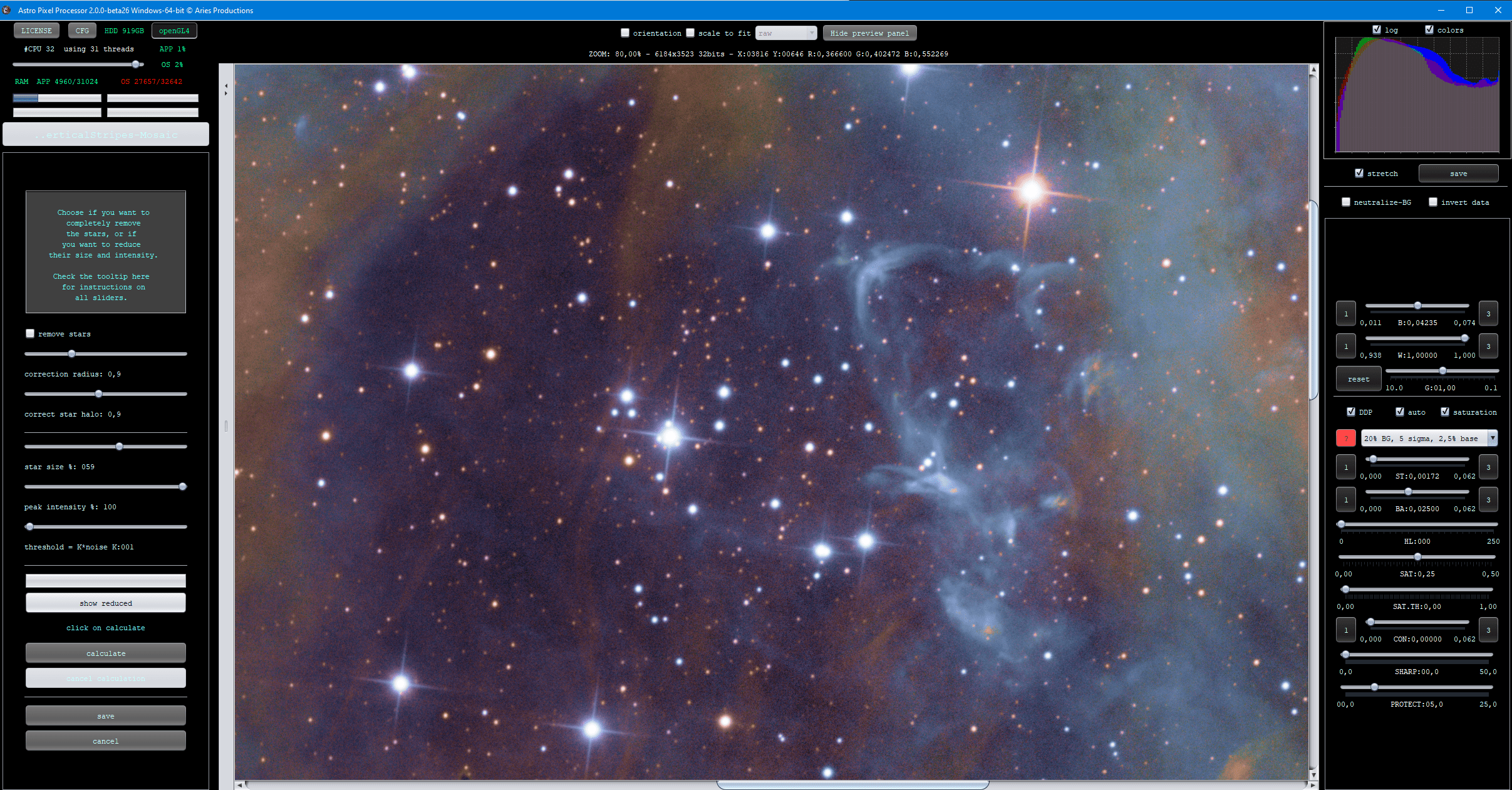
star reduced with the settings as shown in the tool:

Here are 2 JPGs of the entire field of view of this SHORGB of the Rosette Nebula, processed by myself from iTelescope.net data:


We know that we need to work on the spikes in the bright stars, that is on our todo, the correction of the weaker stars works very well, doesn't it?
I do need to ask, are you running the star reducer on linear or stretched data? You really need to do it on linear data, I know it does not work as good on already stretched data. The calculations in the tool assume that the data is linear as does almost everything in APP for good reason.
Maybe you want to share the linear FITS file of your data so I can test myself and maybe fix the issue with your data somehow?
Mabula
Hi Mabula,
Well, my settings was as follows as you adviced:
Correction radius 1,0
Correct star halo : 0,5
Star size : %50
Peak intensity : %100
threshold=K noise K003
I heard/read about linear data story first time. All videos I watched describe using star reducer tool on streched data. So this bring us to a very old story: user manual.
I tried above settings on linear data but it did not helped. I'll send you the linear data. Thanks
Hi Volkan @volkanovun,
I do not know what videos you have looked, but we have never recommended to do any processing with tools like this on non-linear data. If there is a video using APP recommending non-linear data, than better disregard that source 😉
Anyway, yes, please upload your data then here and I will test and try to improve the tool going forward:
https://upload.astropixelprocessor.com/
username: uploadData
password: uploadTestData
Please create a folder like Volkan-starReducer-issue
and upload the data there and let me know once uploaded.
I have added your data to my issuelist for upgrade of the Star Reducer Tool.
Thanks,
Mabula
Thanks Volkan @volkanovun,
It is on our list to check the data and add improvements in the star reducer 😉
Mabula
