

UPDATE FROM MABULA
I have had a very rough 2 months unfortunately health wise. I was struck 3x in a row with bacterial infections. The second infection occurred after a routine hospital checkup and I became very sick. I had to rest and take a lot of antibiotics. Once I was recovering and restarting work 1 month ago, I again became sick. The infection was not yet gone, so even more antibiotics and rest was needed. Needless to say, it took a lot of my energy and I needed a lot of rest.
Finally, the infection is really gone and my energy is coming back step-by-step now and I have started work again. I am terribly sorry to have kept you waiting for support. I will address all outstanding questions and e-mails step-by step and will be on the forum daily from today.
APP 2.0.0-beta47 will come soon as well, a lot of work was already completed before I became very ill, so the release is also nearly ready for you. Beta47 will be much faster actually. Many workflows will be more than 2x faster, mosaics can even be 10x faster than before because registration really received a major boost... all compared to beta46. Before I release it, I will make sure that everything is working properly and then I will release it.
Hi to all.
5 sessions with just 4th one with different FOV and image scale.
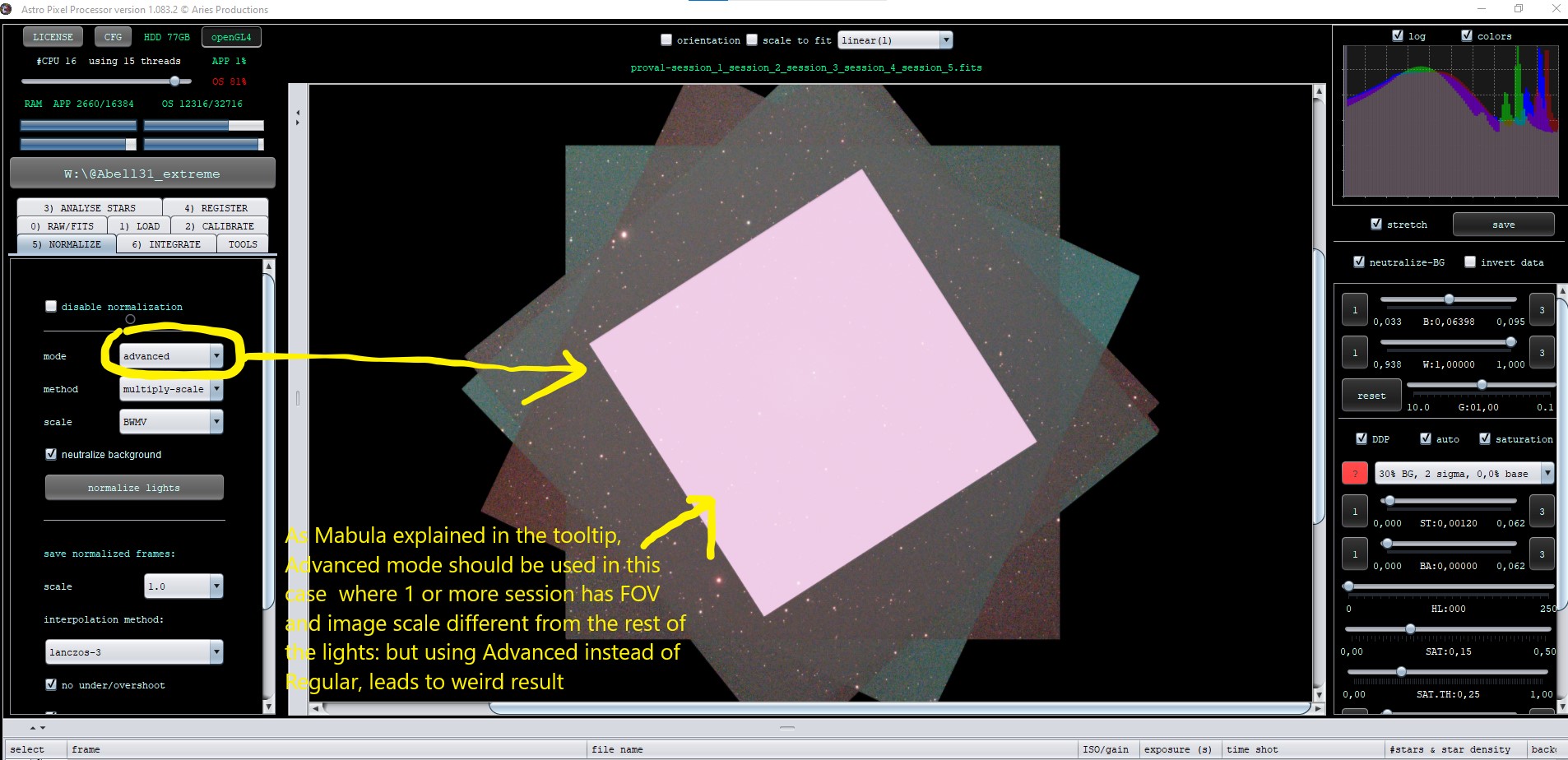
As per Mabula's tooltips, I should use Advanced mode in the Normalization tab because FOV and image scale are different across all lights.
If I use Advanced mode in the Normalization mode tab:
Instead, if I use Regular mode:
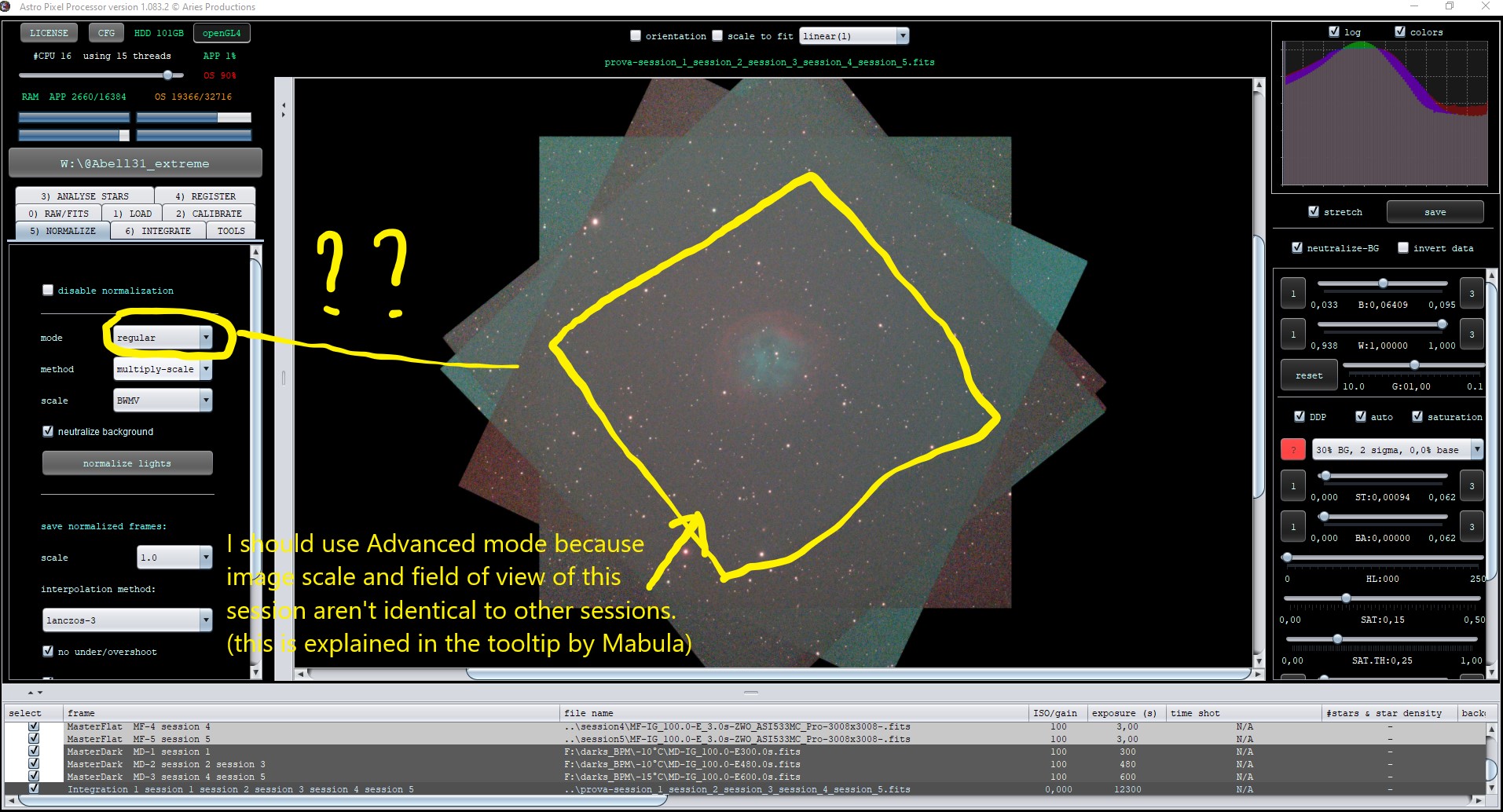
It should be exactly the opposite.
Am I wrong in what I understand from Mabula's tooltip?
Hi @ippiu,
No you understand it right, better to use advanced normalization then.
The first screenshot looks bad with a weird histogram indicating a data problem. What does APP show in the frame list panel for the analytical results like background, scale, SNR, noise?
Mabula
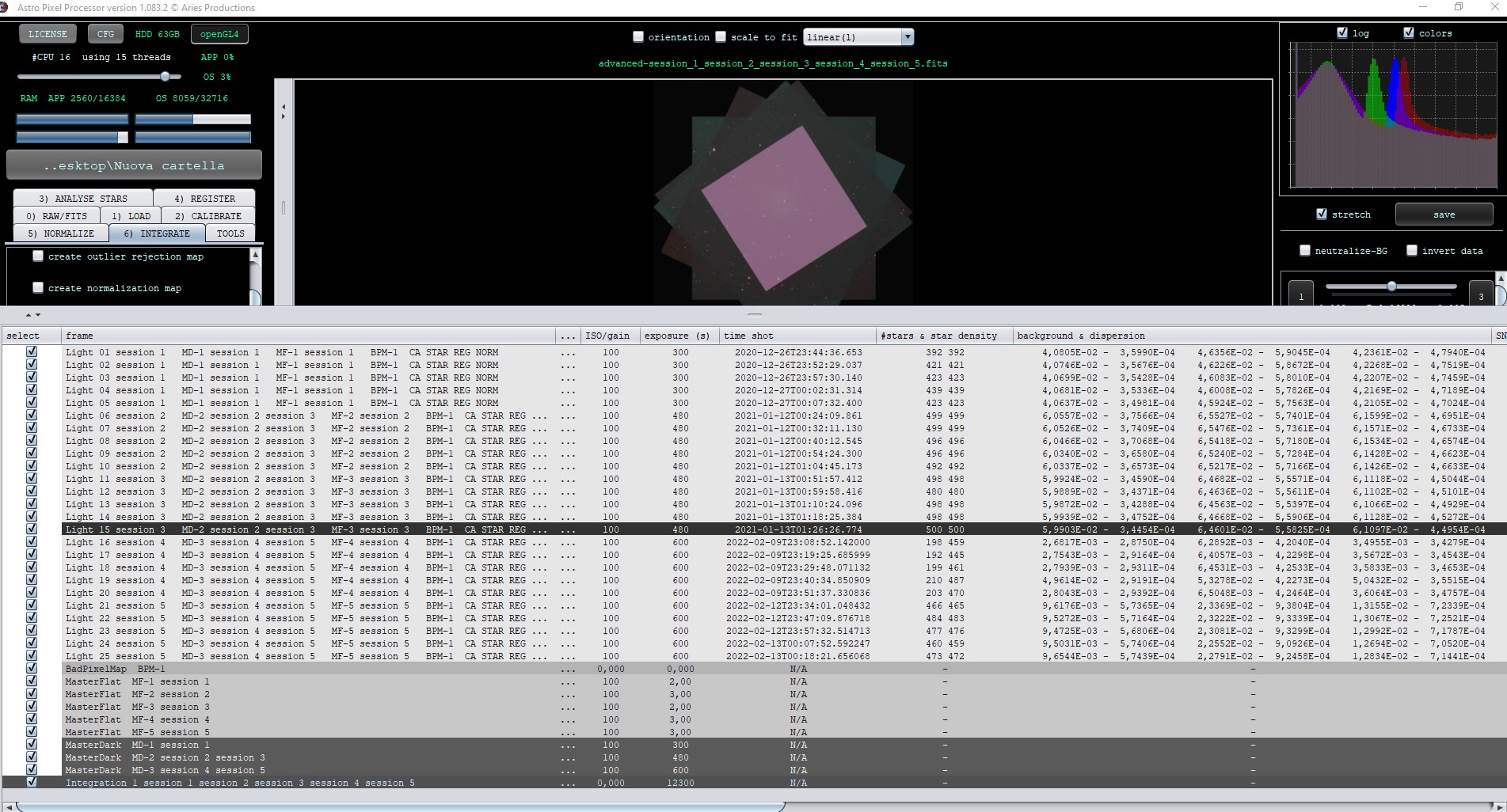
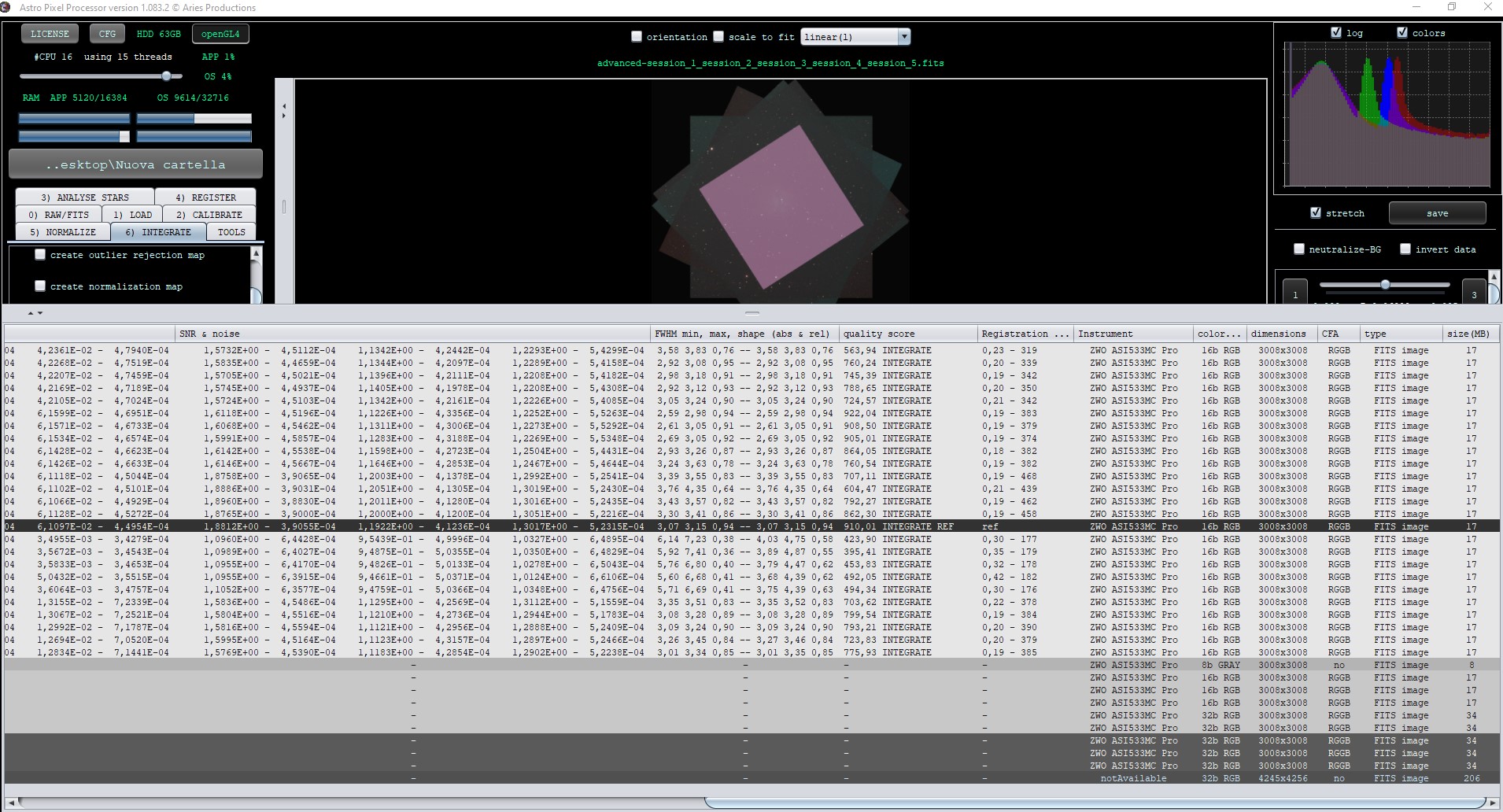
Here attached 2 screenshots of all analytical results...
If you want, please, I can upload exactly these all files I used for test, and you can have a look.
Thanks
Hi Mabula.
Any idea?
@ippiu, the 600 sec subs have very low sky background values compared to the other frames.. Any idea why? There might be a problem there with the data somehow.
I guess all data was shot with the same camera but different telescopes, right?
Please upload some data of the different session so the problem occurs and I will have a look 😉 use the upload details as shown on the Top Right of the forum.
Mabula
I guess all data was shot with the same camera but different telescopes, right?
Hi Mabula.
Yes, same camera and same telescope too. But different focal length.
I uploaded exactly the same files I used for tests, included master calibration flats, darks and BPM.
https://upload.astropixelprocessor.com/sharing/1ebOB9Ite
Thanks so much for your efforts and help
I guess all data was shot with the same camera but different telescopes, right?
Hi Mabula.
Yes, same camera and same telescope too. But different focal length.
I uploaded exactly the same files I used for tests, included master calibration flats, darks and BPM.
https://upload.astropixelprocessor.com/sharing/1ebOB9Ite
Thanks so much for your efforts and help
Hi @mabula-admin.
Did you have time to have a look?
Thanks
Hi @ippiu,
Thank you very much for your upload. I have found the issue. It is a bug in the normalisation engine combined with the adaptive pedestal. Some if your data needs a pedestal and some of the frame don't. And apparently in the advanced normalization this is not working correcly.
If you disable the adaptive pedestal, you will see, the problem is not there. So you encountered a bug in advanced normalization combined with the adaptive pedestal.
I will fix it for the next release, thank you very much for reporting it.
Mabula
Glad to hear that I can help you in finding some issues and bugs in APP so you can improve it better.
Thanks for your help
It is a bug in the normalisation engine combined with the adaptive pedestal.
If you disable the adaptive pedestal,
Where is adaptive pedestal setting? I can't find it under normalisation tab
Where is adaptive pedestal setting? I can't find it under normalisation tab
At the bottom of tab 2. The option is called "adaptive pedestal/reduce Amp-Glow".
